로그인 필요
계속하려면 iOSGods 계정으로 로그인하세요.
계속하려면 iOSGods 계정으로 로그인하세요.
이 로봇 격투 Mod IPA는 Real Steel의 제작사에서 만든 #1 카드 수집형 3v3 전투 게임의 치트를 잠금 해제합니다. 강력한 로봇들로 당신의 꿈의 팀을 구성하고, 파괴적인 움직임을 마스터하며, Ultimate Robot Fighting으로 전투 아레나를 지배하세요. 이제 자원을 제자리에 고정시키는 경제 동결 기능이 포함되어 있습니다.
- 골드 동결 → 골드 소모 방지
- 머니 동결 → 머니 소모 방지
이 앱에는 iGameGod도 포함되어 있어 반복 작업을 자동화하는 Auto Touch, 게임 속도를 조절할 수 있는 App Speed Manager, Memory Engine 값 편집 등 강력한 iOS 게임 도구를 사용할 수 있습니다.
위의 링크에서 Ultimate Robot Fighting Hack modded IPA을 다운로드합니다. 설치 버튼을 누르고 화면 안내에 따라 iPhone, iPad 또는 Apple Silicon에 이 iOS 앱 해킹을 설치합니다.
더 많은 도움이 필요하신가요? 자세한 답변과 문제 해결 팁은 iOSGods 앱 자주 묻는 질문을 확인하세요.
LE JEU N°1 DE COMBATS DE ROBOTS, PAR LES CRÉATEURS DE REAL STEEL WORLD ROBOT BOXING !
Pénétrez dans le monde captivant de la boxe robotique en formant votre propre équipe de robots originaux aussi puissants que belliqueux ! Entrez dans l'arène d'un jeu de combat tactile en 3 contre 3 avec ULTIMATE ROBOT FIGHTING, un jeu cartes à collectionner free-to-play.
Formez une équipe de robots conscients, déchaînez des coups spéciaux uniques et dévastateurs, améliorez et augmentez les niveaux de vos machines et régnez en maître sur l'arène de combat en devenant le roi de l'acier !
Ce jeu est entièrement gratuit, bien que certains objets nécessitent un paiement via l'application. Vous pouvez suspendre cette fonctionnalité en désactivant les achats via l'application depuis les paramètres de votre appareil.
CARACTÉRISTIQUES :
BATTEZ-VOUS
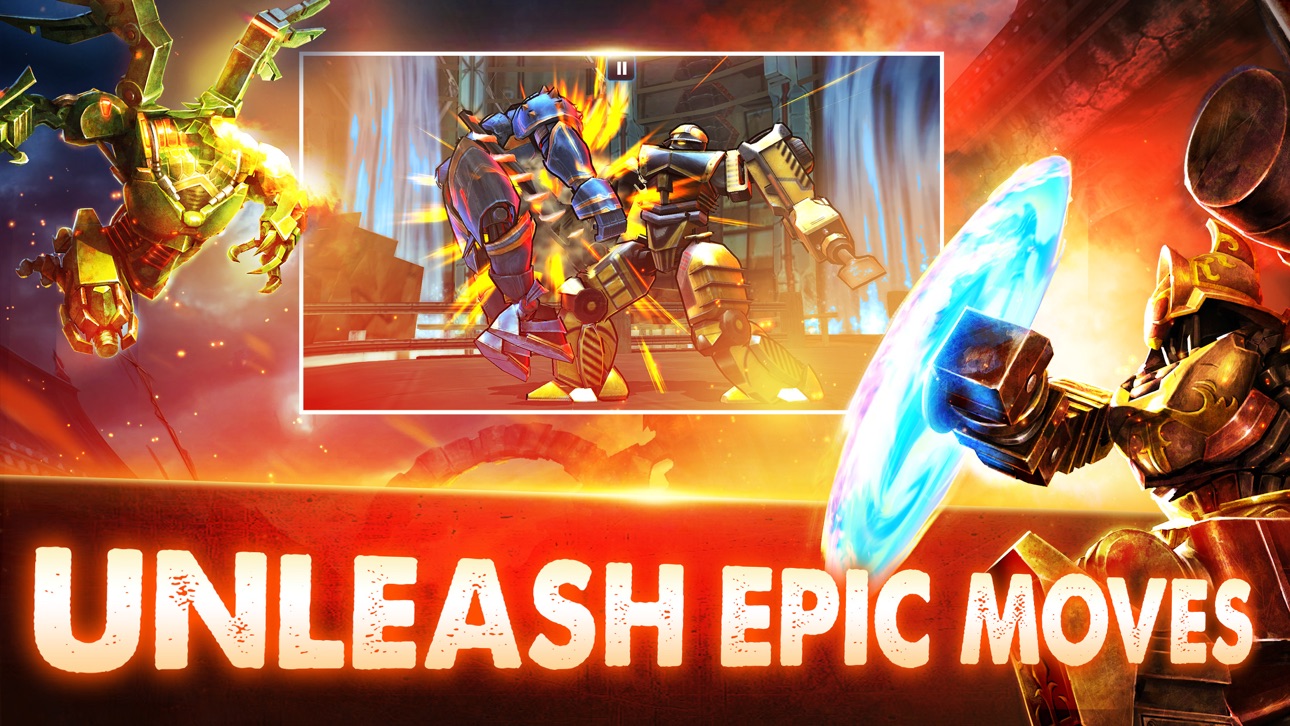
• Touchez et glissez sur l'écran pour affronter les ennemis dans des combats en 3 contre 3 et déclenchez des coups spéciaux et combos épiques. Remplissez votre jauge de puissance pour pouvoir exécuter des assauts spéciaux et des arrachages sauvages pour obtenir la victoire !
ADMIREZ LES GRAPHISMES EN CELL-SHADING ET LEUR QUALITÉ DIGNE DES CONSOLES
• Une expérience unique et époustouflante sur plateformes mobiles. Expérience de jeu totale avec des graphismes et des visuels de pointe ainsi que des effets spéciaux inédits et des environnements immersifs !
FORMEZ VOTRE ÉQUIPE PARMI UNE IMMENSE SÉLECTION
• Créez l'équipe parfaite en faisant votre choix parmi 45 robots uniques inspirés de dieux anciens, de gladiateurs, de dragons, de moines, de machines, de samouraïs, de ninjas et bien plus ! Assemblez des variations de robots supplémentaires pour débloquer de nouveaux pouvoirs et une expérience de jeu totalement nouvelle !
AMÉLIORATIONS ET SYNERGIE
• Améliorez, mettez à jour et augmentez les rangs de vos machines de combat. Changez les membres de votre groupe de combattants ou bien choisissez même des équipes de synergie qui vous donnent des avantages uniques et exclusifs adaptés à votre style de jeu !
ÉQUIPEZ DES CARTES DE PUISSANCE ET DES BONUS
• Équipez vos robots avec des cartes de puissance et des bonus pour décupler leurs capacités ! Augmentez vos dégâts et votre armure, améliorez les personnages et leurs coups spéciaux et laissez parler la véritable force de l'acier !
CE JEU N'EST PAS COMPATIBLE AVEC LES iPOD TOUCH DE 3E ET 4E GÉNÉRATION, iPAD 1, iPHONE 3GS ET iPHONE 4.
Restez au courant ! Recevez les dernières infos de Reliance Games, ainsi que des mises à jour, des astuces vidéo et bien plus...
Visit us: http://www.reliancegames.com
Like us: http://www.facebook.com/reliancegames
Follow us: http://www.twitter.com/reliancegames
Watch us: http://www.youtube.com/reliancegames
스크린샷 © 각 소유자 · App Store



iOSGods는 Apple Inc., Google LLC 및 여기에 등록된 앱의 개발사와 제휴 관계가 없으며, 승인이나 후원을 받지 않았습니다. Apple, iOS, App Store는 Apple Inc.의 상표입니다. Android와 Google Play는 Google LLC의 상표입니다. 그 외 모든 앱 이름, 아이콘, 이미지 및 상표는 각 소유자의 재산입니다.

- 탈옥/제일 또는 탈옥된 iPhone 또는 iPad가 필요합니다.
- Sideloadly 또는 대체 도구가 필요합니다.
- iTunes가 설치된 Windows/macOS/Linux 컴퓨터가 필요합니다.
1단계: 위 링크에서 미리 해킹된 .IPA 파일을 컴퓨터에 다운로드합니다. iOSGods App에서 다운로드하려면 동영상 예시가 포함된 iOSGods App IPA 다운로드 튜토리얼를 참고하십시오.
2단계: Sideloadly를 다운로드하여 Windows 또는 Mac에 설치합니다.
3단계: 컴퓨터에서 Sideloadly를 실행하고 iOS 기기를 연결한 후, Sideloadly에 기기 이름이 표시될 때까지 기다립니다.
4단계: iDevice가 인식되면, 다운로드한 모드된 .IPA 파일을 Sideloadly 애플리케이션에 끌어다 놓습니다.
5단계: Apple Account 이메일을 입력한 후 “Start”를 누릅니다. 그러면 비밀번호를 입력하라는 메시지가 표시됩니다. 요청된 정보를 제공해 주십시오.
6단계: Sideloadly가 해킹된 IPA의 사이드로드/설치를 완료할 때까지 기다리십시오. 설치 중 문제가 발생하면 아래 참고 사항을 읽어 주십시오.
7단계: 설치가 완료되어 홈 화면에서 앱이 보이면 설정 → 일반 → 프로파일 / VPN 및 기기 관리 경로로 이동해야 합니다. 그곳에서 6단계에서 입력한 이메일을 탭한 다음 “[email protected] 신뢰”를 탭하십시오.
8단계: 이제 홈 화면으로 돌아가 새로 설치된 앱을 열면 모든 것이 정상적으로 작동할 것입니다. 게임 내 해킹 팝업에서 앱별 추가 안내를 따라야 할 수도 있습니다.
참고: iOS/iPadOS 16 이상에서는 개발자 모드를 활성화해야 합니다. 무료 Apple Developer 계정의 경우 이 과정을 7일마다 반복해야 합니다. 질문이나 문제가 있는 경우 해당 토픽의 Sideloadly FAQ 섹션를 읽어보십시오.
Game Name iOS Mod IPA is an action adventure game enhanced with powerful gameplay boosts and quality-of-life improvements. Win battles faster, earn rewards quicker, and enjoy uninterrupted play without ads.
- Unlimited Gold - spend freely to unlock premium content
- Damage Multiplier - deal significantly more damage in combat
- Defense Multiplier - take less damage and survive longer
- Reward Multiplier - earn more loot from every battle
- Max Level - instantly reach the highest player rank
- No Ads - play without interruptions or advertisements
This app also comes with iGameGod, giving you access to Auto Touch to automate repetitive tasks, App Speed Manager for adjustable gameplay speed, Memory Engine value editing, and more powerful iOS game tools.
위의 링크에서 Game Name Mod IPA을 다운로드합니다. 설치 버튼을 누르고 화면 안내에 따라 iPhone, iPad 또는 Apple Silicon에 이 iOS 앱 해킹을 설치합니다.
더 많은 도움이 필요하신가요 자세한 답변과 문제 해결 팁은 iOSGods 앱 자주 묻는 질문을 확인하세요.
----------------------------------------------------------
--------------------------------------------------