Accesso richiesto
Accedi con il tuo account iOSGods per continuare.
Accedi con il tuo account iOSGods per continuare.
Domina LAST CLOUDIA: Pixel Art RPG con questo potente iOS mod IPA che trasforma la tua esperienza di combattimento con modalità dio, risorse infinite e moltiplicatori di attacco devastanti. Conquista ogni battaglia senza paura della sconfitta o dell'esaurimento delle risorse.
- Modalità Dio → non subire danni in combattimento
- Moltiplica Attacco → infliggi danni massicciamente aumentati per colpo
- MP Infinito → lancia incantesimi senza limiti
- SP Infinito → usa abilità speciali liberamente
- Etere Infinito → mantieni riserve di etere illimitate
Questa app include anche iGameGod, che ti offre accesso ad Auto Touch per automatizzare attività ripetitive, App Speed Manager per regolare la velocità di gioco, modifica dei valori con Memory Engine e altri potenti strumenti per giochi iOS.
Scarica LAST CLOUDIA: Pixel Art RPG iOS Mod IPA dai link sopra. Tocca il pulsante di installazione e segui le istruzioni per installare questo hack iOS sul tuo iPhone, iPad o Mac con Apple Silicon.
Hai bisogno di altro aiuto? Consulta le nostre Domande frequenti sull'app iOSGods per risposte dettagliate e consigli per la risoluzione dei problemi.
WHAT IS LAST CLOUDIA?
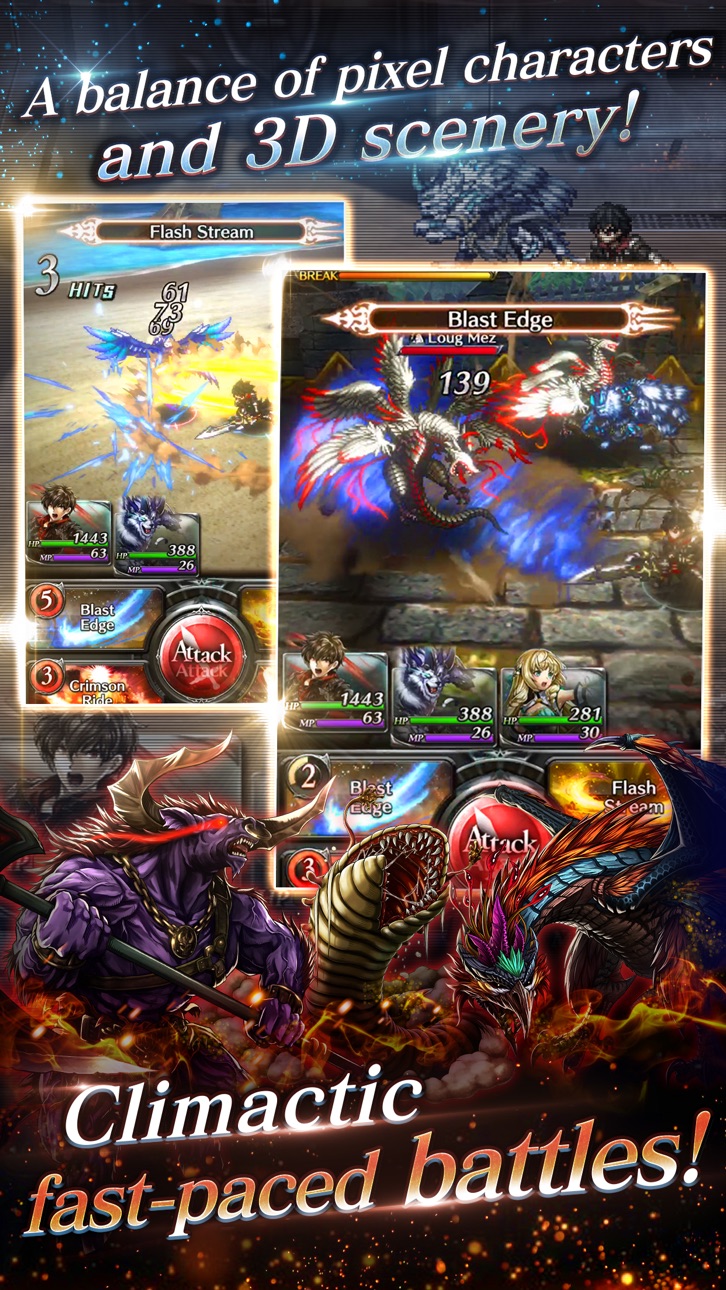
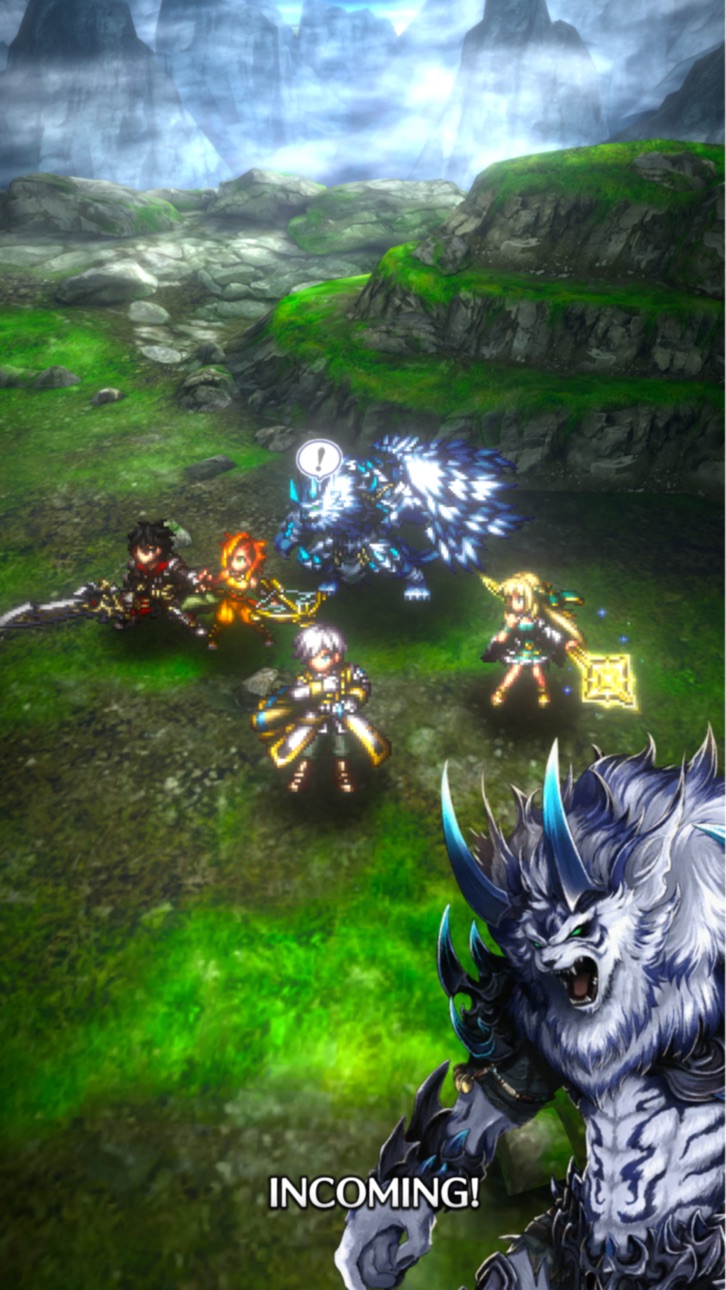
A fantasy RPG that weaves a sprawling tale with quirky characters and cinematic effects. Its gorgeous, fast-paced battles feature pixel art characters sweeping though 3D playspaces. Download the game now!
CINEMATIC EFFECTS AND SWEEPING SOUNDTRACK
A riveting tale told with pixel-art characters and 3D backgrounds, brought to life with lovingly crafted music and animation!
WHITE-KNUCKLE COMBAT ACTION
Heart-pounding real-time combat action at a speed that's only possible with pixel art!
DEEP CHARACTER-BUILDING SYSTEM
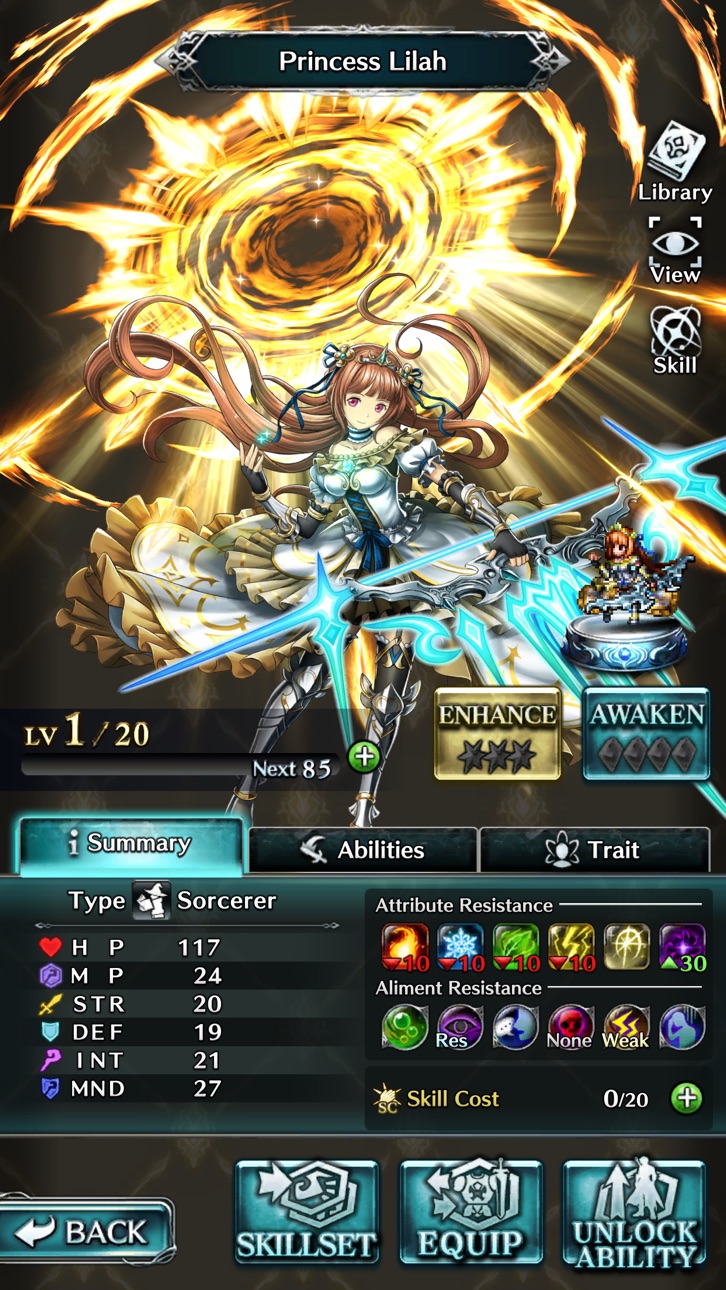
Go beyond collecting strong characters—train your favorite characters to have the stats you want! It's all up to you!
HANDS-FREE AUTOPLAY
No need to grind manually—just gear up your team and send them out to collect power-up materials!
STAR-STUDDED CAST OF VOICE ACTORS
Famous Japanese voice actors provide dynamic voices for characters in battle, when powering up, on the Home screen, and more!
—STORY—
Welcome to Granzelia, where people live among magical beasts.
Long ago this world was tyrannically ruled by the God of Ruin, until the hero Adel and goddess Lilaha joined forces to seal it away. In the centuries since then, that hero's bloodline built the Aldana Empire to peacefully rule all the land—but lately changes are afoot.
As reports of strange beast attacks surge, the 12th Order knight Kyle and the magical beast Rei set out on a mission. Neither knows it's the start of an epic battle that will shake the world!
You'll love Last Cloudia if you like...
• Playing any fantasy role playing game
• Games with classic pixel art, made just for game fans
• Anime or any RPG where you play though a legendary tale
• Any traditional JRPG (Japanese role-playing game) with intense battles and story development
• Action games where players mow through foes in 3D playspaces
SWORDS, SORCERY, AND SCINTILLATING COMBAT!
The RPG Last Cloudia has it all!
------------
[Official Facebook Page]
https://www.facebook.com/lastcloudiaen/
[Official Twitter]
Account: @lastcloudiaen
[Terms of Service for LAST CLOUDIA Pass (the “Subscription Agreement”)]
https://prod-notice.world-en.aidis-games.com/info/lcpass/lcpass_tos.html
© 2018-2026 AIDIS Inc.
Screenshot © rispettivi proprietari · App Store


iOSGods non è affiliata, approvata né sponsorizzata da Apple Inc., Google LLC o dagli sviluppatori delle app elencate qui. Apple, iOS e App Store sono marchi di Apple Inc. Android e Google Play sono marchi di Google LLC. Tutti gli altri nomi delle app, icone, immagini e marchi appartengono ai rispettivi proprietari.
- iPhone o iPad non jailbroken/jailed oppure jailbroken.
- Sideloadly o alternative.
- Computer con Windows/macOS/Linux con iTunes installato.
PASSO 1: Scarica il file .IPA pre-modificato dal link sopra sul tuo computer. Per scaricarlo dall'iOSGods App, consulta il nostro Tutorial download IPA dell'iOSGods App, che include un esempio video.
PASSO 2: Scarica Sideloadly e installalo sul tuo Windows o Mac.
PASSO 3: Apri Sideloadly sul tuo computer, collega il tuo dispositivo iOS e attendi finché il nome del dispositivo non appare in Sideloadly.
PASSO 4: Una volta riconosciuto il tuo iDevice, trascina il file .IPA moddato che hai scaricato e rilascialo nell'applicazione Sideloadly.
PASSO 5: Inserisci l'email del tuo Apple Account, poi premi “Start”. Ti verrà quindi chiesto di inserire la password. Procedi e fornisci le informazioni richieste.
PASSO 6: Attendi che Sideloadly completi il sideload/installazione dell'IPA modificata. Se ci sono problemi durante l'installazione, leggi la nota qui sotto.
PASSO 7: Una volta completata l'installazione e vista l'app sulla schermata Home, dovrai andare in Impostazioni → Generali → Profili / Gestione VPN e dispositivi. Una volta lì, tocca l'email inserita al passo 6 e poi tocca “Autorizza [email protected]”.
PASSO 8: Ora vai sulla schermata Home e apri l'app appena installata: tutto dovrebbe funzionare correttamente. Potrebbe essere necessario seguire ulteriori istruzioni specifiche all'interno del popup dell'hack nel gioco.
NOTA: Per iOS/iPadOS 16 e versioni successive, devi attivare la Modalità sviluppatore. Per gli account Apple Developer gratuiti, dovrai ripetere questa procedura ogni 7 giorni. Se hai domande o problemi, leggi la nostra sezione FAQ Sideloadly del topic.
Game Name iOS Mod IPA is an action adventure game enhanced with powerful gameplay boosts and quality-of-life improvements. Win battles faster, earn rewards quicker, and enjoy uninterrupted play without ads.
- Unlimited Gold - spend freely to unlock premium content
- Damage Multiplier - deal significantly more damage in combat
- Defense Multiplier - take less damage and survive longer
- Reward Multiplier - earn more loot from every battle
- Max Level - instantly reach the highest player rank
- No Ads - play without interruptions or advertisements
This app also comes with iGameGod, giving you access to Auto Touch to automate repetitive tasks, App Speed Manager for adjustable gameplay speed, Memory Engine value editing, and more powerful iOS game tools.
Scarica Game Name Mod IPA dai link sopra. Tocca il pulsante di installazione e segui le istruzioni per installare questo hack iOS sul tuo iPhone, iPad o Mac con Apple Silicon.
Hai bisogno di altro aiuto Consulta le nostre Domande frequenti sull'app iOSGods per risposte dettagliate e consigli per la risoluzione dei problemi.
----------------------------------------------------------
--------------------------------------------------