Anmeldung erforderlich
Melde dich mit deinem iOSGods-Konto an, um fortzufahren.
Melde dich mit deinem iOSGods-Konto an, um fortzufahren.

Schalte unendliche Energie, Münzen und Booster in diesem Manor Matters Mod IPA frei und bewältige Match-3-Rätsel sowie Wimmelbildsuchen mühelos ohne Grinding. Erkunde das mysteriöse Castlewood Manor, löse Rätsel und enthülle dunkle Geheimnisse in deinem eigenen Tempo mit unbegrenzten Ressourcen zur Hand.
- Unendliche Energie → spiele ohne auf Energieregeneration zu warten
- Unendliche Münzen → gib frei für In-Game-Käufe aus
- Unendliche Booster (Verwende Münzen zum Kauf von Boostern) → sammle Power-ups, um schwierige Level zu meistern
Diese App wird zusätzlich mit iGameGod geliefert und bietet dir Zugriff auf Auto Touch zur Automatisierung sich wiederholender Aufgaben, App Speed Manager für eine anpassbare Spielgeschwindigkeit, Memory Engine zur Wertbearbeitung und weitere leistungsstarke iOS-Spielwerkzeuge.
Lade Manor Matters: Adventure Game iOS Mod IPA über die obigen Links herunter. Tippe auf den Installations-Button und folge den Anweisungen, um diese iOS-App auf deinem iPhone, iPad oder Apple Silicon zu installieren.
Brauchst du mehr Hilfe? In unseren iOSGods App häufig gestellten Fragen findest du ausführliche Antworten und Tipps zur Fehlerbehebung.
Des mystères et des énigmes vous attendent !
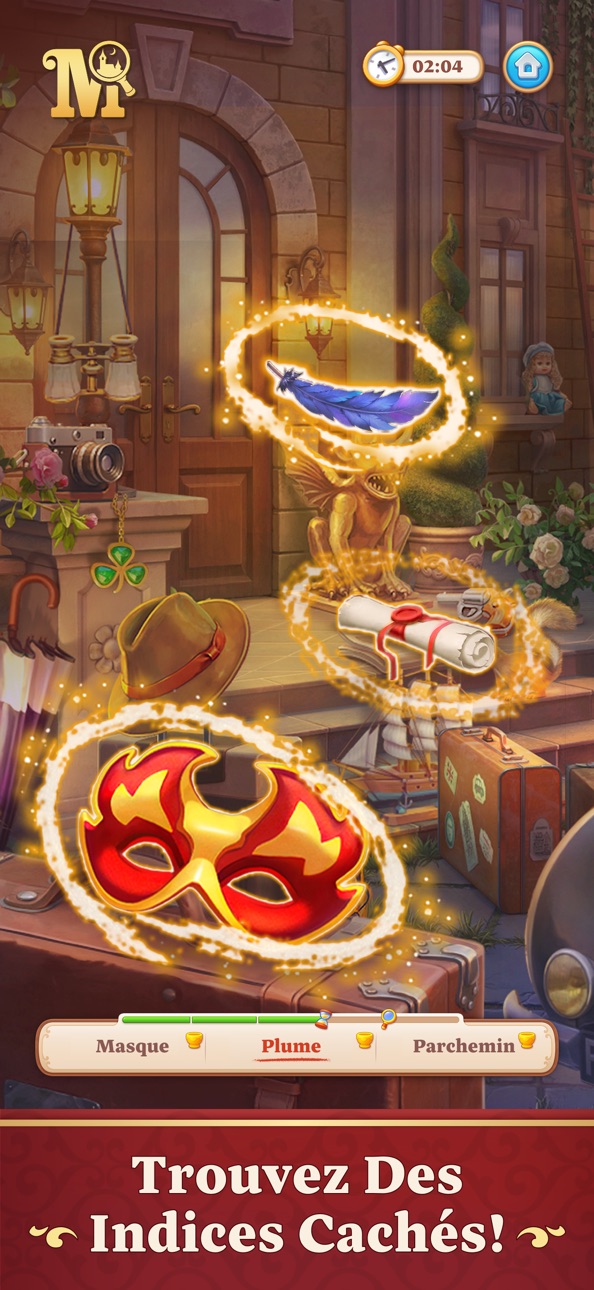
Bienvenue dans le mystérieux manoir de Castlewood, un endroit où le passé prend vie et les fantômes rôdent dans l'ombre. Chaque recoin de ce lieu renferme de sombres secrets et des trésors inestimables. Remportez des niveaux de séries de 3, résolvez des énigmes et fouillez des scènes d'objets cachés pour élucider tous les mystères de Castlewood.
Des aventures mystiques vous attendent !
Caractéristiques du jeu :
- Un gameplay passionnant ! Remportez des niveaux et gagnez des étoiles.
- Des milliers de niveaux de séries de 3 ! Alignez des éléments avec des bonus colorés et des boosters utiles.
- Des niveaux d'objets cachés magnifiques ! Découvrez différents modes de recherche pour trouver tous les objets.
- Une ambiance mystérieuse ! Percez tous les secrets du manoir mystique.
- Des voyages ! Vivez des aventures palpitantes aux côtés des personnages.
- Des jeux de logique ! Résolvez des énigmes et trouvez des trésors.
- Rénovez un vieux manoir ! Décorez Castlewood avec des éléments de décoration intérieure élégants.
- Vivez de nombreux rebondissements. Les mystères de Castlewood sauront vous surprendre et vous captiver !
- Faites équipe ! Unissez vos forces avec vos amis, gagnez des concours et partagez vos expériences.
Jouez avec vos ami·es de Facebook et du Game Center, ou faites-vous-en encore plus au sein de la communauté du jeu !
Jouer à Manor Matters est gratuit, mais certains objets, dont des objets aléatoires, et services peuvent faire l'objet de transactions moyennant de l'argent réel. Si vous ne souhaitez pas utiliser cette option, vous pouvez la désactiver dans le menu Restrictions de votre appareil.
Jouer à Manor Matters est gratuit, mais certains objets et services peuvent faire l'objet de transactions moyennant de l'argent réel.
Le jeu ne nécessite pas de connexion Internet.
* Cependant, une connexion Internet est nécessaire pour télécharger et lancer le jeu, ainsi que pour installer des mises à jour, participer à des compétitions et accéder à des fonctionnalités supplémentaires.
REMARQUE !
Nous testons constamment de nouveaux événements et mécaniques de jeu, donc l'apparence des niveaux et les fonctionnalités en jeu peuvent varier d'un joueur à l'autre.
Vous aimez Manor Matters ? Suivez le jeu sur les réseaux sociaux !
Facebook : https://www.facebook.com/manormatters/
Instagram : https://www.instagram.com/ManorMatters/
Twitter : https://twitter.com/manor_matters
Vous avez des questions ? Trouvez des réponses sur notre portail : https://bit.ly/3lZNYXs ou contactez l'assistance via ce formulaire : http://bit.ly/38ErB1d
Besoin de signaler un problème ou de poser une question ? Contactez notre service client depuis le jeu en allant dans Paramètres > Aide et support. Si vous ne pouvez pas accéder au jeu, utilisez le chat en ligne en cliquant sur l'icône de chat dans le coin inférieur droit de notre site Web : https://playrix.helpshift.com/hc/fr/16-manor-matters/
Politique de confidentialité : https://playrix.com/privacy/index_fr.html
Conditions d'utilisation : https://playrix.com/terms/index_fr.html
Screenshots © der jeweiligen Inhaber · App Store


iOSGods ist nicht mit Apple Inc., Google LLC oder den Entwicklern der hier aufgeführten Apps verbunden und wird von ihnen weder unterstützt noch gesponsert. Apple, iOS und App Store sind Marken von Apple Inc. Android und Google Play sind Marken von Google LLC. Alle weiteren App-Namen, Symbole, Grafiken und Marken gehören ihren jeweiligen Inhabern.
- Nicht-Jailbroken/Jailed oder Jailbroken iPhone oder iPad.
- Sideloadly oder Alternativen.
- Computer mit Windows/macOS/Linux und installiertem iTunes.
SCHRITT 1: Lade die vorinstallierte .IPA-Datei über den obigen Link auf deinen Computer herunter. Zum Herunterladen aus der iOSGods-App siehe unser iOSGods App IPA Download-Tutorial mit Videobeispiel.
SCHRITT 2: Lade Sideloadly herunter und installiere es auf deinem Windows oder Mac.
SCHRITT 3: Öffne Sideloadly auf deinem Computer, verbinde dein iOS-Gerät und warte, bis dein Gerätename in Sideloadly erscheint.
SCHRITT 4: Sobald dein iDevice erkannt wird, ziehe die heruntergeladene gemoddete .IPA-Datei in die Sideloadly-Anwendung.
SCHRITT 5: Gib deine Apple-Account-E-Mail ein und drücke „Start". Du wirst dann nach deinem Passwort gefragt. Gib die erforderlichen Informationen ein.
SCHRITT 6: Warte, bis Sideloadly das Sideloading/Installieren der gehackten IPA abgeschlossen hat. Bei Problemen während der Installation lies bitte den Hinweis unten.
SCHRITT 7: Sobald die Installation abgeschlossen ist und die App auf deinem Home-Bildschirm angezeigt wird, musst du zu Einstellungen → Allgemein → Profile / VPN & Geräteverwaltung gehen. Tippe dort auf die E-Mail, die du in Schritt 6 eingegeben hast, und dann auf „Trust [email protected]".
SCHRITT 8: Gehe nun zu deinem Home-Bildschirm und öffne die neu installierte App – alles sollte einwandfrei funktionieren. Möglicherweise musst du weitere App-spezifische Anweisungen im Hack-Popup im Spiel befolgen.
HINWEIS: iOS/iPadOS 16 und höher: Du musst den Entwicklermodus aktivieren. Bei kostenlosen Apple Developer-Accounts musst du diesen Vorgang alle 7 Tage wiederholen. Bei Fragen oder Problemen lies bitte unsere Sideloadly-FAQ-Sektion im Thema.
Game Name iOS Mod IPA is an action adventure game enhanced with powerful gameplay boosts and quality-of-life improvements. Win battles faster, earn rewards quicker, and enjoy uninterrupted play without ads.
- Unlimited Gold - spend freely to unlock premium content
- Damage Multiplier - deal significantly more damage in combat
- Defense Multiplier - take less damage and survive longer
- Reward Multiplier - earn more loot from every battle
- Max Level - instantly reach the highest player rank
- No Ads - play without interruptions or advertisements
This app also comes with iGameGod, giving you access to Auto Touch to automate repetitive tasks, App Speed Manager for adjustable gameplay speed, Memory Engine value editing, and more powerful iOS game tools.
Lade Game Name Mod IPA über die obigen Links herunter. Tippe auf den Installations-Button und folge den Anweisungen, um diese iOS-App auf deinem iPhone, iPad oder Apple Silicon zu installieren.
Brauchst du mehr Hilfe In unseren iOSGods App häufig gestellten Fragen findest du ausführliche Antworten und Tipps zur Fehlerbehebung.
----------------------------------------------------------
--------------------------------------------------