Потрібен вхід
Увійдіть у свій обліковий запис iOSGods, щоб продовжити.
Увійдіть у свій обліковий запис iOSGods, щоб продовжити.

Безмежні життя, монети та бустери перетворюють Traffic Puzzle Hack на розблокований пазл, де ви можете очищати дороги та рятувати машини швидкої допомоги без гринду та очікування. Збирайте три машини одного кольору, щоб допомогти поліції, пожежним машинам, машинам швидкої допомоги, гелікоптерам та потягам проїхати через місто, маючи свободу використовувати посилення коли завгодно в цій модифікованій грі для iOS.
- Безмежні життя → грайте без обмежень
- Безмежні монети → витрачайте вільно на покращення
- Безмежні бустери → активуйте посилення будь-коли
Цей застосунок також постачається з iGameGod, який надає доступ до Auto Touch для автоматизації повторюваних дій, App Speed Manager для регулювання швидкості гри, редагування значень за допомогою Memory Engine та інших потужних інструментів для iOS-ігор.
Завантажте Traffic Puzzle Hack modded IPA за посиланнями вище. Натисніть кнопку встановлення та дотримуйтесь інструкцій, щоб встановити цей хак iOS на iPhone, iPad або Apple Silicon.
Потрібна додаткова допомога? Перегляньте наш Поширені запитання про застосунок iOSGods для детальних відповідей та порад з усунення несправностей.
Welcome to Traffic Puzzle - the Puzzle game of the year matching cars and puzzles in one game.
The place where car games, Match 3 and Puzzle meet to one free to play an exciting experience.
It’s a Match 3 revolution!
Take your match-3 puzzle skills to the next level and combine the cars with your quick thinking.
Use your brain skills to solve all the levels and become a brain game specialist.
Get your cars ready for a one of a kind new puzzle adventure!
Play this amazing free Match 3 game and enjoy endless challenging levels.
Download and play Traffic Puzzle game and join the escape car puzzle fun now!
Solve all the game puzzles, clear all the challenging levels and unlock unique boosters.
This fun Match 3 game may look simple, but it’s a real challenge to master.
With limited moves for each level, it’s all up to your brain skills in brain games to make your dream come true and complete all the levels and get the high score you want.
Fan of online match 3 puzzle games? Can’t get enough of exciting brain teasers?
Traffic Puzzle new arcade adventure game is the most fun and addicting matching game in the store!
Match cars in a fun free addicting puzzle game
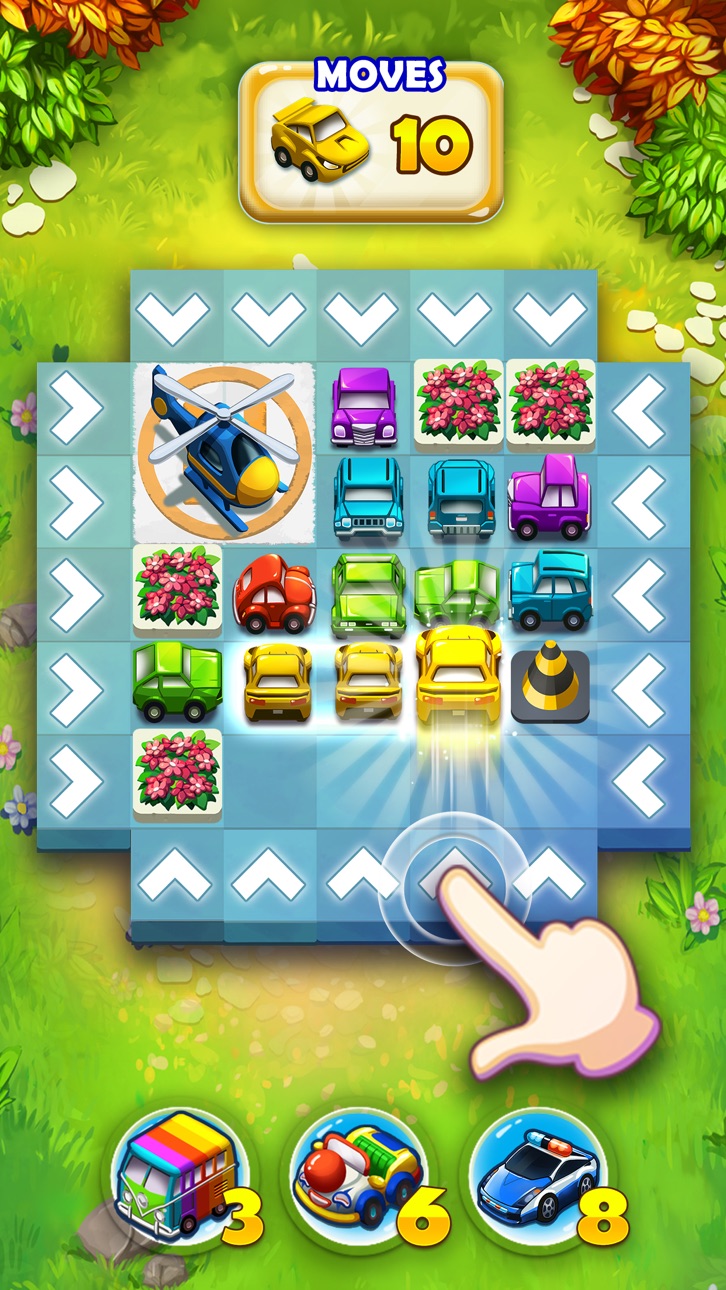
Swipe and match 3 or more cars in order to escape and then complete missions, reach high scores, and clear levels in an all new best free puzzle games!
Gameplay of the Arcade game of the year 2020 – Traffic Puzzle - match-3 game
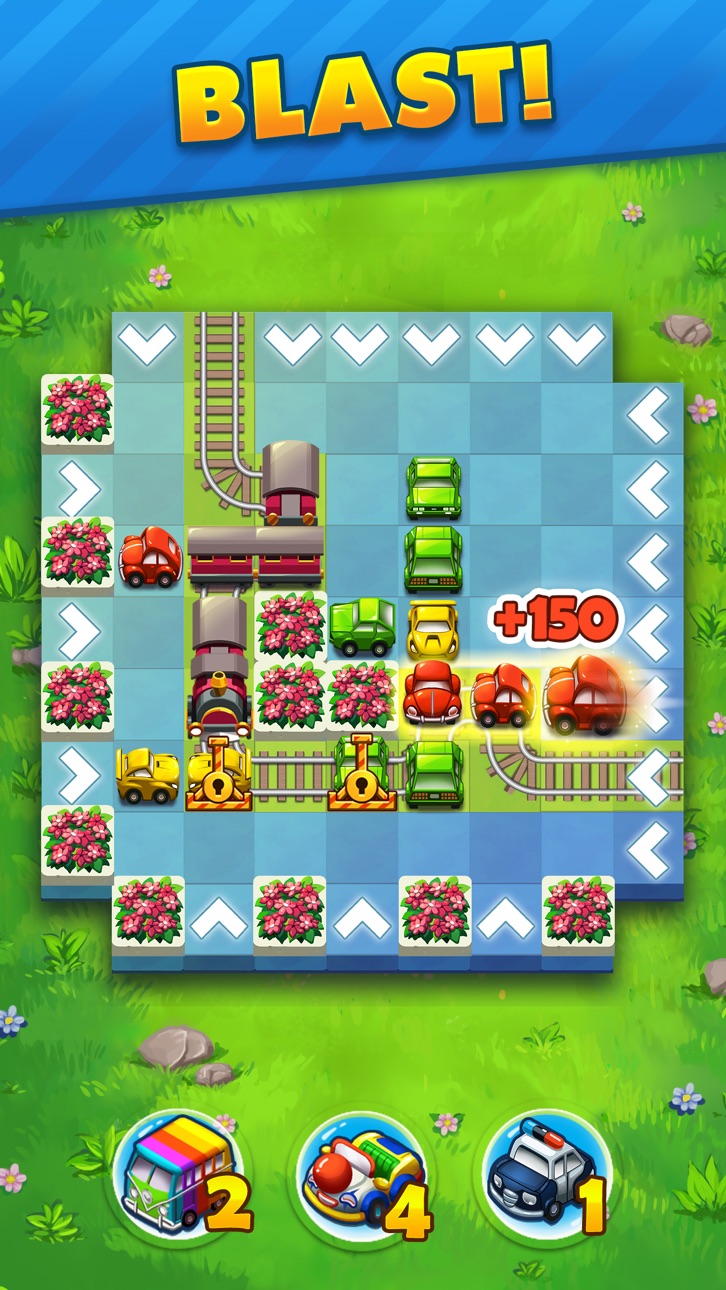
- Clear the roads by matching three cars of the same color
- Assist police, fire trucks and ambulances get to their destinations
- Help helicopters and trains get through a block
- Make the city more beautiful by planting grass
- Ensure people aren’t late for work by freeing up the tram
- Enjoy an ever-growing collection of unique levels
- Explore a wonderful cartoonish world with a fun story line
- Kick back and relax solving match 3 block puzzles by clearing cars
- Play by yourself or with your kids!
- An amazing car – match 3 game for the ones that are looking for a fun way to relax and pass their time
- Train your brain
Traffic Puzzle is the best puzzle game that you can find.
It’s time for this new exciting free game called Traffic Puzzle. You’ll never get bored playing this revolutionary match-three game.
Install now the best puzzle game you can imagine!
Join the car escape adventure and have a blast matching!
Знімки екрана © їхніх власників · App Store



iOSGods не пов’язана з Apple Inc., Google LLC або розробниками перелічених тут застосунків, не схвалена та не спонсорується ними. Apple, iOS і App Store — торгові марки Apple Inc. Android і Google Play — торгові марки Google LLC. Усі інші назви застосунків, іконки, зображення й торгові марки належать їхнім власникам.
- iPhone або iPad без джейлбрейку/у заводському стані або з джейлбрейком.
- Sideloadly або альтернативи.
- Комп'ютер під керуванням Windows/macOS/Linux із встановленим iTunes.
КРОК 1: Завантажте попередньо зламаний .IPA-файл за посиланням вище на свій комп'ютер. Щоб завантажити з iOSGods App, перегляньте наш Посібник із завантаження IPA в iOSGods App, який містить відеоприклад.
КРОК 2: Завантажте Sideloadly і встановіть його на своєму Windows або Mac.
КРОК 3: Відкрийте Sideloadly на комп'ютері, підключіть свій iOS-пристрій і зачекайте, поки назва пристрою з'явиться у Sideloadly.
КРОК 4: Коли ваш iDevice буде розпізнано, перетягніть завантажений модифікований .IPA-файл і відпустіть його в застосунок Sideloadly.
КРОК 5: Введіть електронну пошту вашого Apple Account, потім натисніть «Start». Після цього вас попросять ввести пароль. Введіть необхідні дані.
КРОК 6: Зачекайте, доки Sideloadly завершить sideload/встановлення зламаного IPA. Якщо під час встановлення виникнуть проблеми, прочитайте примітку нижче.
КРОК 7: Коли встановлення завершено й ви побачите застосунок на головному екрані, перейдіть до Налаштування → Загальні → Профілі / VPN і керування пристроєм. Там натисніть на електронну пошту, яку ви ввели на кроці 6, а потім натисніть «Довіряти [email protected]».
КРОК 8: Тепер перейдіть на головний екран і відкрийте щойно встановлений застосунок — усе має працювати належним чином. Можливо, доведеться виконати додаткові інструкції для конкретного застосунку в спливаючому вікні хака в грі.
ПРИМІТКА: У iOS/iPadOS 16 і пізніших версіях потрібно увімкнути режим розробника. Для безкоштовних облікових записів Apple Developer цей процес доведеться повторювати кожні 7 днів. Якщо у вас є запитання або проблеми, прочитайте наш розділ FAQ зі Sideloadly у темі.
Hack Features:
- Inf Coins (Spend)
App Installation Instructions:
---------------------------------------------------------
----------------------------------------------------------
If you require more information or help, please read our Frequently Asked Questions topic on iOSGods.com.
----------------------------------------------------------
--------------------------------------------------