ต้องเข้าสู่ระบบ
เข้าสู่ระบบด้วยบัญชี iOSGods เพื่อดำเนินการต่อ
เข้าสู่ระบบด้วยบัญชี iOSGods เพื่อดำเนินการต่อ
กองทัพไม่จำกัดและค่าพลังงานที่หยุดนิ่งเปลี่ยน Draw Arena: Battle Tactics ให้เป็นเกมกลยุทธ์ที่คุณสามารถเอาชนะฝ่ายตรงข้ามได้โดยไม่ต้องรอให้ทรัพยากรฟื้นตัว mod IPA นี้ลบการบดบังและให้คุณมุ่งเน้นไปที่การครอบงำทางยุทธศาสตร์
ไม่ว่าคุณจะเป็นผู้เล่นแข่งขันที่เบื่อตัวจับเวลาพลังงานหรือคนที่ต้องการทดลององค์ประกอบกองทัพอย่างอิสระ hack นี้จะขจัดอุปสรรคทรัพยากรที่มักจะขัดขวางความก้าวหน้า ดังนั้นทุกการต่อสู้จึงเป็นเรื่องของกลยุทธ์บริสุทธิ์มากกว่าว่าใครเข้าสู่ระบบนานที่สุด
- ปิดโฆษณาอัตโนมัติ → ลบโฆษณาวิดีโอบังคับ
- ปลดล็อกอวตาร์ → เครื่องแต่งกายอวตาร์ทั้งหมดพร้อมใช้งาน
- หยุดพลังงาน / กองทัพไม่จำกัด → ค่าพลังงานไม่ถูกหักออกอีกต่อไป
- ความเร็วการฟื้นตัวพลังงาน / กองทัพไม่จำกัด → การฟื้นตัวเร่งขึ้นอย่างไม่มีที่สิ้นสุด
- สกุลเงินและทรัพยากร / ปิดใช้งานหลังจาก Hack → สกุลเงินในเกมและวัสดุเพิ่มขึ้น
แอปนี้ยังมาพร้อมกับ iGameGod ซึ่งช่วยให้คุณเข้าถึง Auto Touch สำหรับการทำงานซ้ำ ๆ โดยอัตโนมัติ, App Speed Manager สำหรับปรับความเร็วของเกม, การแก้ไขค่าด้วย Memory Engine และเครื่องมือสำหรับเกม iOS ที่ทรงพลังอื่น ๆ อีกมากมาย
ดาวน์โหลด Draw Arena: Battle Tactics Hack modded IPA จากลิงก์ด้านบน แตะปุ่มติดตั้งและทำตามคำแนะนำบนหน้าจอเพื่อติดตั้งแฮ็กแอป iOS นี้บน iPhone, iPad หรือ Apple Silicon
ต้องการความช่วยเหลือเพิ่มเติม? ดู คำถามที่พบบ่อยของแอป iOSGods สำหรับคำตอบโดยละเอียดและเคล็ดลับการแก้ไขปัญหา
► UNA BATALLA DE INGENIO
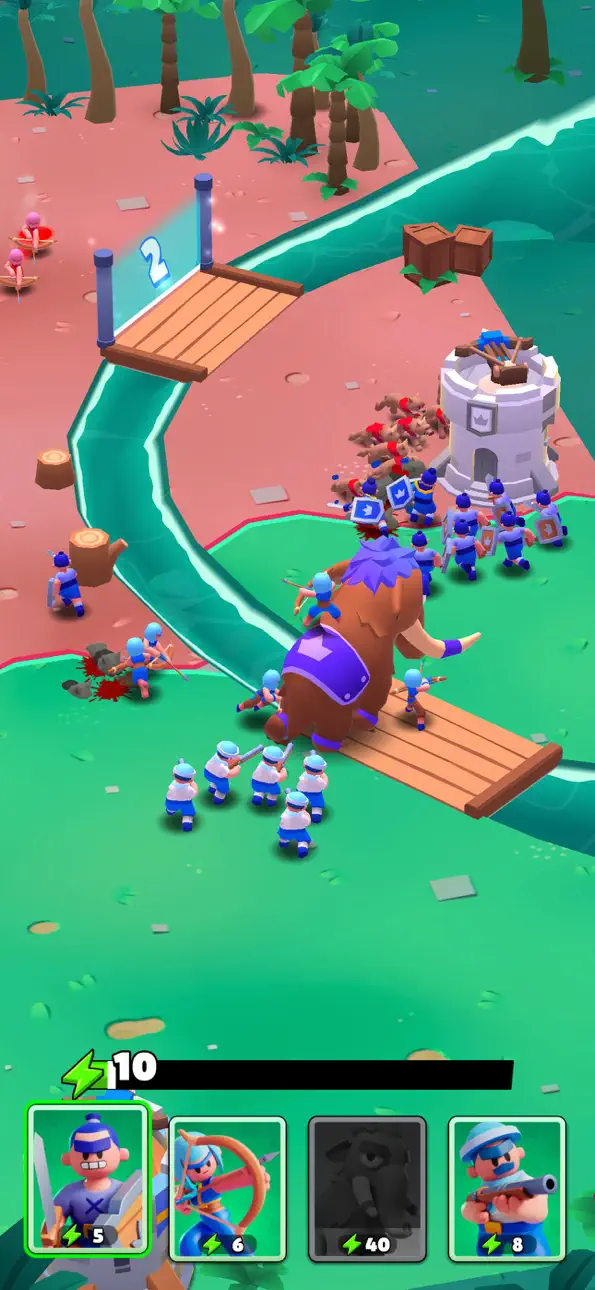
¡Esto sí que es un juego de defensa de torres! No solo tendrás que defender tu torre del ataque enemigo, ¡también tendrás que luchar contra su ejército al mismo tiempo! Pero mantente alerta: en este juego de guerra, los oponentes no son cosa menor... La otra torre está bajo las órdenes de una persona real, igual que tú, así que prepárate para horas de estrategias emocionantes y conquistas tácticas mientras despliegas tus ejércitos por el mapa y te preparas para la batalla. Explora, conquista y, lo mas importante, ¡diviértete!
► ¡ÁRMATE HASTA LOS DIENTES!
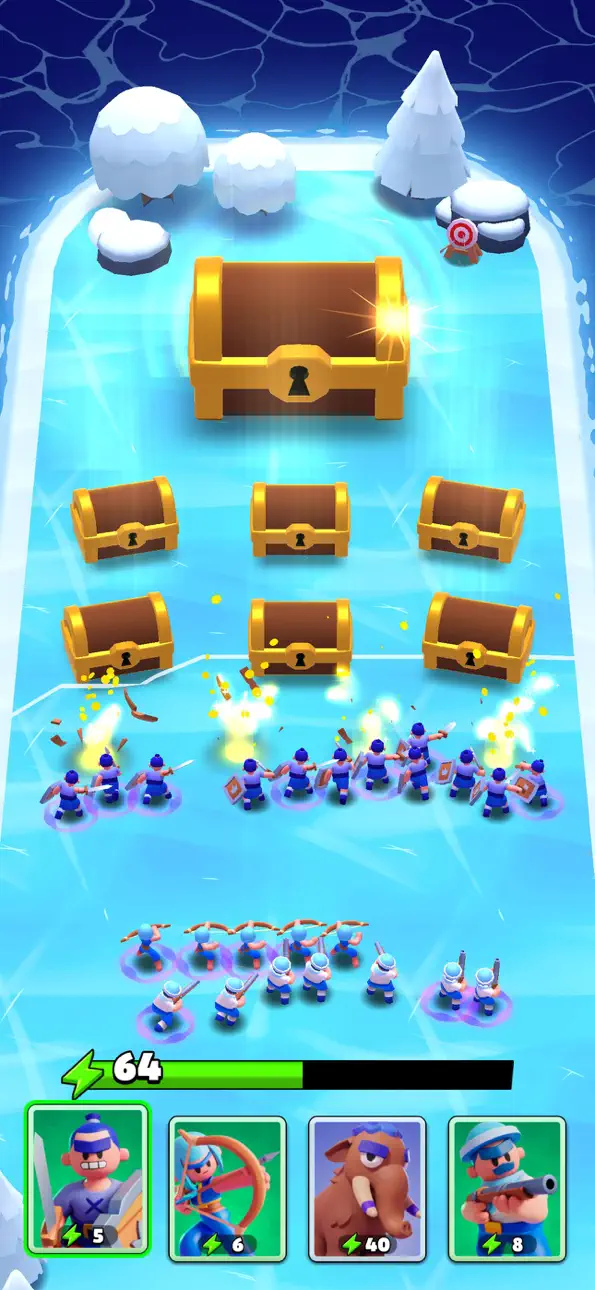
Con cada batalla, podrás poner a prueba nuevos terrenos y estrategias: dibuja tu ejército en el mapa y elige a qué soldados envías a qué zona de la batalla, pero no le quites el ojo de encima a tu oponente. A medida que la guerra avanza, podrás explorar diversas ubicaciones y, al mismo tiempo, levantar tus defensas al final de cada nivel. Entre los oponentes reales y el equipamiento extravagante (¿alguien quiere un mamut?) que puedes conseguir, estamos seguros de que las características únicas que hemos incluido en este juego de guerra te encantarán:
◾ Enemigos en tiempo real: te aguardan intensos combates JcJ mientras luchas con otros jugadores. Al tratarse de personas de verdad, cada nivel y batalla en la arena supondrán un desafío emocionante y novedoso, ya que cada persona probará tácticas nuevas.
◾ Estrategia: gracias al exclusivo mecanismo de dibujo, puedes elegir dónde desplegar tu ejército para derrotar a tu enemigo. Coloca bien las tropas al comienzo de la batalla y luego sigue añadiéndolas para aplastar a tu oponente. Pero no bajes la guardia, ¡porque tu enemigo hará lo mismo!
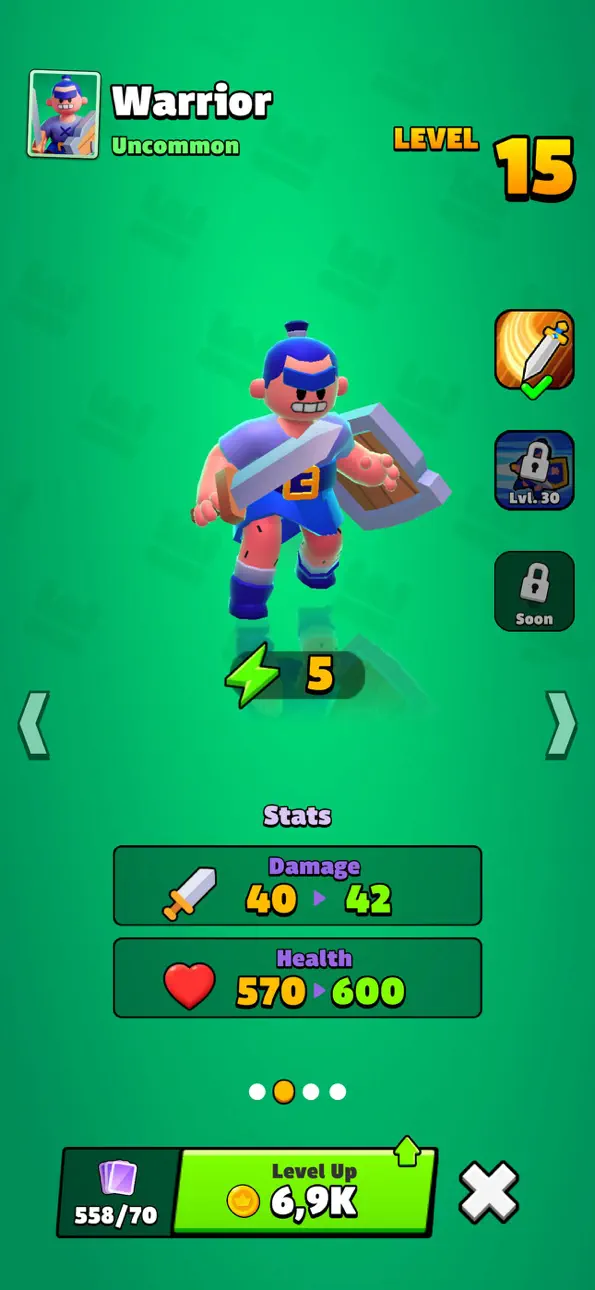
◾ Unidades diversas: a medida que vayas avanzando, irás desbloqueando nuevos soldados y equipamiento único que te ayudarán a ganar la batalla. Consigue equipo y úsalo en la arena, ¡desde infantería y arqueros hasta ninjas y robots! También podrás construir tu propia torre y prepararla para que sus defensas sean de primera.
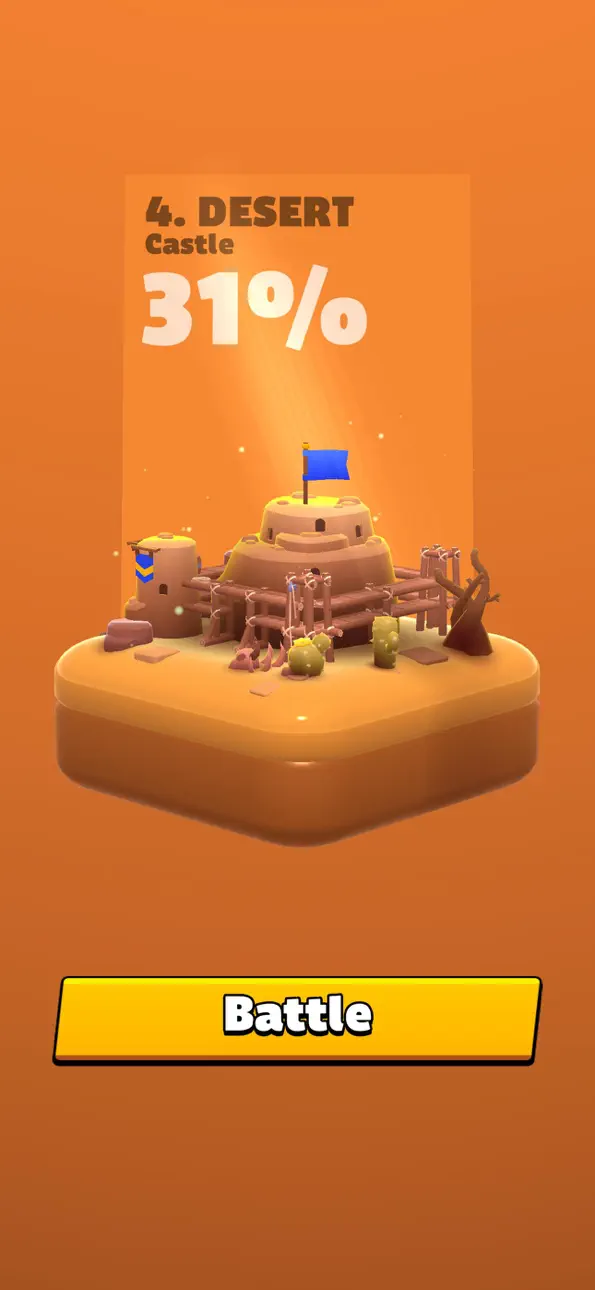
◾ Lugares increíbles: además de combatir y luchar, podrás explorar este mundo fantástico repleto de arenas únicas. ¡Conquístalas todas en tu misión para dominar el mundo!
► UN TORRERÍFICO JUEGO DE ESTRATEGIA
Los oponentes reales, la necesidad de cambiar de táctica constantemente y la posibilidad de conquistar territorios maravillosos son lo que hará de Draw Arena tu nuevo juego de defensa de torres JcJ preferido. ¡Descárgatelo ya mismo! No te olvides de construir tus propias bases y torres para que tus oponentes no puedan acabar contigo tan fácilmente, consigue varios tipos de soldados, forma tu ejército con un equipamiento fuera de lo común y, por supuesto, ¡diviértete mientras conquistas el mundo!
Política de privacidad: https://say.games/privacy-policy
Términos de uso: https://say.games/terms-of-use
ภาพหน้าจอ © เจ้าของแต่ละราย · App Store


iOSGods ไม่มีความเกี่ยวข้อง ไม่ได้รับการรับรอง และไม่ได้รับการสนับสนุนจาก Apple Inc., Google LLC หรือผู้พัฒนาแอปที่แสดงไว้ที่นี่ Apple, iOS และ App Store เป็นเครื่องหมายการค้าของ Apple Inc. Android และ Google Play เป็นเครื่องหมายการค้าของ Google LLC ชื่อแอป ไอคอน ภาพ และเครื่องหมายการค้าอื่นทั้งหมดเป็นทรัพย์สินของเจ้าของแต่ละราย

- iPhone หรือ iPad ที่ไม่ได้เจลเบรก/ไม่ได้เจลเบรก หรือเจลเบรกแล้ว
- Sideloadly หรือทางเลือกอื่น
- คอมพิวเตอร์ที่ใช้ Windows/macOS/Linux และติดตั้ง iTunes ไว้
ขั้นตอนที่ 1: ดาวน์โหลดไฟล์ .IPA ที่แฮกไว้ล่วงหน้าจากลิงก์ด้านบนลงในคอมพิวเตอร์ของคุณ หากต้องการดาวน์โหลดจากแอป iOSGods โปรดดู วิธีดาวน์โหลด IPA ในแอป iOSGods ซึ่งมีตัวอย่างวิดีโอประกอบ
ขั้นตอนที่ 2: ดาวน์โหลด Sideloadly แล้วติดตั้งบน Windows หรือ Mac ของคุณ
ขั้นตอนที่ 3: เปิด Sideloadly บนคอมพิวเตอร์ เชื่อมต่ออุปกรณ์ iOS แล้วรอจนกว่าชื่ออุปกรณ์ของคุณจะปรากฏใน Sideloadly
ขั้นตอนที่ 4: เมื่อ iDevice ของคุณถูกตรวจพบแล้ว ให้ลากไฟล์ .IPA ที่ม็อดมาวางลงในโปรแกรม Sideloadly
ขั้นตอนที่ 5: กรอกอีเมล Apple Account ของคุณ จากนั้นกด "Start" ระบบจะถามรหัสผ่าน กรอกข้อมูลที่จำเป็นให้เรียบร้อย
ขั้นตอนที่ 6: รอจนกว่า Sideloadly จะ sideload/ติดตั้งไฟล์ IPA ที่แฮกเสร็จ หากเกิดปัญหาระหว่างติดตั้ง โปรดอ่านหมายเหตุด้านล่าง
ขั้นตอนที่ 7: เมื่อการติดตั้งเสร็จสิ้นและเห็นแอปบนหน้าจอหลักแล้ว ให้ไปที่ การตั้งค่า → ทั่วไป → โปรไฟล์ / VPN และการจัดการอุปกรณ์ จากนั้นแตะที่อีเมลที่คุณกรอกในขั้นตอนที่ 6 แล้วแตะ "เชื่อถือ [email protected]"
ขั้นตอนที่ 8: จากนั้นไปที่หน้าจอหลักและเปิดแอปที่ติดตั้งใหม่ ทุกอย่างควรทำงานได้ปกติ คุณอาจต้องทำตามคำแนะนำเพิ่มเติมเฉพาะแอปในป๊อปอัปของม็อดในเกม
หมายเหตุ: สำหรับ iOS/iPadOS 16 ขึ้นไป คุณต้อง เปิดโหมดนักพัฒนา (Developer Mode) สำหรับบัญชี Apple Developer แบบฟรี คุณต้องทำขั้นตอนนี้ซ้ำทุก 7 วัน หากมีคำถามหรือพบปัญหา โปรดอ่าน หัวข้อ FAQ ของ Sideloadly ในกระทู้
Game Name iOS Mod IPA is an action adventure game enhanced with powerful gameplay boosts and quality-of-life improvements. Win battles faster, earn rewards quicker, and enjoy uninterrupted play without ads.
- Unlimited Gold - spend freely to unlock premium content
- Damage Multiplier - deal significantly more damage in combat
- Defense Multiplier - take less damage and survive longer
- Reward Multiplier - earn more loot from every battle
- Max Level - instantly reach the highest player rank
- No Ads - play without interruptions or advertisements
This app also comes with iGameGod, giving you access to Auto Touch to automate repetitive tasks, App Speed Manager for adjustable gameplay speed, Memory Engine value editing, and more powerful iOS game tools.
ดาวน์โหลด Game Name Mod IPA จากลิงก์ด้านบน แตะปุ่มติดตั้งและทำตามคำแนะนำบนหน้าจอเพื่อติดตั้งแฮ็กแอป iOS นี้บน iPhone, iPad หรือ Apple Silicon
ต้องการความช่วยเหลือเพิ่มเติม ดู คำถามที่พบบ่อยของแอป iOSGods สำหรับคำตอบโดยละเอียดและเคล็ดลับการแก้ไขปัญหา
----------------------------------------------------------
--------------------------------------------------