需要登录
请使用您的 iOSGods 账户登录以继续。
请使用您的 iOSGods 账户登录以继续。
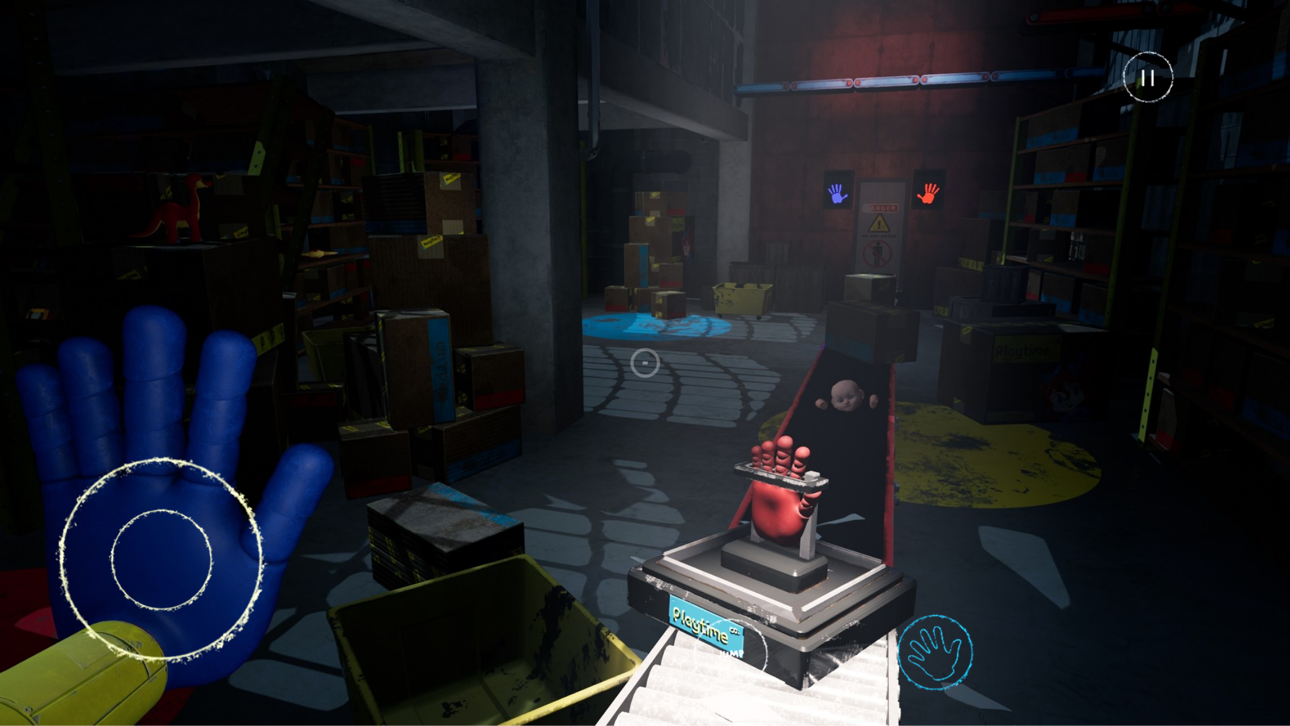
在这款免费恐怖益智游戏中生存下来,使用 Poppy Playtime Chapter 1 Mod IPA 的 GrabPack 来破解电路、解决谜题,并在神秘设施中躲避复仇的玩具。探索 Playtime Co. 并揭开失踪背后的真相,同时躲避 Huggy 和其他敌对玩具的威胁。
此应用还内置 iGameGod,让你能够使用 Auto Touch 自动执行重复操作、通过 App Speed Manager 调节游戏速度、使用 Memory Engine 修改内存数值,以及更多强大的 iOS 游戏工具。
从上方链接下载 Poppy Playtime Chapter 1 modded IPA。点击安装按钮并按照屏幕提示在 iPhone、iPad 或 Apple Silicon 上安装此 iOS 应用修改版。
需要更多帮助?请查看我们的 iOSGods 应用常见问题解答 获取详细解答和故障排除技巧。
You must stay alive in this horror/puzzle adventure. Try to survive the vengeful toys waiting for you in the abandoned toy factory. Use your GrabPack to hack electrical circuits or nab anything from afar. Explore the mysterious facility... and don't get caught.
---Welcome to Playtime Co.!---
Playtime Co. was once the king of the toy manufacturing industry... until everybody inside of the factory one day disappeared into thin air. Now, years later, you must explore the abandoned factory and uncover the truth.
---The Toys---
The toys of Playtime Co. are a lively bunch! From Bot to Huggy, Catbee to Poppy, Playtime does it all! As long as you're at Playtime Co., why not pay the toys a little visit? You might just make a few friends...
---The GrabPack---
This amazing GrabPack is a wearable backpack, accompanied by 2 artificial hands attached via steel wire. With this handy, state-of-the-art tool, there's no limit to what Playtime Co. employees can accomplish! The following list of features should help to show you what the GrabPack has to offer.
- The hands' powerful grip allows for movement of heavy objects with ease!
- A lengthy and flexible wire gives any employee the ability to reach whatever they may need, no matter the distance!
- The steel wire makes conducting electricity a breeze!
The only limit is the length of your GrabPack's wire.
Won't you stick around? There's lots of fun in store for you. It's almost Playtime...

- 未越狱/受限或已越狱的 iPhone 或 iPad。
- Sideloadly 或替代方案。
- 运行 Windows/macOS/Linux 且已安装 iTunes 的电脑。
步骤 1: 通过上方链接将已破解的 .IPA 文件下载到您的电脑。如需从 iOSGods App 下载,请参阅我们的 iOSGods App IPA 下载教程,其中包含视频示例。
步骤 2: 下载 Sideloadly 并将其安装到您的 Windows 或 Mac 上。
步骤 3: 在电脑上打开 Sideloadly,连接您的 iOS 设备,等待设备名称在 Sideloadly 中显示。
步骤 4: 当 Sideloadly 识别到您的 iOS 设备后,将下载好的修改版 .IPA 文件拖放到 Sideloadly 应用中。
步骤 5: 输入您的 Apple Account 邮箱,然后点击 "Start"。系统会提示您输入密码,请按要求填写信息。
步骤 6: 等待 Sideloadly 完成已破解 IPA 的旁加载/安装。如果安装过程中出现问题,请阅读下方的注意事项。
步骤 7: 安装完成并在主屏幕上看到该应用后,您需要前往 设置 → 通用 → 描述文件 / VPN 与设备管理。进入后,点击您在第 6 步中输入的邮箱,然后点击 "信任 [email protected]"。
步骤 8: 现在返回主屏幕并打开新安装的应用,一切应可正常运行。您可能需要按照游戏内修改弹窗中的具体说明执行进一步操作。
注意: 在 iOS/iPadOS 16 及更高版本上,您必须 启用开发者模式。对于免费的 Apple Developer 账户,您需要每 7 天重复一次此操作。如有任何疑问或问题,请阅读我们的 主题中的 Sideloadly 常见问题部分。




![[Seven Deadly Sins] 七つの大罪 光と闇の交戦 : グラクロ iOS Mod IPA](https://is1-ssl.mzstatic.com/image/thumb/Purple221/v4/7d/1b/68/7d1b68a0-2c4f-4893-5c31-a06e3e341f1c/AppIcon-1x_U007emarketing-0-8-0-85-220-0.png/100x100bb.jpg)


