ต้องเข้าสู่ระบบ
เข้าสู่ระบบด้วยบัญชี iOSGods เพื่อดำเนินการต่อ
เข้าสู่ระบบด้วยบัญชี iOSGods เพื่อดำเนินการต่อ
เงินอนันต์, ทองคำ, และกระสุนปลดล็อกพลังไฟที่ไม่อาจหยุดได้ใน Into the Dead 2 iOS Mod IPA ให้คุณทำลายวิกฤตซอมบี้โดยไม่มีข้อจำกัดทรัพยากรหรือความล่าช้าในการโหลดใหม่
การโกงนี้เปลี่ยนการเอาชีวิตรอดเป็นการกระทำบริสุทธิ์: เก็บระเบิดไม่จำกัด, เปิดใช้งานการฆ่าครั้งเดียว, และรับสิทธิประโยชน์สมาชิก ViP ขณะที่คุณวิ่งเพื่อช่วยครอบครัวของคุณในบทเรียน 7 เรื่อง ไม่ว่าคุณจะไล่ตามเหตุการณ์ Night of the Living Dead และ Ghostbusters ที่เฉพาะเจาะจงหรือบดบังผ่านความท้าทายหลายร้อยรายการ พลังงานไม่จำกัดหมายความว่าคุณไม่เคยหยุดการสังหาร
- เงินไม่จำกัด → สกุลเงินไม่จำกัดสำหรับการอัพเกรด
- ทองคำไม่จำกัด → สกุลเงินพรีเมียมไม่มีที่สิ้นสุด
- กระสุนไม่จำกัด → ไม่เคยหมดกระสุน
- ระเบิดไม่จำกัด → พลังระเบิดไม่จำกัด
- ระเบิดทันที → ขว้างโดยไม่มีความล่าช้า
- ไม่มีการโหลดใหม่ → ยิงอย่างต่อเนื่อง
- พลังงานไม่จำกัด → เล่นโดยไม่มีข้อจำกัดความอดทน
- สมาชิก ViP → เข้าถึงสิทธิประโยชน์เฉพาะเจาะจง
- ฆ่าครั้งเดียว → กำจัดศัตรูทันที
แอปนี้ยังมาพร้อมกับ iGameGod ซึ่งช่วยให้คุณเข้าถึง Auto Touch สำหรับการทำงานซ้ำ ๆ โดยอัตโนมัติ, App Speed Manager สำหรับปรับความเร็วของเกม, การแก้ไขค่าด้วย Memory Engine และเครื่องมือสำหรับเกม iOS ที่ทรงพลังอื่น ๆ อีกมากมาย
ดาวน์โหลด Into the Dead 2 iOS Mod IPA จากลิงก์ด้านบน แตะปุ่มติดตั้งและทำตามคำแนะนำบนหน้าจอเพื่อติดตั้งแฮ็กแอป iOS นี้บน iPhone, iPad หรือ Apple Silicon
ต้องการความช่วยเหลือเพิ่มเติม? ดู คำถามที่พบบ่อยของแอป iOSGods สำหรับคำตอบโดยละเอียดและเคล็ดลับการแก้ไขปัญหา
Ábrete camino a través del apocalipsis zombi en una carrera para salvar a tu familia. Equípate con todo un arsenal de armas potentes y haz todo lo que haga falta para sobrevivir. Mutila, acribilla y masacra a los muertos, ¡lo importante es seguir avanzando! En un mundo donde nadie está a salvo, ¿hasta dónde llegarás para sobrevivir?
Sigue viviendo la pesadilla con los eventos de historia, que incluyen una terrorífica precuela a La noche de los muertos vivientes y una ampliación al mundo de Cazafantasmas.
CARACTERÍSTICAS:
• Una historia que va evolucionando y con finales alternativos: Completa 7 capítulos llenos de acción, 80 etapas y cientos de desafíos.
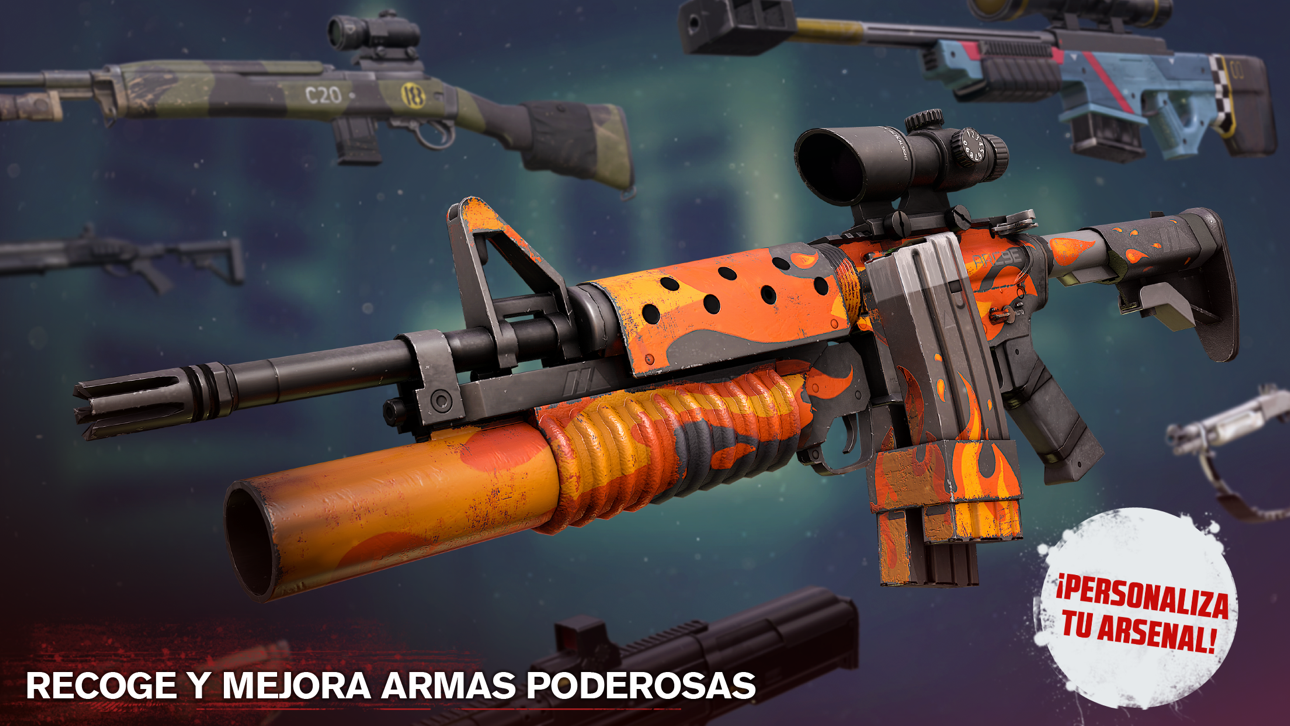
• Potentes armas y ventajas de munición: Desbloquea y mejora armas de cuerpo a cuerpo, armas de fuego, explosivos y ¡mucho más!
• Estilo de juego variado: Dispara desde ametralladoras montadas, aniquila hordas de zombis subido a un vehículo, apuñala a tus enemigos para sobrevivir o arriésgate a perseguirlos a pie.
• Escenarios variados y envolventes: Descubre una multitud de lugares, desde campos petrolíferos y bases militares, hasta campamentos y comunidades rurales.
• Peligros cada vez mayores: Adapta tus tácticas para eliminar diferentes tipos de enemigos, como zombis rápidos o zombis blindados.
• 5 eventos de historia adicionales: Desde bosques en llamas a gélidas cumbres de montaña.
• Modo evento y modo diario: Demuestra tu habilidad y gana premios exclusivos.
• Leales acompañantes caninos: Rechaza a los zombis y defiéndete en el campo de batalla.
• Juega sin conexión: Juega donde quieras, sin conectarte a Internet.
Into the Dead 2 es un juego gratuito, pero existen cargos de dinero real para algunos artículos.
¡Nos encanta saber qué piensan nuestros jugadores! ¿Estás en Twitter? Escríbenos usando @PikPokGames y únete a la conversación con #IntoTheDead.
Términos Del Servicio: http://pikpok.com/terms-of-use/
Suscripción VIP mensual de 1 mes con grandes beneficios diarios en el juego. Esta suscripción se renovará automáticamente y debe cancelarse al menos 24 horas antes de la renovación.
La suscripción VIP mensual se renovará automáticamente a no ser que desactives la renovación al menos 24 horas antes del final del periodo actual. El pago se cargará a tu cuenta de iTunes en el momento de la confirmación de la compra. La renovación se cargará a tu cuenta en las 24 horas antes del final del periodo actual. La renovación cuesta 9,99 USD al mes o su equivalente en tu país.
El usuario puede configurar su suscripción y desactivar la renovación automática tras la compra en los Ajustes de Cuenta del usuario. No se permite la cancelación de la suscripción actual durante el periodo de suscripción activo. Cualquier porción del periodo de prueba gratis que no se haya usado, si se ha ofrecido, se perderá en cuanto el usuario compre una suscripción VIP mensual.
ภาพหน้าจอ © เจ้าของแต่ละราย · App Store


iOSGods ไม่มีความเกี่ยวข้อง ไม่ได้รับการรับรอง และไม่ได้รับการสนับสนุนจาก Apple Inc., Google LLC หรือผู้พัฒนาแอปที่แสดงไว้ที่นี่ Apple, iOS และ App Store เป็นเครื่องหมายการค้าของ Apple Inc. Android และ Google Play เป็นเครื่องหมายการค้าของ Google LLC ชื่อแอป ไอคอน ภาพ และเครื่องหมายการค้าอื่นทั้งหมดเป็นทรัพย์สินของเจ้าของแต่ละราย

- iPhone หรือ iPad ที่ไม่ได้เจลเบรก/ไม่ได้เจลเบรก หรือเจลเบรกแล้ว
- Sideloadly หรือทางเลือกอื่น
- คอมพิวเตอร์ที่ใช้ Windows/macOS/Linux และติดตั้ง iTunes ไว้
ขั้นตอนที่ 1: ดาวน์โหลดไฟล์ .IPA ที่แฮกไว้ล่วงหน้าจากลิงก์ด้านบนลงในคอมพิวเตอร์ของคุณ หากต้องการดาวน์โหลดจากแอป iOSGods โปรดดู วิธีดาวน์โหลด IPA ในแอป iOSGods ซึ่งมีตัวอย่างวิดีโอประกอบ
ขั้นตอนที่ 2: ดาวน์โหลด Sideloadly แล้วติดตั้งบน Windows หรือ Mac ของคุณ
ขั้นตอนที่ 3: เปิด Sideloadly บนคอมพิวเตอร์ เชื่อมต่ออุปกรณ์ iOS แล้วรอจนกว่าชื่ออุปกรณ์ของคุณจะปรากฏใน Sideloadly
ขั้นตอนที่ 4: เมื่อ iDevice ของคุณถูกตรวจพบแล้ว ให้ลากไฟล์ .IPA ที่ม็อดมาวางลงในโปรแกรม Sideloadly
ขั้นตอนที่ 5: กรอกอีเมล Apple Account ของคุณ จากนั้นกด "Start" ระบบจะถามรหัสผ่าน กรอกข้อมูลที่จำเป็นให้เรียบร้อย
ขั้นตอนที่ 6: รอจนกว่า Sideloadly จะ sideload/ติดตั้งไฟล์ IPA ที่แฮกเสร็จ หากเกิดปัญหาระหว่างติดตั้ง โปรดอ่านหมายเหตุด้านล่าง
ขั้นตอนที่ 7: เมื่อการติดตั้งเสร็จสิ้นและเห็นแอปบนหน้าจอหลักแล้ว ให้ไปที่ การตั้งค่า → ทั่วไป → โปรไฟล์ / VPN และการจัดการอุปกรณ์ จากนั้นแตะที่อีเมลที่คุณกรอกในขั้นตอนที่ 6 แล้วแตะ "เชื่อถือ [email protected]"
ขั้นตอนที่ 8: จากนั้นไปที่หน้าจอหลักและเปิดแอปที่ติดตั้งใหม่ ทุกอย่างควรทำงานได้ปกติ คุณอาจต้องทำตามคำแนะนำเพิ่มเติมเฉพาะแอปในป๊อปอัปของม็อดในเกม
หมายเหตุ: สำหรับ iOS/iPadOS 16 ขึ้นไป คุณต้อง เปิดโหมดนักพัฒนา (Developer Mode) สำหรับบัญชี Apple Developer แบบฟรี คุณต้องทำขั้นตอนนี้ซ้ำทุก 7 วัน หากมีคำถามหรือพบปัญหา โปรดอ่าน หัวข้อ FAQ ของ Sideloadly ในกระทู้
Game Name iOS Mod IPA is an action adventure game enhanced with powerful gameplay boosts and quality-of-life improvements. Win battles faster, earn rewards quicker, and enjoy uninterrupted play without ads.
- Unlimited Gold - spend freely to unlock premium content
- Damage Multiplier - deal significantly more damage in combat
- Defense Multiplier - take less damage and survive longer
- Reward Multiplier - earn more loot from every battle
- Max Level - instantly reach the highest player rank
- No Ads - play without interruptions or advertisements
This app also comes with iGameGod, giving you access to Auto Touch to automate repetitive tasks, App Speed Manager for adjustable gameplay speed, Memory Engine value editing, and more powerful iOS game tools.
ดาวน์โหลด Game Name Mod IPA จากลิงก์ด้านบน แตะปุ่มติดตั้งและทำตามคำแนะนำบนหน้าจอเพื่อติดตั้งแฮ็กแอป iOS นี้บน iPhone, iPad หรือ Apple Silicon
ต้องการความช่วยเหลือเพิ่มเติม ดู คำถามที่พบบ่อยของแอป iOSGods สำหรับคำตอบโดยละเอียดและเคล็ดลับการแก้ไขปัญหา
----------------------------------------------------------
--------------------------------------------------



![[Chiikawa Pocket JP] ちいかわぽけっと iOS Mod IPA](https://is1-ssl.mzstatic.com/image/thumb/Purple211/v4/f2/de/82/f2de8254-a03a-8eb3-1e76-ee783cbfcd80/AppIcon-0-0-1x_U007emarketing-0-8-0-85-220.png/100x100bb.jpg)


