Inicio de sesión requerido
Inicia sesión con tu cuenta de iOSGods para continuar.
Inicia sesión con tu cuenta de iOSGods para continuar.

Pilota los aviones más realistas del mundo en X-Plane Flight Simulator Hack, donde comandas aviones de calidad de escritorio con cabinas 3D totalmente interactivas y física de vuelo auténtica. Esta versión modificada de iOS desbloquea cada avión de la flota, permitiéndote experimentar el mismo modelo de vuelo en el que confían los pilotos reales y que fue destacado por Apple, sin grindeo, sin muros de pago, solo simulación de vuelo pura al alcance de tu mano.
- Todos los aviones desbloqueados → accede al catálogo completo de aeronaves
Hecho por ThanhDark1909
Esta app también incluye iGameGod, que te ofrece acceso a Auto Touch para automatizar tareas repetitivas, App Speed Manager para ajustar la velocidad del juego, edición de valores con Memory Engine y más potentes herramientas para juegos de iOS.
Descarga X-Plane Flight Simulator Hack modded IPA desde los enlaces de arriba. Toca el botón de instalación y sigue las instrucciones para instalar este hack iOS en tu iPhone, iPad o Mac con Apple Silicon.
¿Necesitas más ayuda? Consulta nuestras Preguntas frecuentes de la app iOSGods para respuestas detalladas y consejos de solución de problemas.
The most realistic aircraft. The world at your fingertips. It’s not a game, it’s a flight simulator.
▶ "Highly recommended." — Mel Martin, Engadget ◀
▶ Featured by Apple in "Best New Games" ◀
▶ Over 1 million downloads! ◀
Come experience why real pilots fly X-Plane.
It starts with the flight model—the same flight model used in our FAA-certified desktop simulator—that’s complete enough to model the flex in your wings & the tilt in your landing gear.
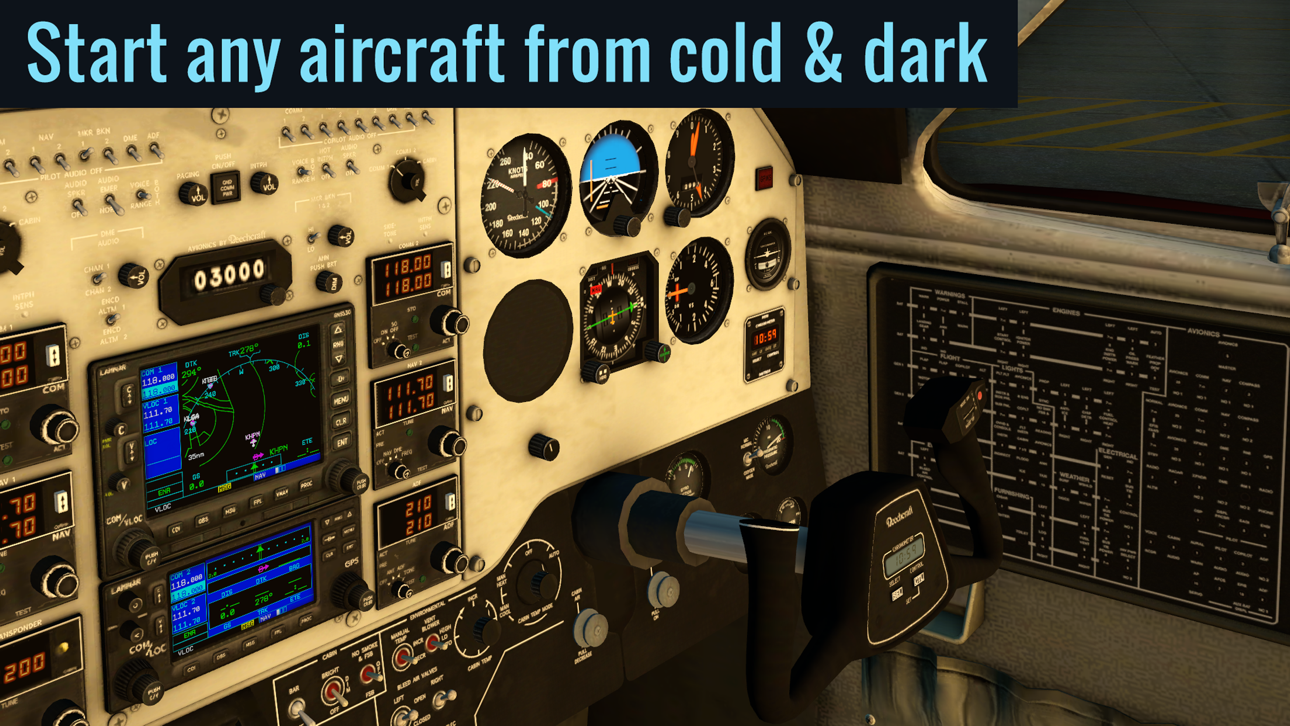
Add to that our desktop-quality aircraft with multiple liveries and interactive 3-D cockpits—so detailed you can do a full startup procedure using the hundreds of buttons, knobs, & switches in the cockpit. With working gauges, flight displays, & more, these cockpits are as realistic as those in our full desktop sim.
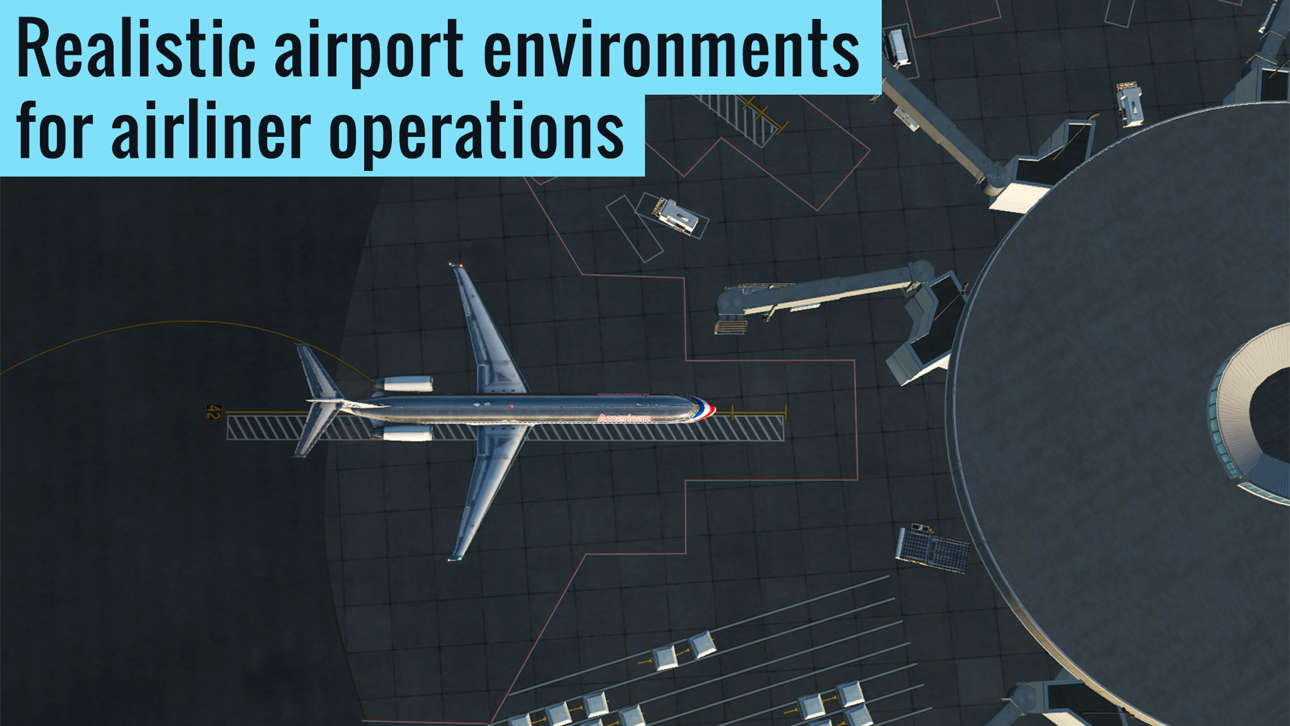
But aircraft are no good without a place to fly them. That's why each of our 5 ▸free◂ regions features detailed terrain, lifelike city buildings, & 3D airports—complete with terminal buildings, jetways, hangars, & more.
Want more? Subscribe to unlock global scenery, and get access to over 37,000 airports, with more than 11,500 airports featuring 3D terminals, hangars, & more.
▶ FEATURES
√ 9 ▸free◂ tutorials, teaching the basics of takeoffs & landings, traffic patterns, helicopters, & more
√ Massive multiplayer with thousands of other pilots and controllers in a single shared world (Professional subscribers only; non-subscribers can get free trial flights for a limited time)
√ Fully interactive cockpits on many aircraft, wired to real systems models, with working gauges, displays, buttons, & switches
√ Full startup procedures supported on many aircraft (optionally start any aircraft from cold & dark)
√ More than 50 systems modeled, each of which can be failed on command
√ Emergency scenarios
√ Combat missions
▶ AIRCRAFT
The app includes 2 aircraft (plus 5 scenery regions) for free. In addition, the following aircraft are available as in-app purchases:
• ▸Free!◂ Cessna 172SP w/ 4 liveries
• ▸Free!◂ Cirrus Vision SF50 w/ 5 liveries
• Cirrus SR22 w/ 3 liveries
• Cessna Citation X w/ 3 liveries
• Airbus A320 Airliner w/ 3 liveries
• Airbus A330-300 Airliner w/ 3 liveries
• Boeing B737-800 Airliner w/ 3 liveries
• Boeing B777-200ER Airliner w/ 3 liveries
• Boeing B747-400 Jumbo Jet w/ 3 liveries
• Bombardier CRJ200 Regional Jet w/ 3 liveries
• Douglas DC-3 Airliner w/ 3 liveries
• McDonnell Douglas MD-80 w/ 3 liveries
• A-10 Thunderbolt II (“Warthog”) Fighter
• F-22 Raptor Fighter
• F-4 Phantom II Fighter
• Beechcraft Baron B58
• Beechcraft King Air C90B
• Piper PA-18 Super Cub
• Piaggio P.180 Avanti
• Sikorsky S76 Helicopter
▶ SCENERY
5 scenery regions are ▸free◂ for everyone!
• Oahu, Hawaii
• Grand Canyon
• Seattle/Tacoma, Washington
• Juneau, Alaska
• Innsbruck, Austria
Global scenery is available by purchasing a monthly or yearly subscription.
▶ MULTIPLAYER
Come join tens of thousands of other pilots and controllers in a single, shared world!
Try the Fly-In of the Day to meet up with hundreds of other pilots, or explore the MMO world for more chance encounters.
Massive multiplayer is in early access—we wanted to get it in your hands as soon as possible—so we’re going to continue adding new features & improvements over the coming months.
Terms of Service available at: https://www.x-plane.com/x-plane-mobile-terms-of-service/
Download X-Plane now to experience aviation like never before.
Capturas © sus respectivos dueños · App Store


iOSGods no está afiliado, avalado ni patrocinado por Apple Inc., Google LLC ni por los desarrolladores de las apps que aparecen aquí. Apple, iOS y App Store son marcas comerciales de Apple Inc. Android y Google Play son marcas comerciales de Google LLC. Todos los demás nombres de apps, iconos, imágenes y marcas pertenecen a sus respectivos dueños.
- iPhone o iPad con o sin Jailbreak.
- Sideloadly u otras alternativas.
- Ordenador con Windows/macOS/Linux e iTunes instalado.
PASO 1: Descargue el archivo .IPA pre-modificado desde el enlace de arriba a su ordenador. Para descargarlo desde la iOSGods App, consulte nuestro Tutorial de descarga del IPA desde la iOSGods App, que incluye un ejemplo en vídeo.
PASO 2: Descargue Sideloadly e instálelo en su Windows o Mac.
PASO 3: Abra Sideloadly en su ordenador, conecte su dispositivo iOS y espere hasta que el nombre del dispositivo aparezca en Sideloadly.
PASO 4: Una vez que su iDevice sea reconocido, arrastre el archivo .IPA modificado que descargó y suéltelo en la aplicación Sideloadly.
PASO 5: Introduzca el correo electrónico de su Apple Account y, a continuación, pulse «Start». Le pedirá que introduzca su contraseña. Proporcione la información solicitada.
PASO 6: Espere a que Sideloadly termine de hacer sideload/instalar el IPA modificado. Si surgen problemas durante la instalación, por favor lea la nota a continuación.
PASO 7: Una vez completada la instalación y al ver la app en la pantalla de inicio, deberá ir a Ajustes → General → Perfiles / VPN y Gestión de Dispositivos. Una vez allí, toque el correo electrónico que introdujo en el paso 6 y, después, toque en «Confiar en [email protected]».
PASO 8: Ahora vaya a la pantalla de inicio y abra la app recién instalada; todo debería funcionar correctamente. Es posible que tenga que seguir instrucciones adicionales específicas de cada app dentro del popup del hack en el juego.
NOTA: En iOS/iPadOS 16 y posteriores, debe activar el Modo Desarrollador. Para cuentas gratuitas de Apple Developer, deberá repetir este proceso cada 7 días. Si tiene alguna pregunta o problema, lea nuestra sección de Preguntas Frecuentes de Sideloadly del tema.
Game Name iOS Mod IPA is an action adventure game enhanced with powerful gameplay boosts and quality-of-life improvements. Win battles faster, earn rewards quicker, and enjoy uninterrupted play without ads.
- Unlimited Gold - spend freely to unlock premium content
- Damage Multiplier - deal significantly more damage in combat
- Defense Multiplier - take less damage and survive longer
- Reward Multiplier - earn more loot from every battle
- Max Level - instantly reach the highest player rank
- No Ads - play without interruptions or advertisements
This app also comes with iGameGod, giving you access to Auto Touch to automate repetitive tasks, App Speed Manager for adjustable gameplay speed, Memory Engine value editing, and more powerful iOS game tools.
Descarga Game Name Mod IPA desde los enlaces de arriba. Toca el botón de instalación y sigue las instrucciones para instalar este hack iOS en tu iPhone, iPad o Mac con Apple Silicon.
¿Necesitas más ayuda Consulta nuestras Preguntas frecuentes de la app iOSGods para respuestas detalladas y consejos de solución de problemas.
----------------------------------------------------------
--------------------------------------------------