تسجيل الدخول مطلوب
سجّل الدخول بحساب iOSGods للمتابعة.
سجّل الدخول بحساب iOSGods للمتابعة.
Hack Features:
- Radar Hack
- Small Crosshair
This hack works on the latest x64 or ARM64 iDevices: iPhone 5s, 6, 6 Plus, 6s, 6s Plus, 7, 7 Plus, 8, 8 Plus, X, Xr, Xs, Xs Max, SE, iPod Touch 6G, iPad Air, Air 2, Pro & iPad Mini 2, 3, 4 and later.
يأتي هذا التطبيق أيضًا مع iGameGod، مما يتيح لك الوصول إلى Auto Touch لأتمتة المهام المتكررة، وApp Speed Manager لضبط سرعة اللعب، وتعديل القيم عبر Memory Engine، والمزيد من أدوات ألعاب iOS القوية.
قم بتنزيل Call of Duty®: Mobile Hack modded IPA من الروابط أعلاه. اضغط على زر التثبيت واتبع التعليمات لتثبيت هذا التعديل لـ iOS على iPhone أو iPad أو Apple Silicon.
هل تحتاج إلى مزيد من المساعدة؟ راجع الأسئلة الشائعة لتطبيق iOSGods للحصول على إجابات مفصلة ونصائح لاستكشاف الأخطاء.
Works with: iPhone SE, 6S, 6S Plus, 7, 7 Plus, 8, 8 Plus, X, XS, XR; iPad Mini 4, 5; iPad Air 2, 3; iPad Pro
Call of Duty: Mobile DOES NOT support: iPhone 5S, 6, 6 Plus; iPad Air, Mini 2, 3; iPod Touch'
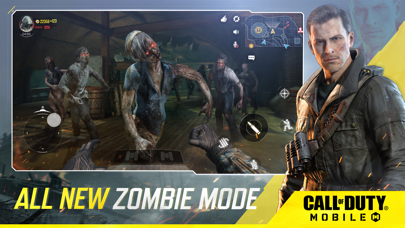
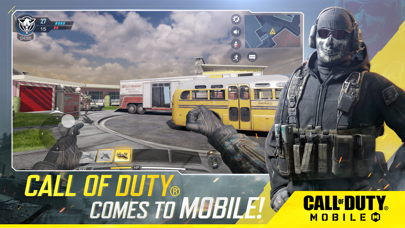
Call of Duty®: Mobile is now Live exclusively in Canada and Australia with additional territories to come in the future. Stay tuned for more updates at www.callofduty.com/mobile
Fight across iconic multiplayer maps and play fan-favorite modes as you strive to be the best in the world in Activision’s highly-anticipated Call of Duty®: Mobile!
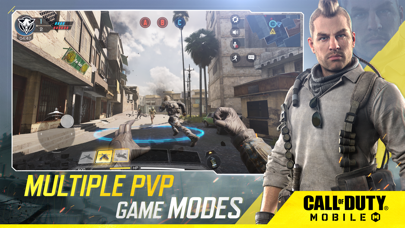
PLAY ICONIC CALL OF DUTY GAME MODES
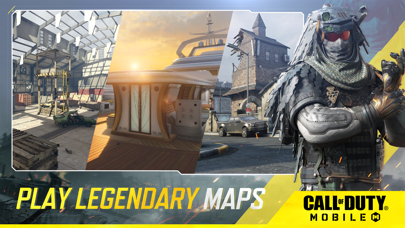
The foundation of Call of Duty®: Mobile is heart-pumping head-to-head multiplayer. In Call of Duty®: Mobile you will play several classic maps and modes from across Call of Duty® franchises, including Call of Duty®: Black Ops and the original Modern Warfare® series. Multiplayer is just the start. Over the coming months, stay tuned for updates on additional game modes.
PLAY BATTLE ROYALE THE CALL OF DUTY WAY
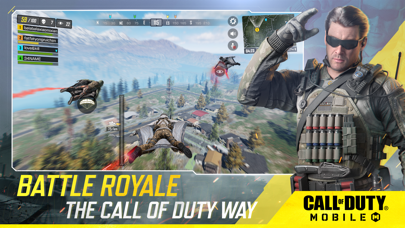
Play Battle Royale mode; a unique take on the genre from within the Call of Duty universe, specifically built and tailored for Call of Duty: Mobile. Visit and fight across elements and map locations from across the franchise in an intense and epic fight for survival! Join up as 100 rivals fight for survival supremacy, with Solo, Duo, or Quad team modes. Drive and pilot a variety of vehicles, including ATVs, helicopters, 4x4s, and tactical water rafts, allowing for faster traversing and battles across land, sea, and air! Before you drop in, don’t forget to tailor your Operator class before each battle; with an actionable gear item unique to each class.
CUSTOMIZE YOUR UNIQUE LOADOUT
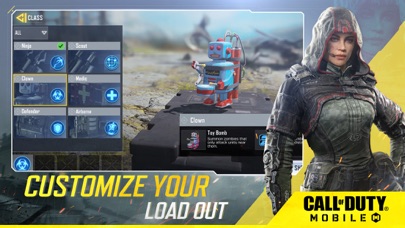
As you play Call of Duty®: Mobile you will earn and unlock various iconic characters, weapons, outfits, scorestreaks, and pieces of gear from the Call of Duty® universe that can be used to customize your loadouts.
COMPETITIVE RANKED PLAY AND CLANS
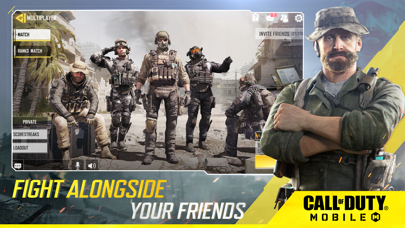
Use your skills to rise to the top in competitive Ranked Mode, or win Clan in-game prizes as you play with friends.
BUILT AND OPTIMIZED FOR MOBILE
Best part? Call of Duty: Mobile is free-to-play! The Call of Duty® first-person shooter experience comes to mobile with superior graphics and gameplay fans are sure to love.
Have what it takes to compete with the best? Download Call of Duty®: Mobile now!
_________________________________________________________
We welcome any feedback during your experience to improve the game. To give feedback, in-game go to > Settings > Feedback > Contact Us.
Subscribe for Updates! ---> profile.callofduty.com/cod/registerMobileGame
_________________________________________________________
Internet connection is required to play this game.
Please note this app contains social features that allow you to connect and play with friends and push notifications to inform you when exciting events or new content are taking place in the game. You can choose whether or not to utilize these features.
Activision makes no guarantee regarding the availability of app features or play and may modify or discontinue services in its discretion without notice.
© 2019 Activision Publishing, Inc. ACTIVISION, CALL OF DUTY BLACK OPS, CALL OF DUTY MODERN WARFARE and CALL OF DUTY are trademarks of Activision Publishing, Inc. All other trademarks and trade names are the properties of their respective owners. By downloading, installing or using this App, you agree to Activision's privacy policy and terms of use, as may be updated by Activision from time to time. Please visit https://www.activision.com/legal/privacy-policy to view Activision's privacy policy and https://www.activision.com/legal/terms-of-use to view Activision's terms of use.

- iPhone أو iPad بجيلبريك أو بدون جيلبريك.
- Sideloadly أو بدائلها.
- كمبيوتر يعمل بنظام Windows/macOS/Linux مع تثبيت iTunes.
الخطوة 1: قم بتنزيل ملف .IPA المعدّل مسبقًا من الرابط أعلاه إلى الكمبيوتر الخاص بك. للتنزيل من تطبيق iOSGods App، اطلع على دليل تنزيل IPA من تطبيق iOSGods App الذي يتضمن مثالًا بالفيديو.
الخطوة 2: قم بتنزيل Sideloadly وتثبيته على جهاز Windows أو Mac.
الخطوة 3: افتح Sideloadly على الكمبيوتر، ووصّل جهاز iOS الخاص بك، وانتظر حتى يظهر اسم جهازك داخل Sideloadly.
الخطوة 4: بمجرد التعرّف على جهاز iDevice الخاص بك، اسحب ملف .IPA المعدّل الذي قمت بتنزيله وأفلِته داخل تطبيق Sideloadly.
الخطوة 5: أدخل البريد الإلكتروني لحساب Apple Account الخاص بك، ثم اضغط على «Start». سيُطلب منك بعد ذلك إدخال كلمة المرور. تابع وأدخل المعلومات المطلوبة.
الخطوة 6: انتظر حتى ينتهي Sideloadly من تحميل/تثبيت ملف IPA المعدّل. في حال واجهت أي مشاكل أثناء التثبيت، يرجى قراءة الملاحظة أدناه.
الخطوة 7: بعد اكتمال التثبيت ورؤية التطبيق على الشاشة الرئيسية، انتقل إلى Settings → General → Profiles / VPN & Device Management. ثم اضغط على البريد الإلكتروني الذي أدخلته في الخطوة 6، ثم اضغط على «الوثوق بـ [email protected]».
الخطوة 8: الآن انتقل إلى الشاشة الرئيسية وافتح التطبيق الذي تم تثبيته للتو وسيعمل كل شيء بشكل صحيح. قد تحتاج إلى اتباع تعليمات إضافية خاصة بكل تطبيق داخل النافذة المنبثقة للتعديل أثناء اللعب.
ملاحظة: بدءًا من iOS/iPadOS 16 وما بعده، يجب تفعيل وضع المطور (Developer Mode). بالنسبة لحسابات Apple Developer المجانية، ستحتاج إلى تكرار هذه العملية كل 7 أيام. إذا كانت لديك أي أسئلة أو مشاكل، يرجى قراءة قسم الأسئلة الشائعة حول Sideloadly في الموضوع.