Anmeldung erforderlich
Melde dich mit deinem iOSGods-Konto an, um fortzufahren.
Melde dich mit deinem iOSGods-Konto an, um fortzufahren.
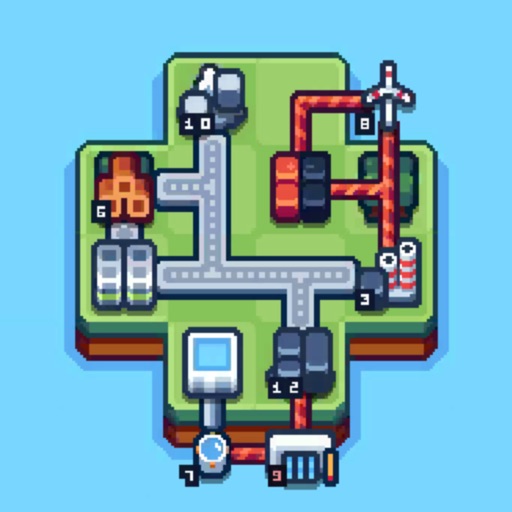
Baue und verwalte dein Industrieimperium in Production Chain Tycoon Mod IPA, wo du Lieferketten optimierst und die Produktion von Grundressourcen bis zu komplexen Waren skalierst. Dieser Hack gibt dir die Ressourcen, um frei zu experimentieren, deine Tycoon-Reise zu beschleunigen und dich auf Strategie zu konzentrieren, ohne zu grinden.
Mit unbegrenzten Materialien zur Hand kannst du Produktionslayouts testen, fortgeschrittene Produkte schneller freischalten und deine Logistik verfeinern, ohne die üblichen Wartezeiten von Idle-Games. Perfekt für Spieler, die die strategische Tiefe des Imperiumaufbaus ohne Ressourcenengpässe genießen möchten.
- Holz (Erhöht sich bei Verwendung) → wird aufgefüllt, während du es ausgibst
- Stein (Erhöht sich bei Verwendung) → wird aufgefüllt, während du ihn ausgibst
- Bretter (Erhöht sich bei Verwendung) → werden aufgefüllt, während du sie ausgibst
- Holzkohle (Erhöht sich bei Verwendung) → wird aufgefüllt, während du sie ausgibst
- Münzen (Erhöht sich bei Verwendung) → werden aufgefüllt, während du sie ausgibst
Diese App wird zusätzlich mit iGameGod geliefert und bietet dir Zugriff auf Auto Touch zur Automatisierung sich wiederholender Aufgaben, App Speed Manager für eine anpassbare Spielgeschwindigkeit, Memory Engine zur Wertbearbeitung und weitere leistungsstarke iOS-Spielwerkzeuge.
Lade Production Chain Tycoon Hack modded IPA über die obigen Links herunter. Tippe auf den Installations-Button und folge den Anweisungen, um diese iOS-App auf deinem iPhone, iPad oder Apple Silicon zu installieren.
Brauchst du mehr Hilfe? In unseren iOSGods App häufig gestellten Fragen findest du ausführliche Antworten und Tipps zur Fehlerbehebung.
Willkommen bei Production Chain Tycoon, dem Simulationsspiel, in dem du die Rolle eines CEO übernimmst und dein industrielles Imperium verwaltest. In diesem Spiel musst du Strategien und sorgfältige Managementskills nutzen, um deine Lieferkette zu optimieren, die Produktionseffizienz zu erhöhen und der ultimative Tycoon zu werden.
Zuerst musst du essentielle Ressourcen wie Holz und Stein mit einer einfachen Produktionslinie produzieren. Du musst deine Operationen erweitern und verbessern und zu komplexeren Produkten wie Beton oder Kunststoff übergehen. Du musst deine Ressourcen und Logistik sorgfältig verwalten, um sicherzustellen, dass deine Montagelinie reibungslos und effizient läuft, auch wenn sie inaktiv ist.
Verwalte sowohl die Liefer- als auch die Nachfrageketten. Gleiche die Produktion sorgfältig mit der Nachfrage ab, um sicherzustellen, dass du den Bedürfnissen deiner Fabriken entsprichst und gleichzeitig die Gewinne maximierst. Nutze deine Möglichkeiten, die Montagelinie zu optimieren, um die Produktivität zu erhöhen und die Instandhaltung zu reduzieren. Wenn das Spiel fortschreitet, werden die Liefer- und Nachfrageketten immer komplexer, aber als industrieller Tycoon fürchtest du solche unbedeutenden Rückschläge nicht.
Ein weiterer wichtiger Aspekt des Spiels ist die Ressourcenverwaltung. Du musst den Fortschritt deiner Ressourcenabbauoperationen überwachen und strategische Entscheidungen über die Allokation deiner Ressourcen treffen, um deine Produktionsbemühungen zu unterstützen. Dies wird die Verwaltung von Logistik und Beständen beinhalten, um sicherzustellen, dass du die Materialien hast, die du brauchst, um deine Fabriken reibungslos laufen zu lassen.
Hauptmerkmale:
- Verwalte ein industrielles Imperium
- Optimiere die Lieferkette und erhöhe die Produktionseffizienz
- Gleiche Produktion und Nachfrage aus
- Forschung und Entwicklung neuer Technologien
- Spiele offline, auch ohne Internetverbindung
Kurz gesagt, Production Chain Tycoon ist ein großartiges Idle-Sim-Spiel mit endlosen Stunden strategischen Gameplays. Es gibt eine Menge Fokus auf die Lieferkettenverwaltung, die Ressourcenverwaltung und die Technologieentwicklung. Wenn du bereit bist, dein eigenes industrielles Imperium aufzubauen, gib Production Chain Tycoon eine Chance!
Screenshots © der jeweiligen Inhaber · App Store


iOSGods ist nicht mit Apple Inc., Google LLC oder den Entwicklern der hier aufgeführten Apps verbunden und wird von ihnen weder unterstützt noch gesponsert. Apple, iOS und App Store sind Marken von Apple Inc. Android und Google Play sind Marken von Google LLC. Alle weiteren App-Namen, Symbole, Grafiken und Marken gehören ihren jeweiligen Inhabern.
- Nicht-Jailbroken/Jailed oder Jailbroken iPhone oder iPad.
- Sideloadly oder Alternativen.
- Computer mit Windows/macOS/Linux und installiertem iTunes.
SCHRITT 1: Lade die vorinstallierte .IPA-Datei über den obigen Link auf deinen Computer herunter. Zum Herunterladen aus der iOSGods-App siehe unser iOSGods App IPA Download-Tutorial mit Videobeispiel.
SCHRITT 2: Lade Sideloadly herunter und installiere es auf deinem Windows oder Mac.
SCHRITT 3: Öffne Sideloadly auf deinem Computer, verbinde dein iOS-Gerät und warte, bis dein Gerätename in Sideloadly erscheint.
SCHRITT 4: Sobald dein iDevice erkannt wird, ziehe die heruntergeladene gemoddete .IPA-Datei in die Sideloadly-Anwendung.
SCHRITT 5: Gib deine Apple-Account-E-Mail ein und drücke „Start". Du wirst dann nach deinem Passwort gefragt. Gib die erforderlichen Informationen ein.
SCHRITT 6: Warte, bis Sideloadly das Sideloading/Installieren der gehackten IPA abgeschlossen hat. Bei Problemen während der Installation lies bitte den Hinweis unten.
SCHRITT 7: Sobald die Installation abgeschlossen ist und die App auf deinem Home-Bildschirm angezeigt wird, musst du zu Einstellungen → Allgemein → Profile / VPN & Geräteverwaltung gehen. Tippe dort auf die E-Mail, die du in Schritt 6 eingegeben hast, und dann auf „Trust [email protected]".
SCHRITT 8: Gehe nun zu deinem Home-Bildschirm und öffne die neu installierte App – alles sollte einwandfrei funktionieren. Möglicherweise musst du weitere App-spezifische Anweisungen im Hack-Popup im Spiel befolgen.
HINWEIS: iOS/iPadOS 16 und höher: Du musst den Entwicklermodus aktivieren. Bei kostenlosen Apple Developer-Accounts musst du diesen Vorgang alle 7 Tage wiederholen. Bei Fragen oder Problemen lies bitte unsere Sideloadly-FAQ-Sektion im Thema.
Game Name iOS Mod IPA is an action adventure game enhanced with powerful gameplay boosts and quality-of-life improvements. Win battles faster, earn rewards quicker, and enjoy uninterrupted play without ads.
- Unlimited Gold - spend freely to unlock premium content
- Damage Multiplier - deal significantly more damage in combat
- Defense Multiplier - take less damage and survive longer
- Reward Multiplier - earn more loot from every battle
- Max Level - instantly reach the highest player rank
- No Ads - play without interruptions or advertisements
This app also comes with iGameGod, giving you access to Auto Touch to automate repetitive tasks, App Speed Manager for adjustable gameplay speed, Memory Engine value editing, and more powerful iOS game tools.
Lade Game Name Mod IPA über die obigen Links herunter. Tippe auf den Installations-Button und folge den Anweisungen, um diese iOS-App auf deinem iPhone, iPad oder Apple Silicon zu installieren.
Brauchst du mehr Hilfe In unseren iOSGods App häufig gestellten Fragen findest du ausführliche Antworten und Tipps zur Fehlerbehebung.
----------------------------------------------------------
--------------------------------------------------