Требуется вход
Войдите в учётную запись iOSGods, чтобы продолжить.
Войдите в учётную запись iOSGods, чтобы продолжить.
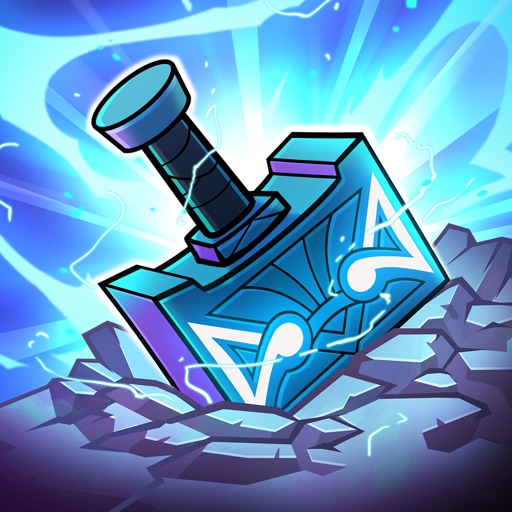
Этот взлом idle tap игры Viking Gods - Idle Tap Game Hack позволяет восстанавливать залы Асгарда без траты ресурсов. Разблокируйте и улучшайте комнаты мгновенно с нулевой стоимостью, чтобы сосредоточиться на боях через Рагнарёк и сборе легендарных Чемпионов в своем темпе в этом скандинавском кликере с прогрессией.
- Нулевая стоимость разблокировки уровня → разблокируйте комнаты мгновенно
- Нулевая стоимость улучшения уровня → повышайте производство комнат без траты ресурсов
Это приложение также поставляется с iGameGod, который открывает доступ к Auto Touch для автоматизации повторяющихся действий, App Speed Manager для регулируемой скорости игры, редактированию значений Memory Engine и другим мощным инструментам для iOS-игр.
Скачайте Viking Gods - Idle Tap Game Hack modded IPA по ссылкам выше. Нажмите кнопку установки и следуйте инструкциям, чтобы установить этот хак iOS на iPhone, iPad или Mac с Apple Silicon.
Нужна помощь? Посмотрите наши Часто задаваемые вопросы по приложению iOSGods, чтобы получить подробные ответы и советы по устранению неполадок.
Verhilf den neun Welten zu neuem Ruhm, während du in einer endlosen Ragnarök kämpfst! Schließe dich mit der Göttin Freya zusammen, um die von Loki gestohlenen und über die Welten verstreuten heiligen Relikte in diesem epischen Clicker-Spiel zu finden.
Die Schlacht aller Schlachten hat Asgard in Schutt und Asche gelegt. Baue deine Verteidigungsanlagen wieder auf, indem du Räume freischaltest, um Eisen zu erzeugen. Verbessere deine Räume, um die Produktion zu steigern und in den Hallen der Götter aufzusteigen. Kämpfe immer wieder in der Ragnarök, um den Fortschritt zurückzusetzen, die Produktivität zu steigern und die neun Welten schneller als je zuvor zu erobern!
Sammle legendäre Champions und verteidige deine Räume gegen die Invasion mythischer Feinde. Gewinne Erfahrungspunkte, um deine Champions aufzuleveln, ihre Werte zu maximieren und sie noch mächtiger zu machen. Besiege mächtige Bosse und reise dann über die Bifröst-Brücke, um in die neun Welten vorzudringen!
Features:
• Schalte Räume frei und verbessere sie, um Münzstapel zu generieren
• Steige in dieser humorvollen Version der nordischen Mythologie durch die neun Welten auf
• Verdiene Idle-Währung, auch wenn du offline bist
• Tägliche Login-Belohnungen und über 40 Missionen
• Sammle legendäre Charaktere, um das Reich gegen feindliche Horden zu verteidigen
• Kämpfe im PvP gegen Rivalen, erziele Punkte und platziere dich auf der globalen Bestenliste
• Prestigesystem, um deine Welt zurückzusetzen, indem du eine Ragnarök auslöst!
• Spiele Ragnarök zu einem Original-Wikinger-Rock-Soundtrack
Nutzungsbedingungen: http://pikpok.com/terms-of-use/
Monatliches Abonnement für 1 Monat mit tollen täglichen Vorteilen im Spiel. Dieses Abonnement wird automatisch jeden Monat erneuert und muss mindestens 24 Stunden vor der Erneuerung gekündigt werden.
Das Monatliche Abonnement wird automatisch erneuert, es sei denn, es wird mindestens 24 Stunden vor dem Ende des aktuellen Zeitraums deaktiviert. Die Zahlung wird bei der Kaufbestätigung dem iTunes-Konto belastet. 24 Stunden vor dem Ende des aktuellen Zeitraums wird dem Konto die Erneuerung belastet. Die Erneuerung kostet 4,99 USD/Monat (oder einen entsprechenden Betrag in der lokalen Währung).
Abonnements können nach dem Kauf vom Benutzer über seine Kontoeinstellungen verwaltet werden; dort kann auch die automatische Erneuerung deaktiviert werden. Während des aktiven Abonnementzeitraums ist eine Kündigung des aktuellen Abonnements nicht möglich. Beim Kauf eines Monatlichen Abonnements verfällt der noch nicht in Anspruch genommene Teil eines eventuell angebotenen kostenlosen Testzeitraums.
Скриншоты © их владельцев · App Store



iOSGods не связана с Apple Inc., Google LLC или разработчиками перечисленных здесь приложений, не одобрена и не спонсируется ими. Apple, iOS и App Store — товарные знаки Apple Inc. Android и Google Play — товарные знаки Google LLC. Все остальные названия приложений, значки, изображения и товарные знаки принадлежат их владельцам.
- iPhone или iPad без джейлбрейка/в обычном режиме или с джейлбрейком.
- Sideloadly или альтернативы.
- Компьютер с Windows/macOS/Linux и установленным iTunes.
ШАГ 1: Скачайте предварительно взломанный файл .IPA по ссылке выше на свой компьютер. Чтобы скачать его из приложения iOSGods, посмотрите наш Туториал по скачиванию IPA в приложении iOSGods, в котором есть видеопример.
ШАГ 2: Скачайте Sideloadly и установите его на Windows или Mac.
ШАГ 3: Откройте Sideloadly на компьютере, подключите iOS-устройство и дождитесь, пока его имя появится в Sideloadly.
ШАГ 4: Когда устройство будет распознано, перетащите скачанный модифицированный файл .IPA в окно Sideloadly.
ШАГ 5: Введите адрес электронной почты вашего Apple Account, затем нажмите «Start». После этого вас попросят ввести пароль. Укажите необходимые данные.
ШАГ 6: Дождитесь, пока Sideloadly завершит sideload/установку взломанного IPA. При возникновении проблем во время установки ознакомьтесь с примечанием ниже.
ШАГ 7: После завершения установки и появления приложения на главном экране перейдите в Настройки → Основные → Профили / VPN и управление устройством. Там нажмите на email, который вы ввели на шаге 6, а затем нажмите «Доверять [email protected]».
ШАГ 8: Теперь перейдите на главный экран и откройте установленное приложение — всё должно работать. Возможно, потребуется выполнить дополнительные инструкции в попапе мода внутри игры.
ПРИМЕЧАНИЕ: На iOS/iPadOS 16 и новее необходимо включить режим разработчика. Для бесплатных учётных записей Apple Developer этот процесс нужно повторять каждые 7 дней. Если возникнут вопросы или проблемы, ознакомьтесь с нашим разделом FAQ по Sideloadly в теме.
Game Name iOS Mod IPA is an action adventure game enhanced with powerful gameplay boosts and quality-of-life improvements. Win battles faster, earn rewards quicker, and enjoy uninterrupted play without ads.
- Unlimited Gold - spend freely to unlock premium content
- Damage Multiplier - deal significantly more damage in combat
- Defense Multiplier - take less damage and survive longer
- Reward Multiplier - earn more loot from every battle
- Max Level - instantly reach the highest player rank
- No Ads - play without interruptions or advertisements
This app also comes with iGameGod, giving you access to Auto Touch to automate repetitive tasks, App Speed Manager for adjustable gameplay speed, Memory Engine value editing, and more powerful iOS game tools.
Скачайте Game Name Mod IPA по ссылкам выше. Нажмите кнопку установки и следуйте инструкциям, чтобы установить этот хак iOS на iPhone, iPad или Mac с Apple Silicon.
Нужна помощь Посмотрите наши Часто задаваемые вопросы по приложению iOSGods, чтобы получить подробные ответы и советы по устранению неполадок.
----------------------------------------------------------
--------------------------------------------------