需要登录
请使用您的 iOSGods 账户登录以继续。
请使用您的 iOSGods 账户登录以继续。

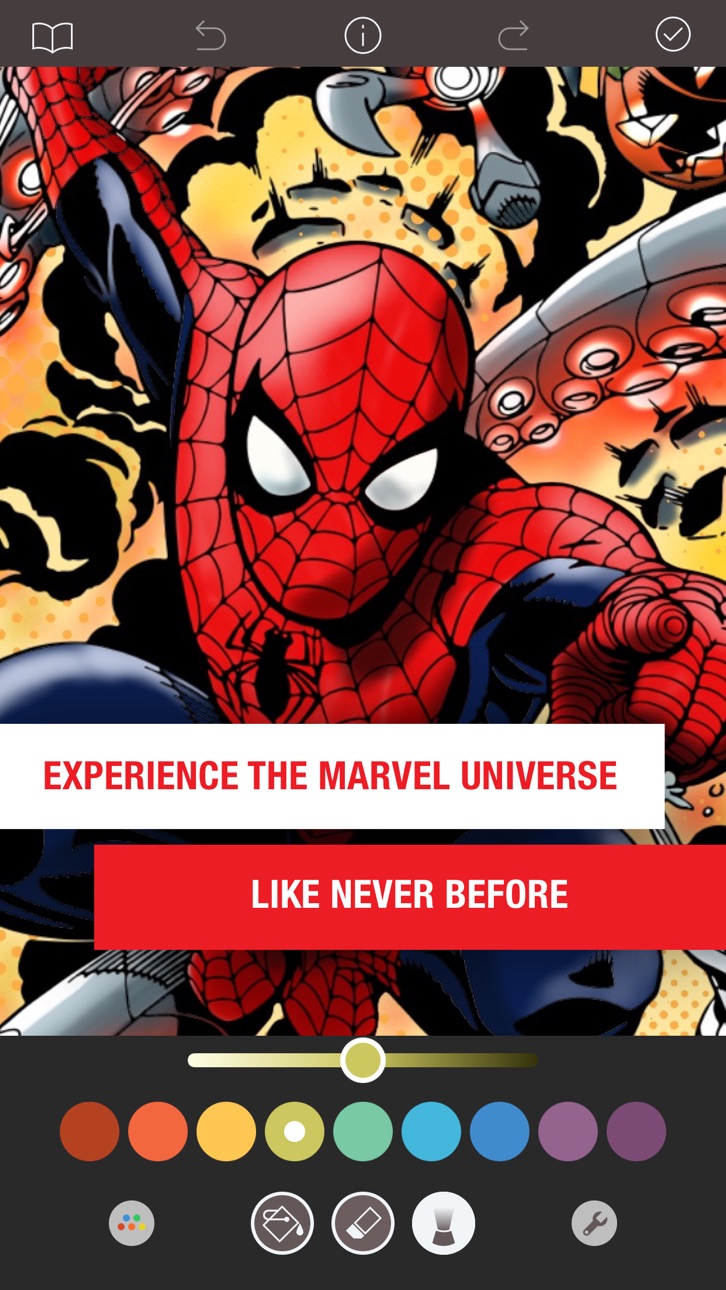
使用此破解版IPA立即解锁1000多个漫威着色页面,绕过应用的付费墙,无限制地访问银河护卫队、内战、奇异博士等所有设计。Marvel: Color Your Own为您提供完整的创意自由,所有笔刷、工具和页面从一开始就可以使用,加上没有水印的干净画布,让您的艺术作品成为焦点。
- 所有着色页面已解锁 → 立即访问整个库
- 所有笔刷已解锁 → 无限制地使用每个工具
- 水印已移除 → 干净、无遮挡的艺术作品
由dxcool223制作!
此应用还内置 iGameGod,让你能够使用 Auto Touch 自动执行重复操作、通过 App Speed Manager 调节游戏速度、使用 Memory Engine 修改内存数值,以及更多强大的 iOS 游戏工具。
从上方链接下载 Marvel: Color Your Own Hack modded IPA。点击安装按钮并按照屏幕提示在 iPhone、iPad 或 Apple Silicon 上安装此 iOS 应用修改版。
需要更多帮助?请查看我们的 iOSGods 应用常见问题解答 获取详细解答和故障排除技巧。
Erleben Sie das Marvel-Universum wie nie zuvor mit MARVEL: COLOR YOUR OWN. MARVEL: COLOR YOUR OWN bietet actiongeladene Designs und exklusive Kolorierungstools, mit denen Sie Teil des kreativen Prozesses werden und Ihre eigenen künstlerischen Entscheidungen ins Marvel-Universum einbringen können.
= = = = =
Merkmale:
* Mehr als 1000 aufregende Malvorlagen aus Guardians of the Galaxy, Civil War, Doctor Strange, Age of Ultron, Women of Power, Young Marvel und mehr!
* Jede Woche kommen neue und aufregende Seiten hinzu.
* Tippen Sie zum Ausfüllen, malen Sie mit dem Finger oder verwenden Sie einen Eingabestift
* Volle Druck- und Neigungsunterstützung für Apple Pencil mit iPad Pro
* Realistisches Kolorieren mit 12 fantastischen Pinsel, z. B. für Ölmalen und Spritzen
* Exklusive Pinsel wie Halbton- und Laserpinsel, die speziell für Comicbuch-Kunstwerke ausgelegt sind
* Anpassen der Dicke und Opazität aller Pinsel
* 8 tolle Fülleffekte, einschließlich Metallic und Serpentin
* 37 beeindruckende Farbpaletten stehen zur Auswahl
* Mit der innovativen Farbtonsteuerung finden Sie die perfekte Farbe für Ihr Design.
* Speichern, drucken und teilen Sie Ihre Kunstwerke auf sozialen Medien.
* Das Ultimate-Zugriff-Abonnement schaltet alle Premium-Inhalte und -Funktionen frei.
= = = = =
Merkmale des Ultimate-Zugriff-Abonnements:
* Alle Seiten freigeschaltet
* Wöchentlich neue Seiten
* Premium-Pinsel und -Fülleffekte
* Exklusive Farbpaletten
* Keine Wasserzeichen auf gespeicherten Bildern
* Speichern von Bildern in hoher Auflösung
Mit einer kostenlosen Testversion bekommen Sie 7 Tage lang kostenlosen Ultimate Access. Nach dem Gratis-Testzeitraum wird automatisch das Wochenabonnement aktiviert, das Sie jederzeit kündigen können. Das kostenpflichtige Abonnement kostet $3.99 USD pro Woche, wenn du dich für ein wöchentliches Abonnement registrierst oder $5.99 USD pro Monat, wenn du dich für ein monatliches Abonnement registrierst. Die Preise können geändert werden. Der Ultimate Access wird automatisch verlängert, wenn diese automatische Verlängerung nicht mindestens 24 Stunden vor dem Ende des aktuellen Abozeitraums abgeschaltet wird. Ihr Konto wird innerhalb von 24 Stunden vor dem Ende des aktuellen Zeitraums belastet.
Die Zahlung wird nach der Bestätigung des Kaufs von Ihrem iTunes-Konto abgebucht. Nach dem Kauf können Sie in Ihren Kontoeinstellungen die Ultimate Access-Abonnements verwalten und die automatische Verlängerung abschalten. Wenn Sie den Ultimate Access abonnieren, verfällt ggf. die restliche Zeit für den kostenlosen Test.
= = = = =
Datenschutzerklärung
http://pixiteapps.com/privacy-policy/
Nutzungsbedingungen
http://pixiteapps.com/terms-of-use/
截图 © 各自所有者 · App Store


iOSGods 与 Apple Inc.、Google LLC 及此处列出应用的开发者没有任何关联,也未获得其认可或赞助。Apple、iOS 和 App Store 是 Apple Inc. 的商标。Android 和 Google Play 是 Google LLC 的商标。其他所有应用名称、图标、图片和商标均归各自所有者所有。
- 未越狱/受限或已越狱的 iPhone 或 iPad。
- Sideloadly 或替代方案。
- 运行 Windows/macOS/Linux 且已安装 iTunes 的电脑。
步骤 1: 通过上方链接将已破解的 .IPA 文件下载到您的电脑。如需从 iOSGods App 下载,请参阅我们的 iOSGods App IPA 下载教程,其中包含视频示例。
步骤 2: 下载 Sideloadly 并将其安装到您的 Windows 或 Mac 上。
步骤 3: 在电脑上打开 Sideloadly,连接您的 iOS 设备,等待设备名称在 Sideloadly 中显示。
步骤 4: 当 Sideloadly 识别到您的 iOS 设备后,将下载好的修改版 .IPA 文件拖放到 Sideloadly 应用中。
步骤 5: 输入您的 Apple Account 邮箱,然后点击 "Start"。系统会提示您输入密码,请按要求填写信息。
步骤 6: 等待 Sideloadly 完成已破解 IPA 的旁加载/安装。如果安装过程中出现问题,请阅读下方的注意事项。
步骤 7: 安装完成并在主屏幕上看到该应用后,您需要前往 设置 → 通用 → 描述文件 / VPN 与设备管理。进入后,点击您在第 6 步中输入的邮箱,然后点击 "信任 [email protected]"。
步骤 8: 现在返回主屏幕并打开新安装的应用,一切应可正常运行。您可能需要按照游戏内修改弹窗中的具体说明执行进一步操作。
注意: 在 iOS/iPadOS 16 及更高版本上,您必须 启用开发者模式。对于免费的 Apple Developer 账户,您需要每 7 天重复一次此操作。如有任何疑问或问题,请阅读我们的 主题中的 Sideloadly 常见问题部分。
Game Name iOS Mod IPA is an action adventure game enhanced with powerful gameplay boosts and quality-of-life improvements. Win battles faster, earn rewards quicker, and enjoy uninterrupted play without ads.
- Unlimited Gold - spend freely to unlock premium content
- Damage Multiplier - deal significantly more damage in combat
- Defense Multiplier - take less damage and survive longer
- Reward Multiplier - earn more loot from every battle
- Max Level - instantly reach the highest player rank
- No Ads - play without interruptions or advertisements
This app also comes with iGameGod, giving you access to Auto Touch to automate repetitive tasks, App Speed Manager for adjustable gameplay speed, Memory Engine value editing, and more powerful iOS game tools.
从上方链接下载 Game Name Mod IPA。点击安装按钮并按照屏幕提示在 iPhone、iPad 或 Apple Silicon 上安装此 iOS 应用修改版。
需要更多帮助请查看我们的 iOSGods 应用常见问题解答 获取详细解答和故障排除技巧。
----------------------------------------------------------
--------------------------------------------------