Anmeldung erforderlich
Melden Sie sich mit Ihrem iOSGods-Konto an, um fortzufahren.
Melden Sie sich mit Ihrem iOSGods-Konto an, um fortzufahren.

Hack Features:
USER
• Disable marking messages as seen
• Disable typing status in messages
• No feed ads
STORY
• Disable marking stories
• Disable auto-advance in stories
• Save Story images and videos
• No story ads
Feed
• Save Feed videos by long-pressing the video
Diese App wird zusätzlich mit iGameGod geliefert und bietet Ihnen Zugriff auf Auto Touch zur Automatisierung sich wiederholender Aufgaben, App Speed Manager für eine anpassbare Spielgeschwindigkeit, Memory Engine zur Wertbearbeitung und weitere leistungsstarke iOS-Spielwerkzeuge.
Laden Sie Facebook & Wolf Hack modded IPA über die obigen Links herunter. Tippen Sie auf den Installations-Button und folgen Sie den Anweisungen, um diese iOS-App auf Ihrem iPhone, iPad oder Apple Silicon zu installieren.
Brauchen Sie mehr Hilfe? In unseren iOSGods App häufig gestellten Fragen finden Sie ausführliche Antworten und Tipps zur Fehlerbehebung.
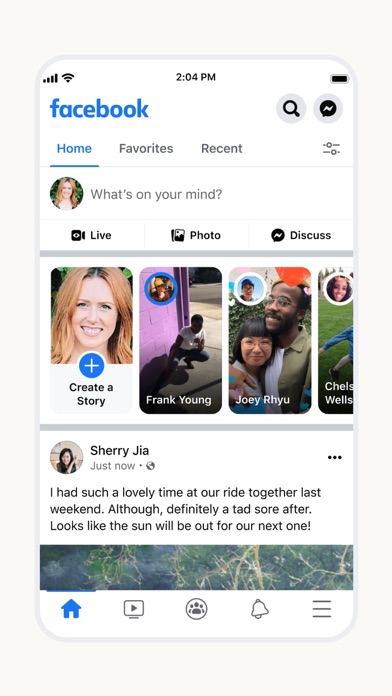
Connect with friends, family and people who share the same interests as you. Communicate privately, watch your favorite content, buy and sell items or just spend time with your community. On Facebook, keeping up with the people who matter most is easy. Discover, enjoy and do more together.
Stay up to date with your loved ones:
• Share what's on your mind, announce major life events through posts and celebrate the everyday moments with Stories.
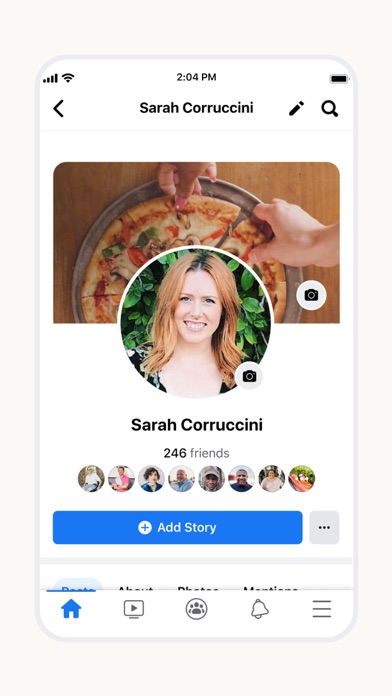
• Express yourself through your profile and posts, watch, react, interact and stay in touch with your friends, throughout
the day.
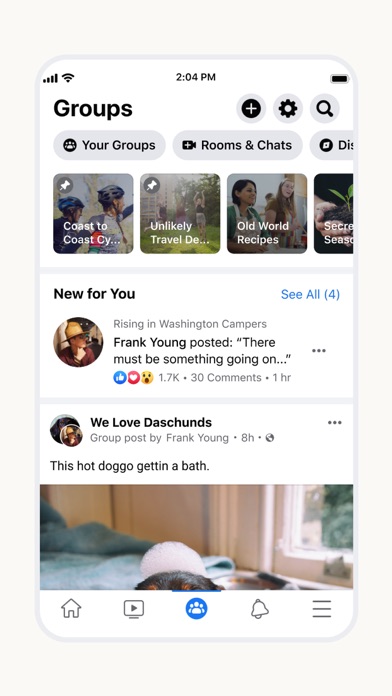
Connect with people who share your interests with Groups:
• With tens of millions of groups, you'll find something for all your interests and discover more groups relevant to you.
• Use the Groups tab as a hub to quickly access all your groups content. Find relevant groups based on your interests with the new discovery tool and recommendations.
Become more involved with your community:
• Discover events happening near you, businesses to support, local groups and activities to be part of.
• Check out local recommendations from your friends, then coordinate with them and make plans to get together.
• Raise funds for a cause that’s important to you, mentor someone who wants help achieving their goals and, in the event of a local crisis, connect with other people to find or give supplies, food or shelter.
Enjoy entertainment together with Watch:
• Discover all kinds of content from original shows to creators to trending videos in topics like beauty, sports, and entertainment.
• Join conversations, share with others, interact with viewers and creators and watch together like never before.
Buy and sell with Marketplace:
• Whether it's an everyday or one-of-a-kind item, you can discover everything from household items to your next car or apartment on Marketplace.
• List your own item for sale and conveniently communicate with buyers and sellers through Messenger
Read our Data Use Policy, Terms and other important info in the legal section of our App Store description.
Continued use of GPS running in the background can dramatically decrease battery life. Facebook doesn't run GPS in the background unless you give us permission by turning on optional features that require this.
- Nicht-Jailbroken/Jailed oder Jailbroken iPhone oder iPad.
- Sideloadly oder Alternativen.
- Computer mit Windows/macOS/Linux und installiertem iTunes.
SCHRITT 1: Laden Sie die vorinstallierte .IPA-Datei über den obigen Link auf Ihren Computer herunter. Zum Herunterladen aus der iOSGods-App siehe unser iOSGods App IPA Download-Tutorial mit Videobeispiel.
SCHRITT 2: Laden Sie Sideloadly herunter und installieren Sie es auf Ihrem Windows oder Mac.
SCHRITT 3: Öffnen Sie Sideloadly auf Ihrem Computer, verbinden Sie Ihr iOS-Gerät und warten Sie, bis Ihr Gerätename in Sideloadly erscheint.
SCHRITT 4: Sobald Ihr iDevice erkannt wird, ziehen Sie die heruntergeladene gemoddete .IPA-Datei in die Sideloadly-Anwendung.
SCHRITT 5: Geben Sie Ihre Apple-Account-E-Mail ein und drücken Sie „Start". Sie werden dann nach Ihrem Passwort gefragt. Geben Sie die erforderlichen Informationen ein.
SCHRITT 6: Warten Sie, bis Sideloadly das Sideloading/Installieren der gehackten IPA abgeschlossen hat. Bei Problemen während der Installation lesen Sie bitte den Hinweis unten.
SCHRITT 7: Sobald die Installation abgeschlossen ist und die App auf Ihrem Home-Bildschirm angezeigt wird, müssen Sie zu Einstellungen → Allgemein → Profile / VPN & Geräteverwaltung gehen. Tippen Sie dort auf die E-Mail, die Sie in Schritt 6 eingegeben haben, und dann auf „Trust [email protected]".
SCHRITT 8: Gehen Sie nun zu Ihrem Home-Bildschirm und öffnen Sie die neu installierte App – alles sollte einwandfrei funktionieren. Möglicherweise müssen Sie weitere App-spezifische Anweisungen im Hack-Popup im Spiel befolgen.
HINWEIS: iOS/iPadOS 16 und höher: Sie müssen den Entwicklermodus aktivieren. Bei kostenlosen Apple Developer-Accounts müssen Sie diesen Vorgang alle 7 Tage wiederholen. Bei Fragen oder Problemen lesen Sie bitte unsere Sideloadly-FAQ-Sektion im Thema.