Connexion requise
Connectez-vous avec votre compte iOSGods pour continuer.
Connectez-vous avec votre compte iOSGods pour continuer.
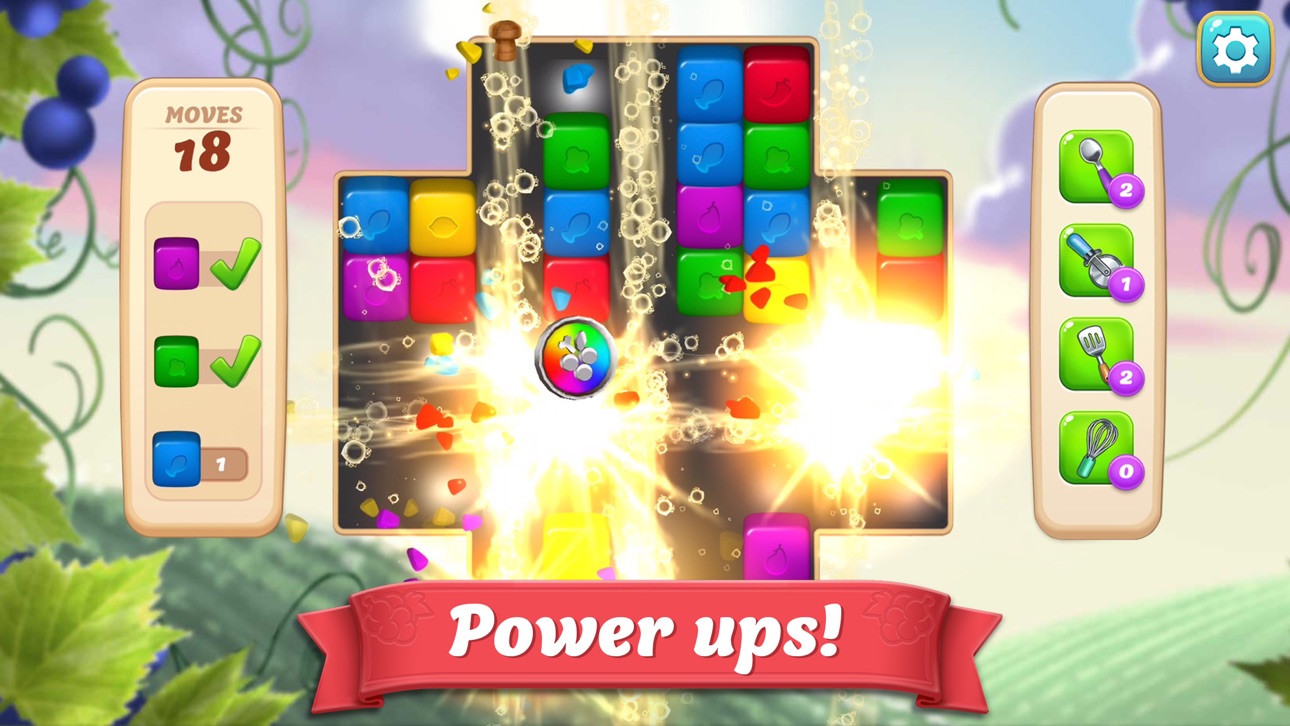
Restaurez une charmante station viticole en résolvant des énigmes de blast de couleurs dans Vineyard Valley: Design Game, un jeu de correspondance gratuit avec des ressources illimitées pour accélérer votre progression. Explosez à travers des centaines de niveaux d'effondrement difficiles, concevez et rénovez The Tangled Vines, et découvrez la romance et le mystère sans faire la grind pour des pièces ou attendre que les vies se remplissent.
- Pièces infinies (Dépenser/obtenir) → devise illimitée pour les achats et les améliorations
- Vies (Ne diminuent pas) → jouez sans manquer de tentatives
- Boosters infinis → power-ups illimités pour résoudre les énigmes
Cette app est également livrée avec iGameGod, qui vous donne accès à Auto Touch pour automatiser les tâches répétitives, App Speed Manager pour ajuster la vitesse de jeu, à l'édition de valeurs avec Memory Engine, et à d'autres outils puissants pour les jeux iOS.
Téléchargez Vineyard Valley: Design Game Hack modded IPA depuis les liens ci-dessus. Appuyez sur le bouton d'installation et suivez les instructions pour installer ce hack iOS sur votre iPhone, iPad ou Apple Silicon.
Besoin de plus d'aide ? Consultez notre FAQ de l'app iOSGods pour des réponses détaillées et des conseils de dépannage.
Wünschst du dir ROMANTIK, SPANNUNG und RÄTSEL? Gestalte und renoviere das Resort und schalte in einem neuen GRATIS-Farbenwürfel-Gruppenspiel Level in Form von kniffeligen Rätseln frei!
Das Tangled Vines liegt inmitten der Hügel von Vineyard Valley. In diesem einst äußerst erfolgreichen Resort und Weingut hast du deine Kindheit mit deiner Tante Margaret und deiner besten Freundin Simone verbracht. Das Tangled Vines muss dringend renoviert werden, und es liegt an dir und Simone, das Resort durch Farbgruppenspiele wieder auf Vordermann zu bringen! Bringe Würfel durch hunderte kniffeliger Puzzles zum Platzen, erstelle starke Kombis und hab Spaß beim Renovieren!
Verliebe dich in die interessanten Charaktere und erlebe die Geschichte voller Drama, Romantik, Spannung und mehr mit. Lüfte Geheimnisse und ungelöste Rätsel aus der Vergangenheit des Tangled Vines, indem du Würfel zum Platzen bringst und kniffelige 3er-Gruppen-Rätsel löst, die geradezu süchtig machen!
Spielfunktionen:
RENOVIERE und restauriere dein eigenes Weingut-Resort
ENTDECKE die skurrilen Charaktere des Spiels und lausche ihren Geschichten und Geheimnissen
GRUPPIERE Würfel und bringe sie zum Platzen und löse so hunderte süchtig machender Gruppenpuzzles
DEKORIERE das Resort, um deinen Prestige-Stand zu erhöhen und tolle Prämien zu gewinnen
WERDE MITGLIED in Sozialvereinen und verdiene kostenlose Leben, zusätzliche Münzen und besondere Vorteile
Hast du dich schonmal gefragt: „Wie würde ich mein eigenes Zuhause gestalten?“ Setze die Designs für dein eigenes Zuhause in die Tat um und mache aus dem heruntergekommenen Weingut ein lebhaftes Resort. Dekoriere die Küche, den Speisesaal, den Eingangsbereich, die Gästezimmer, den Garten und vieles mehr. Renoviere die Küche und hilf Margaret und Simone, das Restaurant wieder zum Laufen zu bringen! Lass dich auf ein ganz neues Abenteuer ein und entdecke das Geheimnis des Tangled Vines.
Bist du bereit für Geheimnisse, Drama und Romantik? Tauche ein in ein Spiel mit Suchtfaktor und die persönlichen Geschichten deiner neuen Freunde, indem du ein einst wunderschönes Weingut-Resort in einem nagelneuen Heimdekor-Spiel wieder auf Vordermann bringst.
Lade Prost Mahlzeit herunter und hol dir hunderte von Gratis-Spielen, bei denen du Würfel platzen lässt!
Captures © leurs propriétaires respectifs · App Store


iOSGods n'est ni affilié à Apple Inc., Google LLC ou aux développeurs des applications listées ici, ni approuvé ou sponsorisé par eux. Apple, iOS et App Store sont des marques d'Apple Inc. Android et Google Play sont des marques de Google LLC. Tous les autres noms d'applications, icônes, visuels et marques appartiennent à leurs propriétaires respectifs.

- iPhone ou iPad avec ou sans Jailbreak.
- Sideloadly ou alternatives.
- Ordinateur sous Windows/macOS/Linux avec iTunes installé.
ÉTAPE 1: Téléchargez le fichier .IPA pré-modifié depuis le lien ci-dessus sur votre ordinateur. Pour le télécharger depuis l'iOSGods App, consultez notre Tutoriel de téléchargement de l'IPA depuis l'iOSGods App qui comprend un exemple en vidéo.
ÉTAPE 2: Téléchargez Sideloadly et installez-le sur votre Windows ou Mac.
ÉTAPE 3: Ouvrez Sideloadly sur votre ordinateur, connectez votre appareil iOS et attendez que le nom de votre appareil apparaisse dans Sideloadly.
ÉTAPE 4: Une fois votre iDevice reconnu, glissez le fichier .IPA modifié que vous avez téléchargé et déposez-le dans l'application Sideloadly.
ÉTAPE 5: Saisissez l'adresse e-mail de votre Apple Account, puis appuyez sur « Start ». Il vous sera ensuite demandé d'entrer votre mot de passe. Fournissez les informations requises.
ÉTAPE 6: Attendez que Sideloadly termine le sideloading/l'installation de l'IPA modifié. En cas de problème durant l'installation, veuillez lire la remarque ci-dessous.
ÉTAPE 7: Une fois l'installation terminée et l'app visible sur votre écran d'accueil, vous devez aller dans Réglages → Général → Profils / VPN et gestion de l'appareil. Là, appuyez sur l'adresse e-mail saisie à l'étape 6, puis appuyez sur « Faire confiance à [email protected] ».
ÉTAPE 8: Allez maintenant sur votre écran d'accueil et ouvrez l'app nouvellement installée ; tout devrait fonctionner correctement. Vous devrez peut-être suivre des instructions supplémentaires propres à chaque app, dans la fenêtre du hack en jeu.
REMARQUE : À partir d'iOS/iPadOS 16, vous devez activer le mode Développeur. Pour les comptes Apple Developer gratuits, vous devrez répéter ce processus tous les 7 jours. Pour toute question ou problème, lisez notre section FAQ Sideloadly du sujet.
Game Name iOS Mod IPA is an action adventure game enhanced with powerful gameplay boosts and quality-of-life improvements. Win battles faster, earn rewards quicker, and enjoy uninterrupted play without ads.
- Unlimited Gold - spend freely to unlock premium content
- Damage Multiplier - deal significantly more damage in combat
- Defense Multiplier - take less damage and survive longer
- Reward Multiplier - earn more loot from every battle
- Max Level - instantly reach the highest player rank
- No Ads - play without interruptions or advertisements
This app also comes with iGameGod, giving you access to Auto Touch to automate repetitive tasks, App Speed Manager for adjustable gameplay speed, Memory Engine value editing, and more powerful iOS game tools.
Téléchargez Game Name Mod IPA depuis les liens ci-dessus. Appuyez sur le bouton d'installation et suivez les instructions pour installer ce hack iOS sur votre iPhone, iPad ou Apple Silicon.
Besoin de plus d'aide Consultez notre FAQ de l'app iOSGods pour des réponses détaillées et des conseils de dépannage.
----------------------------------------------------------
--------------------------------------------------