تسجيل الدخول مطلوب
سجّل الدخول بحساب iOSGods للمتابعة.
Hack Features:
- Fully unlocked
قم بتنزيل Workout: Gym Workout Planner Hack modded IPA من الروابط أعلاه. اضغط على زر التثبيت واتبع التعليمات لتثبيت هذا التعديل لـ iOS على iPhone أو iPad أو Apple Silicon.
هل تحتاج إلى مزيد من المساعدة؟ راجع الأسئلة الشائعة لتطبيق iOSGods للحصول على إجابات مفصلة ونصائح لاستكشاف الأخطاء.
The gym workout app: optimize your workout results at the gym. Build muscle & lose weight with a custom workout routine for your fitness goal and body type. Start to work out the smart way, with your own personal trainer in your pocket.
** #1 Rated Gym Workout App **
● Guided gym workout plans
● Smart trainer acts as your personal gym coach
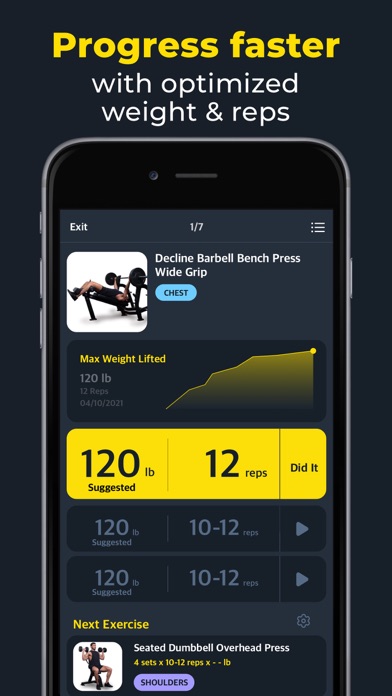
● Automatic weight optimization
● Workout & exercise tracking
● Most effective gym workouts & exercises for every muscle
● Focus on particular muscle groups
Workout Plans
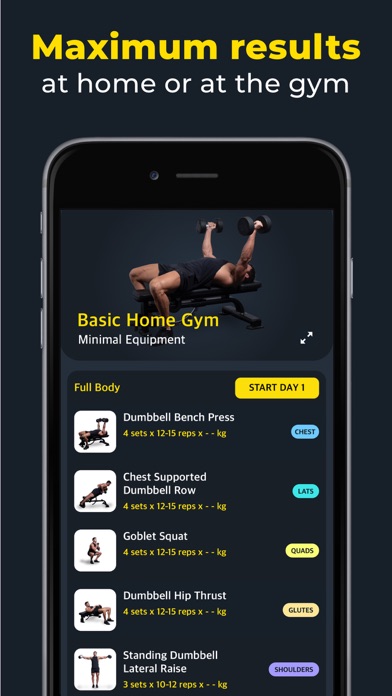
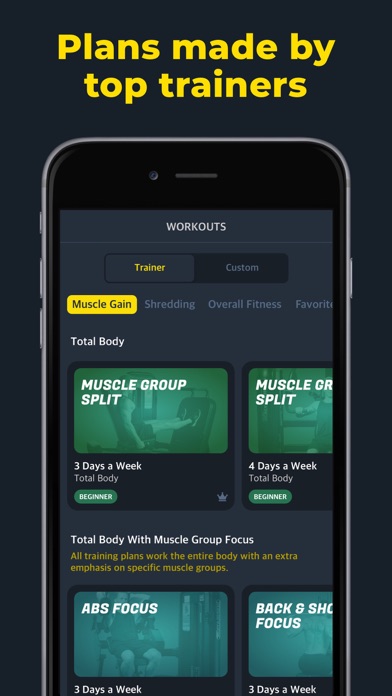
● Multiple workouts for your fitness goals
● Workout coach builds your gym workout
● Block based plans, refreshing your workout every 4-6 weeks
● Expert, Intermediate & Beginner workouts, for optimized muscle training
● Real Super-Set support
● Modify any of our pre-made workouts
● Add your own workouts & exercises to the app
Exercises
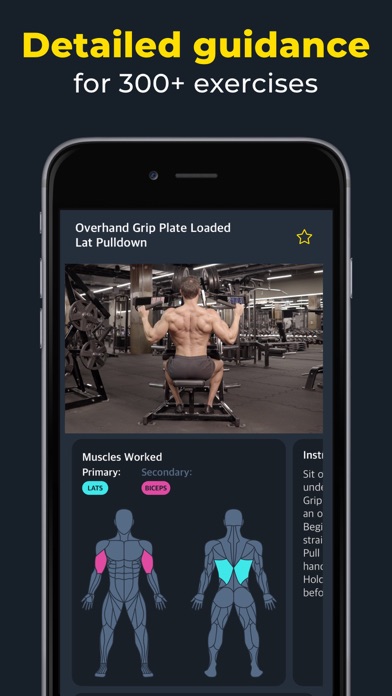
● Rich photos and hi-res videos of each training exercise
● Easy-to-understand detailed instructions
● Search by muscle group, equipment type or keyword
● Save your favorite fitness exercises
HealthKit
● Integrated with Apple Health for age, weight, and gender data to build customized workouts
Our Trainers
● Amnon Vidislavski: Expert personal trainer with competitive background in powerlifting and bodybuilding. Owner of GYMax, personal training studio. Instagram: @vidislavski
● Erez Ben Jacob: Expert natural bodybuilding coach and nutrition consultant. First Mr. Israel Men’s Fitness, Senior Judge at WNBF, Owner of Progress Fitness & Nutrition. Instagram: @Erez_Ben_Jacob
● Ronald Berry: Sport Therapist, Trainer, Model, First WNBF overall mens physics champion. Founder of @Team.Berrys. Instagram: @RonaldBery
● Malca Vaisman: Fitness coach & nutrition consultant, leads ladies personal training groups. Instagram: @MalcaVaisman
This app includes an auto renewing subscription option which unlocks all premium workouts
- Subscription options are either monthly or yearly
- Payment will be charged to iTunes Account at confirmation of purchase
- Subscription automatically renews unless auto-renew is turned off at least 24-hours
before the end of the current period
- Account will be charged for renewal within 24-hours prior to the end of the current
period, and identify the cost of the renewal
- Subscriptions may be managed by the user and auto-renewal may be turned off by going
to Account Settings after purchase
- The account will be charged for renewal within 24 hours prior to the end of the
current period.
- Any unused portion of a free trial period, if offered, will be forfeited when the
user purchases a subscription to that publication.
See more: http://workout-app.com
Privacy Policy: https://www.fitness22.com/privacy-policy
Terms of Use:: http://fitness22content.com/Components/WebPages/TermsOfUse/TermsOfUse.html
- iPhone أو iPad بجيلبريك أو بدون جيلبريك.
- Sideloadly أو بدائلها.
- كمبيوتر يعمل بنظام Windows/macOS/Linux مع تثبيت iTunes.
الخطوة 1: قم بتنزيل ملف .IPA المعدّل مسبقًا من الرابط أعلاه إلى الكمبيوتر الخاص بك. للتنزيل من تطبيق iOSGods App، اطلع على دليل تنزيل IPA من تطبيق iOSGods App الذي يتضمن مثالًا بالفيديو.
الخطوة 2: قم بتنزيل Sideloadly وتثبيته على جهاز Windows أو Mac.
الخطوة 3: افتح Sideloadly على الكمبيوتر، ووصّل جهاز iOS الخاص بك، وانتظر حتى يظهر اسم جهازك داخل Sideloadly.
الخطوة 4: بمجرد التعرّف على جهاز iDevice الخاص بك، اسحب ملف .IPA المعدّل الذي قمت بتنزيله وأفلِته داخل تطبيق Sideloadly.
الخطوة 5: أدخل البريد الإلكتروني لحساب Apple Account الخاص بك، ثم اضغط على «Start». سيُطلب منك بعد ذلك إدخال كلمة المرور. تابع وأدخل المعلومات المطلوبة.
الخطوة 6: انتظر حتى ينتهي Sideloadly من تحميل/تثبيت ملف IPA المعدّل. في حال واجهت أي مشاكل أثناء التثبيت، يرجى قراءة الملاحظة أدناه.
الخطوة 7: بعد اكتمال التثبيت ورؤية التطبيق على الشاشة الرئيسية، انتقل إلى Settings → General → Profiles / VPN & Device Management. ثم اضغط على البريد الإلكتروني الذي أدخلته في الخطوة 6، ثم اضغط على «الوثوق بـ [email protected]».
الخطوة 8: الآن انتقل إلى الشاشة الرئيسية وافتح التطبيق الذي تم تثبيته للتو وسيعمل كل شيء بشكل صحيح. قد تحتاج إلى اتباع تعليمات إضافية خاصة بكل تطبيق داخل النافذة المنبثقة للتعديل أثناء اللعب.
ملاحظة: بدءًا من iOS/iPadOS 16 وما بعده، يجب تفعيل وضع المطور (Developer Mode). بالنسبة لحسابات Apple Developer المجانية، ستحتاج إلى تكرار هذه العملية كل 7 أيام. إذا كانت لديك أي أسئلة أو مشاكل، يرجى قراءة قسم الأسئلة الشائعة حول Sideloadly في الموضوع.