Login necessário
Entre com sua conta iOSGods para continuar.
Hack Features:
- All Levels Purchased
- Infinite Coins
- Infinite Gems
Baixe Amber's Airline - High Hopes iOS Mod IPA dos links acima. Toque no botão de instalação e siga as instruções para instalar este hack iOS no seu iPhone, iPad ou Apple Silicon.
Precisa de mais ajuda? Confira nossas Perguntas frequentes sobre o app iOSGods para respostas detalhadas e dicas de solução de problemas.
Play FREE with ads or unlock more in the gamehouse+ app! Get GH+ Free to access 100+ games with ads, or go GH+ VIP for ad-free play, offline access, in-game perks & more!
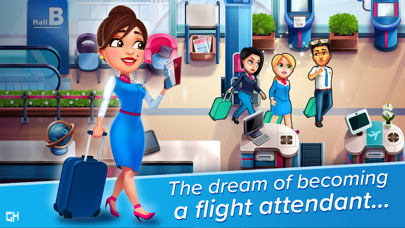
Fasten your seat belt and take off with Amber Hope in a new airline game!
From GameHouse, makers of Delicious, Fabulous and Heart’s Medicine, comes a brand new time management adventure that will make your heart soar!
In Amber’s Airline - High Hopes, you’ll get a taste of the glamorous life of a flight attendant.
Meet Amber Hope, aspiring stewardess for Snuggford Airlines. Amber has dreamed of flying to exotic destinations around the world since she was a girl. But before she can join the elite crew of air hostesses, she’ll need to pass her exams. That’s not going to be easy, and she’ll need your help.
- Be transported by a truly wonderful story of love and loss
- Fly through 60 travel-themed levels, and 30 extra challenging levels
- Explore the world and get a behind-the scenes look at airport life with 6 unique locations
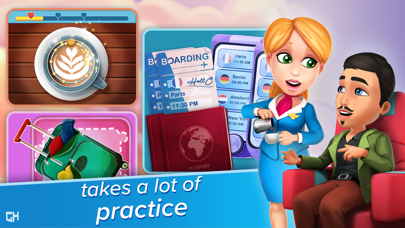
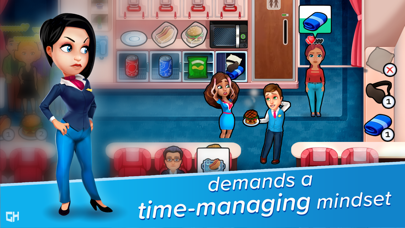
- Master 18 mini games that cover every aspect of flying – from check-in to security checks, suitcases to passports, safety demonstrations to serving passengers
- Fasten your seatbelt for amazing, all-new cinematics
- Experience what it’s like to be a real flight attendant - the ups and the downs
- ”Unfasten” Amber’s diary and discover her secret thoughts as you earn game goals
- Customize Amber’s diary by earning diamonds and make it your own with travel stickers and different covers
Amber’s life seems wonderful. She shares her apartment with her pet fish, Sushi. She loves her job and dreams of the day she’ll be on an airplane, a full-fledged cabin attendant assisting travelers. The possibilities are endless - “the sky is the limit” as they say. But appearances can be deceiving…
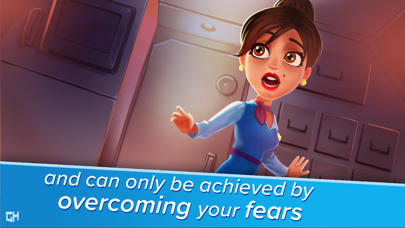
Everything is overshadowed by what happened in her childhood and she can’t escape her past. Her lingering guilt and fear are holding her back from achieving the very thing she is trying to achieve.
When her plane crashes, Amber is forced to face her fears. As you’ve heard time and again during safety demonstrations, Amber will have to help herself before she can help others. Is she up to the task?
Share the highs and lows of Amber’s life. Be there for her and help her ascend to the highest heights!
NEW! Find your perfect way to play with the gamehouse+ app! Enjoy 100+ games for free with ads as a GH+ Free member or upgrade to GH+ VIP for ad-free play, offline access, exclusive in-game perks, and more. gamehouse+ isn't just another gaming app—it's your playtime destination for every mood and every 'me-time' moment. Subscribe today!
More about GH+ VIP Subscriptions:
- Subscribe to unlock ad-free access to this and all other gamehouse+ games
- gamehouse+ offers a choice of two subscriptions: monthly and yearly
- Monthly subscriptions will be charged at $9.99/month*
- Yearly subscriptions will be charged at $89.99/year*
- You will be able to access all gamehouse+ games and GH+ VIP perks for the duration of your subscription
- Payment will be charged to your iTunes Account at purchase confirmation
- Subscriptions automatically renew unless auto-renew is turned off at least 24 hours before the end of the current period
- Account will be charged for renewal up to 24 hours prior to the end of the current period
- Subscriptions may be managed by the user, and auto-renewal may be turned off by going to the user's Account Settings after purchase
- Any unused portion of a free trial period, if offered, will be forfeited when the user purchases a subscription to that publication, where applicable
* Prices are equal to the value that 'Apple's App Store Matrix' determines is the equivalent subscription price in $USD
By using gamehouse+, you agree to our Terms of Service and Privacy Policy.
Terms of Service: https://www.gamehouseoriginalstories.com/static/terms-of-service.html
Privacy Policy: https://www.gamehouseoriginalstories.com/static/privacy-policy.html
- iPhone ou iPad sem jailbreak/jailed ou com jailbreak.
- Sideloadly ou alternativas.
- Computador com Windows/macOS/Linux e iTunes instalado.
PASSO 1: Baixe o arquivo .IPA pré-hackeado do link acima para o seu computador. Para baixar pelo iOSGods App, veja nosso Tutorial de download de IPA do iOSGods App, que inclui um exemplo em vídeo.
PASSO 2: Baixe o Sideloadly e instale-o no seu Windows ou Mac.
PASSO 3: Abra o Sideloadly no seu computador, conecte seu dispositivo iOS e aguarde até que o nome do dispositivo apareça no Sideloadly.
PASSO 4: Assim que seu iDevice for reconhecido, arraste o arquivo .IPA modificado que você baixou e solte-o no aplicativo Sideloadly.
PASSO 5: Digite o e-mail da sua Apple Account e pressione “Start”. Em seguida, será solicitada a sua senha. Prossiga e forneça as informações solicitadas.
PASSO 6: Aguarde o Sideloadly finalizar o sideload/instalação do IPA hackeado. Se houver problemas durante a instalação, leia a observação abaixo.
PASSO 7: Quando a instalação estiver concluída e você vir o app na Tela de Início, será necessário acessar Ajustes → Geral → Perfis / Gerenciamento de VPN e Dispositivo. Lá, toque no e-mail que você inseriu no passo 6 e, em seguida, toque em “Confiar em [email protected]”.
PASSO 8: Agora vá para a Tela de Início e abra o app recém-instalado; tudo deve funcionar normalmente. Você pode precisar seguir instruções adicionais específicas no popup do hack dentro do jogo.
OBSERVAÇÃO: No iOS/iPadOS 16 e versões posteriores, você deve ativar o Modo de Desenvolvedor. Para contas Apple Developer gratuitas, será necessário repetir este processo a cada 7 dias. Se tiver dúvidas ou problemas, leia nossa seção de FAQ do Sideloadly no tópico.