تسجيل الدخول مطلوب
سجّل الدخول بحساب iOSGods للمتابعة.
قم بتنزيل Hidden Hotel: Miami Mystery Hack modded IPA من الروابط أعلاه. اضغط على زر التثبيت واتبع التعليمات لتثبيت هذا التعديل لـ iOS على iPhone أو iPad أو Apple Silicon.
هل تحتاج إلى مزيد من المساعدة؟ راجع الأسئلة الشائعة لتطبيق iOSGods للحصول على إجابات مفصلة ونصائح لاستكشاف الأخطاء.
Do you enjoy seek-and-find games where you need to solve mysteries, find hidden clues, search and find hidden objects, and spot the difference? Or do you prefer hotel games where you need to build, design, and renovate?
Hidden Hotel: Miami Mystery combines search, detective, hotel, and design games in one! Dive into the world of mysterious adventure right now!
Main features of Hidden Hotel: Miami Mystery
+ Find hidden objects and complete various design tasks
+ Enjoy beautiful hand-drawn graphics
+ Dive into the captivating storyline
+ Play breathtaking mini-games and events: spot the difference, find silhouettes, game of dice, etc
+ Chat with players and send gifts
+ Stand first on the leaderboard
+ Seek and find online or offline without an Internet connection
+ Explore lots of levels
+ Use hints
Pro tips to solve the mystery
Search and find like Sherlock
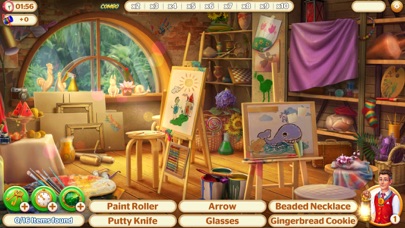
Hidden Hotel game is different from other puzzle games such as Match 3! Here, you’ll find hidden objects concealed within a picture. Feel like a detective from the addictive novels. Keep your brain sharp and find mystery clues in the Hidden Hotel: Miami Mystery game. Solve the mystery, search hidden items, uncover secret rooms, and complete exciting quests. Start with finding tiny clues and solve the great mystery!
Every detail matters
The difficulty level increases as you search hidden objects in mystery game scenes. Tap and open items to find hidden objects behind them. Pull aside the curtains and open the boxes to reveal which hidden objects are concealed there. It's not simple, but you can do this! Get the highest score for every hidden picture scene, no matter how tricky it is! Hidden Hotel is all about mystery adventures and fun!
Take advantage of hints and boosters
Use search tools if you get stuck. Boosters help you to seek and find hidden objects! Lantern highlights hidden objects. The clock gives some extra time. The keys open 3 items on the location. Radar shows every item in the scene for a second.
Enjoy different search modes
Hidden Hotel: Miami Mystery includes a wide variety of mysterious hidden object seek and find modes: word search, cobweb, silhouette, reverse words, spot the difference, and coins. To make things even more exciting, we constantly update our content with brand-new mysteries! Pay attention to all the hidden clues, and Hidden Hotel will reveal its secrets to you!
Reveal your inner designer talent
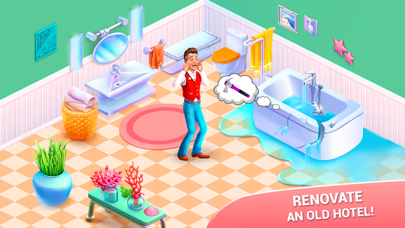
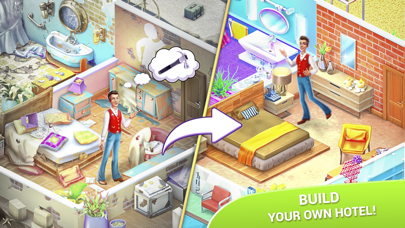
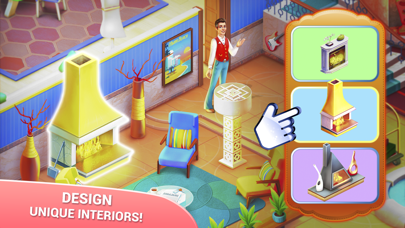
The artistically decorated interior in the old mansion mesmerizes from first sight! Seek and find hidden objects, earn stars, pick up the design and renovate the Hidden Hotel to your taste.
Get ready, your mysterious adventure in this hidden object game is about to begin! Harness your seek-and-find skills and immerse yourself in the world of hidden objects adventure!
- iPhone أو iPad بجيلبريك أو بدون جيلبريك.
- Sideloadly أو بدائلها.
- كمبيوتر يعمل بنظام Windows/macOS/Linux مع تثبيت iTunes.
الخطوة 1: قم بتنزيل ملف .IPA المعدّل مسبقًا من الرابط أعلاه إلى الكمبيوتر الخاص بك. للتنزيل من تطبيق iOSGods App، اطلع على دليل تنزيل IPA من تطبيق iOSGods App الذي يتضمن مثالًا بالفيديو.
الخطوة 2: قم بتنزيل Sideloadly وتثبيته على جهاز Windows أو Mac.
الخطوة 3: افتح Sideloadly على الكمبيوتر، ووصّل جهاز iOS الخاص بك، وانتظر حتى يظهر اسم جهازك داخل Sideloadly.
الخطوة 4: بمجرد التعرّف على جهاز iDevice الخاص بك، اسحب ملف .IPA المعدّل الذي قمت بتنزيله وأفلِته داخل تطبيق Sideloadly.
الخطوة 5: أدخل البريد الإلكتروني لحساب Apple Account الخاص بك، ثم اضغط على «Start». سيُطلب منك بعد ذلك إدخال كلمة المرور. تابع وأدخل المعلومات المطلوبة.
الخطوة 6: انتظر حتى ينتهي Sideloadly من تحميل/تثبيت ملف IPA المعدّل. في حال واجهت أي مشاكل أثناء التثبيت، يرجى قراءة الملاحظة أدناه.
الخطوة 7: بعد اكتمال التثبيت ورؤية التطبيق على الشاشة الرئيسية، انتقل إلى Settings → General → Profiles / VPN & Device Management. ثم اضغط على البريد الإلكتروني الذي أدخلته في الخطوة 6، ثم اضغط على «الوثوق بـ [email protected]».
الخطوة 8: الآن انتقل إلى الشاشة الرئيسية وافتح التطبيق الذي تم تثبيته للتو وسيعمل كل شيء بشكل صحيح. قد تحتاج إلى اتباع تعليمات إضافية خاصة بكل تطبيق داخل النافذة المنبثقة للتعديل أثناء اللعب.
ملاحظة: بدءًا من iOS/iPadOS 16 وما بعده، يجب تفعيل وضع المطور (Developer Mode). بالنسبة لحسابات Apple Developer المجانية، ستحتاج إلى تكرار هذه العملية كل 7 أيام. إذا كانت لديك أي أسئلة أو مشاكل، يرجى قراءة قسم الأسئلة الشائعة حول Sideloadly في الموضوع.