Accesso richiesto
Accedi con il tuo account iOSGods per continuare.
Accedi con il tuo account iOSGods per continuare.
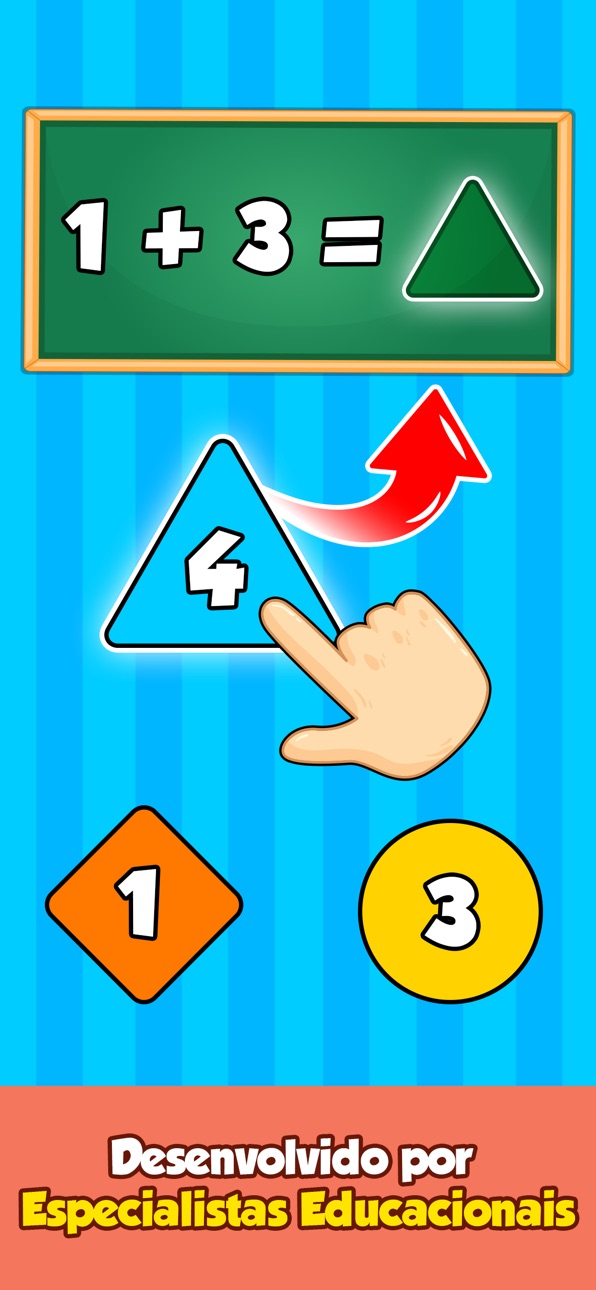
Sblocca l'accesso premium a Bebi: Baby Games for Preschool, il Mod IPA educativo che offre al tuo bambino 500+ attività di apprendimento senza restrizioni. Questo hack rimuove i paywall in modo che il tuo bambino in età prescolare possa esplorare giochi di disegno, colorazione, fonetica, matematica, forme e musica in un ambiente sicuro e senza pubblicità progettato per bambini dai 2 ai 5 anni.
- Premium Sbloccato → accedi a tutti i contenuti e le funzioni a pagamento
Scarica Bebi: Baby Games for Preschool iOS Mod IPA dai link sopra. Tocca il pulsante di installazione e segui le istruzioni per installare questo hack iOS sul tuo iPhone, iPad o Mac con Apple Silicon.
Hai bisogno di altro aiuto? Consulta le nostre Domande frequenti sull'app iOSGods per risposte dettagliate e consigli per la risoluzione dei problemi.
Empodere seu pré-escolar para aprender e se divertir com 500+ jogos educativos, desde desenho, colorir e fonética até matemática, formas e música. Com Jogos para Crianças da Bebi, você pode apoiar e incentivar seu pré-escolar a aprender de forma independente, se divertindo em um ambiente 100% livre de anúncios e seguro.
Jogos para Crianças mantém seu pré-escolar ocupado e afastado de aplicativos de streaming de vídeo, oferecendo 500+ atividades educativas, quebra-cabeças e jogos diferentes. A instalação é gratuita, então por que não baixar hoje e começar a enriquecer a educação do seu pré-escolar?
O que crianças de 2, 3, 4 ou até 5 anos podem aprender?
► O alfabeto, fonética, números, palavras, traçado, formas, padrões e cores
► Matemática básica e ciência por meio de jogos e atividades
► Como reconhecer e cuidar de animais
► Tudo sobre alimentos e alimentação saudável
► Música, instrumentos e canto
► Habilidades artísticas por meio de colorir, desenhar e rabiscar
► Resolução de problemas, destreza e muito, muito mais...
Para crianças em idade pré-escolar, brincar é uma parte integrante do desenvolvimento delas. As crianças pequenas gostam de brincar de jogos casuais, mas Jogos para Crianças as incentiva a aprender e absorver informações valiosas por meio de interatividade e diversão.
Da mesma forma, aprender com livros e papéis não é fácil na idade pré-escolar ou jardim de infância. Deixe seu pré-escolar relaxar com jogos divertidos e educativos: o cérebro absorvente deles absorverá todo o novo conhecimento por conta própria, permitindo que você, como pai, relaxe com a certeza de que o tempo na tela deles é positivo e recompensador. Quando você perceber que seu pré-escolar está envolvido em nossos jogos educativos, verá que o processo de aprendizado começou.
Seja estourando balões, descobrindo ciência, desenvolvendo o artista interior ou simplesmente aprendendo músicas por meio da música, você pode até se pegar curtindo alguns dos jogos e atividades do aplicativo.
Por que Jogos para Crianças?
► Nossos 500+ jogos educativos oferecem uma experiência segura e útil para seu pré-escolar de 2 a 4 anos
► Desenvolvido e testado por especialistas em desenvolvimento infantil
► Projetado para segurança e conveniência, sem supervisão necessária
► Portão parental - seções protegidas por código para que seu filho não mude configurações ou faça compras indesejadas acidentalmente
► Todas as configurações e links de saída são protegidos e acessíveis apenas para adultos
► Disponível offline e jogável sem uma conexão com a internet
► Dicas oportunas para que seu filho não se sinta frustrado ou perdido no aplicativo
► 100% livre de anúncios, sem interrupções irritantes
Quem disse que aprender não pode ser divertido?
Por favor, nos apoie escrevendo avaliações se você gostar do aplicativo e nos avise sobre qualquer problema ou sugestão também.
Este aplicativo de jogos para pré-escolares é completamente gratuito e sem anúncios.
Screenshot © rispettivi proprietari · App Store


iOSGods non è affiliata, approvata né sponsorizzata da Apple Inc., Google LLC o dagli sviluppatori delle app elencate qui. Apple, iOS e App Store sono marchi di Apple Inc. Android e Google Play sono marchi di Google LLC. Tutti gli altri nomi delle app, icone, immagini e marchi appartengono ai rispettivi proprietari.

- iPhone o iPad non jailbroken/jailed oppure jailbroken.
- Sideloadly o alternative.
- Computer con Windows/macOS/Linux con iTunes installato.
PASSO 1: Scarica il file .IPA pre-modificato dal link sopra sul tuo computer. Per scaricarlo dall'iOSGods App, consulta il nostro Tutorial download IPA dell'iOSGods App, che include un esempio video.
PASSO 2: Scarica Sideloadly e installalo sul tuo Windows o Mac.
PASSO 3: Apri Sideloadly sul tuo computer, collega il tuo dispositivo iOS e attendi finché il nome del dispositivo non appare in Sideloadly.
PASSO 4: Una volta riconosciuto il tuo iDevice, trascina il file .IPA moddato che hai scaricato e rilascialo nell'applicazione Sideloadly.
PASSO 5: Inserisci l'email del tuo Apple Account, poi premi “Start”. Ti verrà quindi chiesto di inserire la password. Procedi e fornisci le informazioni richieste.
PASSO 6: Attendi che Sideloadly completi il sideload/installazione dell'IPA modificata. Se ci sono problemi durante l'installazione, leggi la nota qui sotto.
PASSO 7: Una volta completata l'installazione e vista l'app sulla schermata Home, dovrai andare in Impostazioni → Generali → Profili / Gestione VPN e dispositivi. Una volta lì, tocca l'email inserita al passo 6 e poi tocca “Autorizza [email protected]”.
PASSO 8: Ora vai sulla schermata Home e apri l'app appena installata: tutto dovrebbe funzionare correttamente. Potrebbe essere necessario seguire ulteriori istruzioni specifiche all'interno del popup dell'hack nel gioco.
NOTA: Per iOS/iPadOS 16 e versioni successive, devi attivare la Modalità sviluppatore. Per gli account Apple Developer gratuiti, dovrai ripetere questa procedura ogni 7 giorni. Se hai domande o problemi, leggi la nostra sezione FAQ Sideloadly del topic.
Game Name iOS Mod IPA is an action adventure game enhanced with powerful gameplay boosts and quality-of-life improvements. Win battles faster, earn rewards quicker, and enjoy uninterrupted play without ads.
- Unlimited Gold - spend freely to unlock premium content
- Damage Multiplier - deal significantly more damage in combat
- Defense Multiplier - take less damage and survive longer
- Reward Multiplier - earn more loot from every battle
- Max Level - instantly reach the highest player rank
- No Ads - play without interruptions or advertisements
This app also comes with iGameGod, giving you access to Auto Touch to automate repetitive tasks, App Speed Manager for adjustable gameplay speed, Memory Engine value editing, and more powerful iOS game tools.
Scarica Game Name Mod IPA dai link sopra. Tocca il pulsante di installazione e segui le istruzioni per installare questo hack iOS sul tuo iPhone, iPad o Mac con Apple Silicon.
Hai bisogno di altro aiuto Consulta le nostre Domande frequenti sull'app iOSGods per risposte dettagliate e consigli per la risoluzione dei problemi.
----------------------------------------------------------
--------------------------------------------------