تسجيل الدخول مطلوب
سجّل الدخول بحساب iOSGods للمتابعة.
Hack Features:
- Infinite Boosters (Spend some/ Get some)
يأتي هذا التطبيق مع iGameGod، مما يتيح لك الوصول إلى Auto Touch لأتمتة المهام المتكررة، وApp Speed Manager لضبط سرعة اللعب، وتعديل القيم عبر Memory Engine، والمزيد من أدوات ألعاب iOS القوية.
قم بتنزيل Where's My Water? 2 Hack modded IPA من الروابط أعلاه. اضغط على زر التثبيت واتبع التعليمات لتثبيت هذا التعديل لـ iOS على iPhone أو iPad أو Apple Silicon.
هل تحتاج إلى مزيد من المساعدة؟ راجع الأسئلة الشائعة لتطبيق iOSGods للحصول على إجابات مفصلة ونصائح لاستكشاف الأخطاء.
Get ready to join Swampy, Allie, and Cranky on their NEXT exciting adventure!
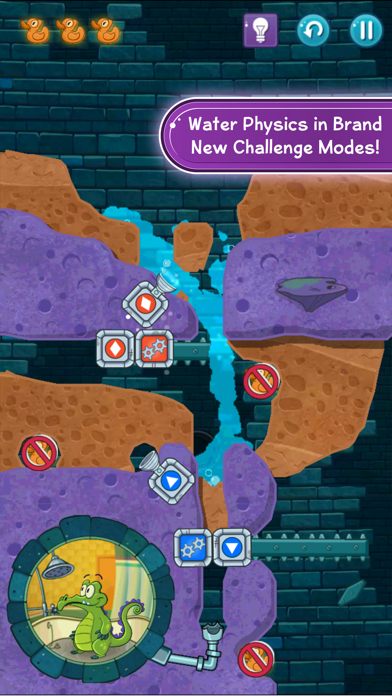
The sequel to the most addicting physics-based puzzler from Disney has finally arrived. Where’s My Water? 2 launches with three brand new locations including the Sewer, the Soap Factory, the Beach. Best of all, the puzzles are all free! Cut through dirt, and guide fresh water, purple water, and steam to help Swampy and his friends!
Key Features:
• Play 100+ levels and challenges with a brand new look in the Gator universe featuring Swampy, Allie, Cranky, and Mystery Duck!
• Introducing ‘Challenge Modes’ to replay the levels in explosive new ways!
• Dig as fast as you can and get as many duckies as possible in ‘Duck Rush’ levels!
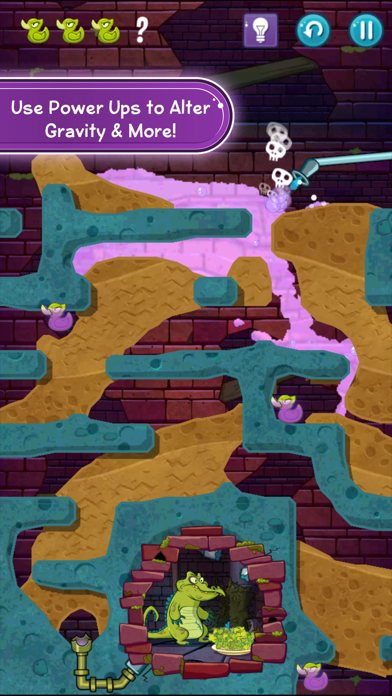
• ‘Tri-ducking’ is now faster, better and more fun with boosts, such as Vacuum, Dropper, and Absorber! Small fees may be required for these additional boosts.
• Connect through Facebook and see if you can beat your pals on the adventure!
• Experience fun mechanics that are uniquely designed for each character!
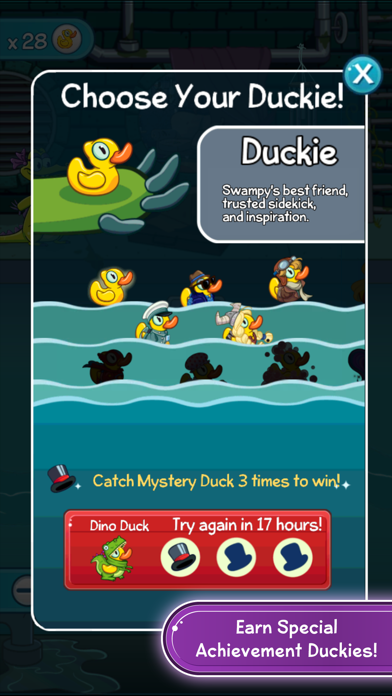
• Complete achievements and earn special themed duckies such as gladiator-duckie, astronaut-duckie, hula-duckie, and many more!
• Stuck on a level? Use hints to help you solve the puzzles!
Where’s My Water? is a multiple Game of the Year award-winning puzzle game. The Where's My... franchise has received hundreds of millions of downloads to date. Check out Where’s My Mickey? and Where's My Perry? for more refreshing water-physics fun!
This app has been optimized for OS 8.0 and above.
Before you download this app, please consider that this app includes advertising, some of which may be targeted to your interests. You may choose to control targeted advertising within our applications by using your mobile device settings (for example, by re-setting your device’s advertising identifier and/or opting out of interest based ads).
• In-app purchases that cost real money
• The option to accept push notifications to let you know when we have exciting updates like new content
• Location-based services
• Advertising for some third parties, including the option to watch ads for rewards
• As well as advertising for The Walt Disney Family of Companies
Visit the official Where's My Water? 2 website – http://games.disney.com/wheres-my-water-2-app
Privacy Policy - https://disneyprivacycenter.com/
Children’s Privacy Policy - https://disneyprivacycenter.com/kids-privacy-policy/english/
Terms of Use - https://disneytermsofuse.com/
- iPhone أو iPad بجيلبريك أو بدون جيلبريك.
- Sideloadly أو بدائلها.
- كمبيوتر يعمل بنظام Windows/macOS/Linux مع تثبيت iTunes.
الخطوة 1: قم بتنزيل ملف .IPA المعدّل مسبقًا من الرابط أعلاه إلى الكمبيوتر الخاص بك. للتنزيل من تطبيق iOSGods App، اطلع على دليل تنزيل IPA من تطبيق iOSGods App الذي يتضمن مثالًا بالفيديو.
الخطوة 2: قم بتنزيل Sideloadly وتثبيته على جهاز Windows أو Mac.
الخطوة 3: افتح Sideloadly على الكمبيوتر، ووصّل جهاز iOS الخاص بك، وانتظر حتى يظهر اسم جهازك داخل Sideloadly.
الخطوة 4: بمجرد التعرّف على جهاز iDevice الخاص بك، اسحب ملف .IPA المعدّل الذي قمت بتنزيله وأفلِته داخل تطبيق Sideloadly.
الخطوة 5: أدخل البريد الإلكتروني لحساب Apple Account الخاص بك، ثم اضغط على «Start». سيُطلب منك بعد ذلك إدخال كلمة المرور. تابع وأدخل المعلومات المطلوبة.
الخطوة 6: انتظر حتى ينتهي Sideloadly من تحميل/تثبيت ملف IPA المعدّل. في حال واجهت أي مشاكل أثناء التثبيت، يرجى قراءة الملاحظة أدناه.
الخطوة 7: بعد اكتمال التثبيت ورؤية التطبيق على الشاشة الرئيسية، انتقل إلى Settings → General → Profiles / VPN & Device Management. ثم اضغط على البريد الإلكتروني الذي أدخلته في الخطوة 6، ثم اضغط على «الوثوق بـ [email protected]».
الخطوة 8: الآن انتقل إلى الشاشة الرئيسية وافتح التطبيق الذي تم تثبيته للتو وسيعمل كل شيء بشكل صحيح. قد تحتاج إلى اتباع تعليمات إضافية خاصة بكل تطبيق داخل النافذة المنبثقة للتعديل أثناء اللعب.
ملاحظة: بدءًا من iOS/iPadOS 16 وما بعده، يجب تفعيل وضع المطور (Developer Mode). بالنسبة لحسابات Apple Developer المجانية، ستحتاج إلى تكرار هذه العملية كل 7 أيام. إذا كانت لديك أي أسئلة أو مشاكل، يرجى قراءة قسم الأسئلة الشائعة حول Sideloadly في الموضوع.