ログインが必要
iOSGodsアカウントでサインインして続けてください。
iOSGodsアカウントでサインインして続けてください。
無制限の宝石、コイン、リソースにより、このGun Hero: Cat Survival Shooter iOS Mod IPAでグラインドなしに戦闘猫の武器庫をアップグレードでき、すべてのランが純粋な武器クラフトカオスに変わります。
無限の通貨と消費アイテムを手に入れることで、マージと銃のカスタマイズに完全に集中して、無限のモンスター波を支配できます。このHackは待機時間を排除し、ベースゲームのリソースボトルネックによって遅くなることなく、すべてのアップグレードパスとプレイスタイルを試験できます。
- 自動広告オフ → 強制ビデオ広告を削除
- 無制限の宝石 / 獲得 → 無限のプレミアム通貨
- 無制限のコイン / 獲得 → 無限のソフト通貨
- 無制限の広告チケット / 獲得 → 無限の広告報酬チケット
- 無制限のキー +2 / 獲得 → 進行用の無限キー
- 無制限のスクロール / 獲得 → アップグレード用の無限スクロール
- HP / 応急処置キット戦闘中使用 → 戦闘中に自由に回復
- ATK / リンク済み → 攻撃ステータス強化
注意: 通貨とリソースは戦闘前に無効化されます
このアプリにはiGameGodも搭載されており、繰り返し作業を自動化するAuto Touch、ゲーム速度を調整できるApp Speed Manager、Memory Engineによる値の編集など、強力なiOSゲーム用ツールをご利用いただけます。
Gun Hero: Cat Survival Shooter iOS Mod IPAを上のリンクからダウンロードします。インストールボタンをタップし、画面の指示に従ってiPhone、iPad、Apple SiliconにこのiOSアプリハックをインストールします。
さらにヘルプが必要ですか? 詳しい回答とトラブルシューティングはiOSGodsアプリ よくある質問をご覧ください。
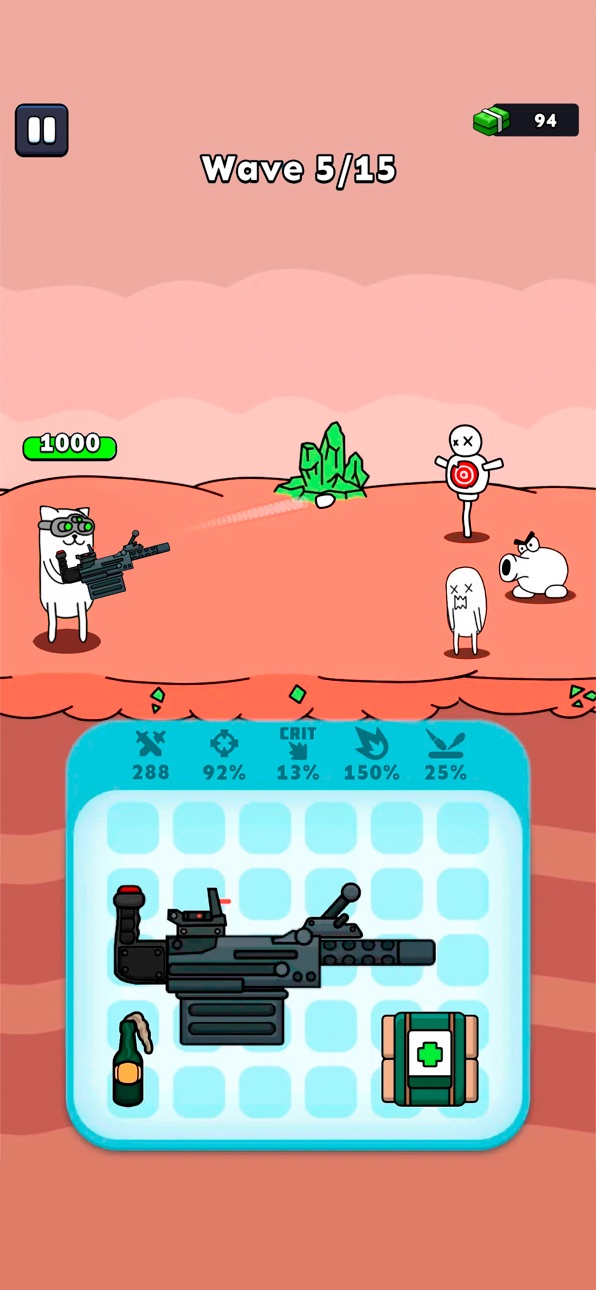
Gun Hero é um jogo de tiro 2D em que tu controlas um gato herói decidido a sobreviver contra hordas de monstros. Um mix de sobrevivência roguelite e ação intensa, feito para quem gosta de jogos de tiro, upgrades constantes e muita adrenalina.
Funde armas, melhora-as e adapta o teu estilo a cada partida. Com o sistema exclusivo de fusão, tu montas as tuas armas peça por peça no editor de armas. Cada upgrade muda o teu modo de jogar, traz mais poder de fogo e novas formas de dominar o combate.
Usa itens para ativar reforços poderosos e resistir às ondas mais difíceis. Esta é sobrevivência de verdade — quanto mais tempo tu aguentas, mais intensa fica a ação. Cada partida transforma-se num novo desafio em que raciocínio rápido e armas melhores definem o teu destino.
Como jogar:
– Constrói a tua arma — Funde peças no editor de armas
– Ativa reforços — Fortalece o teu herói com melhorias
– Atira e sobrevive — Enfrenta hordas em ação intensa
– Melhora e repete — Fica mais forte a cada partida
Se tu curtes shooters, adoras jogos criativos com armas ou procuras uma experiência de sobrevivência viciante, Gun Hero é para ti. Fácil de começar, difícil de dominar e sempre cheio de ação — a batalha de sobrevivência definitiva para todos os fãs de jogos de tiro com gatos.
Monthly Privilege Subscription
Subscribe to the Monthly Privilege and unlock exclusive in-game benefits:
- Battle x2 Speed
- Additional Daily Rewards
- Battle Pass x2 XP
The Monthly Privilege subscription costs $9.99 USD per month.
Payment will be charged to your iTunes Account at confirmation of purchase.
You will receive all Monthly Privilege benefits for the duration of the subscription.
Your subscription automatically renews for the same price and duration as the original one-month package unless auto-renew is turned off at least 24 hours before the end of the current period.
Your account will be charged for renewal within 24 hours prior to the end of the current period at the cost of the selected package.
Subscriptions may be managed by the user, and auto-renewal may be turned off in the iTunes Account Settings after purchase.
No cancellation of the current subscription is allowed during the active subscription period.
You may cancel a subscription during its free trial period via the subscription settings in your iTunes account. This must be done at least 24 hours before the end of the trial period to avoid being charged. For more information, please visit http://support.apple.com/kb/ht4098.
Turning off auto-renewal is also available in your iTunes Account Settings. However, the current subscription cannot be canceled during its active period.
Any unused portion of a free trial period will be forfeited when the user purchases a Monthly Privilege subscription.
Links to our Terms of Service and Privacy Policy:
https://freeplay.io/games/ios/terms/
https://freeplay.io/games/ios/privacy/
スクリーンショット © 各権利者 · App Store


iOSGods は Apple Inc.、Google LLC、および掲載アプリの開発者と提携しておらず、承認や協賛も受けていません。Apple、iOS、App Store は Apple Inc. の商標です。Android および Google Play は Google LLC の商標です。その他のアプリ名、アイコン、画像、商標はすべて各権利者に帰属します。

- 脱獄/Jailed済みまたは脱獄済みのiPhoneまたはiPad。
- Sideloadlyまたは代替手段。
- iTunesがインストールされているWindows/macOS/Linuxを実行しているコンピュータ。
ステップ1: 上のリンクから事前にハックされた.IPAファイルをコンピュータにダウンロードします。iOSGodsアプリからダウンロードする方法は、ビデオ例付きのiOSGodsアプリIPAダウンロードチュートリアルをご覧ください。
ステップ2: SideloadlyをダウンロードしてWindowsまたはMacにインストールします。
ステップ3: コンピュータでSideloadlyを開き、iOSデバイスを接続して、デバイス名がSideloadlyに表示されるまで待ちます。
ステップ4: iDeviceが認識されたら、ダウンロードしたModされた.IPAファイルをSideloadlyアプリにドラッグ&ドロップします。
ステップ5: Apple Accountのメールアドレスを入力し、「Start」を押します。次にパスワードの入力を求められます。必要な情報を入力してください。
ステップ6: Sideloadlyがハックされたipaのサイドロード/インストールを完了するのを待ちます。インストール中に問題が発生した場合は、以下の注意事項をお読みください。
ステップ7: インストールが完了し、ホーム画面にアプリが表示されたら、設定 → 一般 → プロファイル / VPNとデバイス管理に移動する必要があります。そこで、ステップ6で入力したメールをタップし、「Trust [email protected]」をタップします。
ステップ8: ホーム画面に戻り、新しくインストールされたアプリを開けば、すべて正常に動作するはずです。ゲーム内のハックのポップアップで、アプリごとの追加指示に従う必要がある場合があります。
注意: iOS/iPadOS 16以降では、デベロッパモードを有効にするが必要です。無料のApple Developerアカウントの場合、このプロセスを7日ごとに繰り返す必要があります。質問や問題がある場合は、トピックのSideloadly FAQセクションをお読みください。
Game Name iOS Mod IPA is an action adventure game enhanced with powerful gameplay boosts and quality-of-life improvements. Win battles faster, earn rewards quicker, and enjoy uninterrupted play without ads.
- Unlimited Gold - spend freely to unlock premium content
- Damage Multiplier - deal significantly more damage in combat
- Defense Multiplier - take less damage and survive longer
- Reward Multiplier - earn more loot from every battle
- Max Level - instantly reach the highest player rank
- No Ads - play without interruptions or advertisements
This app also comes with iGameGod, giving you access to Auto Touch to automate repetitive tasks, App Speed Manager for adjustable gameplay speed, Memory Engine value editing, and more powerful iOS game tools.
Game Name Mod IPAを上のリンクからダウンロードします。インストールボタンをタップし、画面の指示に従ってiPhone、iPad、Apple SiliconにこのiOSアプリハックをインストールします。
さらにヘルプが必要ですか 詳しい回答とトラブルシューティングはiOSGodsアプリ よくある質問をご覧ください。
----------------------------------------------------------
--------------------------------------------------