Login necessário
Entre com sua conta iOSGods para continuar.
Entre com sua conta iOSGods para continuar.
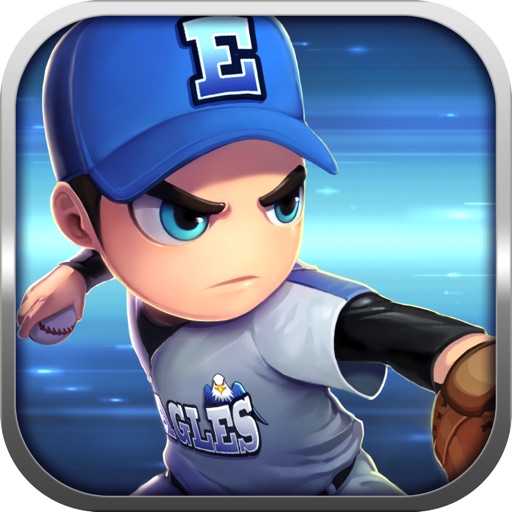
Este hack completo de jogo de beisebol 3D offline oferece AP, CP e BP ilimitados para construir e potencializar seu elenco dos sonhos sem necessidade de grind. Baseball Star Hack Mod IPA permite que você componha temporadas, gerencie seu time e domine o Campeonato Lendário com todos os recursos necessários para criar jogadores poderosos e vencer em grande estilo.
- AP Ilimitado → gaste livremente para progredir
- CP Ilimitado → desbloqueie slots de treinamento sem custo
- BP Ilimitado → maximize a força do seu time
* Gaste para Ganhar. Desbloqueie um slot de treinamento gratuitamente se precisar de CP.
Este app também vem com iGameGod, oferecendo acesso ao Auto Touch para automatizar tarefas repetitivas, App Speed Manager para ajustar a velocidade do jogo, edição de valores com Memory Engine e outras ferramentas avançadas para jogos iOS.
Baixe Baseball Star Hack modded IPA dos links acima. Toque no botão de instalação e siga as instruções para instalar este hack iOS no seu iPhone, iPad ou Apple Silicon.
Precisa de mais ajuda? Confira nossas Perguntas frequentes sobre o app iOSGods para respostas detalhadas e dicas de solução de problemas.
Enjoy a real Full 3D baseball game without internet access !
◆ Features
1) No need to connect to the internet.
2) Enjoy the game comfortably with plentiful daily free bonus like player cards, items, game points etc.
3) Enjoy a real full 3D baseball game with playing mode and management mode.
4) Create your team and build up your roster as you want by editing features.
5) Make your team and players more powerful and win the Legend Championship.
6) Support for Tablet PC
◆ Game Mode
1) League Mode
- Compose the season with the number of games as you want. (16, 32, 64, 128 games)
- Select the number of innings you want. (3, 6, 9 innings)
2) Challenge Mode
- 5 leagues (Minor, Major, Master, Champion, Legend)
- Win the championship and battle with more powerful teams of the higher league.
3) Event Match
- It is held once a day and rewards is paid according to victory and defeat.
- It is based on automatic progression, and you can intervene in the game through direct play at important moments.
◆ Game Play
1) Play : Play all innings in person (some innings can be proceeded automatically if you want)
2) Auto Play : Proceed each game automatically
3) Auto Season : Proceed whole season automatically (Challenge Mode)
◆ Training and Upgrade
1) Make you team more powerful by training your players and recruiting more powerful players.
2) Equip your team and players with various items.
3) Upgrade your stadium and hold more good players.
◆ Caution
When you change your phone device or delete the game, all game data is initialized.
Please use option Data>Save to save all game data and use option Data>Load to restore.
Indonesia Rating:
This game has been rated IGRS 3+ by the Indonesia Games Rating System (IGRS).
Capturas © respectivos proprietários · App Store


![[ White Cat Tennis ] 白猫テニス Hack](https://is1-ssl.mzstatic.com/image/thumb/Purple112/v4/c2/b9/29/c2b929cc-cdc4-4c97-16a9-72022b5817d3/AppIcon-0-0-1x_U007emarketing-0-0-0-7-0-0-sRGB-0-0-0-GLES2_U002c0-512MB-85-220-0-0.png/100x100bb.jpg)
A iOSGods não é afiliada, endossada nem patrocinada pela Apple Inc., pela Google LLC ou pelos desenvolvedores dos apps listados aqui. Apple, iOS e App Store são marcas da Apple Inc. Android e Google Play são marcas da Google LLC. Todos os demais nomes de apps, ícones, imagens e marcas pertencem aos seus respectivos proprietários.
- iPhone ou iPad sem jailbreak/jailed ou com jailbreak.
- Sideloadly ou alternativas.
- Computador com Windows/macOS/Linux e iTunes instalado.
PASSO 1: Baixe o arquivo .IPA pré-hackeado do link acima para o seu computador. Para baixar pelo iOSGods App, veja nosso Tutorial de download de IPA do iOSGods App, que inclui um exemplo em vídeo.
PASSO 2: Baixe o Sideloadly e instale-o no seu Windows ou Mac.
PASSO 3: Abra o Sideloadly no seu computador, conecte seu dispositivo iOS e aguarde até que o nome do dispositivo apareça no Sideloadly.
PASSO 4: Assim que seu iDevice for reconhecido, arraste o arquivo .IPA modificado que você baixou e solte-o no aplicativo Sideloadly.
PASSO 5: Digite o e-mail da sua Apple Account e pressione “Start”. Em seguida, será solicitada a sua senha. Prossiga e forneça as informações solicitadas.
PASSO 6: Aguarde o Sideloadly finalizar o sideload/instalação do IPA hackeado. Se houver problemas durante a instalação, leia a observação abaixo.
PASSO 7: Quando a instalação estiver concluída e você vir o app na Tela de Início, será necessário acessar Ajustes → Geral → Perfis / Gerenciamento de VPN e Dispositivo. Lá, toque no e-mail que você inseriu no passo 6 e, em seguida, toque em “Confiar em [email protected]”.
PASSO 8: Agora vá para a Tela de Início e abra o app recém-instalado; tudo deve funcionar normalmente. Você pode precisar seguir instruções adicionais específicas no popup do hack dentro do jogo.
OBSERVAÇÃO: No iOS/iPadOS 16 e versões posteriores, você deve ativar o Modo de Desenvolvedor. Para contas Apple Developer gratuitas, será necessário repetir este processo a cada 7 dias. Se tiver dúvidas ou problemas, leia nossa seção de FAQ do Sideloadly no tópico.
Game Name iOS Mod IPA is an action adventure game enhanced with powerful gameplay boosts and quality-of-life improvements. Win battles faster, earn rewards quicker, and enjoy uninterrupted play without ads.
- Unlimited Gold - spend freely to unlock premium content
- Damage Multiplier - deal significantly more damage in combat
- Defense Multiplier - take less damage and survive longer
- Reward Multiplier - earn more loot from every battle
- Max Level - instantly reach the highest player rank
- No Ads - play without interruptions or advertisements
This app also comes with iGameGod, giving you access to Auto Touch to automate repetitive tasks, App Speed Manager for adjustable gameplay speed, Memory Engine value editing, and more powerful iOS game tools.
Baixe Game Name Mod IPA dos links acima. Toque no botão de instalação e siga as instruções para instalar este hack iOS no seu iPhone, iPad ou Apple Silicon.
Precisa de mais ajuda Confira nossas Perguntas frequentes sobre o app iOSGods para respostas detalhadas e dicas de solução de problemas.
----------------------------------------------------------
--------------------------------------------------



![[VIP] Birdie Crush: Fantasy Golf Hack](https://is4-ssl.mzstatic.com/image/thumb/Purple116/v4/2c/5a/28/2c5a28cf-4eaf-ca12-fe08-dc33fd3ca17c/source/100x100bb.jpg)