تسجيل الدخول مطلوب
سجّل الدخول بحساب iOSGods للمتابعة.
سجّل الدخول بحساب iOSGods للمتابعة.
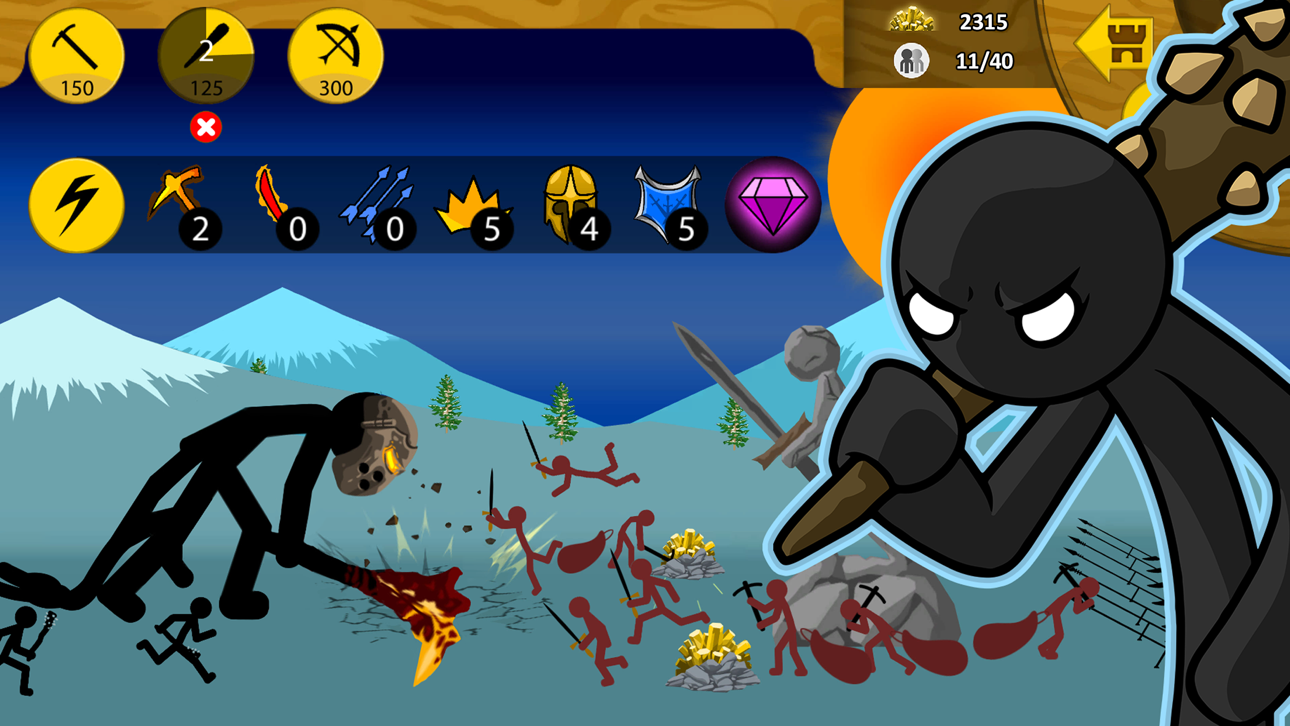
يفتح غش الذهب اللانهائي والجواهر اللانهائية موارد غير محدودة في Stick War: Legacy Mod IPA، مما يتيح لك بناء جيشك على الفور دون الحاجة للعب المتكرر. تحكم بتشكيلات رجال العصا، أتقن كل نوع وحدة من سيف الرجال إلى العمالقة، واهزم أراضي العدو بدون قيود الموارد.
- ذهب لانهائي → بناء الوحدات بدون تكلفة
- جواهر لانهائية → فتح الترقيات المميزة بحرية
- بناء سريع → بناء الوحدات على الفور
يأتي هذا التطبيق أيضًا مع iGameGod، مما يتيح لك الوصول إلى Auto Touch لأتمتة المهام المتكررة، وApp Speed Manager لضبط سرعة اللعب، وتعديل القيم عبر Memory Engine، والمزيد من أدوات ألعاب iOS القوية.
قم بتنزيل Stick War: Legacy iOS Mod IPA من الروابط أعلاه. اضغط على زر التثبيت واتبع التعليمات لتثبيت هذا التعديل لـ iOS على iPhone أو iPad أو Apple Silicon.
هل تحتاج إلى مزيد من المساعدة؟ راجع الأسئلة الشائعة لتطبيق iOSGods للحصول على إجابات مفصلة ونصائح لاستكشاف الأخطاء.
Um dos jogos da web mais populares e com melhor classificação de todos os tempos agora chega ao celular!
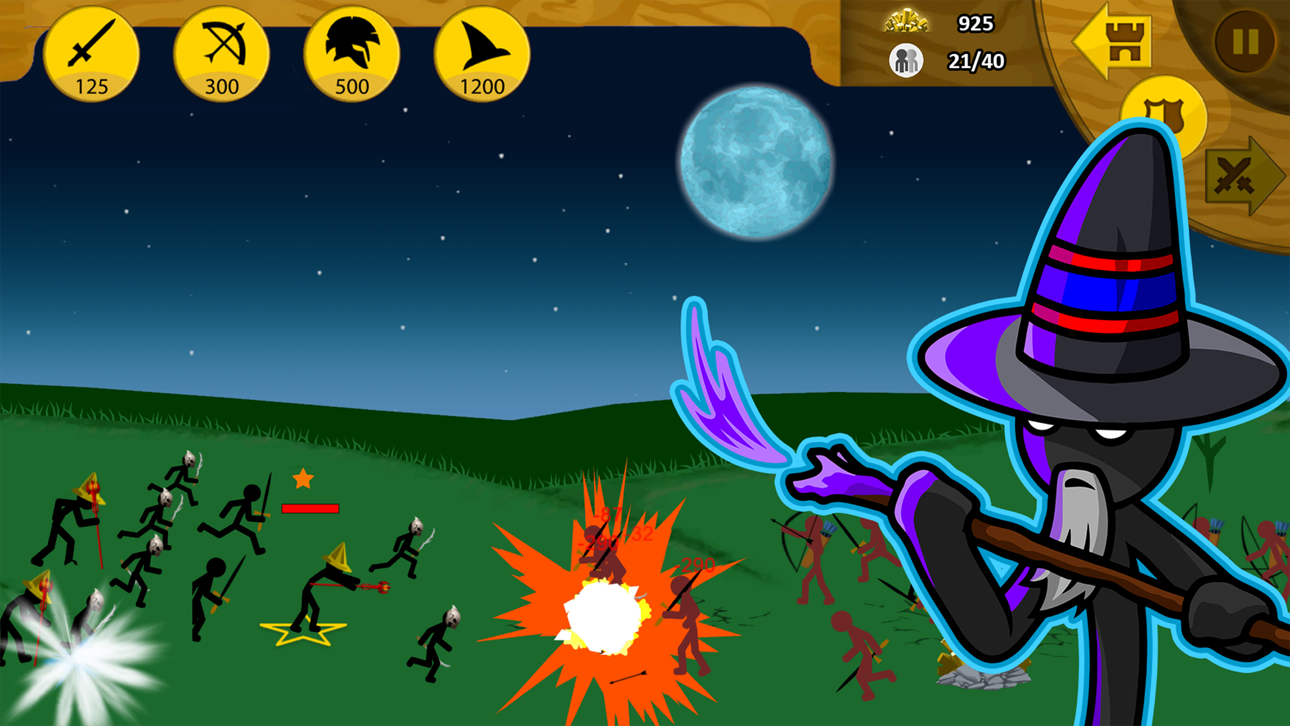
Jogue Stick War, um dos maiores, mais divertidos, desafiadores e viciantes jogos de bonecos de palitos. Controle seu exército em formações ou jogue cada unidade, você tem controle total de cada boneco de palito. Construa unidades, extraia ouro, recrute espadachins, lanceiros, arqueiros, magos e até gigantes. Destrua a estátua inimiga e capture todos os Territórios!
Novos recursos:
● Modo Missões: novos níveis lançados toda semana! - Manter a ordem não será fácil.
● Mapa de estilo saga com várias recompensas.
● Desbloqueie coroas para cada nível de dificuldade: normal, difícil e insano!
● Uma infinidade de novos tipos de jogos o aguarda - Vença antes do pôr do sol, Triplo barricado de ouro, Deathmatch, Estátua Avante, contra Mini Chefões e muito mais!
● As flechas agora se fixam em todas as unidades, além de novos efeitos de sangue aprimorados e animações de dano.
● Formações de unidades aprimoradas e mira de arco Archidon.
Principais recursos:
● Campanha Clássica - Nasce o Império da Ordem. Agora com 6 níveis de bônus.
● Modo de sobrevivência zumbi Endless Deads! Quantas noites você consegue durar?
● Modo de torneio! Lute contra dezenas de adversários de IA para ganhar a "Coroa da Inamorta"!
● Skins agora estão disponíveis para todos os personagens! Desbloqueie armas e armaduras poderosas, cada uma com suas vantagens exclusivas!
Em um mundo chamado Inamorta, você está cercado por nações discriminadas, dedicadas à tecnologia de suas nações individuais e à luta pelo domínio. Cada nação desenvolveu sua própria maneira única de defender e atacar. Orgulhosas de suas habilidades inigualáveis, elas se tornaram obcecadas a ponto de adorar, transformando as armas em religião. Cada uma acredita que seu modo de vida é o único caminho e se dedica a ensinar suas políticas a todas as outras nações por meio do que seus líderes afirmam ser uma intervenção divina, ou como você conhece... guerra.
Os outros são conhecidos como: "Archidons", "Swordwrath", "Magikill" e "Speartons".
Você é o líder da nação chamada “Ordem”, seu caminho é de paz e conhecimento, seu povo não adora armas como deuses. Isso a torna um alvo de infiltração das nações vizinhas. Sua única chance de se defender é atacar primeiro e obter as tecnologias de cada nação ao longo do caminho.
لقطات الشاشة © لأصحابها · App Store


iOSGods ليست تابعة لشركة Apple Inc. أو Google LLC أو مطوّري التطبيقات المدرجة هنا، وليست معتمدة أو مدعومة منهم. Apple وiOS وApp Store علامات تجارية لشركة Apple Inc. وAndroid وGoogle Play علامتان تجاريتان لشركة Google LLC. أما بقية أسماء التطبيقات والأيقونات والصور والعلامات التجارية فهي ملك لأصحابها.

- iPhone أو iPad بجيلبريك أو بدون جيلبريك.
- Sideloadly أو بدائلها.
- كمبيوتر يعمل بنظام Windows/macOS/Linux مع تثبيت iTunes.
الخطوة 1: قم بتنزيل ملف .IPA المعدّل مسبقًا من الرابط أعلاه إلى الكمبيوتر الخاص بك. للتنزيل من تطبيق iOSGods App، اطلع على دليل تنزيل IPA من تطبيق iOSGods App الذي يتضمن مثالًا بالفيديو.
الخطوة 2: قم بتنزيل Sideloadly وتثبيته على جهاز Windows أو Mac.
الخطوة 3: افتح Sideloadly على الكمبيوتر، ووصّل جهاز iOS الخاص بك، وانتظر حتى يظهر اسم جهازك داخل Sideloadly.
الخطوة 4: بمجرد التعرّف على جهاز iDevice الخاص بك، اسحب ملف .IPA المعدّل الذي قمت بتنزيله وأفلِته داخل تطبيق Sideloadly.
الخطوة 5: أدخل البريد الإلكتروني لحساب Apple Account الخاص بك، ثم اضغط على «Start». سيُطلب منك بعد ذلك إدخال كلمة المرور. تابع وأدخل المعلومات المطلوبة.
الخطوة 6: انتظر حتى ينتهي Sideloadly من تحميل/تثبيت ملف IPA المعدّل. في حال واجهت أي مشاكل أثناء التثبيت، يرجى قراءة الملاحظة أدناه.
الخطوة 7: بعد اكتمال التثبيت ورؤية التطبيق على الشاشة الرئيسية، انتقل إلى Settings → General → Profiles / VPN & Device Management. ثم اضغط على البريد الإلكتروني الذي أدخلته في الخطوة 6، ثم اضغط على «الوثوق بـ [email protected]».
الخطوة 8: الآن انتقل إلى الشاشة الرئيسية وافتح التطبيق الذي تم تثبيته للتو وسيعمل كل شيء بشكل صحيح. قد تحتاج إلى اتباع تعليمات إضافية خاصة بكل تطبيق داخل النافذة المنبثقة للتعديل أثناء اللعب.
ملاحظة: بدءًا من iOS/iPadOS 16 وما بعده، يجب تفعيل وضع المطور (Developer Mode). بالنسبة لحسابات Apple Developer المجانية، ستحتاج إلى تكرار هذه العملية كل 7 أيام. إذا كانت لديك أي أسئلة أو مشاكل، يرجى قراءة قسم الأسئلة الشائعة حول Sideloadly في الموضوع.
Game Name iOS Mod IPA is an action adventure game enhanced with powerful gameplay boosts and quality-of-life improvements. Win battles faster, earn rewards quicker, and enjoy uninterrupted play without ads.
- Unlimited Gold - spend freely to unlock premium content
- Damage Multiplier - deal significantly more damage in combat
- Defense Multiplier - take less damage and survive longer
- Reward Multiplier - earn more loot from every battle
- Max Level - instantly reach the highest player rank
- No Ads - play without interruptions or advertisements
This app also comes with iGameGod, giving you access to Auto Touch to automate repetitive tasks, App Speed Manager for adjustable gameplay speed, Memory Engine value editing, and more powerful iOS game tools.
قم بتنزيل Game Name Mod IPA من الروابط أعلاه. اضغط على زر التثبيت واتبع التعليمات لتثبيت هذا التعديل لـ iOS على iPhone أو iPad أو Apple Silicon.
هل تحتاج إلى مزيد من المساعدة؟ راجع الأسئلة الشائعة لتطبيق iOSGods للحصول على إجابات مفصلة ونصائح لاستكشاف الأخطاء.
----------------------------------------------------------
--------------------------------------------------