تسجيل الدخول مطلوب
سجّل الدخول بحساب iOSGods للمتابعة.
Hack Features:
- Damage Multiplier
- Defense Multiplier
- Never Die
يأتي هذا التطبيق مع iGameGod، مما يتيح لك الوصول إلى Auto Touch لأتمتة المهام المتكررة، وApp Speed Manager لضبط سرعة اللعب، وتعديل القيم عبر Memory Engine، والمزيد من أدوات ألعاب iOS القوية.
قم بتنزيل Crunchyroll: Eternights Hack modded IPA من الروابط أعلاه. اضغط على زر التثبيت واتبع التعليمات لتثبيت هذا التعديل لـ iOS على iPhone أو iPad أو Apple Silicon.
هل تحتاج إلى مزيد من المساعدة؟ راجع الأسئلة الشائعة لتطبيق iOSGods للحصول على إجابات مفصلة ونصائح لاستكشاف الأخطاء.
Crunchyroll Ultimate or Mega Fan Membership Required
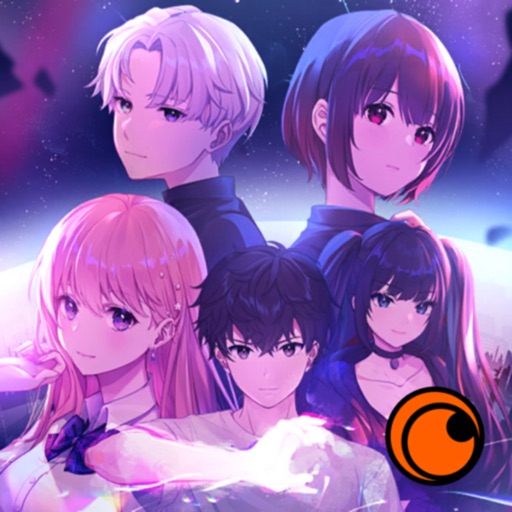
Eternights is a dating action game, blending a love story with adrenaline-driven combat as you make the most out of life during the apocalypse. Scavenge for supplies, explore dungeons... and go on dates!
Face the Infected
One day, something, or someone, has turned humans into dangerous monsters. All that interests them now is violence and power. They are what stand between you, a cure, and the world you want. Most importantly? You’re fighting for more than just your own survival – you are fighting for those you love.
Find Love
The impending end of the world makes for a great conversation starter! When you’re not exploring dungeons, you can choose to spend time growing closer to a cast of five quirky and loveable characters. Explore their stories and grow closer to them to unlock unique skills and spells you can use in battle.
Race the Clock
Scavenging, dungeon crawling, dating…there are just too many things to do in one day, and each area has a deadline! Will you grow closer to your confidant in order to deepen your relationship and unlock new skills? Will you scavenge the wasteland for supplies? Will you grow stronger by training with your companions? Or will you ignore all of that and go to the dungeon the first chance you get? It’s up to you, but remember, the clock is ticking.
Explore Dungeons
These dangerous areas - known as the "Wall" - are filled with mystery and danger. As the deadline looms, you will have to quickly overcome traps, puzzles, and dancing minigames to make it through in time. Luckily, you have your confidants by your side to help when things get scary.
Animated Cutscenes
There are several fully 2D animated cutscenes that change depending on who you decide to date. Immerse yourself and truly connect with the characters you are spending time with.
————
Crunchyroll Premium members enjoy an ad-free experience, with full access to Crunchyroll's library of over 1,300 unique titles and 46,000 episodes, including simulcast series that premiere shortly after premiering in Japan. In addition, membership offers special benefits including offline viewing access, discount code to Crunchyroll Store, Crunchyroll Game Vault access, streaming simultaneously on multiple devices, and more!
Privacy Policy: https://www.crunchyroll.com/games/privacy
Terms: https://www.crunchyroll.com/games/terms/
- iPhone أو iPad بجيلبريك أو بدون جيلبريك.
- Sideloadly أو بدائلها.
- كمبيوتر يعمل بنظام Windows/macOS/Linux مع تثبيت iTunes.
الخطوة 1: قم بتنزيل ملف .IPA المعدّل مسبقًا من الرابط أعلاه إلى الكمبيوتر الخاص بك. للتنزيل من تطبيق iOSGods App، اطلع على دليل تنزيل IPA من تطبيق iOSGods App الذي يتضمن مثالًا بالفيديو.
الخطوة 2: قم بتنزيل Sideloadly وتثبيته على جهاز Windows أو Mac.
الخطوة 3: افتح Sideloadly على الكمبيوتر، ووصّل جهاز iOS الخاص بك، وانتظر حتى يظهر اسم جهازك داخل Sideloadly.
الخطوة 4: بمجرد التعرّف على جهاز iDevice الخاص بك، اسحب ملف .IPA المعدّل الذي قمت بتنزيله وأفلِته داخل تطبيق Sideloadly.
الخطوة 5: أدخل البريد الإلكتروني لحساب Apple Account الخاص بك، ثم اضغط على «Start». سيُطلب منك بعد ذلك إدخال كلمة المرور. تابع وأدخل المعلومات المطلوبة.
الخطوة 6: انتظر حتى ينتهي Sideloadly من تحميل/تثبيت ملف IPA المعدّل. في حال واجهت أي مشاكل أثناء التثبيت، يرجى قراءة الملاحظة أدناه.
الخطوة 7: بعد اكتمال التثبيت ورؤية التطبيق على الشاشة الرئيسية، انتقل إلى Settings → General → Profiles / VPN & Device Management. ثم اضغط على البريد الإلكتروني الذي أدخلته في الخطوة 6، ثم اضغط على «الوثوق بـ [email protected]».
الخطوة 8: الآن انتقل إلى الشاشة الرئيسية وافتح التطبيق الذي تم تثبيته للتو وسيعمل كل شيء بشكل صحيح. قد تحتاج إلى اتباع تعليمات إضافية خاصة بكل تطبيق داخل النافذة المنبثقة للتعديل أثناء اللعب.
ملاحظة: بدءًا من iOS/iPadOS 16 وما بعده، يجب تفعيل وضع المطور (Developer Mode). بالنسبة لحسابات Apple Developer المجانية، ستحتاج إلى تكرار هذه العملية كل 7 أيام. إذا كانت لديك أي أسئلة أو مشاكل، يرجى قراءة قسم الأسئلة الشائعة حول Sideloadly في الموضوع.