تسجيل الدخول مطلوب
سجّل الدخول بحساب iOSGods للمتابعة.
Hack Features:
- Damage Multiplier
- Defense Multiplier
قم بتنزيل Ronin: The Last Samurai Hack modded IPA من الروابط أعلاه. اضغط على زر التثبيت واتبع التعليمات لتثبيت هذا التعديل لـ iOS على iPhone أو iPad أو Apple Silicon.
هل تحتاج إلى مزيد من المساعدة؟ راجع الأسئلة الشائعة لتطبيق iOSGods للحصول على إجابات مفصلة ونصائح لاستكشاف الأخطاء.
An era of warfare in Japan, death and betrayal stalk the land. A lone survivor—a disgraced warrior—has failed to save his lord. With nowhere to go and nothing to lose, the samurai clenches his sword as he sets out for revenge.
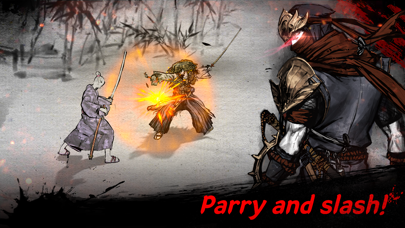
# Parry and Slash! Console-Quality Parry System
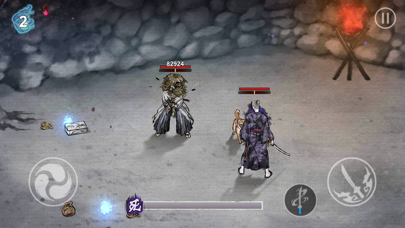
A parry system on mobile that perfectly replicates the experience of playing on PC or console. Experience visceral combat with the attack and defend buttons! Master the precise controls and witness the true pleasure of breathtaking sword mastery action!
# Action Game Basics: Tense and Exciting Battles
Keep training and upgrading to become a true hero! The roguelike action is straightforward but difficult to master.
# Enhance Everything: Upgradable Characters, Pets, and Weapons!
Concoct unique strategies with powerful weapons and assorted pieces of armor! The weapons and armor you forge and skills you master will lead the way to survival.
# A Vivid Depiction of Japan in Ink Wash Painting
Experience the mesmerizing ink wash-style graphics, with a unique oriental taste.
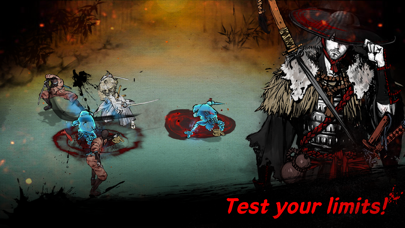
# Thrilling Combat and Lots of Bosses to Fight! Prepare for the Ultimate Challenge!
Think you've survived a swarm of enemies? Even stronger enemies await you, so prepare for their powerful attacks and study their combat patterns. When you have finally mastered the sword through these trials of life and death, you shall be the last one standing.
Travel through time in ink-painted Japan, and experience an epic samurai action game with visceral combat.
Ronin: The Last Samurai. Venture Down the Path of the Warrior Now!
PLEASE NOTE! Ronin: The Last Samurai is free to download and play, but some in-game items can be purchased for real money. If you do not want to use this feature, please block in-app purchases in your device settings. Also, according to our Terms of Service and Privacy Policy, you must be at least 15 years old and need an internet connection to play the game.
[Customer Support]
To contact us, go to Settings > Customer Support or send an email to the address below.
[Official Facebook Page]
https://www.facebook.com/roninDreamotion
[Terms of Service]
http://dreamotion.us/termsofservice
[Privacy Policy]
http://dreamotion.us/privacy-policy
----
Developers:
4F, 10, Hwangsaeul-ro 335beon-gil, Bundang-gu, Seongnam-si, Gyeonggi-do, Republic of Korea
- iPhone أو iPad بجيلبريك أو بدون جيلبريك.
- Sideloadly أو بدائلها.
- كمبيوتر يعمل بنظام Windows/macOS/Linux مع تثبيت iTunes.
الخطوة 1: قم بتنزيل ملف .IPA المعدّل مسبقًا من الرابط أعلاه إلى الكمبيوتر الخاص بك. للتنزيل من تطبيق iOSGods App، اطلع على دليل تنزيل IPA من تطبيق iOSGods App الذي يتضمن مثالًا بالفيديو.
الخطوة 2: قم بتنزيل Sideloadly وتثبيته على جهاز Windows أو Mac.
الخطوة 3: افتح Sideloadly على الكمبيوتر، ووصّل جهاز iOS الخاص بك، وانتظر حتى يظهر اسم جهازك داخل Sideloadly.
الخطوة 4: بمجرد التعرّف على جهاز iDevice الخاص بك، اسحب ملف .IPA المعدّل الذي قمت بتنزيله وأفلِته داخل تطبيق Sideloadly.
الخطوة 5: أدخل البريد الإلكتروني لحساب Apple Account الخاص بك، ثم اضغط على «Start». سيُطلب منك بعد ذلك إدخال كلمة المرور. تابع وأدخل المعلومات المطلوبة.
الخطوة 6: انتظر حتى ينتهي Sideloadly من تحميل/تثبيت ملف IPA المعدّل. في حال واجهت أي مشاكل أثناء التثبيت، يرجى قراءة الملاحظة أدناه.
الخطوة 7: بعد اكتمال التثبيت ورؤية التطبيق على الشاشة الرئيسية، انتقل إلى Settings → General → Profiles / VPN & Device Management. ثم اضغط على البريد الإلكتروني الذي أدخلته في الخطوة 6، ثم اضغط على «الوثوق بـ [email protected]».
الخطوة 8: الآن انتقل إلى الشاشة الرئيسية وافتح التطبيق الذي تم تثبيته للتو وسيعمل كل شيء بشكل صحيح. قد تحتاج إلى اتباع تعليمات إضافية خاصة بكل تطبيق داخل النافذة المنبثقة للتعديل أثناء اللعب.
ملاحظة: بدءًا من iOS/iPadOS 16 وما بعده، يجب تفعيل وضع المطور (Developer Mode). بالنسبة لحسابات Apple Developer المجانية، ستحتاج إلى تكرار هذه العملية كل 7 أيام. إذا كانت لديك أي أسئلة أو مشاكل، يرجى قراءة قسم الأسئلة الشائعة حول Sideloadly في الموضوع.