需要登入
請使用您的 iOSGods 帳戶登入以繼續。
Hack Features:
- No ads.
從上方連結下載 Train your brain - Memory Hack modded IPA。點選安裝按鈕並依照畫面指示在 iPhone、iPad 或 Apple Silicon 上安裝此 iOS 應用程式修改版。
需要更多協助?請查看我們的 iOSGods 應用程式常見問題 以獲得詳細解答與疑難排解。

Stimulate your memory and have fun with memory senior games. A complete collection of games that will help you develop your memory skills while having fun.
Within this app you will find different games to test your capacity of retention and memory in the short and long term.
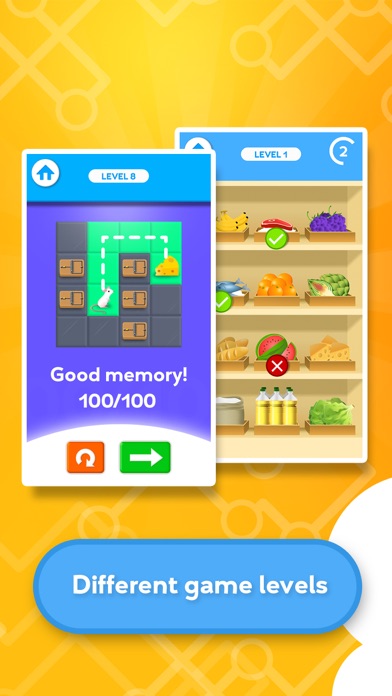
Each game has different levels so you can practice gradually. In addition, you can see the score obtained in each level and visualize your progress. Ideal to stimulate the memory of older people.
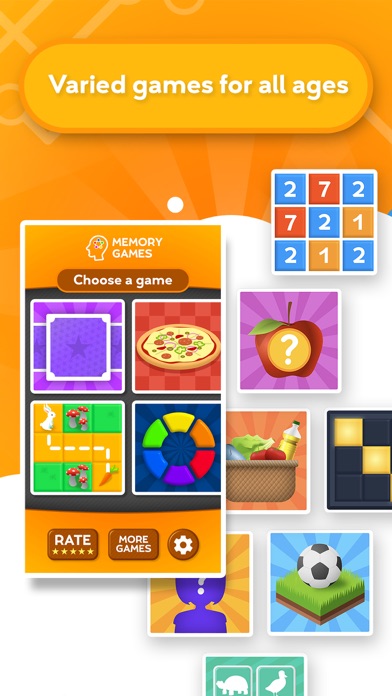
TYPES OF GAMES
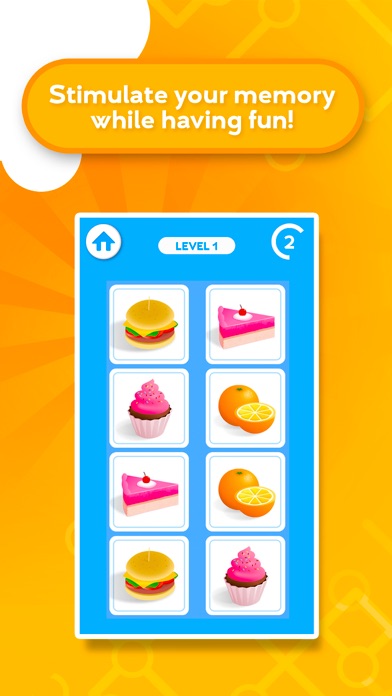
- Find card pairs
- Repeat sequences
- Avoid obstacles and trace the right path
- Remember figures and numbers
- Memorize patterns
- Associate objects
- Memorize elements of different images
- Distractive games to stimulate working memory
APP FEATURES
- Daily memory training
- Available in 5 languages
- Simple and intuitive interface
- Different levels for all ages
- Constant updates with new games
COGNITIVE STIMULATION
Senior memory games belongs to a collection of games designed to stimulate different cognitive areas in adults: Memory, Attention, Processing speed, Visuospatial Function and Coordination.
The design of these games has been carried out in collaboration with experts in neuroscience and psychiatry, with the aim of creating playful content and, in addition, serve as a complement to the treatments carried out in health centers.
ABOUT TELLMEWOW
Tellmewow is a mobile game development company specialized in easy adaptation and basic usability which makes our games ideal for the elderly or young people who simply want to play an occasional game without major complications.
If you have any suggestions for improvement or want to stay tuned about upcoming games, follow us on our social networks.
@tellmewow
- 未越獄/受限或已越獄的 iPhone 或 iPad。
- Sideloadly 或替代方案。
- 執行 Windows/macOS/Linux 且已安裝 iTunes 的電腦。
步驟 1: 透過上方連結將已破解的 .IPA 檔案下載到您的電腦。若要從 iOSGods App 下載,請參閱我們的 iOSGods App IPA 下載教學,其中包含影片範例。
步驟 2: 下載 Sideloadly 並將其安裝在您的 Windows 或 Mac 上。
步驟 3: 在電腦上開啟 Sideloadly,連接您的 iOS 裝置,並等待裝置名稱出現在 Sideloadly 中。
步驟 4: 當 Sideloadly 辨識到您的 iOS 裝置後,將下載好的修改版 .IPA 檔案拖曳並放到 Sideloadly 應用程式中。
步驟 5: 輸入您的 Apple Account 電子郵件,然後按下「Start」。系統會要求您輸入密碼,請依指示提供所需資訊。
步驟 6: 等待 Sideloadly 完成已破解 IPA 的旁載/安裝。如果安裝過程中發生問題,請閱讀下方的注意事項。
步驟 7: 安裝完成並在主畫面上看到該應用程式後,您需要前往 設定 → 一般 → 描述檔 / VPN 與裝置管理。進入後,點選您在步驟 6 中輸入的電子郵件,然後點選「信任 [email protected]」。
步驟 8: 現在回到主畫面並開啟新安裝的應用程式,一切應該都能正常運作。您可能需要依照遊戲內破解彈出視窗中的進一步指示操作。
注意: 在 iOS/iPadOS 16 及更新版本上,您必須 啟用開發者模式。若使用免費的 Apple Developer 帳號,您將需要每 7 天重複此程序。如有任何疑問或問題,請閱讀我們的 主題中的 Sideloadly 常見問題區段。