Login Required
Sign in with your iOSGods account to continue.
Sign in with your iOSGods account to continue.
Exploit AI weaknesses in EA SPORTS FC Mobile Soccer with this iOS mod IPA to gain competitive advantages in matches. The hack includes exploits targeting goalkeeper and defensive AI behavior, giving you an edge in real-time PvP competition and Ultimate Team building.
- Keeper on Drugs → exploits goalkeeper AI behavior
- Stupid AI Defense → inconsistent defensive AI (sometimes works, sometimes doesn't)
This app also comes with iGameGod, giving you access to Auto Touch to automate repetitive tasks, App Speed Manager for adjustable gameplay speed, Memory Engine value editing, and more powerful iOS game tools.
Download EA SPORTS FC™ (FIFA) Mobile Soccer iOS Mod IPA from the links above. Tap the install button and follow the on-screen instructions to install this iOS app hack on your iPhone, iPad, or Apple Silicon.
Need more help? Check out our iOSGods App Frequently Asked Questions for detailed answers and troubleshooting tips.
This game includes optional in-game purchases of virtual currency that can be used to acquire virtual in-game items, including a random selection of virtual in-game items.
Play EA SPORTS FC™ Mobile Football 27, the ultimate online football game on mobile. EA SPORTS FC™ Mobile 27 Update has arrived. Celebrate the 2026/2027 season of football, in an update inspired by the World's Game.
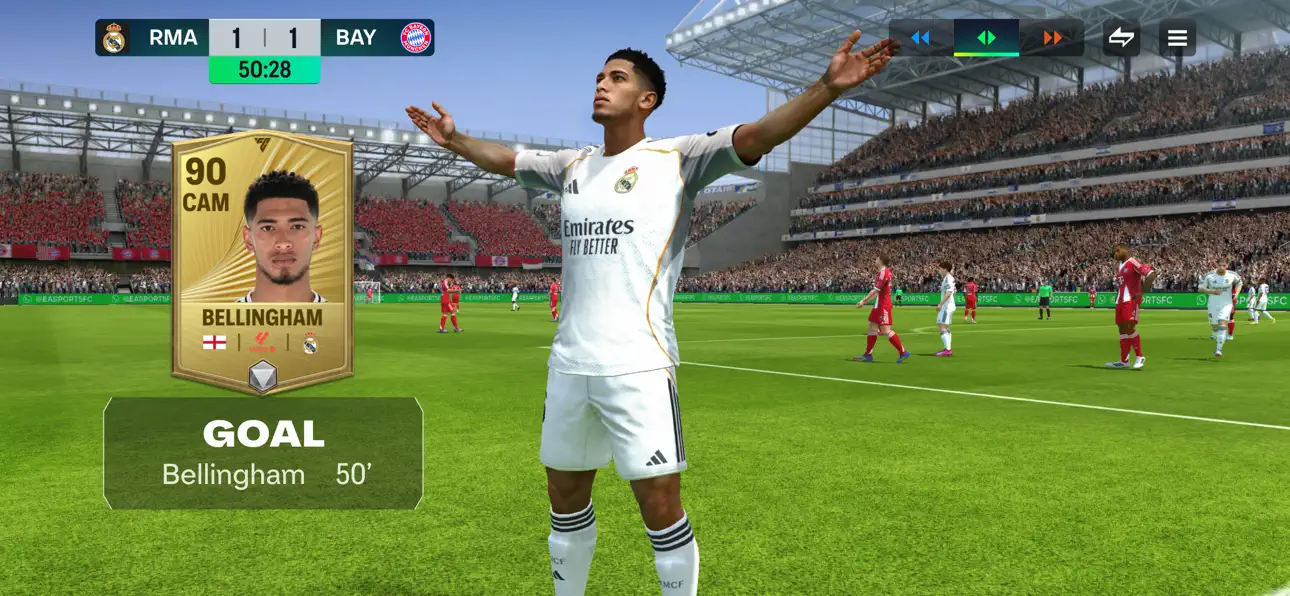
Play a Quick Match as any team from the Premier League or LALIGA EA SPORTS including Liverpool & Real Madrid. Build your dream Football Ultimate Team™ with football stars Kylian Mbappé, Jude Bellingham, Bradley Barcola, Pedri or legendary ICONs like David Beckham, Ronaldinho, Zinedine Zidane & Zlatan Ibrahimović. FC Mobile has licenses for the world’s biggest football competitions, clubs & leagues.
KEY 2027 FEATURES
Score Goals with the world’s best players
Level up an Ultimate Team of football super stars
Play a Quick Match with Friends, playing as the club or national team of your choice
Compete in The World's Game national football tournament mode
Join a League & team up to compete in tournaments and collect more rewards
Rank Up in PvP football game modes including 1v1 H2H, VS Attack & Football Manager Mode
Earn Rewards faster with Daily Training, Quests and Achievements
Extra Time features football match content & the latest football match scores
THE WORLD’S GAME TOURNAMENT
Choose your national team and compete to become champions
Select from over 40 national teams including England, Spain, Portugal, Brazil & more
Score big goals with heroes from each nation
COMPETE IN HEAD TO HEAD PVP
Play PVP matches to rank up in Division Rivals
Earn rewards as you climb weekly Leaderboards
Improved ranking system & enhanced matchmaking
JOIN LEAGUES, EARN REWARDS
Bigger Leagues! Join leagues with up to 100 members
Find friends faster with Leagues tagged by language, clubs, region & more
Team up with your league to play tournaments & earn seasonal rewards
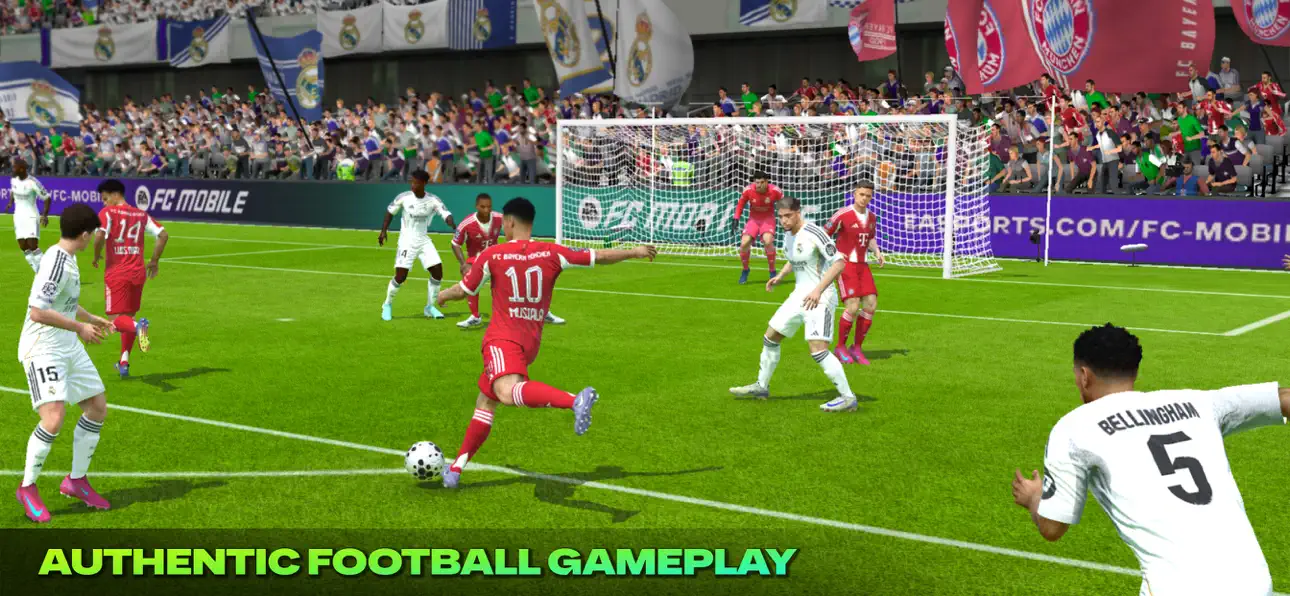
AUTHENTIC GAMEPLAY IMPROVEMENTS
Game Plans: Play to win by swapping tactics mid-match
Enhanced Passing System: Move the ball with improved precision & control assistance
Player Authenticity: More impactful attributes & skill moves based on their real world performance
QUICK MATCH WITH FRIENDS
Jump into a football game instantly with Quick Match
Choose your Club, National Team or your Ultimate Team
Invite friends for a fast football match & see who can score most
Compete as Real Madrid, Liverpool, Manchester City, Chelsea, & many more
FOOTBALL LEAGUES, LEGENDS & COMPETITIONS
Premier League, LALIGA EA SPORTS, UEFA Champions League UCL, Bundesliga, Ligue 1 McDonald’s, Serie A Enilive & many more are playable throughout the season
Relive ICONic moments with football’s greatest players: David Beckham, Ronaldinho, Zlatan Ibrahimović, Zinedine Zidane & more
Play the World's Game, Anywhere.
This app: Requires acceptance of EA’s User Agreement. EA’s Privacy & Cookie Policy applies. You consent to any personal data collected through your use of EA’s services being transferred to the United States, as further explained in the Privacy & Cookie Policy. Requires an Internet connection (network fees may apply). Contains direct links to the Internet and social networking sites intended for an audience over 13. Allows players (above the minimum age of digital consent in their country) to communicate via League chat; to disable for users under the age of majority with League chat access, use your device's parental controls.
This game includes optional in-game purchases of virtual currency that can be used to acquire virtual in-game items, including a random selection of virtual in-game items.
FC Points purchase is not available in Belgium.
User Agreement: terms.ea.com
Privacy and Cookie Policy: privacy.ea.com
Visit help.ea.com for assistance or inquiries.
EA may retire online features after 30 days’ notice posted on ea.com/service-updates.
Screenshots © their respective owners · App Store


iOSGods is not affiliated with, endorsed by, or sponsored by Apple Inc., Google LLC, or the developers of the apps listed here. Apple, iOS and App Store are trademarks of Apple Inc. Android and Google Play are trademarks of Google LLC. All other app names, icons, artwork and trademarks belong to their respective owners.
- Non-Jailbroken/Jailed or Jailbroken iPhone or iPad.
- Sideloadly or alternatives.
- Computer running Windows/macOS/Linux with iTunes installed.
STEP 1: Download the pre-hacked .IPA file from the link above to your computer. To download from the iOSGods App, see our iOSGods App IPA Download Tutorial which includes a video example.
STEP 2: Download Sideloadly and install it on your Windows or Mac.
STEP 3: Open Sideloadly on your computer, connect your iOS device, and wait until your device name appears in Sideloadly.
STEP 4: Once your iDevice is recognized, drag the modded .IPA file you downloaded and drop it into the Sideloadly application.
STEP 5: Enter your Apple Account email, then press “Start.” You’ll then be asked to enter your password. Go ahead and provide the required information.
STEP 6: Wait for Sideloadly to finish sideloading/installing the hacked IPA. If there are issues during installation, please read the note below.
STEP 7: Once the installation is complete and you see the app on your Home Screen, you will need to go to Settings → General → Profiles / VPN & Device Management. Once there, tap on the email you entered from step 6, and then tap on “Trust [email protected]”.
STEP 8: Now go to your Home Screen and open the newly installed app and everything should work fine. You may need to follow further per app instructions inside the hack's popup in-game.
NOTE: iOS/iPadOS 16 and later, you must enable Developer Mode. For free Apple Developer accounts, you will need to repeat this process every 7 days. If you have any questions or problems, read our Sideloadly FAQ section of the topic.
Game Name iOS Mod IPA is an action adventure game enhanced with powerful gameplay boosts and quality-of-life improvements. Win battles faster, earn rewards quicker, and enjoy uninterrupted play without ads.
- Unlimited Gold - spend freely to unlock premium content
- Damage Multiplier - deal significantly more damage in combat
- Defense Multiplier - take less damage and survive longer
- Reward Multiplier - earn more loot from every battle
- Max Level - instantly reach the highest player rank
- No Ads - play without interruptions or advertisements
This app also comes with iGameGod, giving you access to Auto Touch to automate repetitive tasks, App Speed Manager for adjustable gameplay speed, Memory Engine value editing, and more powerful iOS game tools.
Download Game Name Mod IPA from the links above. Tap the install button and follow the on-screen instructions to install this iOS app hack on your iPhone, iPad, or Apple Silicon.
Need more help Check out our iOSGods App Frequently Asked Questions for detailed answers and troubleshooting tips.
----------------------------------------------------------
--------------------------------------------------