Inloggning krävs
Logga in med ditt iOSGods-konto för att fortsätta.
Logga in med ditt iOSGods-konto för att fortsätta.

- PREMIUM
Den här appen levereras även med iGameGod, vilket ger dig tillgång till Auto Touch för att automatisera repetitiva uppgifter, App Speed Manager för justerbar spelhastighet, värdesredigering med Memory Engine och fler kraftfulla verktyg för iOS-spel.
Ladda ner Adult Coloring Book - Pigment iOS Mod IPA från länkarna ovan. Tryck på installationsknappen och följ instruktionerna för att installera denna iOS-apphack på iPhone, iPad eller Apple Silicon.
Behöver du mer hjälp? Se våra iOSGods-appens vanliga frågor för detaljerade svar och felsökningstips.
= = =
Colouring is a great way to relax and reduce stress and anxiety. Just 10 minutes of colouring can provide the same benefits as meditation. It helps you practice mindfulness, stay present, enhance concentration, build creativity, and is a great alternative to games!
Pigment, an award-winning colouring app, is a sanctuary for relaxation, nourishing your creative spirit, and providing daily inspiration. Within its vibrant community of artists, you'll discover a wealth of positivity and wholehearted encouragement.
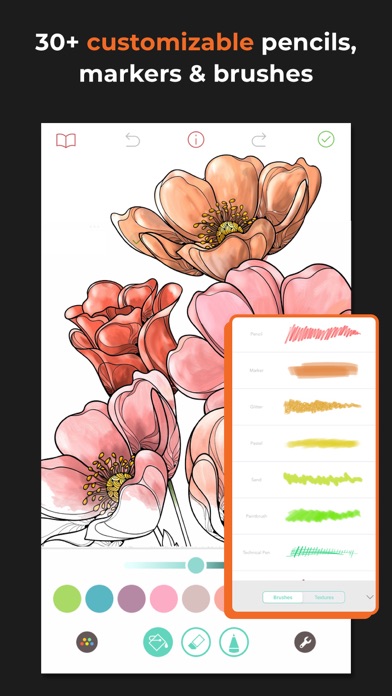
Enjoy thousands of colouring pages and tools and brushes you won’t find anywhere else. Immerse yourself in a colouring experience that lets you draw, paint and colour as you would on paper, with 30+ different pencils, markers, and brushes.
Beginner? Try our Tap-To-Fill mode. Advanced? Check out Freehand, Automatic, and Advanced modes for a more nuanced experience.
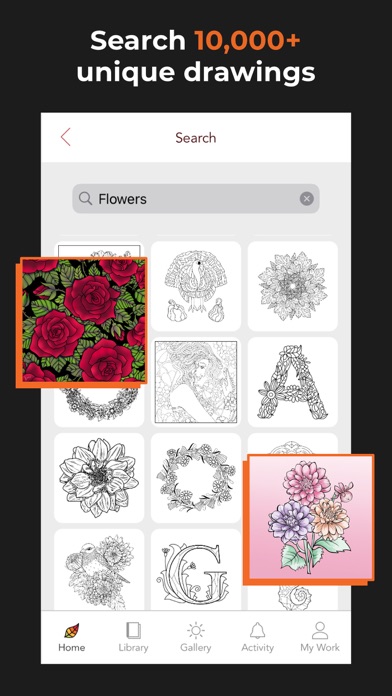
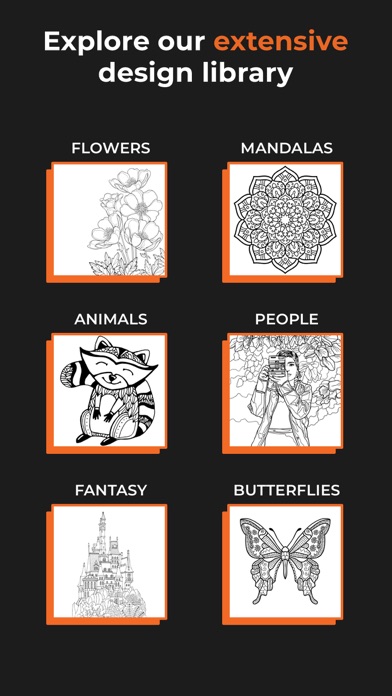
Import your own images, or choose from our huge collection of illustrations and grayscale images including flowers, mermaids, people, animals, landscapes, anime, mandalas, and tons more! Or start with a blank page and use Pigment as a sketchbook.
Easily share your creations with friends and family via social media, email, text - even print them for framing!
= = =
10,000+ PAGES
* The largest artwork collection available with over 10,000 professionally illustrated pages. Over 800 pages for free users.
* Gorgeous hand-drawn colouring pages from independent artists.
* New colouring pages added daily, and new books added every week!
* Access to exclusive Marvel content.
AWARD-WINNING TOOLS
* Pigment is the only colouring book app that simulates pencil, markers, and paintbrush strokes for a realistic colouring experience.
* More than 30 kinds of colouring tools - including coloured Pencil, Marker, Paint Brush, Glitter, Pastel, Airbrush, Watercolour, Wood Grain, Blender, Fade, Bloom and more!
* "Tap-to-fill" and traditional colouring modes.
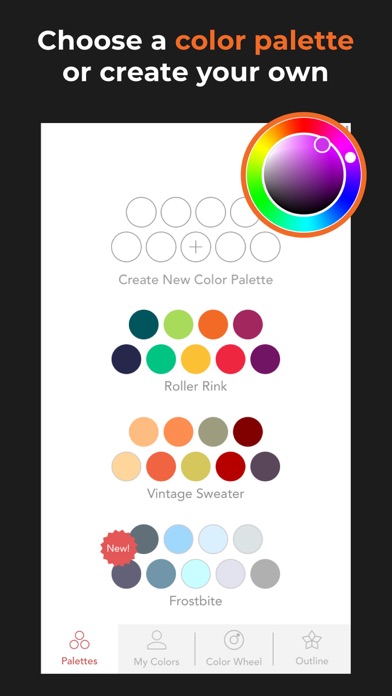
* An unlimited number of colours are available using the colour wheel and innovative shade control slider.
* Try our professional colour palettes, or create and save your own!
* Premium Access provides unlimited access to the entire library, premium brushes, and exclusive colour palettes.
THE GALLERY
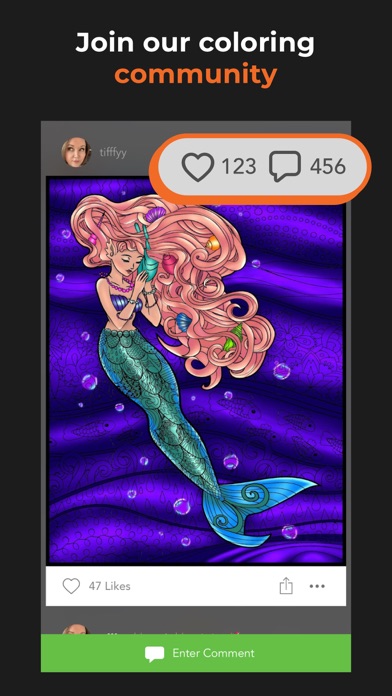
* Find inspiration in the Pigment Gallery, a supportive community where you can share your work and see pages coloured by others.
* Make real friendships with people who share your interests – chat, tag, and learn from each other.
* Learn tips and improve your skills with tutorials and tips from the community.
BFF with iOS
* Share your work by printing pages, through email, text, Facebook, Instagram, Pigment Gallery, and other social networks.
* Fully supports finger, Apple Pencil, and third-party stylus inputs.
* Adjust pressure, direction, and size of stroke using Apple Pencil.
Some screenshots feature work by Cindy Primeau, Elaine Durham and Angela Zeman.
= = =
PIGMENT PREMIUM SUBSCRIPTION
Pigment Premium has three pricing options:
$4.99 USD per week
$9.99 USD per month
$59.99 USD per year (this is 4.99/month – huge savings)
Get free Premium Access for 7 days with a free trial. After the free trial, your subscription will be automatically renewed.
These are prices for US customers, pricing in other countries might vary.
Prices are subject to change. Premium Access automatically renews unless auto-renewal is turned off at least 24 hours before the end of the current period.
Payment will be charged to your iTunes account at confirmation of purchase. You may manage Premium Access subscriptions and turn off auto-renewal by going to your Account Settings after purchase. Any unused portion of a free trial period will be forfeited when you purchase a Premium Access subscription.
= = =
Privacy Policy
http://pixiteapps.com/privacy-policy/
Terms of Use
http://pixiteapps.com/terms-of-use
- iPhone eller iPad utan jailbreak/jailad eller med jailbreak.
- Sideloadly eller alternativ.
- Dator med Windows/macOS/Linux och iTunes installerat.
STEG 1: Ladda ner den förhackade .IPA-filen från länken ovan till din dator. För att ladda ner från iOSGods App, se vår Guide för att ladda ner IPA i iOSGods App som även innehåller ett videoexempel.
STEG 2: Ladda ner Sideloadly och installera det på din Windows eller Mac.
STEG 3: Öppna Sideloadly på din dator, anslut din iOS-enhet och vänta tills enhetens namn visas i Sideloadly.
STEG 4: När din iEnhet känns igen drar du den moddade .IPA-filen du laddat ner och släpper den i Sideloadly-programmet.
STEG 5: Ange e-postadressen till ditt Apple Account och tryck sedan på ”Start”. Du ombeds sedan ange ditt lösenord. Fyll i de uppgifter som krävs.
STEG 6: Vänta tills Sideloadly är klar med att sideloada/installera den hackade IPA-filen. Om problem uppstår under installationen, läs noten nedan.
STEG 7: När installationen är klar och du ser appen på din hemskärm behöver du gå till Inställningar → Allmänt → Profiler / VPN & enhetshantering. Tryck där på e-postadressen du angav i steg 6 och tryck sedan på ”Lita på [email protected]”.
STEG 8: Gå nu till din hemskärm och öppna den nyligen installerade appen — allt ska fungera som det ska. Du kan behöva följa ytterligare app-specifika instruktioner i hackets popup inne i spelet.
OBS: På iOS/iPadOS 16 och senare måste du aktivera Utvecklarläge. För gratis Apple Developer-konton behöver du upprepa processen var sjunde dag. Om du har frågor eller problem, läs vår Sideloadly FAQ-avsnitt i tråden.