تسجيل الدخول مطلوب
سجّل الدخول بحساب iOSGods للمتابعة.
سجّل الدخول بحساب iOSGods للمتابعة.
قم بفرد العجين وتقطيع الإضافات وخبز البيتزا اللذيذة في هذه لعبة الطهي الممتعة، والآن مفتوحة بالكامل مع Pizza maker cooking games iOS Mod IPA. يزيل هذا التهكير المجاني جميع القيود المدفوعة، مما يتيح لك الاستمتاع بتجربة صنع البيتزا الإبداعية الكاملة بدون حدود أو جدران مالية.
- المحتوى المميز مفتوح → الوصول إلى جميع المحتوى والميزات المميزة
يأتي هذا التطبيق أيضًا مع iGameGod، مما يتيح لك الوصول إلى Auto Touch لأتمتة المهام المتكررة، وApp Speed Manager لضبط سرعة اللعب، وتعديل القيم عبر Memory Engine، والمزيد من أدوات ألعاب iOS القوية.
قم بتنزيل Pizza maker cooking games iOS Mod IPA من الروابط أعلاه. اضغط على زر التثبيت واتبع التعليمات لتثبيت هذا التعديل لـ iOS على iPhone أو iPad أو Apple Silicon.
هل تحتاج إلى مزيد من المساعدة؟ راجع الأسئلة الشائعة لتطبيق iOSGods للحصول على إجابات مفصلة ونصائح لاستكشاف الأخطاء.
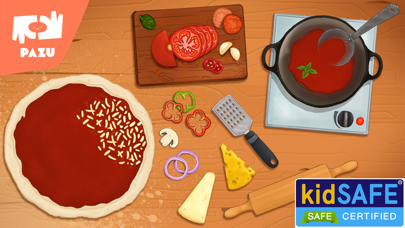
Making Pizza has never been more fun! Pizza Maker introduces the world of cooking, baking and Pizza making in a fun and creative game for kids.
Enjoy the entire cooking and baking process of Pizza making by adding the ingredients for the dough and rolling it out, cutting vegetables and cooking the sauce, adding a huge variety of toppings and baking it in the oven. When the pizza is out of the oven you won’t be able to resist a bite...
The game is designed for kindergarten and preschool children and is suitable for young boys and girls to be able to play on their own, without the support of adults.
Pizza Maker is brought to you by Pazu Games Ltd, the publisher of popular kids games like Girls Hair Salon, Girls Makeup Salon, Animal Doctor and others, that are trusted by millions of parents worldwide.
Pazu games for kids are designed especially for children under the age of 10. It offers fun educational games for girls and boys to enjoy and experience.
We invite you to try out Pazu games for kids and toddlers for free and discover a wonderful brand for kids games, with a large arsenal of educational and learning games for girls and boys. Our games offer a variety of game mechanics adapted to the kids’ age and capabilities.
Pazu games have no ads so the kids have no distractions while playing, no accidental ad clicks and no external interferences.
For more information, visit our website: https://www.pazugames.com/
Terms of use: https://www.pazugames.com/terms-of-use
Get Pizza Maker now for free and start cooking, baking and making pizza like never before!

- iPhone أو iPad بجيلبريك أو بدون جيلبريك.
- Sideloadly أو بدائلها.
- كمبيوتر يعمل بنظام Windows/macOS/Linux مع تثبيت iTunes.
الخطوة 1: قم بتنزيل ملف .IPA المعدّل مسبقًا من الرابط أعلاه إلى الكمبيوتر الخاص بك. للتنزيل من تطبيق iOSGods App، اطلع على دليل تنزيل IPA من تطبيق iOSGods App الذي يتضمن مثالًا بالفيديو.
الخطوة 2: قم بتنزيل Sideloadly وتثبيته على جهاز Windows أو Mac.
الخطوة 3: افتح Sideloadly على الكمبيوتر، ووصّل جهاز iOS الخاص بك، وانتظر حتى يظهر اسم جهازك داخل Sideloadly.
الخطوة 4: بمجرد التعرّف على جهاز iDevice الخاص بك، اسحب ملف .IPA المعدّل الذي قمت بتنزيله وأفلِته داخل تطبيق Sideloadly.
الخطوة 5: أدخل البريد الإلكتروني لحساب Apple Account الخاص بك، ثم اضغط على «Start». سيُطلب منك بعد ذلك إدخال كلمة المرور. تابع وأدخل المعلومات المطلوبة.
الخطوة 6: انتظر حتى ينتهي Sideloadly من تحميل/تثبيت ملف IPA المعدّل. في حال واجهت أي مشاكل أثناء التثبيت، يرجى قراءة الملاحظة أدناه.
الخطوة 7: بعد اكتمال التثبيت ورؤية التطبيق على الشاشة الرئيسية، انتقل إلى Settings → General → Profiles / VPN & Device Management. ثم اضغط على البريد الإلكتروني الذي أدخلته في الخطوة 6، ثم اضغط على «الوثوق بـ [email protected]».
الخطوة 8: الآن انتقل إلى الشاشة الرئيسية وافتح التطبيق الذي تم تثبيته للتو وسيعمل كل شيء بشكل صحيح. قد تحتاج إلى اتباع تعليمات إضافية خاصة بكل تطبيق داخل النافذة المنبثقة للتعديل أثناء اللعب.
ملاحظة: بدءًا من iOS/iPadOS 16 وما بعده، يجب تفعيل وضع المطور (Developer Mode). بالنسبة لحسابات Apple Developer المجانية، ستحتاج إلى تكرار هذه العملية كل 7 أيام. إذا كانت لديك أي أسئلة أو مشاكل، يرجى قراءة قسم الأسئلة الشائعة حول Sideloadly في الموضوع.