Inicio de sesión requerido
Inicia sesión con tu cuenta de iOSGods para continuar.

Hack Features:
- No Playback Limit
Hacked by lHectorl: https://iosgods.com/topic/90042-32bit-64bit-plex-v510-1-jailed-cheat/
Esta app incluye iGameGod, que te ofrece acceso a Auto Touch para automatizar tareas repetitivas, App Speed Manager para ajustar la velocidad del juego, edición de valores con Memory Engine y más potentes herramientas para juegos de iOS.
Descarga Plex Playback Hack modded IPA desde los enlaces de arriba. Toca el botón de instalación y sigue las instrucciones para instalar este hack iOS en tu iPhone, iPad o Mac con Apple Silicon.
¿Necesitas más ayuda? Consulta nuestras Preguntas frecuentes de la app iOSGods para respuestas detalladas y consejos de solución de problemas.
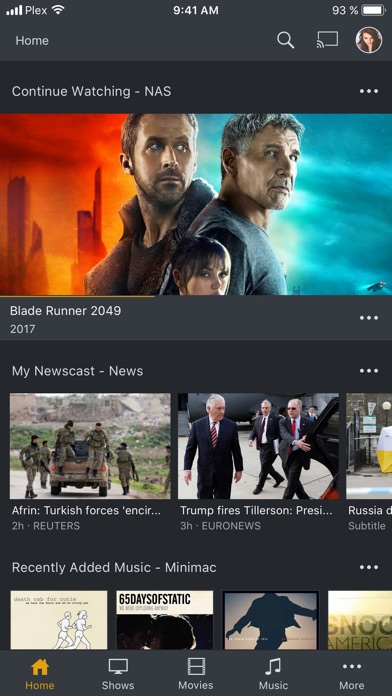
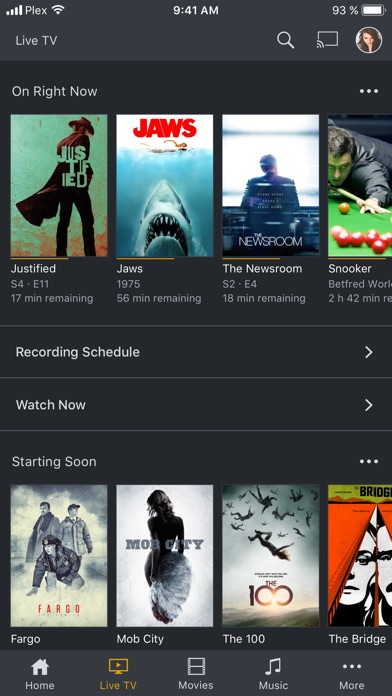
Plex magically organizes your media libraries and streams them to any device – including all your video, music, and photo libraries. With a Plex Pass, supported tuner, and digital antenna, you can also watch and record FREE over-the-air broadcast TV, including major networks. You can also enjoy podcasts Plus Plex News – the most balanced and comprehensive personalized video newsfeed out there. Try Plex FREE!
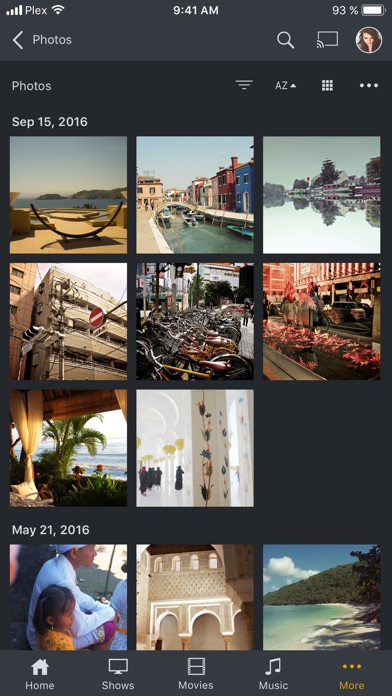
• Magically organize all your personal media – photos, music, movies, shows, even DVR-ed TV – and stream it to any device in a beautiful, simple interface, and Plex adds rich descriptions, artwork, and other related information
• Enjoy music streaming from TIDAL, including 59 million high-quality tracks and 250,000 music videos; augment your existing library or just listen to TIDAL—right in Plex
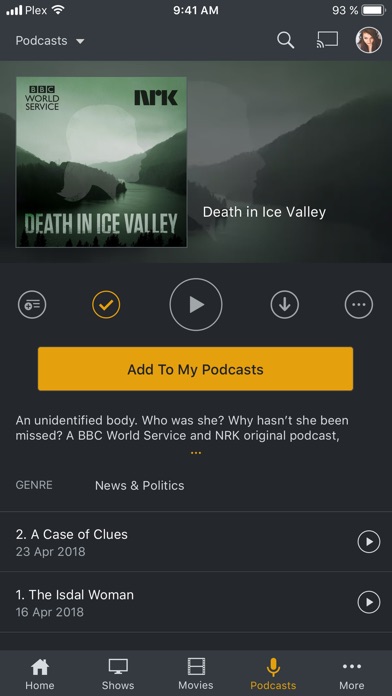
• Podcasts are here! Search for your favorites or discover new ones through personalized recommendations. Plus: 30 second skip, variable speed playback, rich discovery, and full Plex-style support for cross-device playback status (including On Deck, so you can pick back up where you left off on any device)
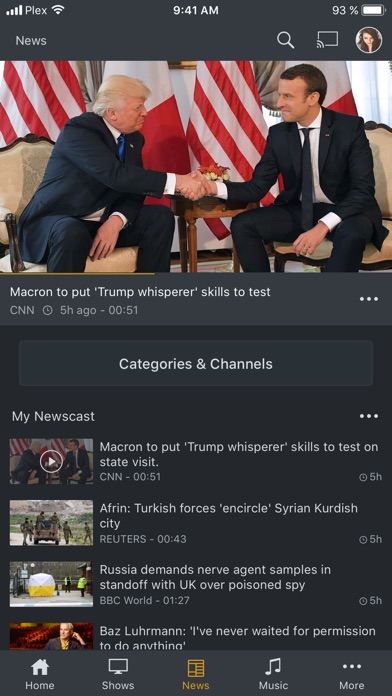
• Get personalized and trusted video news from over 190 global publisher partners (and growing!), including CBS, Financial Times, Euronews, and top local news sources for over 80% of markets in the US
• Cut the cord! Go premium with a Plex Pass and use Plex Live TV & DVR so you can watch and record free over-the-air HD TV, like NBC, ABC, CBS, and FOX, with any supported digital antenna and tuner
• Enjoy free features, like remote access, sharing, security, and casting, see your media beautifully enhanced with rich descriptions, artwork, ratings, and more
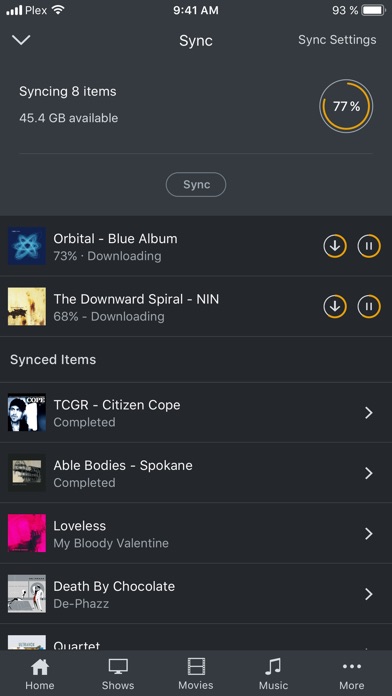
• Enjoy premium features with a Plex Pass subscription: DVR & Live TV, Camera Upload, Premium Photos, Mobile Sync, Parental Controls, VIP Perks, and much more
Want to use Plex on all of your devices, any time, anywhere? Visit https://www.plex.tv/ for more information.
NOTE: Streaming personal media requires Plex Media Server version 1.3 or higher (available for free at https://plex.tv/downloads) installed and running to stream to other devices. DRM-protected content, ISO disc images, and video_ts folders not supported.
The app offers (but does not require) a Plex Pass In-App Purchase. Plex Pass is available for the equivalent of US$4.99 charged monthly to your iTunes Account, charged yearly for the equivalent of US$39.99, or as a one off lifetime payment of equivalent of US$149.99. Subscriptions automatically renews unless auto-renew is turned off in your iTunes Account at least 24-hours before the end of the current period. Your account will be charged for renewal within 24-hours prior to the end of the current period, charged at the same rate for renewals. Subscriptions may be managed and auto-renewal may be turned off by going to your iTunes Account Settings after purchase. Some features of this app are supported by interest-based advertising, to learn more about this and your choices regarding it visit the Plex Privacy Policy.
View the Plex Privacy Policy and Terms of Service at https://www.plex.tv/legal
- iPhone o iPad con o sin Jailbreak.
- Sideloadly u otras alternativas.
- Ordenador con Windows/macOS/Linux e iTunes instalado.
PASO 1: Descargue el archivo .IPA pre-modificado desde el enlace de arriba a su ordenador. Para descargarlo desde la iOSGods App, consulte nuestro Tutorial de descarga del IPA desde la iOSGods App, que incluye un ejemplo en vídeo.
PASO 2: Descargue Sideloadly e instálelo en su Windows o Mac.
PASO 3: Abra Sideloadly en su ordenador, conecte su dispositivo iOS y espere hasta que el nombre del dispositivo aparezca en Sideloadly.
PASO 4: Una vez que su iDevice sea reconocido, arrastre el archivo .IPA modificado que descargó y suéltelo en la aplicación Sideloadly.
PASO 5: Introduzca el correo electrónico de su Apple Account y, a continuación, pulse «Start». Le pedirá que introduzca su contraseña. Proporcione la información solicitada.
PASO 6: Espere a que Sideloadly termine de hacer sideload/instalar el IPA modificado. Si surgen problemas durante la instalación, por favor lea la nota a continuación.
PASO 7: Una vez completada la instalación y al ver la app en la pantalla de inicio, deberá ir a Ajustes → General → Perfiles / VPN y Gestión de Dispositivos. Una vez allí, toque el correo electrónico que introdujo en el paso 6 y, después, toque en «Confiar en [email protected]».
PASO 8: Ahora vaya a la pantalla de inicio y abra la app recién instalada; todo debería funcionar correctamente. Es posible que tenga que seguir instrucciones adicionales específicas de cada app dentro del popup del hack en el juego.
NOTA: En iOS/iPadOS 16 y posteriores, debe activar el Modo Desarrollador. Para cuentas gratuitas de Apple Developer, deberá repetir este proceso cada 7 días. Si tiene alguna pregunta o problema, lea nuestra sección de Preguntas Frecuentes de Sideloadly del tema.