Inicio de sesión requerido
Inicia sesión con tu cuenta de iOSGods para continuar.
Inicia sesión con tu cuenta de iOSGods para continuar.
Hack Features
- Free Shop(No Currency Spent)
- Free Card/Skill Upgrades
- Free Hero Level Up/Upgrades
- Skip Ads Get Rewards
- No Skill Cooldown
- No TrickCards Cooldown
- Premium Battle Pass
Esta app también incluye iGameGod, que te ofrece acceso a Auto Touch para automatizar tareas repetitivas, App Speed Manager para ajustar la velocidad del juego, edición de valores con Memory Engine y más potentes herramientas para juegos de iOS.
Descarga Arcane Arena: Tower Defense TD iOS Mod IPA desde los enlaces de arriba. Toca el botón de instalación y sigue las instrucciones para instalar este hack iOS en tu iPhone, iPad o Mac con Apple Silicon.
¿Necesitas más ayuda? Consulta nuestras Preguntas frecuentes de la app iOSGods para respuestas detalladas y consejos de solución de problemas.
Welcome to Arcane Arena TD, a tactical, competitive tower defense PvP game where every choice shapes the TD battle. Build your tower defense strategy, defeat rivals in real-time PvP, and rise through arenas!
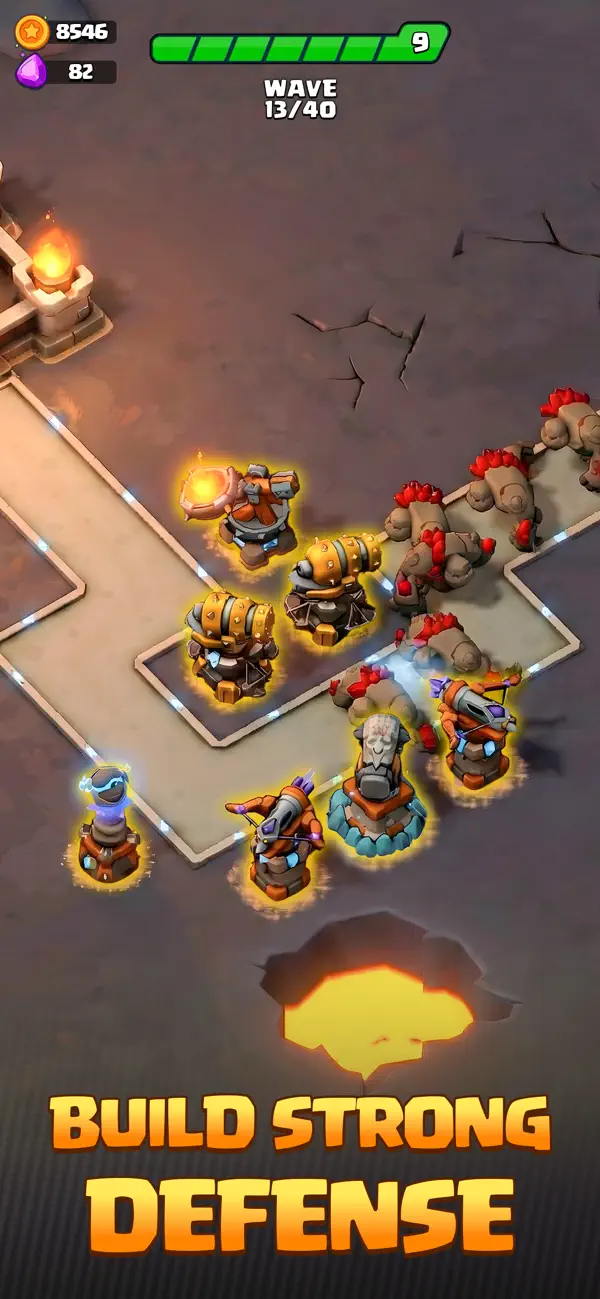
Forge your battle deck with legendary tower, skill, and heroes, place perfect paths, and win the TD battle with an epic defense strategy. Every PvP battle challenges your TD strategy. Defend your base from relentless enemy waves longer than your rivals, or crush them before they break through your defense.
BUILD YOUR STRATEGY
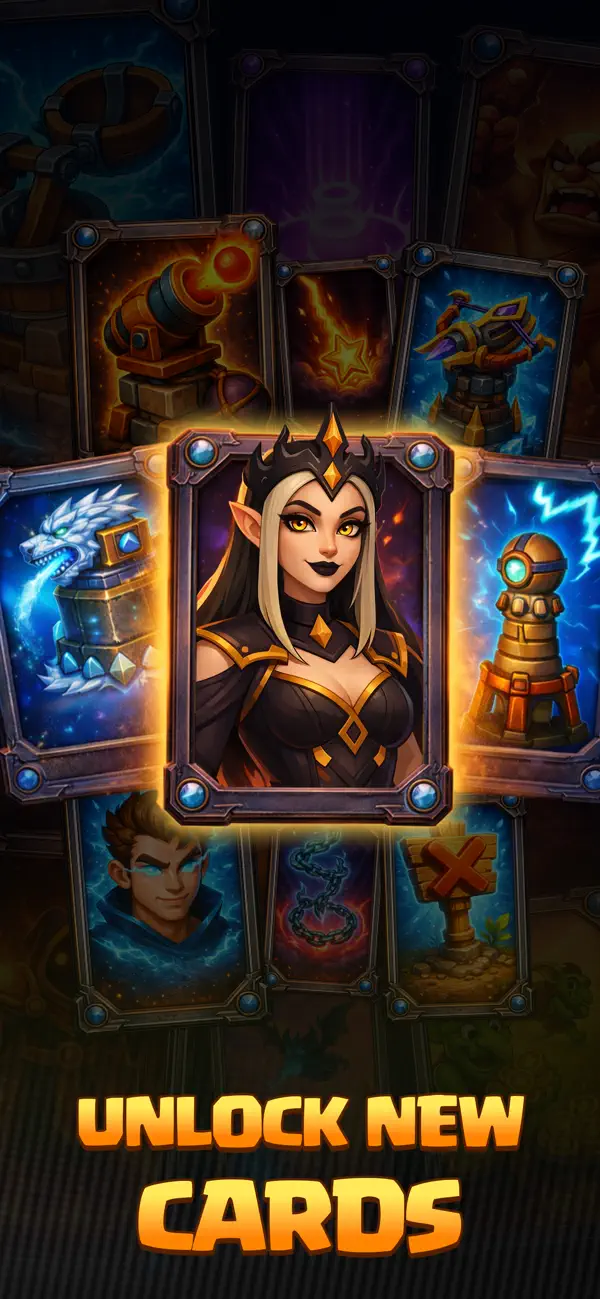
Create your battle deck from dozens of tower, skill, and heroes. A sharp defense strategy and the right synergy make every TD battle a victory!
• Towers: Build a tower mix with air and ground targets, stuns, slows, and area damage, so you’re prepared for every enemy type. Select 6 tower that best fit your defense strategy and upgrade each tower with tower cards you earn from PvP battles.
• Heroes: Choose class-matched heroes to support your tower. Upgrade heroes with hero shards from TD battles and amplify your defense strategy.
• Skills: Use powerful skills to defeat enemy waves and turn the battle in your favor at the perfect moment. Upgrade your skills with skill cards collected from TD battles for an even stronger tower defense strategy.
REAL-TIME PvP BATTLE
Face an opponent in a live and fair tower defense battle. Since both sides fight the same enemy waves, the match becomes a duel of strategy. Tactical tower placement, clever defense paths, epic skills, and trick cards form your TD strategy; that’s how you win the PvP tower-defense battle. Hold your defense longer than your rival does, or wipe out every enemy to claim victory.
STRATEGY MEETS LUCK
During each TD battle, choose one of three random tower drawn from your battle deck. Place the tower in the best position and adapt your defense. Smart picks and a flexible defense strategy keep your line of defense unbreakable.
SHAPE THE PATHS, SHAPE THE BATTLE
Control the enemy route with path units. Bend, extend, and shape the road to multiply tower damage and maximize defense uptime. Know your tower stats and ranges, then design a path that fits your TD strategy. Infinite path options mean infinite tower defense ideas.
TRICK CARDS FOR DOMINANCE
Use trick cards to disrupt your rival’s TD strategy. Create pressure, force mistakes, and prove your tower defense mastery. In tight PvP TD battles, a single trick play can secure the win.
LIVE EVENTS, QUESTS & REWARDS
• Explore new maps, arenas, and TD chapters as you level up. Climb the PvP leaderboard and face tougher enemy waves.
• Join events, challenges, and tournaments to earn rewards that upgrade tower, skill, heroes, and strengthen your overall defense strategy.
• Complete daily and weekly quests, gather medals across the season, and unlock even more power for your defense strategy.
CLANS & TEAM PLAY
Join a clan to complete clan quests together. Request donations to power up the tower faster and donate to teammates to earn gold. Coordinate TD strategy, share tower builds, and prepare for higher-tier PvP TD battles.
———
About auto-renewable subscriptions:
We offer two monthly subscriptions—Regular Monthly Letter and Royal Monthly Letter—that auto-renew each month.
• Regular Monthly Letter: 600 Gem Reward; Daily +150 Gem; Daily +1 Glory Drop; Daily +1 Quick Earnings; +20% Offline Earnings; 80% Downgrade Refund
• Royal Monthly Letter: 1200 Gem Reward; Daily +300 Gem; Daily +1 Glory Drop; Daily +3 Quick Earnings; 40% Offline Earnings;100% Downgrade Refund
Fees are charged to your account, vary by country, and are shown before purchase. To stop renewal, turn off auto-renewal at least 24 hours before the period ends. You can manage or cancel subscriptions at any time in your account settings.
———
Contact Support Team → [email protected]
Privacy Policy → https://www.panteon.games/en/privacy-policy
Terms and Conditions → https://www.panteon.games/en/terms-and-conditions
- iPhone o iPad con o sin Jailbreak.
- Sideloadly u otras alternativas.
- Ordenador con Windows/macOS/Linux e iTunes instalado.
PASO 1: Descargue el archivo .IPA pre-modificado desde el enlace de arriba a su ordenador. Para descargarlo desde la iOSGods App, consulte nuestro Tutorial de descarga del IPA desde la iOSGods App, que incluye un ejemplo en vídeo.
PASO 2: Descargue Sideloadly e instálelo en su Windows o Mac.
PASO 3: Abra Sideloadly en su ordenador, conecte su dispositivo iOS y espere hasta que el nombre del dispositivo aparezca en Sideloadly.
PASO 4: Una vez que su iDevice sea reconocido, arrastre el archivo .IPA modificado que descargó y suéltelo en la aplicación Sideloadly.
PASO 5: Introduzca el correo electrónico de su Apple Account y, a continuación, pulse «Start». Le pedirá que introduzca su contraseña. Proporcione la información solicitada.
PASO 6: Espere a que Sideloadly termine de hacer sideload/instalar el IPA modificado. Si surgen problemas durante la instalación, por favor lea la nota a continuación.
PASO 7: Una vez completada la instalación y al ver la app en la pantalla de inicio, deberá ir a Ajustes → General → Perfiles / VPN y Gestión de Dispositivos. Una vez allí, toque el correo electrónico que introdujo en el paso 6 y, después, toque en «Confiar en [email protected]».
PASO 8: Ahora vaya a la pantalla de inicio y abra la app recién instalada; todo debería funcionar correctamente. Es posible que tenga que seguir instrucciones adicionales específicas de cada app dentro del popup del hack en el juego.
NOTA: En iOS/iPadOS 16 y posteriores, debe activar el Modo Desarrollador. Para cuentas gratuitas de Apple Developer, deberá repetir este proceso cada 7 días. Si tiene alguna pregunta o problema, lea nuestra sección de Preguntas Frecuentes de Sideloadly del tema.