Giriş Gerekli
Devam etmek için iOSGods hesabınızla giriş yapın.
Devam etmek için iOSGods hesabınızla giriş yapın.
Bike Race: Free Style Games iOS Mod IPA ile tüm bisikletleri ve turnuvaları anında açın, oyunun zorlu kısımlarını atlayarak doğrudan arkadaşlarınıza karşı çok oyunculu yarışlara katılın.
Yüzlerce zorlayıcı pist üzerinde yarışın ve tüm premium içerik baştan itibaren kullanılabilir olsun, yıldız için oyun oynamaya veya dünyaları açmak için beklemeye gerek yok. Tek oyunculu modda yüksek puanlar peşinde koşuyor olun veya turnuvalara ve düellolara katılıyor olun, bu hile ilerleme engellerini kaldırarak fizik tabanlı oynanışa ve harika sıçrayışlar ile döngüleri gerçekleştirmeye odaklanmanızı sağlar.
- Tüm Normal Bisikletleri Açar → standart bisikletlerin tam envanterine anında erişin
- Tüm Dünya Turu Bisikletlerini Açar → açma gereksinimleri olmadan her Dünya Turu bisikletine binin
- Tüm Turnuva Bisikletlerini Açar → baştan itibaren turnuvaya özel bisikletleri donatın
- Turnuvaları Açar → tüm turnuva modlarına anında katılın
- Düelloleri Açar → hemen rakiplere düello yarışlarında meydan okuyun
- Çok Oyunculu Modu Açar → kısıtlama olmadan arkadaşlarınız ve çevrimiçi oyuncularla yarışın
Bu uygulama ayrıca, tekrar eden görevleri otomatikleştirmek için Auto Touch, ayarlanabilir oyun hızı için App Speed Manager, Memory Engine ile değer düzenleme ve daha pek çok güçlü iOS oyun aracına erişim sağlayan iGameGod ile birlikte gelir.
Yukarıdaki bağlantılardan Bike Race: Free Style Games iOS Mod IPA indirin. Yükle düğmesine dokunup ekrandaki yönergeleri izleyerek bu iOS uygulama hack'ini iPhone, iPad veya Apple Silicon'a yükleyin.
Daha fazla yardıma mı ihtiyacınız var? Ayrıntılı yanıtlar ve sorun giderme ipuçları için iOSGods Uygulaması Sık Sorulan Sorular sayfamıza bakın.
App Store Game of the Year in selected countries. 200+ MILLION USERS!
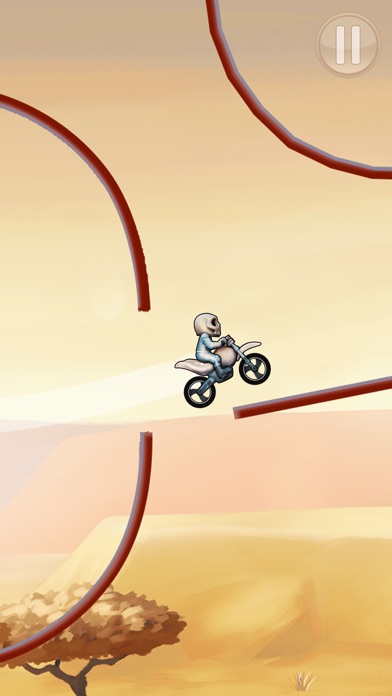
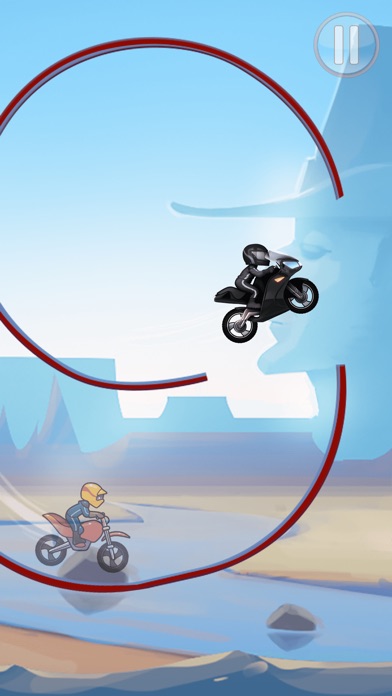
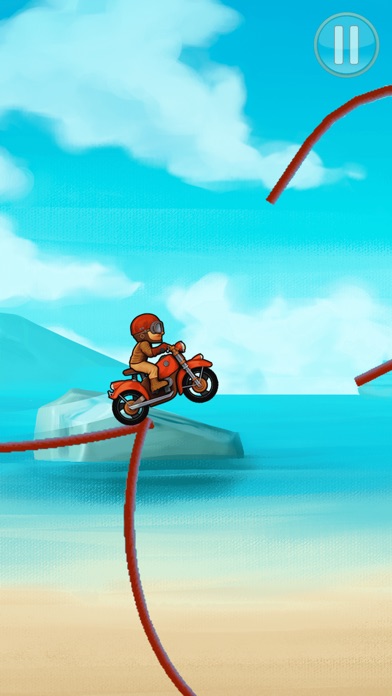
Drive your bike through amazing tracks with jumps and loops in this simple and fast-paced physics-based game.
Multiplayer! Challenge your Facebook friends.
Tilt your device to lean your bike and touch the screen to accelerate/brake.
Features:
- Single and multiplayer modes
- Earn stars to unlock new levels
- Dozen addictive worlds
- Hundreds of challenging tracks
- Simple controls
By the creators of the #1 game in the app store Racing Penguin
Free for a limited time!
Note: On the user created levels section, if you want to play more than 3 featured levels per day, you will need to buy a level pack. You can play unlimited free levels created by you or your friends if you have the code. You can also play unlimited free levels shared publicly on the internet by other users. Levels can not be created on a mobile device, instead go to www.bikerace.com
Bike Race Plus subscription
- You can subscribe for unlimited multiplayer matches
- Payment will be charged to iTunes Account at confirmation of purchase
- Subscription automatically renews for the same price and duration period as the original "one week"/"one month"/"one year" package unless auto-renew is turned off at least 24-hours before the end of the current period
- Account will be charged for renewal within 24-hours prior to the end of the current period at the cost of the chosen package (weekly, monthly or yearly package)
- Subscriptions may be managed by the user and auto-renewal may be turned off by going to the user's iTunes Account Settings after purchase
- No cancellation of the current subscription is allowed during active subscription period
- You may cancel a subscription during its free trial period via the subscription setting through your iTunes account. This must be done 24 hours before the end of the subscription period to avoid being charged. Please visit http://support.apple.com/kb/ht4098 for more information
- You may turn off the auto-renewal of your subscription via your iTunes Account Settings. However, you are not able to cancel the current subscription during its active period
- Any unused portion of a free-trial period, will be forfeited when the user purchases a Bike Race Plus subscription
- Subscription prices
- Silver: Weekly $4.99 | Monthly $12.99 | Yearly $59.99
- Gold: Weekly $7.99 | Monthly $19.99 | Yearly $99.99
- Diamond: Weekly $9.99 | Monthly $24.99 | Yearly $99.99
- World Tour: Weekly $4.99 | Monthly $12.99 | Yearly $59.99
- Tournaments: Weekly $4.99 | Monthly $12.99 | Yearly $59.99
Links to our Terms of Service and Privacy Policy can be found below
Privacy Policy: https://www.topfreegames.com/games/bikerace/legal/privacy
Terms of Use: https://www.topfreegames.com/games/bikerace/legal/tos
* Prices are equal to the value that "Apple's App Store Pricing Matrix" determines as the equivalent of the subscription price in $ USD

- Jailbreak'siz/normal ya da jailbreak'li iPhone veya iPad.
- Sideloadly veya alternatifleri.
- iTunes yüklü Windows/macOS/Linux çalıştıran bir bilgisayar.
ADIM 1: Yukarıdaki bağlantıdan önceden hacklenmiş .IPA dosyasını bilgisayarınıza indirin. iOSGods App üzerinden indirmek için video örneği de içeren iOSGods App IPA İndirme Kılavuzu bölümümüze göz atın.
ADIM 2: Sideloadly indirin ve Windows veya Mac'inize kurun.
ADIM 3: Bilgisayarınızda Sideloadly'yi açın, iOS cihazınızı bağlayın ve cihaz adınız Sideloadly'de görünene kadar bekleyin.
ADIM 4: iCihazınız tanındıktan sonra, indirdiğiniz modlu .IPA dosyasını sürükleyip Sideloadly uygulamasına bırakın.
ADIM 5: Apple Account e-posta adresinizi girin ve ardından "Start" düğmesine basın. Sonrasında sizden şifreniz istenecektir. Gerekli bilgileri girin.
ADIM 6: Sideloadly'nin hacklenmiş IPA'yı sideload edip yüklemesini bekleyin. Yükleme sırasında bir sorun olursa lütfen aşağıdaki notu okuyun.
ADIM 7: Yükleme tamamlandıktan ve uygulamayı Ana Ekranınızda gördükten sonra Ayarlar → Genel → Profiller / VPN ve Cihaz Yönetimi bölümüne gitmelisiniz. Burada 6. adımda girdiğiniz e-postaya dokunun ve ardından "[email protected]'a Güven" seçeneğine dokunun.
ADIM 8: Şimdi Ana Ekranınıza gidin ve yeni yüklediğiniz uygulamayı açın; her şey sorunsuz çalışmalıdır. Oyun içindeki hack açılır penceresinde uygulamaya özel ek talimatları takip etmeniz gerekebilir.
NOT: iOS/iPadOS 16 ve sonrasında Geliştirici Modu'nu etkinleştirmeniz gerekir. Ücretsiz Apple Developer hesapları için bu işlemi her 7 günde bir tekrarlamanız gerekir. Sorularınız veya sorunlarınız varsa konunun Sideloadly SSS bölümünü okuyun.