ต้องเข้าสู่ระบบ
เข้าสู่ระบบด้วยบัญชี iOSGods เพื่อดำเนินการต่อ
Mod Features
- DMG
ดาวน์โหลด War Drone: 3D Shooting Games Mod APK จากปุ่มด้านบน เมื่อคุณแตะดาวน์โหลด ให้ทำตามคำแนะนำบนหน้าจอเพื่อติดตั้ง APK ที่ม็อดบนอุปกรณ์ Android หรือโปรแกรมจำลอง
ต้องการความช่วยเหลือ? ดู คำถามที่พบบ่อยของ Android สำหรับคำตอบโดยละเอียดและเคล็ดลับการแก้ไขปัญหา
War Drone: AC-130 Gunship Military Game
Engage in Realistic Aerial Combat Warfare
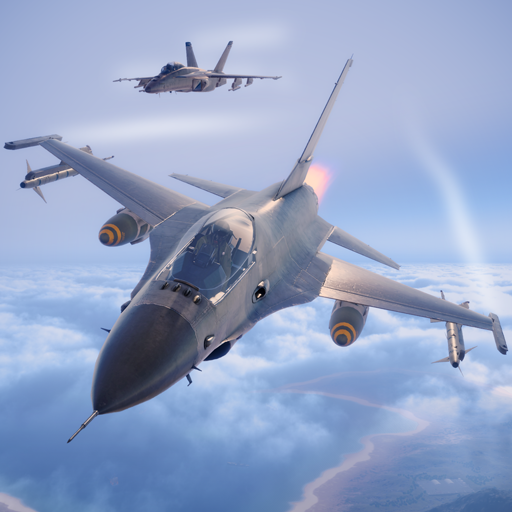
• Command advanced military drones and the legendary AC-130 Gunship in this modern shooter experience.
• Take part in explosive firefights from the skies, defending allied forces and executing real-time airstrikes.
• Use strategic flight paths, locking systems, and weapon calibration to simulate real-life drone control.
• Navigate immersive 3D battlefields with accurate targeting systems and realistic drone physics.
Tactical Shooter Gameplay
• Enter the battlefield as a high-tech air force marksman with access to lethal weapon systems.
• Shoot down waves of hostiles in fast-paced combat encounters with precision and skill.
• Fire 25mm Gatling guns, launch Hydra 70 rockets, and deploy Hellfire missiles to wipe out enemy squads.
Simulate True Drone Warfare
• Experience realistic mission objectives based on military drone operations.
• Plan your attacks using satellite recon, engage in close air support, and simulate UAV command roles.
• Control weapon heat, ammo supply, and targeting drift like a real drone operator.
• Every mission requires tactical awareness, flight control, and calculated decision-making.
Upgrade & Customize Your Arsenal
• Equip your drone with customizable loadouts: guns, rockets, missiles, and countermeasures.
• Unlock advanced gear like signal jammers, auto-tracking turrets, and enhanced flight controls.
• Build the ultimate combat drone through realistic progression systems and gear trees.
Call in AI-Controlled Support Units
• Use reinforcement mechanics to deploy tanks, soldiers, and airstrikes.
• Coordinate air-to-ground tactics and suppress enemy forces from multiple fronts.
• SuperWeapons include EMP drones, cluster missile barrages, and drone swarms.
Varied Enemy Types for Shooter Fans
• Engage against:
• Infantry, rocket teams, and machine gun nests
• Armored vehicles and moving convoys
• Attack helicopters, jets, and drones
• Strategic structures and mobile bases
• Enemy AI adapts, forcing players to use diverse shooter tactics.
Complete Missions, Unlock Rewards
• Earn gold, cash, and rare upgrades by completing high-risk combat simulations.
• Conquer wave-based shooter scenarios, time-sensitive bombings, and escort operations.
The Ultimate Shooter-Simulation Hybrid
• Combines realistic drone simulation with action-packed shooter gameplay.
• For fans of military simulators, tactical combat, and immersive first-person warfare.
• Download now and command the future of aerial warfare.
This game includes optional in-game purchases (includes random items).
Note: Internet connection required to play.
- iPhone หรือ iPad ที่ไม่ได้เจลเบรก/ไม่ได้เจลเบรก หรือเจลเบรกแล้ว
- Sideloadly หรือทางเลือกอื่น
- คอมพิวเตอร์ที่ใช้ Windows/macOS/Linux และติดตั้ง iTunes ไว้
ขั้นตอนที่ 1: ดาวน์โหลดไฟล์ .IPA ที่แฮกไว้ล่วงหน้าจากลิงก์ด้านบนลงในคอมพิวเตอร์ของคุณ หากต้องการดาวน์โหลดจากแอป iOSGods โปรดดู วิธีดาวน์โหลด IPA ในแอป iOSGods ซึ่งมีตัวอย่างวิดีโอประกอบ
ขั้นตอนที่ 2: ดาวน์โหลด Sideloadly แล้วติดตั้งบน Windows หรือ Mac ของคุณ
ขั้นตอนที่ 3: เปิด Sideloadly บนคอมพิวเตอร์ เชื่อมต่ออุปกรณ์ iOS แล้วรอจนกว่าชื่ออุปกรณ์ของคุณจะปรากฏใน Sideloadly
ขั้นตอนที่ 4: เมื่อ iDevice ของคุณถูกตรวจพบแล้ว ให้ลากไฟล์ .IPA ที่ม็อดมาวางลงในโปรแกรม Sideloadly
ขั้นตอนที่ 5: กรอกอีเมล Apple Account ของคุณ จากนั้นกด "Start" ระบบจะถามรหัสผ่าน กรอกข้อมูลที่จำเป็นให้เรียบร้อย
ขั้นตอนที่ 6: รอจนกว่า Sideloadly จะ sideload/ติดตั้งไฟล์ IPA ที่แฮกเสร็จ หากเกิดปัญหาระหว่างติดตั้ง โปรดอ่านหมายเหตุด้านล่าง
ขั้นตอนที่ 7: เมื่อการติดตั้งเสร็จสิ้นและเห็นแอปบนหน้าจอหลักแล้ว ให้ไปที่ การตั้งค่า → ทั่วไป → โปรไฟล์ / VPN และการจัดการอุปกรณ์ จากนั้นแตะที่อีเมลที่คุณกรอกในขั้นตอนที่ 6 แล้วแตะ "เชื่อถือ [email protected]"
ขั้นตอนที่ 8: จากนั้นไปที่หน้าจอหลักและเปิดแอปที่ติดตั้งใหม่ ทุกอย่างควรทำงานได้ปกติ คุณอาจต้องทำตามคำแนะนำเพิ่มเติมเฉพาะแอปในป๊อปอัปของม็อดในเกม
หมายเหตุ: สำหรับ iOS/iPadOS 16 ขึ้นไป คุณต้อง เปิดโหมดนักพัฒนา (Developer Mode) สำหรับบัญชี Apple Developer แบบฟรี คุณต้องทำขั้นตอนนี้ซ้ำทุก 7 วัน หากมีคำถามหรือพบปัญหา โปรดอ่าน หัวข้อ FAQ ของ Sideloadly ในกระทู้