Inicio de sesión requerido
Inicia sesión con tu cuenta de iOSGods para continuar.
Hack Features
- DMG
Descarga War Drone: 3D Shooting Games iOS Mod IPA desde los enlaces de arriba. Toca el botón de instalación y sigue las instrucciones para instalar este hack iOS en tu iPhone, iPad o Mac con Apple Silicon.
¿Necesitas más ayuda? Consulta nuestras Preguntas frecuentes de la app iOSGods para respuestas detalladas y consejos de solución de problemas.
War Drone: AC-130 Gunship Military Game
Engage in Realistic Aerial Combat Warfare
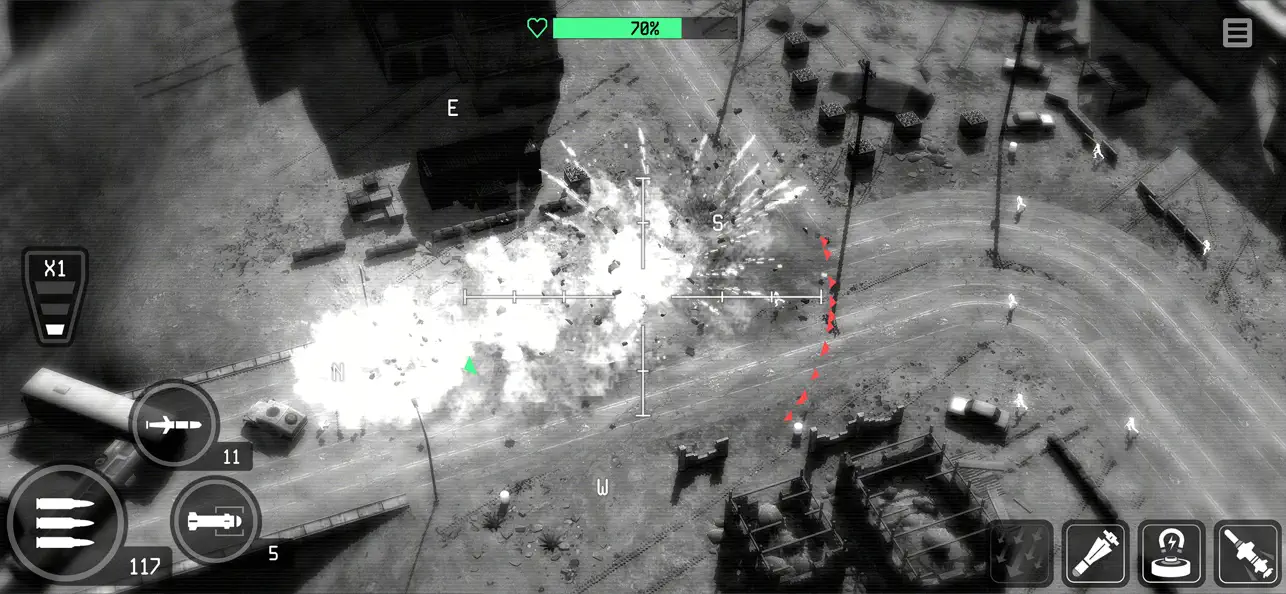
• Command advanced military drones and the legendary AC-130 Gunship in this modern shooter experience.
• Take part in explosive firefights from the skies, defending allied forces and executing real-time airstrikes.
• Use strategic flight paths, locking systems, and weapon calibration to simulate real-life drone control.
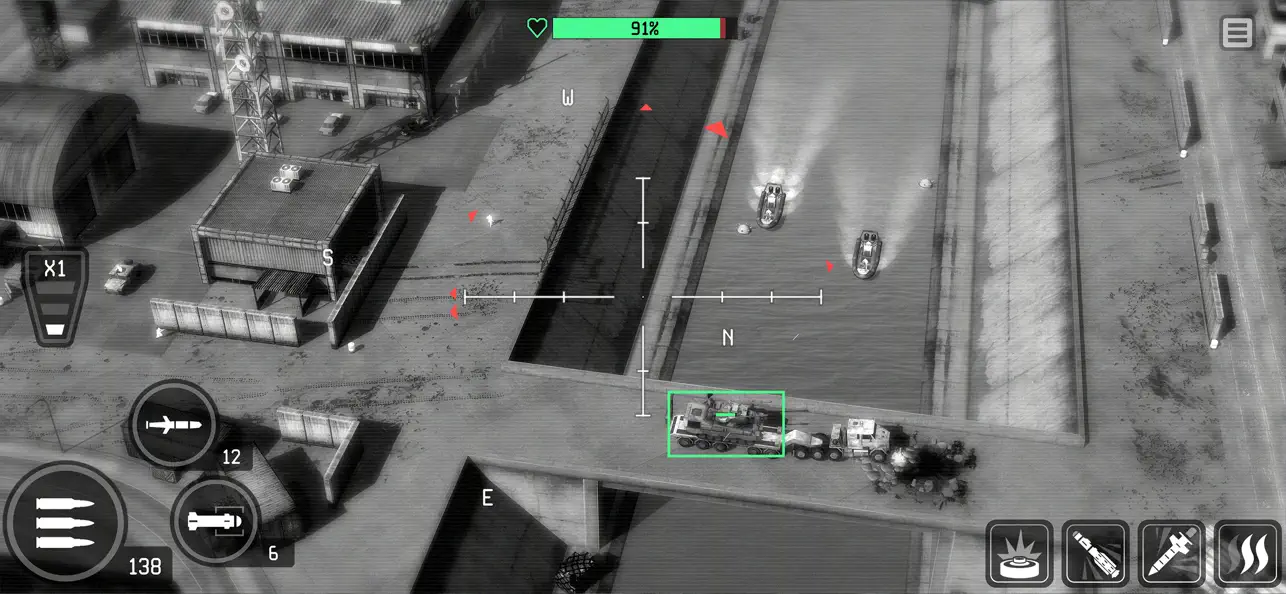
• Navigate immersive 3D battlefields with accurate targeting systems and realistic drone physics.
Tactical Shooter Gameplay
• Enter the battlefield as a high-tech air force marksman with access to lethal weapon systems.
• Shoot down waves of hostiles in fast-paced combat encounters with precision and skill.
• Fire 25mm Gatling guns, launch Hydra 70 rockets, and deploy Hellfire missiles to wipe out enemy squads.
Simulate True Drone Warfare
• Experience realistic mission objectives based on military drone operations.
• Plan your attacks using satellite recon, engage in close air support, and simulate UAV command roles.
• Control weapon heat, ammo supply, and targeting drift like a real drone operator.
• Every mission requires tactical awareness, flight control, and calculated decision-making.
Upgrade & Customize Your Arsenal
• Equip your drone with customizable loadouts: guns, rockets, missiles, and countermeasures.
• Unlock advanced gear like signal jammers, auto-tracking turrets, and enhanced flight controls.
• Build the ultimate combat drone through realistic progression systems and gear trees.
Call in AI-Controlled Support Units
• Use reinforcement mechanics to deploy tanks, soldiers, and airstrikes.
• Coordinate air-to-ground tactics and suppress enemy forces from multiple fronts.
• SuperWeapons include EMP drones, cluster missile barrages, and drone swarms.
Varied Enemy Types for Shooter Fans
• Engage against:
• Infantry, rocket teams, and machine gun nests
• Armored vehicles and moving convoys
• Attack helicopters, jets, and drones
• Strategic structures and mobile bases
Complete Missions, Unlock Rewards
• Earn gold, cash, and rare upgrades by completing high-risk combat simulations.
• Conquer wave-based shooter scenarios, time-sensitive bombings, and escort operations.
Note: Internet connection required to play.
VIP Club Subscription
Now you can subscribe to the VIP Club for access to exclusive benefits.
Subscriptions are $7.99 USD weekly
Payment will be charged to iTunes Account at confirmation of purchase.
You will be able to use VIP Club benefits for the duration of the subscription.
Subscription automatically renews for the same price and duration period as the original "one week" package unless auto-renew is turned off at least 24-hours before the end of the current period.
Account will be charged for renewal within 24-hours prior to the end of the current period at the cost of the weekly package.
Subscriptions may be managed by the user and auto-renewal may be turned off by going to the user's iTunes Account Settings after purchase.
No cancellation of the current subscription is allowed during active subscription period.
You may cancel a subscription during its free trial period via the subscription setting through your iTunes account. This must be done 24 hours before the end of the subscription period to avoid being charged. Please visit http://support.apple.com/kb/ht4098 for more information.
You may turn off the auto-renewal of your subscription via your iTunes Account Settings. However, you are not able to cancel the current subscription during its active period.
Any unused portion of a free-trial period, will be forfeited when the user purchases a VIP Club subscription.
This game includes optional in-game purchases (includes random items).
Links to our Terms of Service and Privacy Policy can be found below:
https://mobilegamingstudios.com/privacy-policy/
https://mobilegamingstudios.com/terms-of-service/
- iPhone o iPad con o sin Jailbreak.
- Sideloadly u otras alternativas.
- Ordenador con Windows/macOS/Linux e iTunes instalado.
PASO 1: Descargue el archivo .IPA pre-modificado desde el enlace de arriba a su ordenador. Para descargarlo desde la iOSGods App, consulte nuestro Tutorial de descarga del IPA desde la iOSGods App, que incluye un ejemplo en vídeo.
PASO 2: Descargue Sideloadly e instálelo en su Windows o Mac.
PASO 3: Abra Sideloadly en su ordenador, conecte su dispositivo iOS y espere hasta que el nombre del dispositivo aparezca en Sideloadly.
PASO 4: Una vez que su iDevice sea reconocido, arrastre el archivo .IPA modificado que descargó y suéltelo en la aplicación Sideloadly.
PASO 5: Introduzca el correo electrónico de su Apple Account y, a continuación, pulse «Start». Le pedirá que introduzca su contraseña. Proporcione la información solicitada.
PASO 6: Espere a que Sideloadly termine de hacer sideload/instalar el IPA modificado. Si surgen problemas durante la instalación, por favor lea la nota a continuación.
PASO 7: Una vez completada la instalación y al ver la app en la pantalla de inicio, deberá ir a Ajustes → General → Perfiles / VPN y Gestión de Dispositivos. Una vez allí, toque el correo electrónico que introdujo en el paso 6 y, después, toque en «Confiar en [email protected]».
PASO 8: Ahora vaya a la pantalla de inicio y abra la app recién instalada; todo debería funcionar correctamente. Es posible que tenga que seguir instrucciones adicionales específicas de cada app dentro del popup del hack en el juego.
NOTA: En iOS/iPadOS 16 y posteriores, debe activar el Modo Desarrollador. Para cuentas gratuitas de Apple Developer, deberá repetir este proceso cada 7 días. Si tiene alguna pregunta o problema, lea nuestra sección de Preguntas Frecuentes de Sideloadly del tema.