Giriş Gerekli
Devam etmek için iOSGods hesabınızla giriş yapın.
Devam etmek için iOSGods hesabınızla giriş yapın.

Defend Neighborville against Dr. Zomboss' zombie invasion in Plants vs. Zombies 3: Evolved Mod APK, a tower defense strategy game where you grow, merge, and experiment with plants to outsmart every attack. This Android hack removes the grinding mechanics that slow down progression, letting you focus on tactical gameplay and creative plant combinations without waiting for resources to regenerate.
Whether you're a strategy veteran or new to tower defense, this modded version strips away the timers and cooldowns that interrupt your flow, so you can test different plant lineups and tackle harder waves at your own pace.
- Freeze Sun → prevents sun resource depletion
- Freeze Plant Food → keeps plant food supply constant
- Freeze Promotions → halts promotional timer resets
- No Plant Spawn Cooldown → deploy plants instantly without delay
Yukarıdaki düğmeden Plants vs. Zombies™ 3: Evolved Mod APK indirin. İndir'e dokunduğunuzda ekrandaki yönergeleri izleyerek modlu APK'yı Android cihazınıza veya emülatöre yükleyin.
Yardıma mı ihtiyacınız var? Ayrıntılı yanıtlar ve sorun giderme ipuçları için Android Sık Sorulan Sorular sayfamıza bakın.
This game includes optional in-game purchases of virtual currency that can be used to acquire virtual in-game items, including a random selection of virtual in-game items.
Whether you love strategy games, fast-paced tower defense, or chaotic action, Plants vs. Zombies™ 3: Evolved delivers a fresh spin on defending against every zombie attack. Step into Neighborville today to grow, merge and experiment with new tactics as you help shape a wild, taco-fueled tower defense against Dr. Zomboss’ latest invasion!
A NEW TWIST ON CLASSIC PvZ TOWER DEFENSE
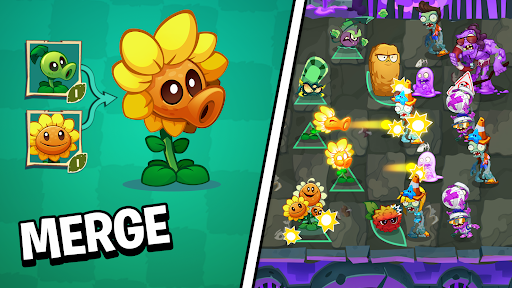
Use new tower defense mechanics to merge and upgrade plants into stronger forms with new powers, unlocking fresh tactics and creative ways to outsmart every zombie wave.
REAL-TIME STRATEGY MEETS CHAOTIC ACTION
Test your real‑time strategy skills across an expanding collection of tower defense levels spanning multiple biomes and unique environments, each designed to challenge your tactical thinking and fast-paced decision-making.
MAKE NEIGHBORVILLE YOUR OWN
Customize and decorate your yard to create a space that feels uniquely yours, because why defend the lawn if you can’t do it in style? Join the Neighborville Watch to team up in community events, harvest rewards, and help keep Neighborville brains safe, bright, and weird.
STORY-DRIVEN LEVELS & ADVENTURES
Play through comic-inspired adventures filled with classic PvZ humor. Unlock new biomes, storylines, and zombie game variants as you progress.
PLANT PASS REWARDS & CUSTOMIZATION
Merge through themed seasons and earn plants, cosmetics, vanity items, and more. Advance your strategy game journey with unlocks that keep your plant defenses growing in an ever-zanier, ever-evolving tactical tower defense experience.
Download Plants vs. Zombies™ 3: Evolved today and test your ultimate tower defense strategy in the brain-iest, wackiest, and most chaotic PvZ yet.
Requires acceptance of EA’s Privacy & Cookie Policy and User Agreement. Requires an Internet connection (network fees may apply). EA may retire online features after 30 days’ notice posted on ea.com/service-updates.
Notice at Collection
https://www.ea.com/legal/privacy-and-cookie-policy#information-for-california-residents
Your Privacy Choices
https://www.ea.com/legal/privacy-portal?modal-id=targetedAdvertisingProvidedByThirdParties
• User Agreement: terms.ea.com
• Privacy and Cookie Policy: privacy.ea.com
• Visit help.ea.com for assistance or inquiries.
© 2026 Electronic Arts Inc. Electronic Arts and Plants vs. Zombies are trademarks of Electronic Arts Inc.