تسجيل الدخول مطلوب
سجّل الدخول بحساب iOSGods للمتابعة.
سجّل الدخول بحساب iOSGods للمتابعة.

شاهد YouTube بدون إعلانات أو تتبع أو حساب Google باستخدام Tubular، تطبيق Mod APK مجاني يركز على الخصوصية ويتفرع من NewPipe مع ميزات SponsorBlock و ReturnYouTubeDislike المدمجة. يحلل هذا التطبيق YouTube مباشرة دون الاعتماد على واجهات برمجة Google أو أطر عملها، مما يجعله مثاليًا للأجهزة بدون خدمات Google، ولا يتطلب حسابًا للبدء في البث.
- بدون إعلانات → شاهد مقاطع فيديو بدون انقطاع
- بدون تتبع → تصفح بخصوصية دون جمع البيانات
- تكامل SponsorBlock → تخطي المقاطع المدعومة تلقائيًا
- ReturnYouTubeDislike → شاهد عدادات عدم الإعجاب المستعادة من المجتمع
- يعمل بدون خدمات Google → متوافق مع أي جهاز Android
- لا يتطلب حساب YouTube → شاهد وتصفح بشكل مجهول
- FLOSS (برنامج مجاني ومفتوح المصدر) → شفاف بالكامل وموجه من المجتمع
- تحليل الموقع الإلكتروني المباشر → يتجاوز قيود واجهة برمجة YouTube
Tubular هو تفرع من NewPipe.
قم بتنزيل YouTube Mod APK (Tubular) من الزر أعلاه. بعد الضغط على تنزيل، اتبع التعليمات لتثبيت ملف APK المعدل على جهاز Android أو المحاكي.
هل تحتاج إلى مساعدة؟ راجع الأسئلة الشائعة لـ Android للحصول على إجابات مفصلة ونصائح لاستكشاف الأخطاء.
Get the official YouTube app on Android phones and tablets. See what the world is watching -- from the hottest music videos to what’s popular in gaming, fashion, beauty, news, learning and more. Subscribe to channels you love, create content of your own, share with friends, and watch on any device.
Watch and subscribe
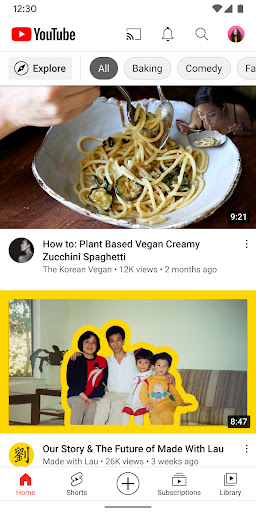
● Browse personal recommendations on Home
● See the latest from your favorite channels in Subscriptions
● Look up videos you’ve watched, liked, and saved for later in Library
Explore different topics, what’s popular, and on the rise (available in select countries)
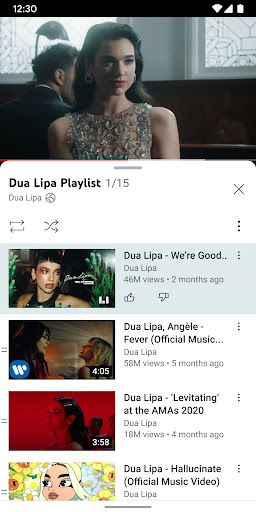
● Stay up to date on what’s popular in music, gaming, beauty, news, learning and more
● See what’s trending on YouTube and around the world on Explore
● Learn about the coolest Creators, Gamers, and Artists on the Rise (available in select countries)
Connect with the YouTube community
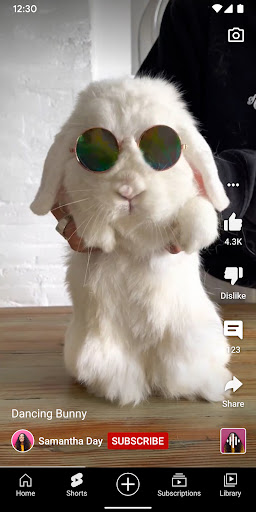
● Keep up with your favorites creators with Posts, Stories, Premieres, and Live streams
● Join the conversation with comments and interact with creators and other community members
Create content from your mobile device
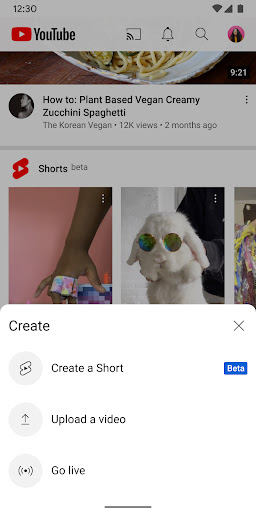
● Create or upload your own videos directly in the app
● Engage with your audience in real time with live streaming right from the app
Find the experience that fits you and your family (available in select countries)
● Every family has their own approach to online video. Learn about your options: the YouTube Kids app or a new parent supervised experience on YouTube at youtube.com/myfamily
Support creators you love with channel memberships (available in select countries)
● Join channels that offer paid monthly memberships and support their work
● Get access to exclusive perks from the channel & become part of their members community
● Stand out in comments and live chats with a loyalty badge next to your username
Upgrade to YouTube Premium (available in select countries)
● Watch videos uninterrupted by ads, while using other apps, or when the screen is locked
● Save videos for when you really need them – like when you’re on a plane or commuting
● Get access to YouTube Music Premium as part of your benefits