تسجيل الدخول مطلوب
سجّل الدخول بحساب iOSGods للمتابعة.
سجّل الدخول بحساب iOSGods للمتابعة.
الذهب غير المحدود والموارد القتالية غير المحدودة تحول استراتيجيتك في Rise of Hexpires: New Age Hack، مما يتيح لك البناء والتدريب والتوسع بدون قيود الموارد. تزيل هذه اللعبة المعدلة على iOS الرتابة، حتى تتمكن من التركيز على فتح العالم السادس الأساسي والهيمنة على الفصائل العدوة بالسرعة التي تناسبك.
- ذهب غير محدود → البناء والترقية بدون حدود الإنفاق
- موارد قتالية غير محدودة → تدريب الجيوش وشن الحروب بحرية
يأتي هذا التطبيق أيضًا مع iGameGod، مما يتيح لك الوصول إلى Auto Touch لأتمتة المهام المتكررة، وApp Speed Manager لضبط سرعة اللعب، وتعديل القيم عبر Memory Engine، والمزيد من أدوات ألعاب iOS القوية.
قم بتنزيل Rise of Hexpires: New Age Hack modded IPA من الروابط أعلاه. اضغط على زر التثبيت واتبع التعليمات لتثبيت هذا التعديل لـ iOS على iPhone أو iPad أو Apple Silicon.
هل تحتاج إلى مزيد من المساعدة؟ راجع الأسئلة الشائعة لتطبيق iOSGods للحصول على إجابات مفصلة ونصائح لاستكشاف الأخطاء.
Rise of Hexpires: New Age – Real-Time Strategy Designed for Mobile
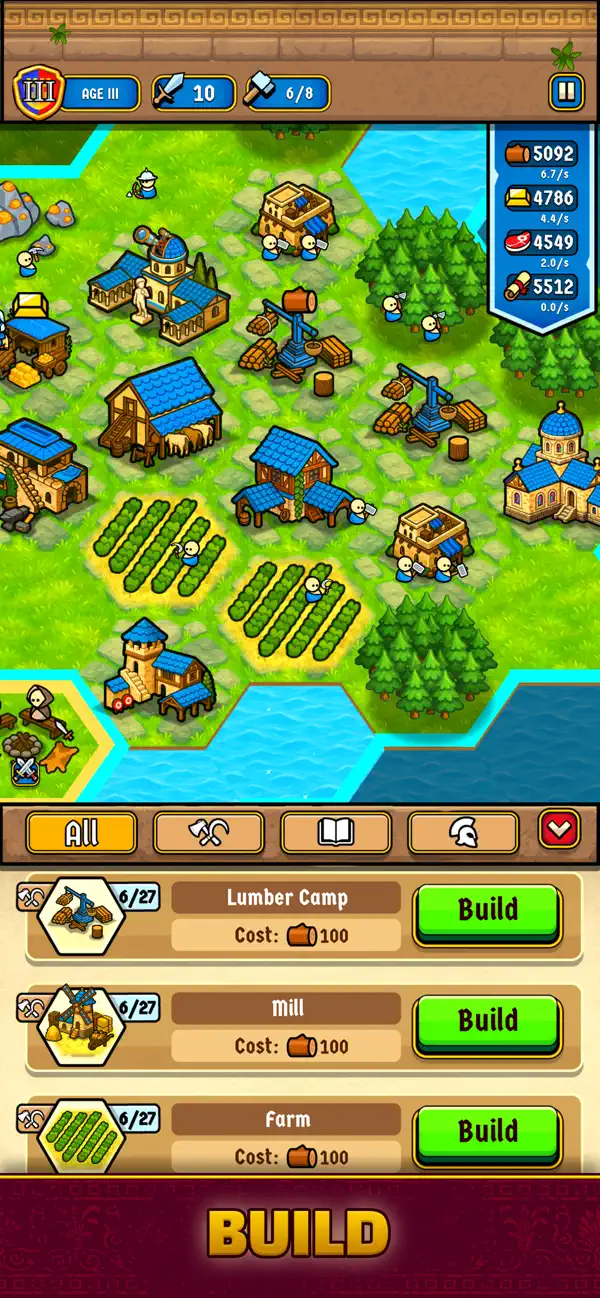
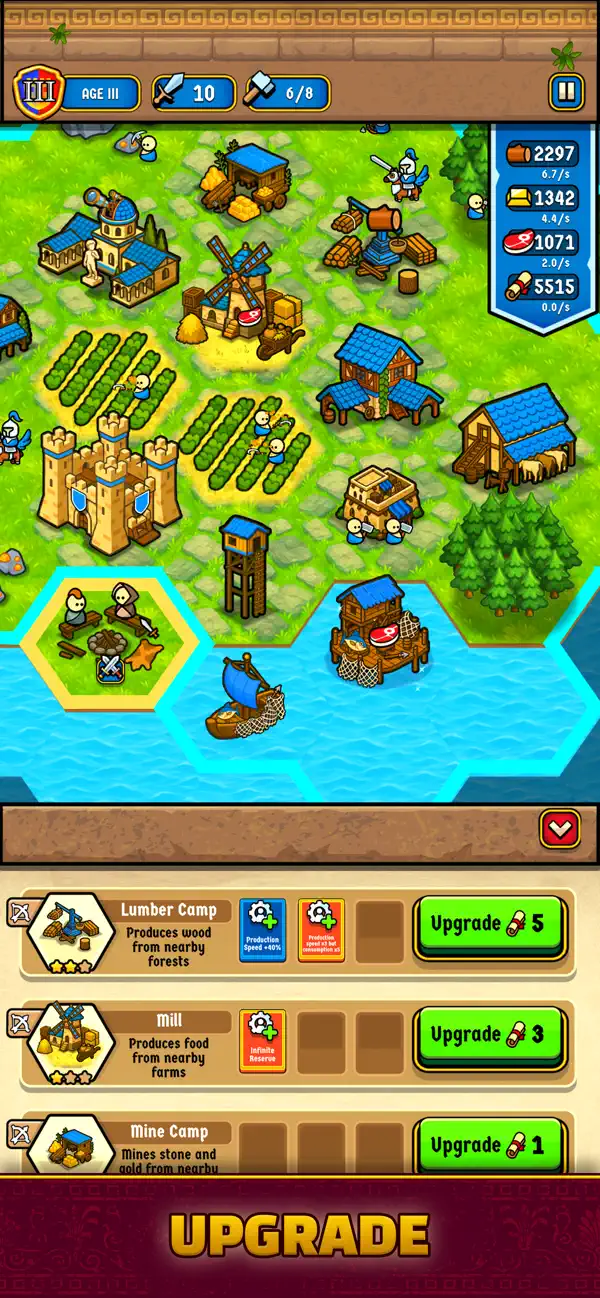
Rise of Hexpires: New Age brings classic RTS gameplay to mobile with fast, accessible controls. Build your town, gather resources, train an army, explore the map, and conquer enemy factions on a hex-based world.
REAL-TIME STRATEGY MADE SIMPLE AND SATISFYING
• Start with a Town Center and limited resources.
• Build Lumber Camps, Mines, and Farms on suitable tiles.
• Workers automatically gather resources.
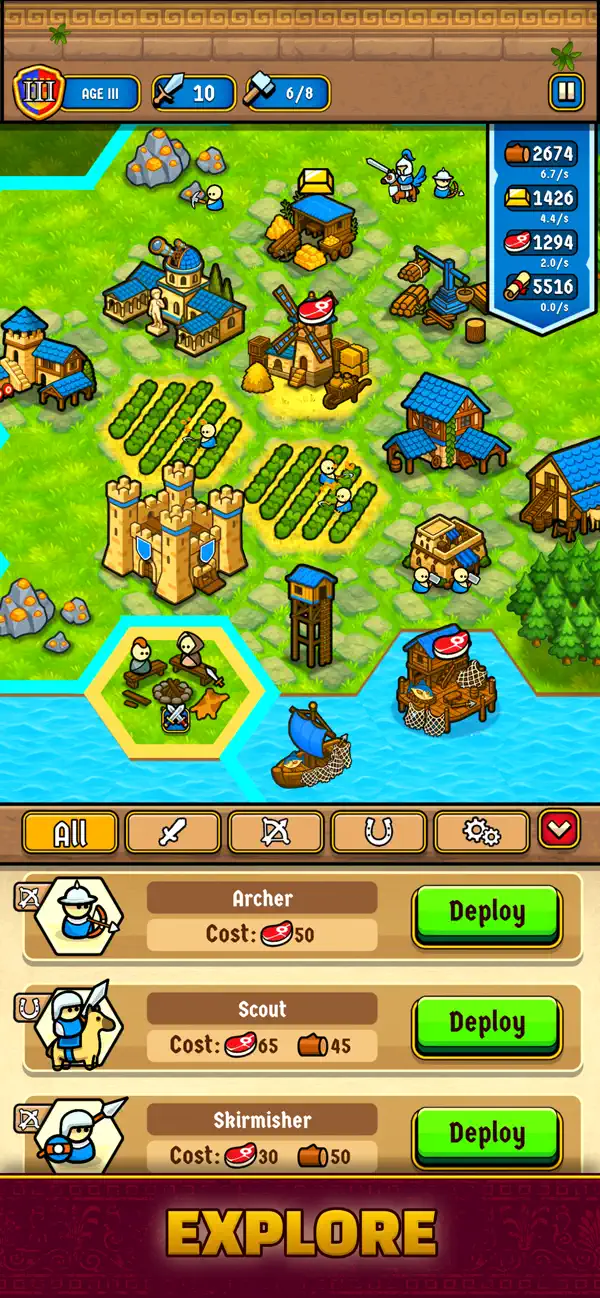
EXPLORE AND EXPAND
• Construct Outposts to reveal new parts of the map.
• Every new building lights up nearby tiles.
• Discover treasures, ruins, enemy camps, and more.
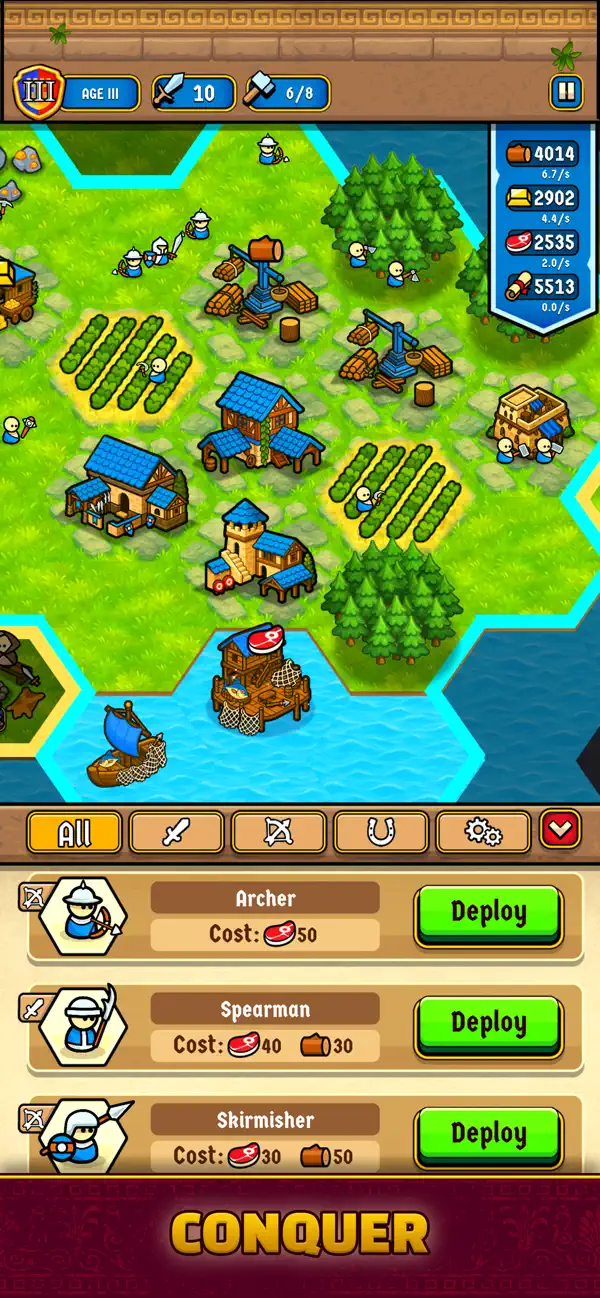
TRAIN YOUR ARMY AND FIGHT
• Build military structures to unlock new unit types.
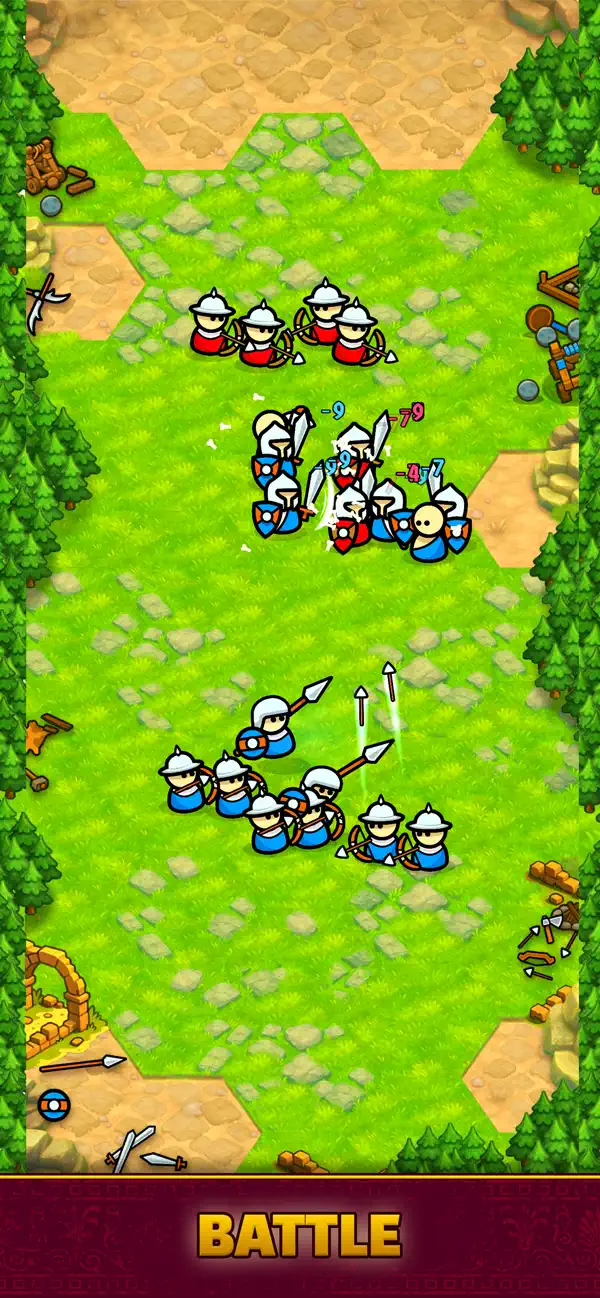
• Train soldiers and command them to attack marked tiles.
• Battles switch to auto-combat; win to capture the tile and earn bonus rewards.
DEFEND AGAINST ENEMY WAVES
• Enemy attacks happen at regular intervals.
• All your available soldiers defend automatically.
• If your army falls, the map resets—but your long-term progress remains.
PERMANENT PROGRESSION
• Earn Research Points (RP) through exploration and victories.
• Unlock permanent tech upgrades that stay with you even after losing a map.
• Access new buildings, units, and resource types as you grow stronger.
MAP-TO-MAP CAMPAIGN
• Defeat the enemy faction on each map to move forward.
• Face new enemies, new resource layouts, and fresh strategic challenges.
Build, expand, conquer, and grow stronger with every attempt.
Experience a streamlined mobile RTS with long-term progression and endless strategic choices.

- iPhone أو iPad بجيلبريك أو بدون جيلبريك.
- Sideloadly أو بدائلها.
- كمبيوتر يعمل بنظام Windows/macOS/Linux مع تثبيت iTunes.
الخطوة 1: قم بتنزيل ملف .IPA المعدّل مسبقًا من الرابط أعلاه إلى الكمبيوتر الخاص بك. للتنزيل من تطبيق iOSGods App، اطلع على دليل تنزيل IPA من تطبيق iOSGods App الذي يتضمن مثالًا بالفيديو.
الخطوة 2: قم بتنزيل Sideloadly وتثبيته على جهاز Windows أو Mac.
الخطوة 3: افتح Sideloadly على الكمبيوتر، ووصّل جهاز iOS الخاص بك، وانتظر حتى يظهر اسم جهازك داخل Sideloadly.
الخطوة 4: بمجرد التعرّف على جهاز iDevice الخاص بك، اسحب ملف .IPA المعدّل الذي قمت بتنزيله وأفلِته داخل تطبيق Sideloadly.
الخطوة 5: أدخل البريد الإلكتروني لحساب Apple Account الخاص بك، ثم اضغط على «Start». سيُطلب منك بعد ذلك إدخال كلمة المرور. تابع وأدخل المعلومات المطلوبة.
الخطوة 6: انتظر حتى ينتهي Sideloadly من تحميل/تثبيت ملف IPA المعدّل. في حال واجهت أي مشاكل أثناء التثبيت، يرجى قراءة الملاحظة أدناه.
الخطوة 7: بعد اكتمال التثبيت ورؤية التطبيق على الشاشة الرئيسية، انتقل إلى Settings → General → Profiles / VPN & Device Management. ثم اضغط على البريد الإلكتروني الذي أدخلته في الخطوة 6، ثم اضغط على «الوثوق بـ [email protected]».
الخطوة 8: الآن انتقل إلى الشاشة الرئيسية وافتح التطبيق الذي تم تثبيته للتو وسيعمل كل شيء بشكل صحيح. قد تحتاج إلى اتباع تعليمات إضافية خاصة بكل تطبيق داخل النافذة المنبثقة للتعديل أثناء اللعب.
ملاحظة: بدءًا من iOS/iPadOS 16 وما بعده، يجب تفعيل وضع المطور (Developer Mode). بالنسبة لحسابات Apple Developer المجانية، ستحتاج إلى تكرار هذه العملية كل 7 أيام. إذا كانت لديك أي أسئلة أو مشاكل، يرجى قراءة قسم الأسئلة الشائعة حول Sideloadly في الموضوع.