تسجيل الدخول مطلوب
سجّل الدخول بحساب iOSGods للمتابعة.
سجّل الدخول بحساب iOSGods للمتابعة.
افتح مضاعف الضرر ومضاعف الدفاع ووضع الإله في هذا تعديل Cat vs Cucumber iOS المجاني لتهيمن على غزو الخيار بأبطال قطط لا يقهرون. أدر، دافع، واستولِ على موجات لا نهائية بقوة معززة وحصانة في هذه لعبة الاستراتيجية الهجينة غير الرسمية.
- مضاعف الضرر → عزز قوة هجوم أبطال القطط لديك
- مضاعف الدفاع → قوّ مقاومة القطط ضد موجات العدو
- وضع الإله → أصبح محصناً في المعركة
يأتي هذا التطبيق أيضًا مع iGameGod، مما يتيح لك الوصول إلى Auto Touch لأتمتة المهام المتكررة، وApp Speed Manager لضبط سرعة اللعب، وتعديل القيم عبر Memory Engine، والمزيد من أدوات ألعاب iOS القوية.
قم بتنزيل Cat vs Cucumber iOS Mod IPA من الروابط أعلاه. اضغط على زر التثبيت واتبع التعليمات لتثبيت هذا التعديل لـ iOS على iPhone أو iPad أو Apple Silicon.
هل تحتاج إلى مزيد من المساعدة؟ راجع الأسئلة الشائعة لتطبيق iOSGods للحصول على إجابات مفصلة ونصائح لاستكشاف الأخطاء.
It’s World War C (Cat vs Cucumber)!
The Cucumber invasion is here. They are crunchy, they are everywhere, and only your ultimate feline resistance can stop them!
Join the fight in Cat vs Cucumber, a fast-paced hybrid-casual adventure that perfectly blends Spin Idle, Tower Defense, Roguelite, and Gacha mechanics. Lead your kitty heroes across diverse battlefields and protect the world from endless waves of the green menace.
GAME FEATURES:
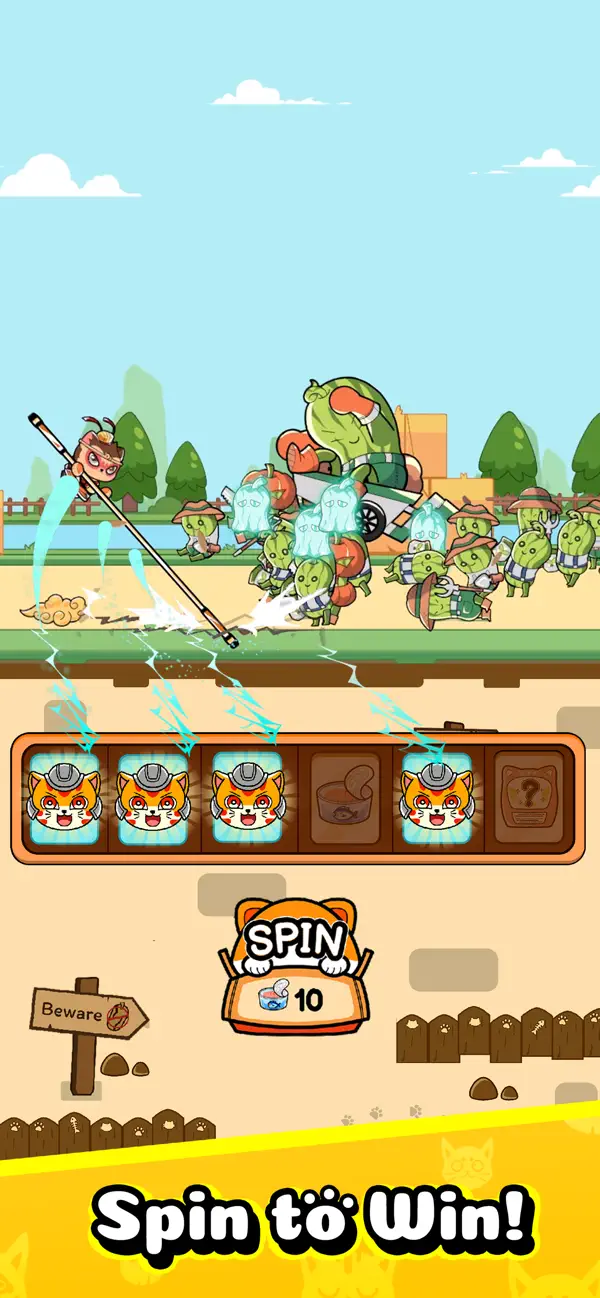
- Spin to Deploy & Defend: Keep the reels spinning! Use the slot mechanic to instantly drop cat heroes onto the battlefield, unlock new recruits, and trigger game-changing roguelite buffs.
- Merge & Evolve: Strategy meets progression. Merge duplicate cats on your roster to rank them up and unleash devastating, screen-clearing skills.
- Claw Machine Gacha: Test your luck at the claw machine! Collect a massive roster of legendary felines with unique abilities and pull top-tier gear.
- Customize Your Commander: Dress for survival. Equip your main hero with hilarious, stat-boosting costumes to turn the tide of battle.
- Endless Idle Action: Face increasingly difficult cucumber mobs. Experiment with different team comps and roguelite paths for a completely unique run every time.
Pull epic heroes, unlock wild upgrades, and build the ultimate defensive squad. The world is relying on your paws! Download now and defend the base!

- iPhone أو iPad بجيلبريك أو بدون جيلبريك.
- Sideloadly أو بدائلها.
- كمبيوتر يعمل بنظام Windows/macOS/Linux مع تثبيت iTunes.
الخطوة 1: قم بتنزيل ملف .IPA المعدّل مسبقًا من الرابط أعلاه إلى الكمبيوتر الخاص بك. للتنزيل من تطبيق iOSGods App، اطلع على دليل تنزيل IPA من تطبيق iOSGods App الذي يتضمن مثالًا بالفيديو.
الخطوة 2: قم بتنزيل Sideloadly وتثبيته على جهاز Windows أو Mac.
الخطوة 3: افتح Sideloadly على الكمبيوتر، ووصّل جهاز iOS الخاص بك، وانتظر حتى يظهر اسم جهازك داخل Sideloadly.
الخطوة 4: بمجرد التعرّف على جهاز iDevice الخاص بك، اسحب ملف .IPA المعدّل الذي قمت بتنزيله وأفلِته داخل تطبيق Sideloadly.
الخطوة 5: أدخل البريد الإلكتروني لحساب Apple Account الخاص بك، ثم اضغط على «Start». سيُطلب منك بعد ذلك إدخال كلمة المرور. تابع وأدخل المعلومات المطلوبة.
الخطوة 6: انتظر حتى ينتهي Sideloadly من تحميل/تثبيت ملف IPA المعدّل. في حال واجهت أي مشاكل أثناء التثبيت، يرجى قراءة الملاحظة أدناه.
الخطوة 7: بعد اكتمال التثبيت ورؤية التطبيق على الشاشة الرئيسية، انتقل إلى Settings → General → Profiles / VPN & Device Management. ثم اضغط على البريد الإلكتروني الذي أدخلته في الخطوة 6، ثم اضغط على «الوثوق بـ [email protected]».
الخطوة 8: الآن انتقل إلى الشاشة الرئيسية وافتح التطبيق الذي تم تثبيته للتو وسيعمل كل شيء بشكل صحيح. قد تحتاج إلى اتباع تعليمات إضافية خاصة بكل تطبيق داخل النافذة المنبثقة للتعديل أثناء اللعب.
ملاحظة: بدءًا من iOS/iPadOS 16 وما بعده، يجب تفعيل وضع المطور (Developer Mode). بالنسبة لحسابات Apple Developer المجانية، ستحتاج إلى تكرار هذه العملية كل 7 أيام. إذا كانت لديك أي أسئلة أو مشاكل، يرجى قراءة قسم الأسئلة الشائعة حول Sideloadly في الموضوع.