تسجيل الدخول مطلوب
سجّل الدخول بحساب iOSGods للمتابعة.
سجّل الدخول بحساب iOSGods للمتابعة.
افتح أدوات الرسم المميزة والعملات غير المحدودة في April - Oil Painting by Number، تطبيق Mod IPA لرسم الأرقام الهادئ الذي يتيح لك التمرير للرسم بدلاً من النقر. يزيل هذا التهكير جدران الدفع حتى تتمكن من الوصول إلى جميع اللوحات المصنوعة يدويًا والميزات المميزة بدون حدود، مما يتيح لك التركيز على التجربة الإبداعية والتأملية لإحياء لوحات الزيت.
- مميز → يفتح جميع أدوات الرسم المميزة والمحتوى
- عملات غير محدودة → أنفق بدون نفاد
يأتي هذا التطبيق أيضًا مع iGameGod، مما يتيح لك الوصول إلى Auto Touch لأتمتة المهام المتكررة، وApp Speed Manager لضبط سرعة اللعب، وتعديل القيم عبر Memory Engine، والمزيد من أدوات ألعاب iOS القوية.
قم بتنزيل April - Oil Painting by Number iOS Mod IPA من الروابط أعلاه. اضغط على زر التثبيت واتبع التعليمات لتثبيت هذا التعديل لـ iOS على iPhone أو iPad أو Apple Silicon.
هل تحتاج إلى مزيد من المساعدة؟ راجع الأسئلة الشائعة لتطبيق iOSGods للحصول على إجابات مفصلة ونصائح لاستكشاف الأخطاء.
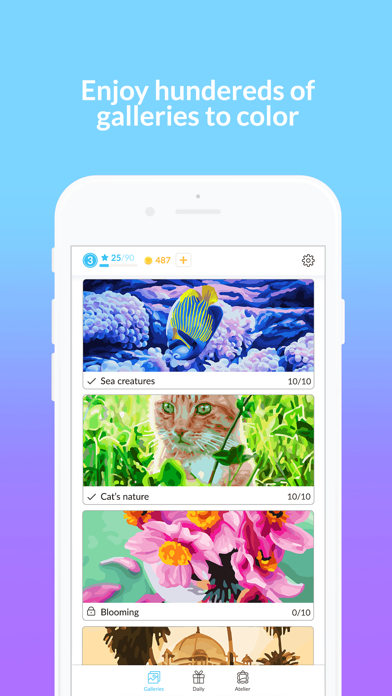
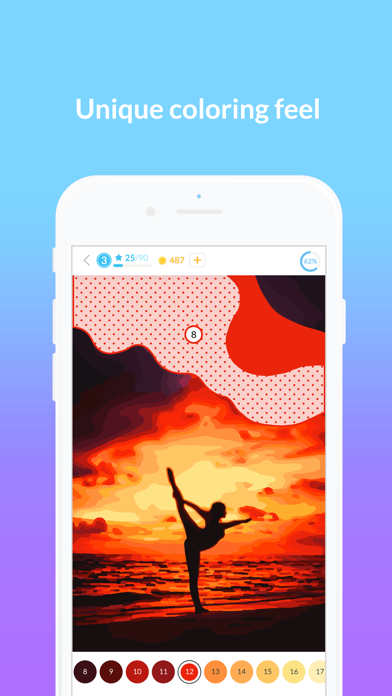
Colour by number app that is completely unique - colour with swipes instead of taps. You are unlocking more paintings while leveling up, and we’re not hiding any tiny spots to colour from you (no magnifying glass needed!). It is all you would want out of a paint by number app and more!
Besides making your painting realistic, April Coloring provides you with top-notch handcrafted free content and overall premium app quality, to help you become a more relaxed and creative person. To make sure that April Coloring brings you realistic experience and relaxation, we focused on user experience, simplicity and great community around the app!
WHY USE APRIL
● We know you appreciate colouring activities and probably you are using plenty of other colouring apps. What we wanted to excite you with is a completely unique approach towards the way colouring feels. Just download the app and check it out yourself!
● We want to make things easier for you. Just tap on the palette and you will find the right spot instantly. You may also tap on any spot on the main colouring board and you will highlight all required fields to paint the colour number needed.
● Almost all content is free - unlockable while gathering more colouring experience (stars) and leveling up or collecting coins. This makes the whole experience a lot more fun!
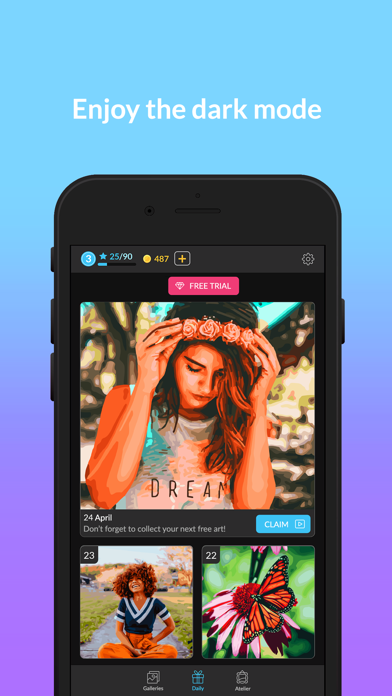
● There is a daily content posted within the app - make sure you claim it regularly - otherwise past dailies are available only for users which subscribed!
● If you subscribe you will receive plenty of goodies - exclusive content, access to past dailies and all ads will be removed. On top you will support our team as we’re not treating April Coloring as a one-off but a long term project to innovate the colouring evergreen!
● April Coloring is highly optimized for Apple Pencil. Check all the features that you can benefit from - including pressure and angle sensitivity / double tapping and more!
People all over the world are already enjoying our unique way of colouring – with over 1 000 000 paintings painted each month! Join them!
If you see anything we can improve, please, let us know! New reviews and support emails are really helpful to make our app better and smarter! Contact us via [email protected]
___________________
SUBSCRIPTION INFO
By subscribing, you get unlimited access to all premium (marked with diamond) and locked (marked with padlock) paintings.
GOOD TO KNOW
● You can subscribe to a monthly plan (starting at $9.99, billed once a month). Availability and pricing of subscription plans may vary.
● The payment will be charged to your iTunes Account when you confirm the purchase.
● The subscription automatically renews for the same price and duration period as the original plan unless canceled at least 24-hours before the end of the current period.
● Free trial automatically converts to a paid subscription unless canceled at least 24-hours before the end of the trial period. From that point onwards, subscription automatically renews unless canceled at least 24-hours before the end of the current period.
● You can cancel the subscription or the free trial anytime via the subscription setting through your iTunes account (go to your device settings and tap iTunes & App Store > Apple ID > View Apple ID > enter the password > Subscriptions > Assembly > Cancel Subscription button at the bottom). Do it at least 24 hours before the end of the free trial or subscription period to avoid being charged. Learn more: http://support.apple.com/kb/ht4098
● Any unused portion of a free trial period will be forfeited when the user purchases an April subscription.
Terms of Service: http://www.aprilcoloringapp.com/terms-of-service/
Privacy Policy: http://www.aprilcoloringapp.com/privacy-policy/

- iPhone أو iPad بجيلبريك أو بدون جيلبريك.
- Sideloadly أو بدائلها.
- كمبيوتر يعمل بنظام Windows/macOS/Linux مع تثبيت iTunes.
الخطوة 1: قم بتنزيل ملف .IPA المعدّل مسبقًا من الرابط أعلاه إلى الكمبيوتر الخاص بك. للتنزيل من تطبيق iOSGods App، اطلع على دليل تنزيل IPA من تطبيق iOSGods App الذي يتضمن مثالًا بالفيديو.
الخطوة 2: قم بتنزيل Sideloadly وتثبيته على جهاز Windows أو Mac.
الخطوة 3: افتح Sideloadly على الكمبيوتر، ووصّل جهاز iOS الخاص بك، وانتظر حتى يظهر اسم جهازك داخل Sideloadly.
الخطوة 4: بمجرد التعرّف على جهاز iDevice الخاص بك، اسحب ملف .IPA المعدّل الذي قمت بتنزيله وأفلِته داخل تطبيق Sideloadly.
الخطوة 5: أدخل البريد الإلكتروني لحساب Apple Account الخاص بك، ثم اضغط على «Start». سيُطلب منك بعد ذلك إدخال كلمة المرور. تابع وأدخل المعلومات المطلوبة.
الخطوة 6: انتظر حتى ينتهي Sideloadly من تحميل/تثبيت ملف IPA المعدّل. في حال واجهت أي مشاكل أثناء التثبيت، يرجى قراءة الملاحظة أدناه.
الخطوة 7: بعد اكتمال التثبيت ورؤية التطبيق على الشاشة الرئيسية، انتقل إلى Settings → General → Profiles / VPN & Device Management. ثم اضغط على البريد الإلكتروني الذي أدخلته في الخطوة 6، ثم اضغط على «الوثوق بـ [email protected]».
الخطوة 8: الآن انتقل إلى الشاشة الرئيسية وافتح التطبيق الذي تم تثبيته للتو وسيعمل كل شيء بشكل صحيح. قد تحتاج إلى اتباع تعليمات إضافية خاصة بكل تطبيق داخل النافذة المنبثقة للتعديل أثناء اللعب.
ملاحظة: بدءًا من iOS/iPadOS 16 وما بعده، يجب تفعيل وضع المطور (Developer Mode). بالنسبة لحسابات Apple Developer المجانية، ستحتاج إلى تكرار هذه العملية كل 7 أيام. إذا كانت لديك أي أسئلة أو مشاكل، يرجى قراءة قسم الأسئلة الشائعة حول Sideloadly في الموضوع.