Требуется вход
Войдите в учётную запись iOSGods, чтобы продолжить.
Войдите в учётную запись iOSGods, чтобы продолжить.
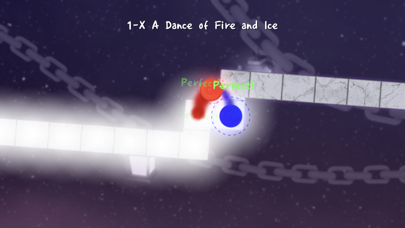
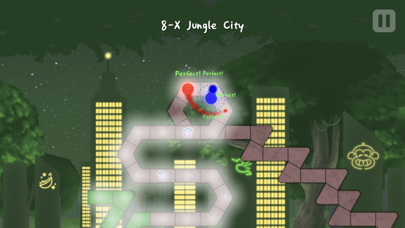
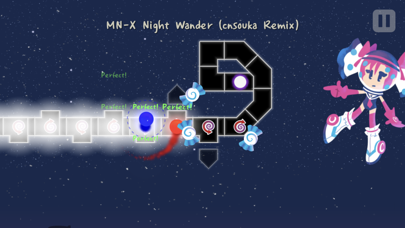
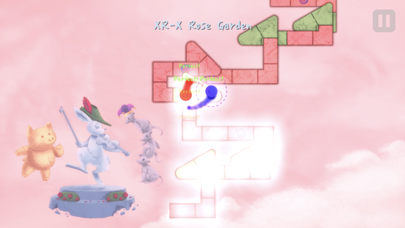
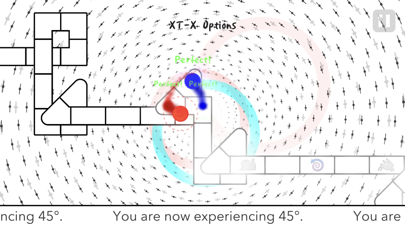
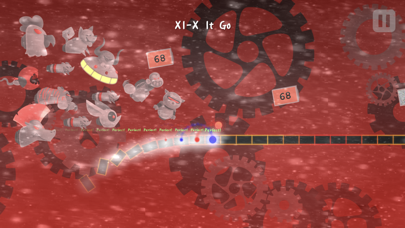
Бесплатная игра: A Dance of Fire and Ice - это строгая ритм-игра с одной кнопкой, которая бросает вам вызов направить две вращающиеся планеты по пути, не нарушая их идеального равновесия. Сохраняйте острую сосредоточенность, проходя более 20 миров, каждый из которых вводит новые формы и ритмы, от треугольников и восьмиугольников до квадратов, с обучающими этапами и финальными испытаниями. Разблокируйте послеигровые вызовы, включая испытания скорости для каждого мира и невероятно быстрый бонусный уровень в этом увлекательном iOS моде.
Это приложение также поставляется с iGameGod, который открывает доступ к Auto Touch для автоматизации повторяющихся действий, App Speed Manager для регулируемой скорости игры, редактированию значений Memory Engine и другим мощным инструментам для iOS-игр.
Скачайте A Dance of Fire and Ice modded IPA по ссылкам выше. Нажмите кнопку установки и следуйте инструкциям, чтобы установить этот хак iOS на iPhone, iPad или Mac с Apple Silicon.
Нужна помощь? Посмотрите наши Часто задаваемые вопросы по приложению iOSGods, чтобы получить подробные ответы и советы по устранению неполадок.
A Dance of Fire and Ice is a strict one-button rhythm game. Keep your focus as you guide two orbiting planets down a path without breaking their perfect equilibrium.
It's pretty hard to describe, but you should play the free online version on a desktop computer first if you are not sure if you would enjoy this game!
Features:
- More than 20 worlds, each introducing new shapes and rhythms. What do triangles, octagons or squares sound like? Each world starts with small tutorial stages and ends with a final test.
- Post-game challenges: Speed Trials for each world and a blisteringly fast bonus level for the brave.
- Calibration options: auto-calibration and manual calibration. This is a precise rhythm game, so use your ears more than your eyes when playing.
- Play new levels for free: more levels will be added over the coming months.
WARNING: This is a hard rhythm game. Not in the sense of note-spamming - for the most part all you have to do is keep a consistent beat - but this is a good test of whether you would be a good drummer. Keeping a beat is not very easy, and then weird breakbeats are added on top of that, so don't worry if you find it difficult!
- iPhone или iPad без джейлбрейка/в обычном режиме или с джейлбрейком.
- Sideloadly или альтернативы.
- Компьютер с Windows/macOS/Linux и установленным iTunes.
ШАГ 1: Скачайте предварительно взломанный файл .IPA по ссылке выше на свой компьютер. Чтобы скачать его из приложения iOSGods, посмотрите наш Туториал по скачиванию IPA в приложении iOSGods, в котором есть видеопример.
ШАГ 2: Скачайте Sideloadly и установите его на Windows или Mac.
ШАГ 3: Откройте Sideloadly на компьютере, подключите iOS-устройство и дождитесь, пока его имя появится в Sideloadly.
ШАГ 4: Когда устройство будет распознано, перетащите скачанный модифицированный файл .IPA в окно Sideloadly.
ШАГ 5: Введите адрес электронной почты вашего Apple Account, затем нажмите «Start». После этого вас попросят ввести пароль. Укажите необходимые данные.
ШАГ 6: Дождитесь, пока Sideloadly завершит sideload/установку взломанного IPA. При возникновении проблем во время установки ознакомьтесь с примечанием ниже.
ШАГ 7: После завершения установки и появления приложения на главном экране перейдите в Настройки → Основные → Профили / VPN и управление устройством. Там нажмите на email, который вы ввели на шаге 6, а затем нажмите «Доверять [email protected]».
ШАГ 8: Теперь перейдите на главный экран и откройте установленное приложение — всё должно работать. Возможно, потребуется выполнить дополнительные инструкции в попапе мода внутри игры.
ПРИМЕЧАНИЕ: На iOS/iPadOS 16 и новее необходимо включить режим разработчика. Для бесплатных учётных записей Apple Developer этот процесс нужно повторять каждые 7 дней. Если возникнут вопросы или проблемы, ознакомьтесь с нашим разделом FAQ по Sideloadly в теме.