Inicio de sesión requerido
Inicia sesión con tu cuenta de iOSGods para continuar.
Inicia sesión con tu cuenta de iOSGods para continuar.
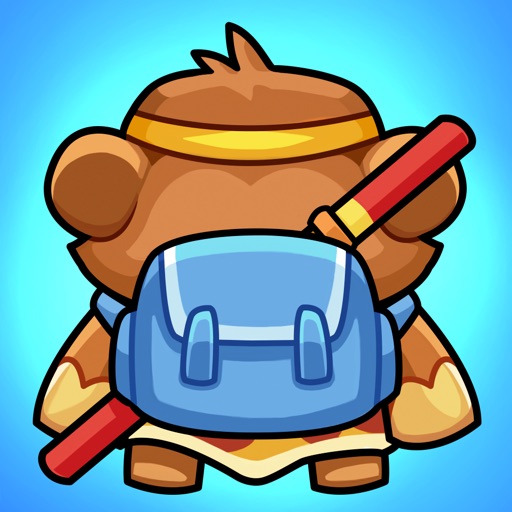
Elimina anuncios, obtén monedas de batalla ilimitadas y aumenta tu HP en esta aventura de mono inactivo con trucos para iOS. Idle Monkey: Bagpack War es un juego rápido de mochila y fusión donde organizas equipamiento, mejoras armas y sintetizas engranajes de nivel superior para dominar batallas y escalar en las clasificaciones. Este Mod IPA desbloquea trucos que te permiten avanzar más rápido a través de capítulos y ganar mayores recompensas sin interrupciones.
- Anuncios → elimina publicidad
- Monedas de Batalla → moneda ilimitada para mejoras
- HP → salud aumentada en combate
Esta app también incluye iGameGod, que te ofrece acceso a Auto Touch para automatizar tareas repetitivas, App Speed Manager para ajustar la velocidad del juego, edición de valores con Memory Engine y más potentes herramientas para juegos de iOS.
Descarga Idle Monkey: Bagpack War Hack modded IPA desde los enlaces de arriba. Toca el botón de instalación y sigue las instrucciones para instalar este hack iOS en tu iPhone, iPad o Mac con Apple Silicon.
¿Necesitas más ayuda? Consulta nuestras Preguntas frecuentes de la app iOSGods para respuestas detalladas y consejos de solución de problemas.
Idle Monkey: Backpack War
Idle Monkey is a fast-paced backpack and merge game where players take on the role of an idle monkey adventuring through the forest. Organize your backpack while adjusting your strategies to find the best combination of backpack equipment.
Engage in enjoyable battles by passing chapters to achieve higher rewards in the rankings.
Idle Monkey will bring you on a wonderful journey where you can discover new features:
• Collect various types of weapons
• Upgrade various weapons
• Synthesize higher-level weapons in combat
• Reasonable placement and correct card combinations will make you twice as efficient with half the effort
• Get your Idle Monkey ready — embark on a journey through battles involving backpacks and merging to earn rewards!
It’s Not a Waste of Time: A challenging yet enjoyable backpack game where you need to merge and size your builds correctly. It sounds so easy and fun!
From Beginners to Pros: Your level of play and problem-solving can vary, but rest assured, you will enjoy this backpack and merge game.
This application offers a free-to-play experience with the option for in-game purchases.


- iPhone o iPad con o sin Jailbreak.
- Sideloadly u otras alternativas.
- Ordenador con Windows/macOS/Linux e iTunes instalado.
PASO 1: Descargue el archivo .IPA pre-modificado desde el enlace de arriba a su ordenador. Para descargarlo desde la iOSGods App, consulte nuestro Tutorial de descarga del IPA desde la iOSGods App, que incluye un ejemplo en vídeo.
PASO 2: Descargue Sideloadly e instálelo en su Windows o Mac.
PASO 3: Abra Sideloadly en su ordenador, conecte su dispositivo iOS y espere hasta que el nombre del dispositivo aparezca en Sideloadly.
PASO 4: Una vez que su iDevice sea reconocido, arrastre el archivo .IPA modificado que descargó y suéltelo en la aplicación Sideloadly.
PASO 5: Introduzca el correo electrónico de su Apple Account y, a continuación, pulse «Start». Le pedirá que introduzca su contraseña. Proporcione la información solicitada.
PASO 6: Espere a que Sideloadly termine de hacer sideload/instalar el IPA modificado. Si surgen problemas durante la instalación, por favor lea la nota a continuación.
PASO 7: Una vez completada la instalación y al ver la app en la pantalla de inicio, deberá ir a Ajustes → General → Perfiles / VPN y Gestión de Dispositivos. Una vez allí, toque el correo electrónico que introdujo en el paso 6 y, después, toque en «Confiar en [email protected]».
PASO 8: Ahora vaya a la pantalla de inicio y abra la app recién instalada; todo debería funcionar correctamente. Es posible que tenga que seguir instrucciones adicionales específicas de cada app dentro del popup del hack en el juego.
NOTA: En iOS/iPadOS 16 y posteriores, debe activar el Modo Desarrollador. Para cuentas gratuitas de Apple Developer, deberá repetir este proceso cada 7 días. Si tiene alguna pregunta o problema, lea nuestra sección de Preguntas Frecuentes de Sideloadly del tema.


