Inicio de sesión requerido
Inicia sesión con tu cuenta de iOSGods para continuar.
Inicia sesión con tu cuenta de iOSGods para continuar.

Hack Features:
- Damage Multiplier
- Defense Multiplier
Esta app también incluye iGameGod, que te ofrece acceso a Auto Touch para automatizar tareas repetitivas, App Speed Manager para ajustar la velocidad del juego, edición de valores con Memory Engine y más potentes herramientas para juegos de iOS.
Descarga Soccer Spirits Hack modded IPA desde los enlaces de arriba. Toca el botón de instalación y sigue las instrucciones para instalar este hack iOS en tu iPhone, iPad o Mac con Apple Silicon.
¿Necesitas más ayuda? Consulta nuestras Preguntas frecuentes de la app iOSGods para respuestas detalladas y consejos de solución de problemas.
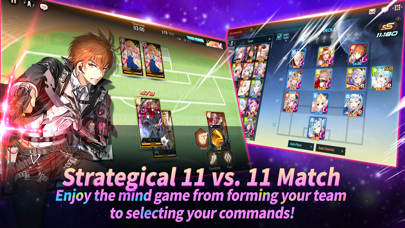
Illustration X Character Upgrade X Strategy Feel the endless fun on the ground!
1. Dynamic Sounds and Visuals
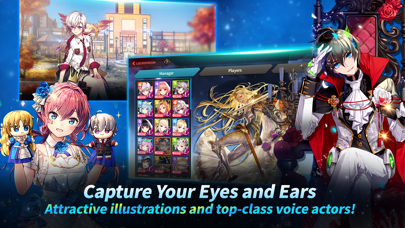
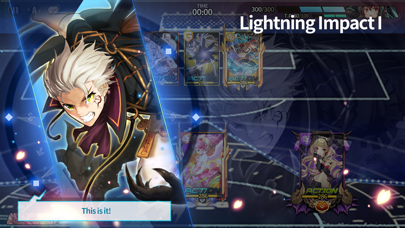
Breathtaking card illustrations!
Featuring 30 voice actors and over 3,000 sound effects!
2. Design the Best Team! Robust Story, Hearty Card Collecting and Upgrading
The game is full of stories of players in five different attributes!
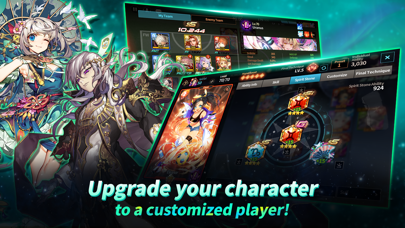
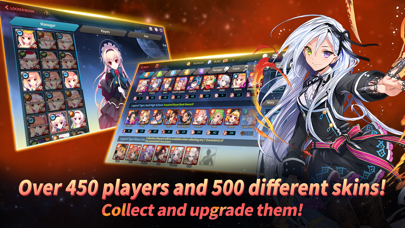
Collect the player cards and upgrade them to build the best team of your own.
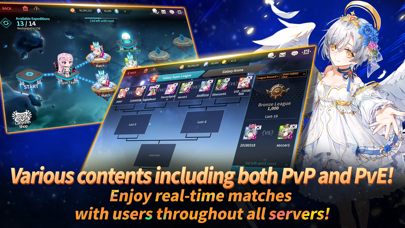
3. 24 Hours is Not Enough! Enjoy Unique PvP and PvE!
No need to worry about Energy! 24 hours a day is not enough to enjoy all the contents in Soccer Spirits!
Enjoy awesome contents including Story, Galaxy League, Colosseum Matches, and more!
Want to know more about the game information, updates, and events?
Official Soccer Spirits Facebook Page
▶https://www.facebook.com/bigballsc
***
▶Notice per Access Authority◀
The app needs permission to access the following to provide game service.
[Required]
None
[Optional Access Rights]
- Camera: This is the right to request when using the camera in the in-game profile.
- Photos: This is the right to request when uploading photos from your device to the in-game profile.
- Notification: This is the right to request when you want to receive push messages for the game.
- ID for Advertisers: This is the right to request the use of ID for Advertisers (IDFA) for promotion targeting and tracking analysis.
▶How to cancel the access authority you granted
You can change the access authority settings or deny the permission you gave even after you've agreed to the above.
***
•Language support: English, Français, Deutsch, 한국어, 中文简体, 中文繁體, 日本語, ภาษาไทย and Español
• Items are available for purchase in this game. Some paid items may not be refundable depending on the type of item.
• For Com2uS Mobile Game Terms of Service, visit http://www.withhive.com/.
- Terms of Service: http://terms.withhive.com/terms/policy/view/M9/T1
- Privacy Policy: http://terms.withhive.com/terms/policy/view/M9/T3
• For questions or customer support, please contact our Customer Support by visiting http://customer-m.withhive.com/ask.
- iPhone o iPad con o sin Jailbreak.
- Sideloadly u otras alternativas.
- Ordenador con Windows/macOS/Linux e iTunes instalado.
PASO 1: Descargue el archivo .IPA pre-modificado desde el enlace de arriba a su ordenador. Para descargarlo desde la iOSGods App, consulte nuestro Tutorial de descarga del IPA desde la iOSGods App, que incluye un ejemplo en vídeo.
PASO 2: Descargue Sideloadly e instálelo en su Windows o Mac.
PASO 3: Abra Sideloadly en su ordenador, conecte su dispositivo iOS y espere hasta que el nombre del dispositivo aparezca en Sideloadly.
PASO 4: Una vez que su iDevice sea reconocido, arrastre el archivo .IPA modificado que descargó y suéltelo en la aplicación Sideloadly.
PASO 5: Introduzca el correo electrónico de su Apple Account y, a continuación, pulse «Start». Le pedirá que introduzca su contraseña. Proporcione la información solicitada.
PASO 6: Espere a que Sideloadly termine de hacer sideload/instalar el IPA modificado. Si surgen problemas durante la instalación, por favor lea la nota a continuación.
PASO 7: Una vez completada la instalación y al ver la app en la pantalla de inicio, deberá ir a Ajustes → General → Perfiles / VPN y Gestión de Dispositivos. Una vez allí, toque el correo electrónico que introdujo en el paso 6 y, después, toque en «Confiar en [email protected]».
PASO 8: Ahora vaya a la pantalla de inicio y abra la app recién instalada; todo debería funcionar correctamente. Es posible que tenga que seguir instrucciones adicionales específicas de cada app dentro del popup del hack en el juego.
NOTA: En iOS/iPadOS 16 y posteriores, debe activar el Modo Desarrollador. Para cuentas gratuitas de Apple Developer, deberá repetir este proceso cada 7 días. Si tiene alguna pregunta o problema, lea nuestra sección de Preguntas Frecuentes de Sideloadly del tema.