تسجيل الدخول مطلوب
سجّل الدخول بحساب iOSGods للمتابعة.
سجّل الدخول بحساب iOSGods للمتابعة.
انطلق عبر مستويات Sweet Cube Blast الملونة الممتعة دون الحاجة للعمل على النجوم أو إكمال المهام في هذه اللعبة المعدلة. يزيل هذا Mod IPA حواجز التقدم ويضيف ميزات الفوز التلقائي والمعززات، مما يتيح لك التركيز على متعة مطابقة المكعبات وحل الألغاز بالسرعة التي تناسبك.
- عدم الحاجة للنجوم والمهام → تجاوز متطلبات النجوم وإكمال المهام
- المعززات → الوصول إلى أدوات القوة
- الفوز التلقائي → إكمال المستويات تلقائياً
يأتي هذا التطبيق أيضًا مع iGameGod، مما يتيح لك الوصول إلى Auto Touch لأتمتة المهام المتكررة، وApp Speed Manager لضبط سرعة اللعب، وتعديل القيم عبر Memory Engine، والمزيد من أدوات ألعاب iOS القوية.
قم بتنزيل Sweet Cube Blast iOS Mod IPA من الروابط أعلاه. اضغط على زر التثبيت واتبع التعليمات لتثبيت هذا التعديل لـ iOS على iPhone أو iPad أو Apple Silicon.
هل تحتاج إلى مزيد من المساعدة؟ راجع الأسئلة الشائعة لتطبيق iOSGods للحصول على إجابات مفصلة ونصائح لاستكشاف الأخطاء.
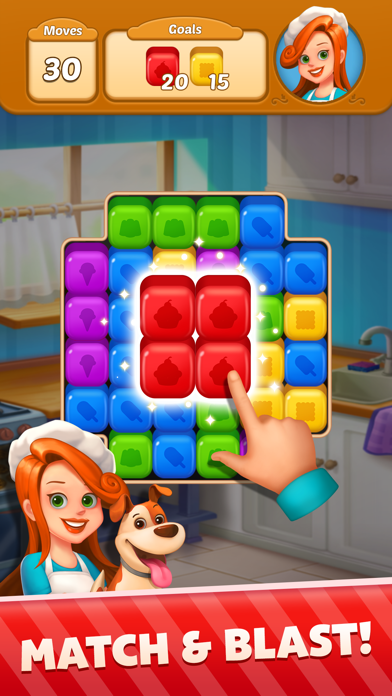
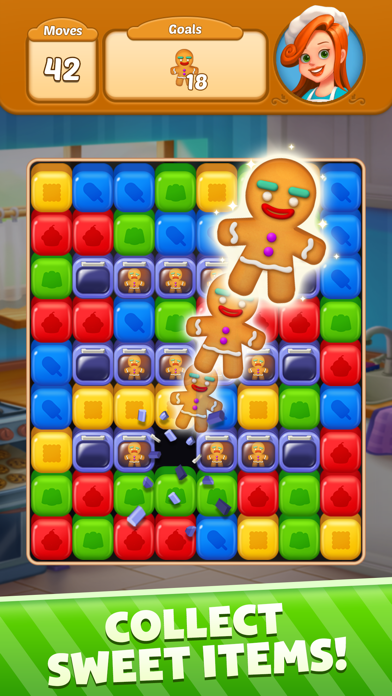
Get ready to indulge in a delightful world of Sweet Cube Blast! In this exciting same-match blast game, you’ll join Nancy, a talented home baker, and her trusty companion, Jack on a sweet journey to become the most renowned pastry chefs in town! With hundreds of unique and challenging levels, Sweet Cube Blast offers a fun family-friendly game that’s easy to learn but hard to master.
Blast colorful cubes and solve challenging puzzles to create powerful boosters that will help you overcome difficult obstacles! With Jack by your side, you’ll navigate your way through a sweet adventure and face exciting daily challenges that will keep you entertained for hours. Use special power-ups like rockets or bombs to help you complete harder levels and enjoy a variety of missions.
But that’s not all all! Sweet Cube Blast now offers an updated and improved user experience. Enjoy a smoother gameplay, new levels and challenges, and even more colorful graphics and animations. And with the option to purchase in-app items like ad-free or coins, you can enhance your gaming experience even further.
So what are you waiting for? Join Nancy and Jack on their sweet adventure and grab a sweet treat to enjoy as you match and blast your way through this addictive puzzle game!
HOW TO PLAY
• Tap on 2+ adjacent cubes of the same color to blast!
• Match the cubes in fewer moves to score higher.
• Reach your goal by matching every cube carefully.
• Blast many cubes at the same time to create awesome boosters.
GAME FEATURES
• Hundreds of addicting levels!
• Gorgeous and colorful game graphics.
• Full of exciting challenges and daily rewards.
• No wifi required. Play offline!
NOTES
• Sweet Cube Blast is free to play, but you can purchase in-app items.
• Sweet Cube Blast contains advertisements.
• Sweet Cube Blast is optimized for smartphones & tablets.
E-MAIL
• [email protected]
PRIVACY POLICY
• https://www.bitmango.com/privacy-policy/
Have fun & enjoy!

- iPhone أو iPad بجيلبريك أو بدون جيلبريك.
- Sideloadly أو بدائلها.
- كمبيوتر يعمل بنظام Windows/macOS/Linux مع تثبيت iTunes.
الخطوة 1: قم بتنزيل ملف .IPA المعدّل مسبقًا من الرابط أعلاه إلى الكمبيوتر الخاص بك. للتنزيل من تطبيق iOSGods App، اطلع على دليل تنزيل IPA من تطبيق iOSGods App الذي يتضمن مثالًا بالفيديو.
الخطوة 2: قم بتنزيل Sideloadly وتثبيته على جهاز Windows أو Mac.
الخطوة 3: افتح Sideloadly على الكمبيوتر، ووصّل جهاز iOS الخاص بك، وانتظر حتى يظهر اسم جهازك داخل Sideloadly.
الخطوة 4: بمجرد التعرّف على جهاز iDevice الخاص بك، اسحب ملف .IPA المعدّل الذي قمت بتنزيله وأفلِته داخل تطبيق Sideloadly.
الخطوة 5: أدخل البريد الإلكتروني لحساب Apple Account الخاص بك، ثم اضغط على «Start». سيُطلب منك بعد ذلك إدخال كلمة المرور. تابع وأدخل المعلومات المطلوبة.
الخطوة 6: انتظر حتى ينتهي Sideloadly من تحميل/تثبيت ملف IPA المعدّل. في حال واجهت أي مشاكل أثناء التثبيت، يرجى قراءة الملاحظة أدناه.
الخطوة 7: بعد اكتمال التثبيت ورؤية التطبيق على الشاشة الرئيسية، انتقل إلى Settings → General → Profiles / VPN & Device Management. ثم اضغط على البريد الإلكتروني الذي أدخلته في الخطوة 6، ثم اضغط على «الوثوق بـ [email protected]».
الخطوة 8: الآن انتقل إلى الشاشة الرئيسية وافتح التطبيق الذي تم تثبيته للتو وسيعمل كل شيء بشكل صحيح. قد تحتاج إلى اتباع تعليمات إضافية خاصة بكل تطبيق داخل النافذة المنبثقة للتعديل أثناء اللعب.
ملاحظة: بدءًا من iOS/iPadOS 16 وما بعده، يجب تفعيل وضع المطور (Developer Mode). بالنسبة لحسابات Apple Developer المجانية، ستحتاج إلى تكرار هذه العملية كل 7 أيام. إذا كانت لديك أي أسئلة أو مشاكل، يرجى قراءة قسم الأسئلة الشائعة حول Sideloadly في الموضوع.