تسجيل الدخول مطلوب
سجّل الدخول بحساب iOSGods للمتابعة.
سجّل الدخول بحساب iOSGods للمتابعة.
This medieval tycoon hack unlocks a cheat menu for Stronghold Dude: Dragon Rising, letting you bypass grinding and reshape your empire-building strategy on iOS. Hold the settings button until the cheat menu appears, enter password 2424, and gain instant access to resource boosts, AI allies, and mission skips that transform how you play.
Whether you're tired of slow resource accumulation or want to experiment with different tactics without the time investment, this mod IPA gives you the freedom to focus on the fun parts, strategy, battles, and building your legendary stronghold, rather than waiting for timers.
- Cheat Menu (Hold the setting button until cheat is appear. Password is 2424) → Access all cheats via a hidden menu
- Add All Resources → Instantly boost your stockpile
- Add bot player to help you → Recruit an AI ally for battles and tasks
- Skip mission (Safe and Unsafe way) → Progress through the story at your own pace
This hack was made by @Cashlaz for iOSGods.com!
يأتي هذا التطبيق أيضًا مع iGameGod، مما يتيح لك الوصول إلى Auto Touch لأتمتة المهام المتكررة، وApp Speed Manager لضبط سرعة اللعب، وتعديل القيم عبر Memory Engine، والمزيد من أدوات ألعاب iOS القوية.
قم بتنزيل Stronghold Dude: Dragon Rising Hack modded IPA من الروابط أعلاه. اضغط على زر التثبيت واتبع التعليمات لتثبيت هذا التعديل لـ iOS على iPhone أو iPad أو Apple Silicon.
هل تحتاج إلى مزيد من المساعدة؟ راجع الأسئلة الشائعة لتطبيق iOSGods للحصول على إجابات مفصلة ونصائح لاستكشاف الأخطاء.
Welcome to Stronghold Dude: Build Your Medieval Empire.
Are you ready to start your epic journey and build your own city and empire? Dive into the immersive world of Stronghold Dude, a tycoon game that lets you shape your success story! Try to survive in this epic world full of battles, stories about knights and princesses, and legendary dragons.
Download Stronghold Dude: Battles and Conquest now and play for absolutely FREE, a game of survival, tactics, planning, battles, and magical adventures.
- Resources are the basis of prosperity
Effective management of resources is the key to the success of any civilization. Create an optimal system of collection, storage, and distribution of resources.
- Expand your Kingdom
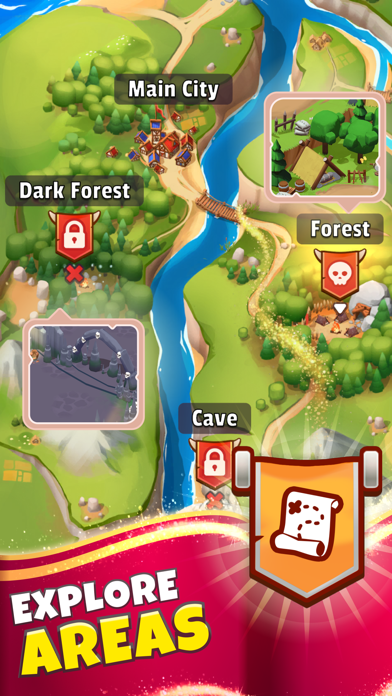
By building sawmills and weapons workshops, we contribute to the development of our civilization, transforming it from a peaceful settlement into a powerful military power. Gather resources, strengthen your army, build a powerful economy, and defend your borders.
- Grow your own Battle Dragon!
Your dragon will evolve from a hatchling to a fearsome adult.
Equip it with armor, sharpen its claws, and unleash it in epic battles.
- Fight the Robbers and Defeat the Formidable Bosses
Enjoy awesome raids and epic battles in Stronghold Dude: Fight & Survive. Improve your fighting skills and become a real knight capable of protecting your settlement. Destroy bosses in epic clashes and collect magical rewards. And the main goal is to save the princess from the hands of the evil king.
- Command your own army
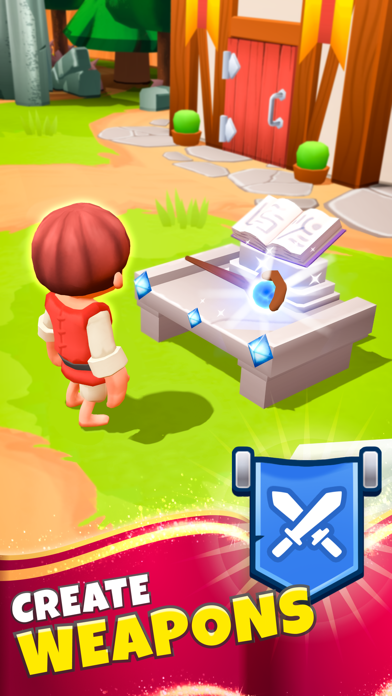
Craft a variety of weapons in the armory, providing the army with a deadly tool for defense. Recruit new warriors and improve their skills in battles. Your army becomes your shield against invaders and a force to reckon with on the battlefield.
Choose your own strategy for the development of your kingdom. Will you be a benevolent ruler, a cunning strategist, or a ruthless conqueror? Tycoon games let you make this choice, choose correctly - the survival of your medieval empire lies in your hands!

- iPhone أو iPad بجيلبريك أو بدون جيلبريك.
- Sideloadly أو بدائلها.
- كمبيوتر يعمل بنظام Windows/macOS/Linux مع تثبيت iTunes.
الخطوة 1: قم بتنزيل ملف .IPA المعدّل مسبقًا من الرابط أعلاه إلى الكمبيوتر الخاص بك. للتنزيل من تطبيق iOSGods App، اطلع على دليل تنزيل IPA من تطبيق iOSGods App الذي يتضمن مثالًا بالفيديو.
الخطوة 2: قم بتنزيل Sideloadly وتثبيته على جهاز Windows أو Mac.
الخطوة 3: افتح Sideloadly على الكمبيوتر، ووصّل جهاز iOS الخاص بك، وانتظر حتى يظهر اسم جهازك داخل Sideloadly.
الخطوة 4: بمجرد التعرّف على جهاز iDevice الخاص بك، اسحب ملف .IPA المعدّل الذي قمت بتنزيله وأفلِته داخل تطبيق Sideloadly.
الخطوة 5: أدخل البريد الإلكتروني لحساب Apple Account الخاص بك، ثم اضغط على «Start». سيُطلب منك بعد ذلك إدخال كلمة المرور. تابع وأدخل المعلومات المطلوبة.
الخطوة 6: انتظر حتى ينتهي Sideloadly من تحميل/تثبيت ملف IPA المعدّل. في حال واجهت أي مشاكل أثناء التثبيت، يرجى قراءة الملاحظة أدناه.
الخطوة 7: بعد اكتمال التثبيت ورؤية التطبيق على الشاشة الرئيسية، انتقل إلى Settings → General → Profiles / VPN & Device Management. ثم اضغط على البريد الإلكتروني الذي أدخلته في الخطوة 6، ثم اضغط على «الوثوق بـ [email protected]».
الخطوة 8: الآن انتقل إلى الشاشة الرئيسية وافتح التطبيق الذي تم تثبيته للتو وسيعمل كل شيء بشكل صحيح. قد تحتاج إلى اتباع تعليمات إضافية خاصة بكل تطبيق داخل النافذة المنبثقة للتعديل أثناء اللعب.
ملاحظة: بدءًا من iOS/iPadOS 16 وما بعده، يجب تفعيل وضع المطور (Developer Mode). بالنسبة لحسابات Apple Developer المجانية، ستحتاج إلى تكرار هذه العملية كل 7 أيام. إذا كانت لديك أي أسئلة أو مشاكل، يرجى قراءة قسم الأسئلة الشائعة حول Sideloadly في الموضوع.