تسجيل الدخول مطلوب
سجّل الدخول بحساب iOSGods للمتابعة.
سجّل الدخول بحساب iOSGods للمتابعة.
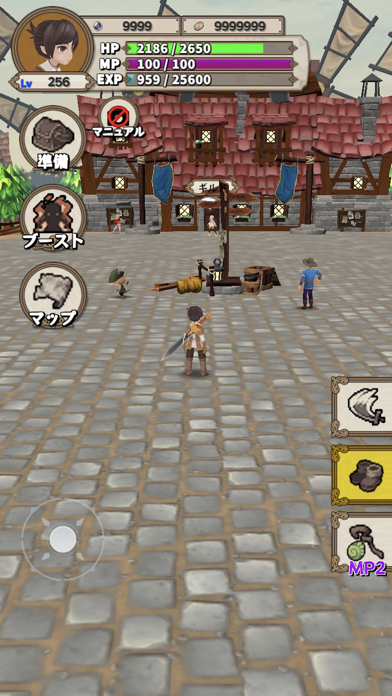
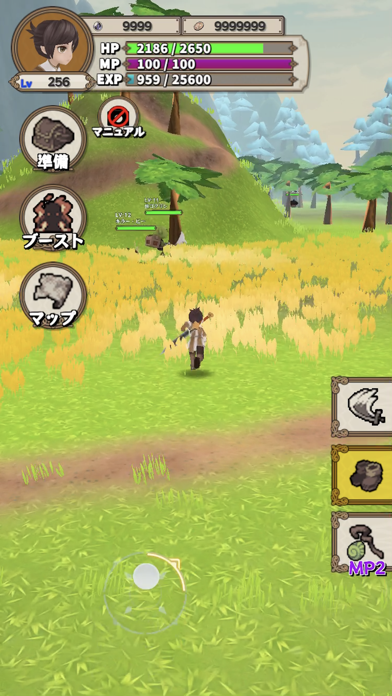
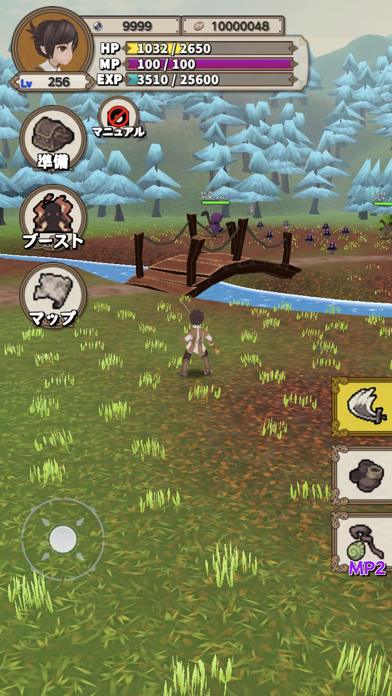
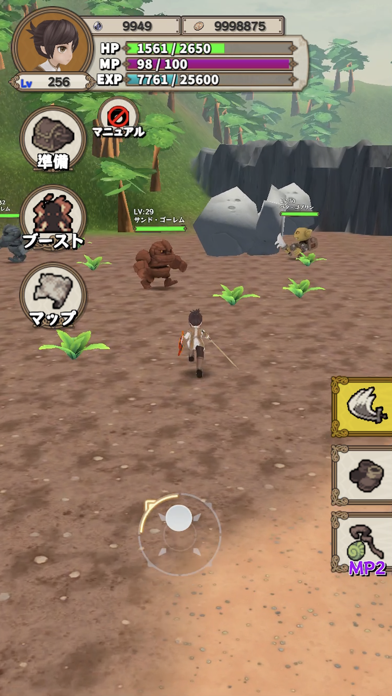
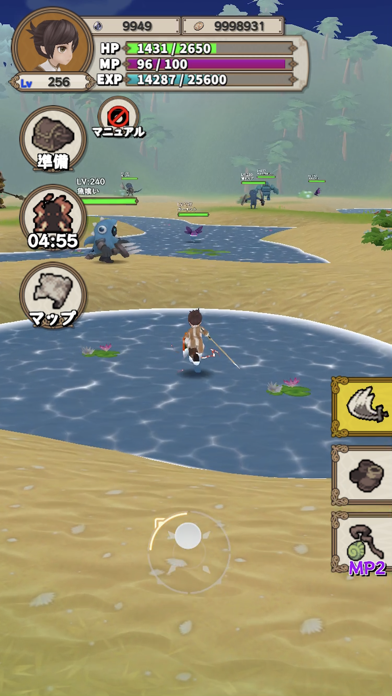
اصطد الوحوش بلا حدود عبر جزيرة وشاهد قوتك تنمو بلا نهاية في Levelup RPG Hack، لعبة RPG معدلة على iOS حيث تصعد مستويات لفتح مناطق جديدة وكسب البلورات للحصول على معدات أقوى. يحول هذا التعديل الرتابة بضرب مكافآتك وإزالة حدود البقاء، مما يتيح لك التركيز على التقدم والاستكشاف البحت.
سواء كنت تسعى للوصول للمستوى الأقصى أو اختبار ترسانتك ضد أعداء أقوى، تمنحك ميزات التعديل السيطرة على الوتيرة، وتضخم الغنائم والعملات، وتعزز مكاسب الخبرة، أو تجعلك لا تقهر أثناء الزراعة وتوسيع أراضيك.
- مضاعف الضرر → زيادة إنتاج هجومك
- عدم الموت → البقاء على قيد الحياة بلا حدود
- مضاعف الغنائم → اكسب المزيد من الكنوز لكل وحش
- إضافة الأحجار الكريمة → احصل على عملة إضافية للترقيات
- إضافة الذهب → تراكم الثروة بشكل أسرع
- إضافة الخبرة → صعود المستويات بشكل أسرع
- إضافة كل شيء → تعزيز جميع الموارد في وقت واحد
يأتي هذا التطبيق أيضًا مع iGameGod، مما يتيح لك الوصول إلى Auto Touch لأتمتة المهام المتكررة، وApp Speed Manager لضبط سرعة اللعب، وتعديل القيم عبر Memory Engine، والمزيد من أدوات ألعاب iOS القوية.
قم بتنزيل Levelup RPG Hack modded IPA من الروابط أعلاه. اضغط على زر التثبيت واتبع التعليمات لتثبيت هذا التعديل لـ iOS على iPhone أو iPad أو Apple Silicon.
هل تحتاج إلى مزيد من المساعدة؟ راجع الأسئلة الشائعة لتطبيق iOSGods للحصول على إجابات مفصلة ونصائح لاستكشاف الأخطاء.
==========================
Game introduction
==========================
Hunt the monsters that overflow all over the island
Since monsters spring up infinitely, you can raise the level infinitely! !!
Get crystals when you raise the level!
Get a powerful sword with crystals! !!
==========================
how to play
==========================
Let's defeat the monsters!
By satisfying the conditions, the area that can be moved will increase!
What are the conditions ...
・ Raise to a certain level.
-Defeat a specific monster. Such...
==========================
End content
==========================
Subjugation of the Demon King sleeping on the island
==========================
Method of operation
==========================
Move ...
Scroll the bottom half of the screen
Camera move ...
Scroll the top half of the screen left and right
battle...
Press the [Strike] button to approach the enemy
escape...
Press the [Nigeru] button. (Even if you approach the enemy, it will not be a battle)
recovery...
Press the [Kaifuku] button. Recovers 20% of HP
==========================
Additional content
==========================
Raise the level of the sword ...
Using materials that monsters drop,
You can raise the level of your sword! !!
Sword synthesis ...
If you have duplicate swords, combine the swords and
Power up. (Separate from level up)
Skill panel ...
Skill points will be allocated as you level up.
By using skill points, the hero's stats will increase.

- iPhone أو iPad بجيلبريك أو بدون جيلبريك.
- Sideloadly أو بدائلها.
- كمبيوتر يعمل بنظام Windows/macOS/Linux مع تثبيت iTunes.
الخطوة 1: قم بتنزيل ملف .IPA المعدّل مسبقًا من الرابط أعلاه إلى الكمبيوتر الخاص بك. للتنزيل من تطبيق iOSGods App، اطلع على دليل تنزيل IPA من تطبيق iOSGods App الذي يتضمن مثالًا بالفيديو.
الخطوة 2: قم بتنزيل Sideloadly وتثبيته على جهاز Windows أو Mac.
الخطوة 3: افتح Sideloadly على الكمبيوتر، ووصّل جهاز iOS الخاص بك، وانتظر حتى يظهر اسم جهازك داخل Sideloadly.
الخطوة 4: بمجرد التعرّف على جهاز iDevice الخاص بك، اسحب ملف .IPA المعدّل الذي قمت بتنزيله وأفلِته داخل تطبيق Sideloadly.
الخطوة 5: أدخل البريد الإلكتروني لحساب Apple Account الخاص بك، ثم اضغط على «Start». سيُطلب منك بعد ذلك إدخال كلمة المرور. تابع وأدخل المعلومات المطلوبة.
الخطوة 6: انتظر حتى ينتهي Sideloadly من تحميل/تثبيت ملف IPA المعدّل. في حال واجهت أي مشاكل أثناء التثبيت، يرجى قراءة الملاحظة أدناه.
الخطوة 7: بعد اكتمال التثبيت ورؤية التطبيق على الشاشة الرئيسية، انتقل إلى Settings → General → Profiles / VPN & Device Management. ثم اضغط على البريد الإلكتروني الذي أدخلته في الخطوة 6، ثم اضغط على «الوثوق بـ [email protected]».
الخطوة 8: الآن انتقل إلى الشاشة الرئيسية وافتح التطبيق الذي تم تثبيته للتو وسيعمل كل شيء بشكل صحيح. قد تحتاج إلى اتباع تعليمات إضافية خاصة بكل تطبيق داخل النافذة المنبثقة للتعديل أثناء اللعب.
ملاحظة: بدءًا من iOS/iPadOS 16 وما بعده، يجب تفعيل وضع المطور (Developer Mode). بالنسبة لحسابات Apple Developer المجانية، ستحتاج إلى تكرار هذه العملية كل 7 أيام. إذا كانت لديك أي أسئلة أو مشاكل، يرجى قراءة قسم الأسئلة الشائعة حول Sideloadly في الموضوع.