Inloggning krävs
Logga in med ditt iOSGods-konto för att fortsätta.
Logga in med ditt iOSGods-konto för att fortsätta.

Obegränsade valutor, Gudläge och Enkel dödsstöt förvandlar Zombie Streets: GPS AR Shooter till en oöverstiglig modifierad upplevelse där du dominerar den odöda apokalypsen utan resursbegränsningar eller fara. Denna iOS Mod IPA ger dig fördelen att överleva varje möte och återta mänsklighetens sista fästen med taktisk frihet.
- Obegränsade valutor → spendera fritt på uppgraderingar och förnödenheter
- Gudläge → ta ingen skada från zombieattacker
- Enkel dödsstöt → eliminera vilken zombie som helst med ett enda skott
Den här appen levereras även med iGameGod, vilket ger dig tillgång till Auto Touch för att automatisera repetitiva uppgifter, App Speed Manager för justerbar spelhastighet, värdesredigering med Memory Engine och fler kraftfulla verktyg för iOS-spel.
Ladda ner Zombie Streets: GPS AR Shooter iOS Mod IPA från länkarna ovan. Tryck på installationsknappen och följ instruktionerna för att installera denna iOS-apphack på iPhone, iPad eller Apple Silicon.
Behöver du mer hjälp? Se våra iOSGods-appens vanliga frågor för detaljerade svar och felsökningstips.
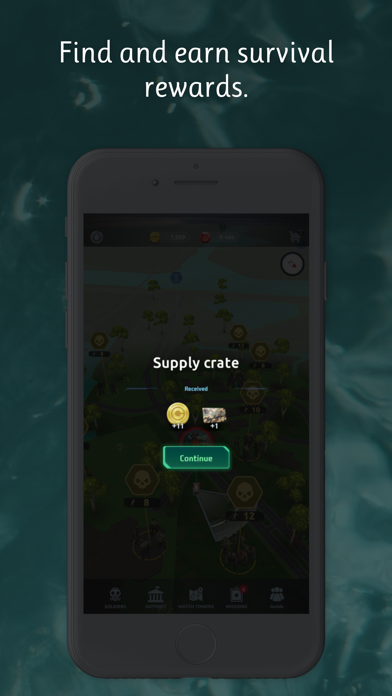
Welcome to the Zombie Apocalypse! Are you ready to survive?
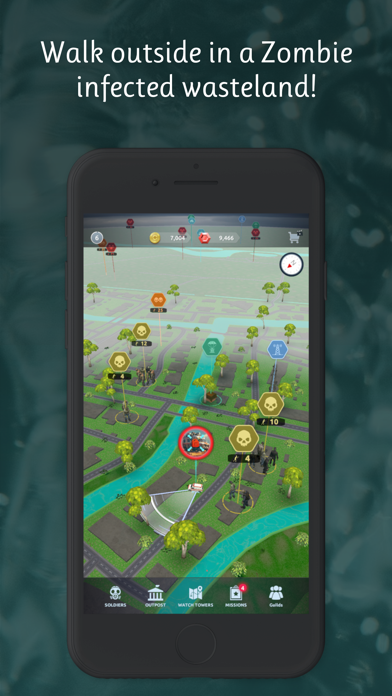
In "Zombie Streets," the undead roam the streets, and it's up to you and your battle squad to fend off the hordes and reclaim humanity's last bastions of safety. Combining heart-pounding action with strategic depth, this GPS location-based shooter game puts you at the center of the undead uprising.
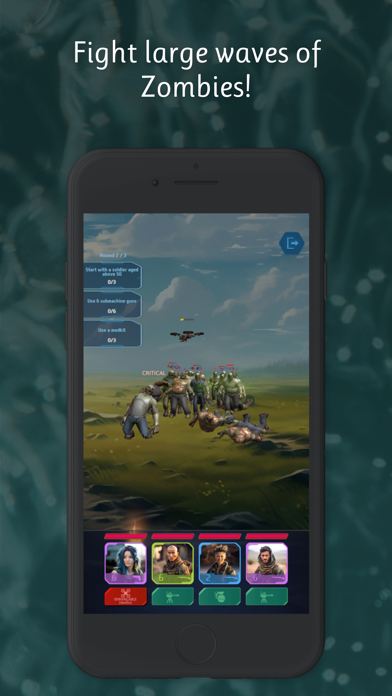
- Fight for Survival: Armed with your squad, venture into the post-apocalyptic landscape and engage in intense battles against waves of ravenous zombies. Your tactical skills will be put to the test as you strategize every move to outsmart the undead menace.
- Navigate the Real World: Utilize GPS technology to explore a world overrun by zombies. Move across real-world locations as you scavenge for resources, fortify your defenses, and uncover hidden secrets scattered throughout the map.
- Epic Battles: Encounter various types of zombies, each with its own strengths and weaknesses. From slow-moving walkers, to agile sprinters, adapt your tactics and weaponry to survive the relentless onslaught.
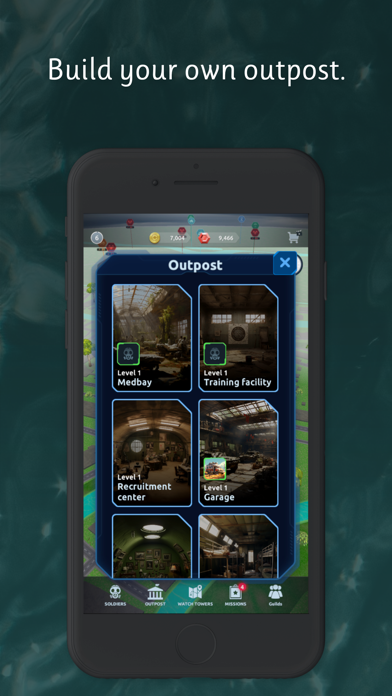
- Build Your Outpost: Establish a stronghold amidst the chaos by constructing buildings that offer vital upgrades.
- Form Alliances: Team up with other survivors by joining multiplayer guilds. Work together to complete missions. Stay connected with fellow guild members through in-game chat, and shoot flares to travel to each other's real-world location!
- Unlock Vehicles: Gain access to a variety of vehicles that allow you to traverse the wasteland with ease. Upgrade your rides for enhanced speed, durability, and firepower, granting you the freedom to explore distant locations beyond the reach of GPS.
- Rewards and Challenges: Take on missions that offer unique rewards, ranging from valuable loot to rare equipment.
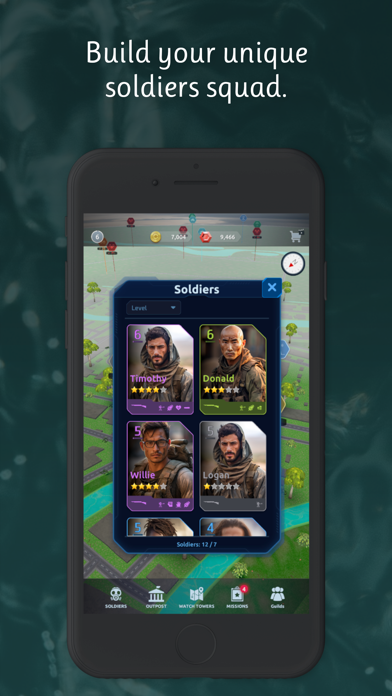
- Unique Battle Features: Each soldier has a special skill which can be used during battles, like drones, turrets, mines, and grenades to unleash devastating attacks on the undead. Each soldier possesses unique attributes that unlock special qualities, making them indispensable assets on the battlefield. Explore a wide array of weapon types, like assault rifles, shotguns, pistols, snipers, and submachine guns. Each with its own characteristics and strategic advantages, to gain the upper hand against your undead adversaries.
Gear up, rally your squad, and prepare for the ultimate showdown against the zombie horde. The fate of humanity hangs in the balance, and only the strongest and most cunning will emerge victorious. Can you survive the "Zombie Streets"? Join the fight now!
- iPhone eller iPad utan jailbreak/jailad eller med jailbreak.
- Sideloadly eller alternativ.
- Dator med Windows/macOS/Linux och iTunes installerat.
STEG 1: Ladda ner den förhackade .IPA-filen från länken ovan till din dator. För att ladda ner från iOSGods App, se vår Guide för att ladda ner IPA i iOSGods App som även innehåller ett videoexempel.
STEG 2: Ladda ner Sideloadly och installera det på din Windows eller Mac.
STEG 3: Öppna Sideloadly på din dator, anslut din iOS-enhet och vänta tills enhetens namn visas i Sideloadly.
STEG 4: När din iEnhet känns igen drar du den moddade .IPA-filen du laddat ner och släpper den i Sideloadly-programmet.
STEG 5: Ange e-postadressen till ditt Apple Account och tryck sedan på ”Start”. Du ombeds sedan ange ditt lösenord. Fyll i de uppgifter som krävs.
STEG 6: Vänta tills Sideloadly är klar med att sideloada/installera den hackade IPA-filen. Om problem uppstår under installationen, läs noten nedan.
STEG 7: När installationen är klar och du ser appen på din hemskärm behöver du gå till Inställningar → Allmänt → Profiler / VPN & enhetshantering. Tryck där på e-postadressen du angav i steg 6 och tryck sedan på ”Lita på [email protected]”.
STEG 8: Gå nu till din hemskärm och öppna den nyligen installerade appen — allt ska fungera som det ska. Du kan behöva följa ytterligare app-specifika instruktioner i hackets popup inne i spelet.
OBS: På iOS/iPadOS 16 och senare måste du aktivera Utvecklarläge. För gratis Apple Developer-konton behöver du upprepa processen var sjunde dag. Om du har frågor eller problem, läs vår Sideloadly FAQ-avsnitt i tråden.



![Path of Kings iOS Mod IPA [ Debug Menu ]](https://is1-ssl.mzstatic.com/image/thumb/Purple211/v4/63/d0/71/63d0712a-dc71-638b-573c-1977509e82e9/AppIcon-0-0-1x_U007emarketing-0-8-0-85-220.png/100x100bb.jpg)


![Arrow Rush: Archer Roguelike [ Debug Menu ]](https://is1-ssl.mzstatic.com/image/thumb/Purple221/v4/de/03/b2/de03b286-0e30-58a7-14d2-1dedf1ac6bfb/AppIcon-0-0-1x_U007emarketing-0-8-0-85-220.png/100x100bb.jpg)
