تسجيل الدخول مطلوب
سجّل الدخول بحساب iOSGods للمتابعة.
سجّل الدخول بحساب iOSGods للمتابعة.
هذا تطبيق Mod IPA لمحاكاة إمبراطورية العصر الحجري يتيح لك بناء إمبراطوريتك من رجال الكهوف دون مراقبة استنزاف الموارد. Life of King هي لعبة نقرات موجهة بالقرارات حيث تحكم مملكتك في العصر الحجري، لكن هذا التهكير يزيل ندرة الموارد التي عادة ما تحد من تقدمك.
مع هذه النسخة المعدلة، ستركز بشكل كامل على الإستراتيجية والتوسع، مما يتيح لك اتخاذ خيارات جريئة لتحويل رجال الكهوف إلى مزارعين وصيادين وبنائين دون الإرهاق المستمر من إدارة الموارد التي تبطئ تقدمك.
- الأحجار الكريمة لا تنخفض → احتفظ بعملتك المميزة سليمة
- الفاصوليا لا تنخفض → حافظ على احتياطياتك من الفاصوليا
- النحاس لا ينخفض → احفظ إمدادات النحاس لديك
- الطعام لا ينخفض → لا تنفد الطعام أبداً
- المفاتيح لا تنخفض → احتفظ بجميع مفاتيحك متاحة
- الحجر لا ينخفض → احتفظ بحجر غير محدود
- الخشب لا ينخفض → احفظ مخزون الخشب لديك
يأتي هذا التطبيق أيضًا مع iGameGod، مما يتيح لك الوصول إلى Auto Touch لأتمتة المهام المتكررة، وApp Speed Manager لضبط سرعة اللعب، وتعديل القيم عبر Memory Engine، والمزيد من أدوات ألعاب iOS القوية.
قم بتنزيل Life of King: Idle World Sim Hack modded IPA من الروابط أعلاه. اضغط على زر التثبيت واتبع التعليمات لتثبيت هذا التعديل لـ iOS على iPhone أو iPad أو Apple Silicon.
هل تحتاج إلى مزيد من المساعدة؟ راجع الأسئلة الشائعة لتطبيق iOSGods للحصول على إجابات مفصلة ونصائح لاستكشاف الأخطاء.
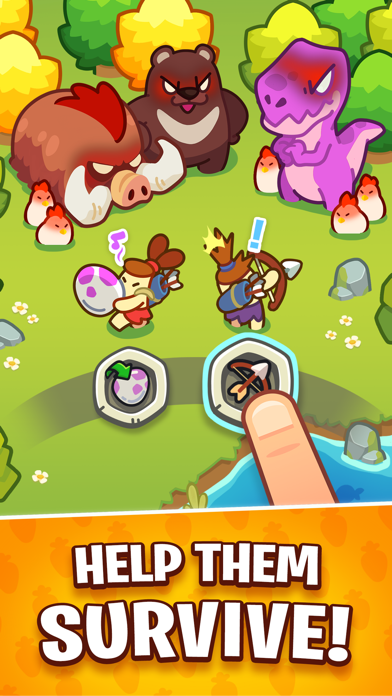
Jump into Life of King, a stone age empire idle clicker tycoon! Reign over your stone age empire with decisions that YOU make! Clich in this idle tycoon and reign supreme over your cavemen and make them build it! Unlike other stone age idle tycoon games or decision based games, you call the shots AND choose how they build it! Manage your resources so your decisions will advance your kingdom and turn the stone age cavemen into capable farmers, lumber gatherers and hunters!
Life of King is a vibrant idle tycoon decision making game full of stone age wonders, wacky decisions, and not-very-smart kings. Lumber villagers going around gathering lumber for houses, expand your city through decisions that will affect your empire forever! Farm stone age fruits and lumber, breed pets like a dinos and reign what your kingdom offer you as tribute!
FEATURES OF Life of King:
- Decision Making: Sim your idle choices wisely and watch your idle tycoon grow, or choose them badly and watch your empire be destroyed!
- Daily Breeding: Raise pets like a dino and feed them your cookies!
- Resource Management: Sim your cavemen for breeding dinos, and some cavemen are suited for farming and making cookies!
- Simple Controls: Simply choose what your villagers should do and wait for the magic to happen!
- Adorable Art: Is there cute pets like a dino? Of course there are!
- Prehistoric Stone Age Empire: Build it or make your decisions that will affect the lives of your villagers and turn them into the best city this world has ever seen!
- Watch Time Pass: Time passes in your empire, so watch as each day comes and goes!
Do you have any problems or suggestions?
Feel free to send an email to [email protected]
We’re always happy to receive our players’ feedback!

- iPhone أو iPad بجيلبريك أو بدون جيلبريك.
- Sideloadly أو بدائلها.
- كمبيوتر يعمل بنظام Windows/macOS/Linux مع تثبيت iTunes.
الخطوة 1: قم بتنزيل ملف .IPA المعدّل مسبقًا من الرابط أعلاه إلى الكمبيوتر الخاص بك. للتنزيل من تطبيق iOSGods App، اطلع على دليل تنزيل IPA من تطبيق iOSGods App الذي يتضمن مثالًا بالفيديو.
الخطوة 2: قم بتنزيل Sideloadly وتثبيته على جهاز Windows أو Mac.
الخطوة 3: افتح Sideloadly على الكمبيوتر، ووصّل جهاز iOS الخاص بك، وانتظر حتى يظهر اسم جهازك داخل Sideloadly.
الخطوة 4: بمجرد التعرّف على جهاز iDevice الخاص بك، اسحب ملف .IPA المعدّل الذي قمت بتنزيله وأفلِته داخل تطبيق Sideloadly.
الخطوة 5: أدخل البريد الإلكتروني لحساب Apple Account الخاص بك، ثم اضغط على «Start». سيُطلب منك بعد ذلك إدخال كلمة المرور. تابع وأدخل المعلومات المطلوبة.
الخطوة 6: انتظر حتى ينتهي Sideloadly من تحميل/تثبيت ملف IPA المعدّل. في حال واجهت أي مشاكل أثناء التثبيت، يرجى قراءة الملاحظة أدناه.
الخطوة 7: بعد اكتمال التثبيت ورؤية التطبيق على الشاشة الرئيسية، انتقل إلى Settings → General → Profiles / VPN & Device Management. ثم اضغط على البريد الإلكتروني الذي أدخلته في الخطوة 6، ثم اضغط على «الوثوق بـ [email protected]».
الخطوة 8: الآن انتقل إلى الشاشة الرئيسية وافتح التطبيق الذي تم تثبيته للتو وسيعمل كل شيء بشكل صحيح. قد تحتاج إلى اتباع تعليمات إضافية خاصة بكل تطبيق داخل النافذة المنبثقة للتعديل أثناء اللعب.
ملاحظة: بدءًا من iOS/iPadOS 16 وما بعده، يجب تفعيل وضع المطور (Developer Mode). بالنسبة لحسابات Apple Developer المجانية، ستحتاج إلى تكرار هذه العملية كل 7 أيام. إذا كانت لديك أي أسئلة أو مشاكل، يرجى قراءة قسم الأسئلة الشائعة حول Sideloadly في الموضوع.