需要登入
請使用您的 iOSGods 帳戶登入以繼續。
請使用您的 iOSGods 帳戶登入以繼續。

Logo Maker - Design Creator Hack 是一款圖形設計應用程式,讓您在 iOS 上無需設計經驗即可建立專業標誌和品牌圖示,此破解版本解鎖了高級功能。從超過 2,000 個範本、數千個圖示、字體、背景和疊加層建立自訂標誌,全部可完全編輯以符合您的願景。
- PRO → 已解鎖
此應用程式也內建 iGameGod,讓你可以使用 Auto Touch 自動執行重複操作、透過 App Speed Manager 調整遊戲速度、使用 Memory Engine 修改記憶體數值,以及更多強大的 iOS 遊戲工具。
從上方連結下載 Logo Maker - Design Creator Hack modded IPA。點選安裝按鈕並依照畫面指示在 iPhone、iPad 或 Apple Silicon 上安裝此 iOS 應用程式修改版。
需要更多協助?請查看我們的 iOSGods 應用程式常見問題 以獲得詳細解答與疑難排解。
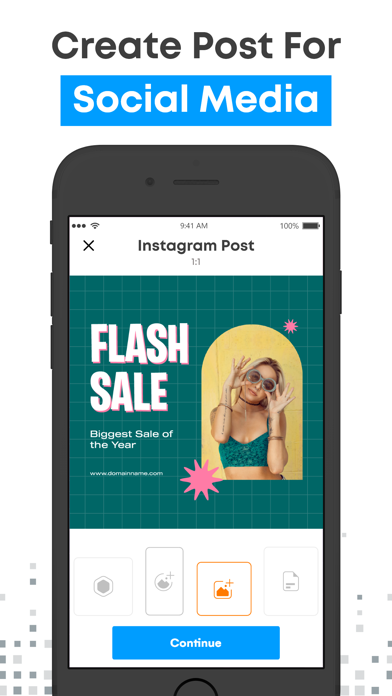
Logo Maker allows you to create the logo of your dreams, without any design skills or technical knowledge, right from your iPhone or iPad in minutes.
Use this app and creating a clean, professional-looking, and marketable brand icon that is no longer something that's left exclusively to experts.
Here's a glimpse of what you get with Logo Maker:
* More than 2000 Logo Templates for your ease.
* 5000+ icons in 30+ categories including Business, Fashion, and Watercolor
* 100+ Backgrounds and 100+ Overlays for extra punch
* 100 Typography fonts to create unique artwork
* Fully editable and customizable templates
* Neatly categorized designs according to industry
* Add customized text like your company name and slogan
* Professional editing features like Flip, Rotate, Resize and lots more
* Create amazing business brand identity in seconds
* Ability to save in your device's gallery after designing
A logo is the foundation of your company's brand, and if you don't know exactly what it should look like? Logo Maker is inundated with tons and tons of ideas. In a matter of minutes, you can generate very cool label ideas with which you can come up with a competition-crushing brand identity. Just your mobile device, two bright eyes that recognize colors, and a bit of knack for creativity.
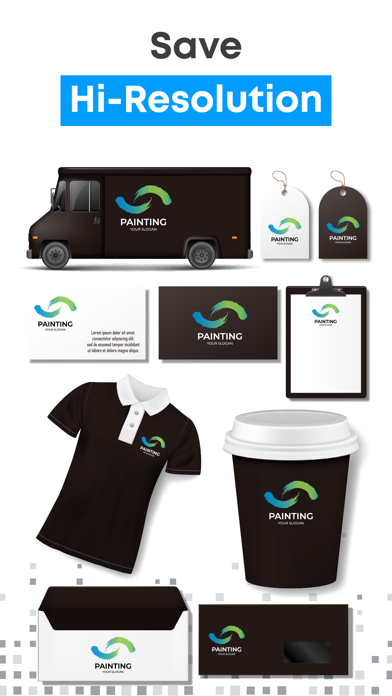
Everything you create with Logo Maker is free to use for commercial and personal purposes, which means you get a ready-to-print label for your business card, stationery, web design, T-shirt design, and more in minutes.
Note:
Payment will be charged to your iTunes account at confirmation of purchase. Your subscription will automatically renew unless auto-renew is turned off at least 24-hours before the end of the current subscription period. Your account will be charged for renewal within 24-hours prior to the end of the current subscription period. Automatic renewals will cost the same price you were originally charged for the subscription. You can manage your subscriptions and turn off auto-renewal by going to your Account Settings on the App Store after purchase. Read our terms of service and Privacy Policy for more information.
Privacy policy
https://www.logomaker.net/privacypolicy
logomaker.net
Terms of use
https://www.logomaker.net/termsofuse
- 未越獄/受限或已越獄的 iPhone 或 iPad。
- Sideloadly 或替代方案。
- 執行 Windows/macOS/Linux 且已安裝 iTunes 的電腦。
步驟 1: 透過上方連結將已破解的 .IPA 檔案下載到您的電腦。若要從 iOSGods App 下載,請參閱我們的 iOSGods App IPA 下載教學,其中包含影片範例。
步驟 2: 下載 Sideloadly 並將其安裝在您的 Windows 或 Mac 上。
步驟 3: 在電腦上開啟 Sideloadly,連接您的 iOS 裝置,並等待裝置名稱出現在 Sideloadly 中。
步驟 4: 當 Sideloadly 辨識到您的 iOS 裝置後,將下載好的修改版 .IPA 檔案拖曳並放到 Sideloadly 應用程式中。
步驟 5: 輸入您的 Apple Account 電子郵件,然後按下「Start」。系統會要求您輸入密碼,請依指示提供所需資訊。
步驟 6: 等待 Sideloadly 完成已破解 IPA 的旁載/安裝。如果安裝過程中發生問題,請閱讀下方的注意事項。
步驟 7: 安裝完成並在主畫面上看到該應用程式後,您需要前往 設定 → 一般 → 描述檔 / VPN 與裝置管理。進入後,點選您在步驟 6 中輸入的電子郵件,然後點選「信任 [email protected]」。
步驟 8: 現在回到主畫面並開啟新安裝的應用程式,一切應該都能正常運作。您可能需要依照遊戲內破解彈出視窗中的進一步指示操作。
注意: 在 iOS/iPadOS 16 及更新版本上,您必須 啟用開發者模式。若使用免費的 Apple Developer 帳號,您將需要每 7 天重複此程序。如有任何疑問或問題,請閱讀我們的 主題中的 Sideloadly 常見問題區段。