需要登入
請使用您的 iOSGods 帳戶登入以繼續。
請使用您的 iOSGods 帳戶登入以繼續。

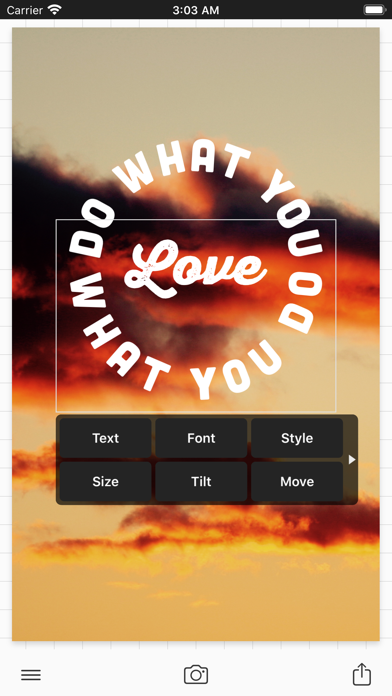
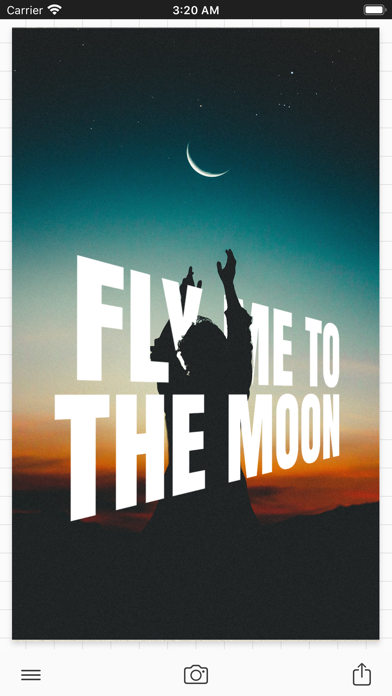
在 Phonto - Text on Photos Hack 中解鎖所有高級字體和設計工具,這是一個 Mod IPA,可移除此文字編輯應用程式的限制。使用超過 400 種字體為圖像添加風格化文字,支援自訂顏色、漸層、陰影、曲線和透視效果,以及裝飾元素和背景,完全無需付費。
- 完全解鎖 → 所有高級功能和字體可用
此應用程式也內建 iGameGod,讓你可以使用 Auto Touch 自動執行重複操作、透過 App Speed Manager 調整遊戲速度、使用 Memory Engine 修改記憶體數值,以及更多強大的 iOS 遊戲工具。
從上方連結下載 Phonto - Text on Photos Hack modded IPA。點選安裝按鈕並依照畫面指示在 iPhone、iPad 或 Apple Silicon 上安裝此 iOS 應用程式修改版。
需要更多協助?請查看我們的 iOSGods 應用程式常見問題 以獲得詳細解答與疑難排解。
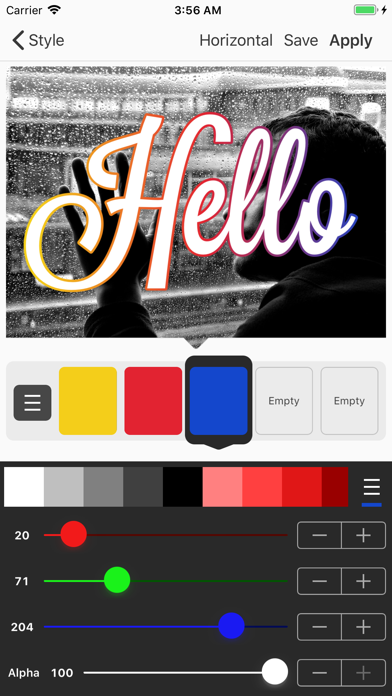
Phonto is a simple app that allows you to add text to pictures.
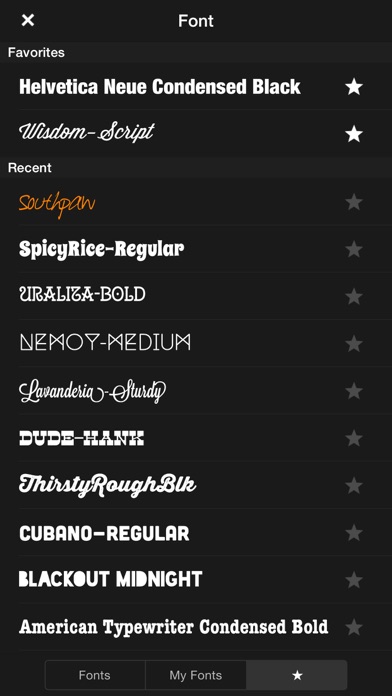
・ More than 400 fonts are available.
・ You can install other fonts.
・ Text size is changeable.
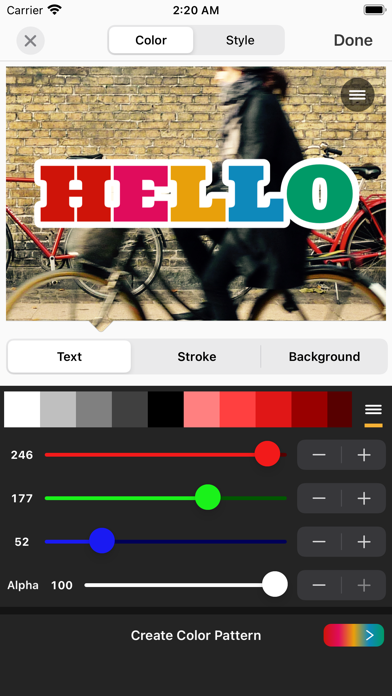
・ Text color is changeable.
・ Text gradient is changeable.
・ Text's stroke color is changeable.
・ Text's shadow color is changeable.
・ Text's background color is changeable.
・ Text is rotatable.
・ Text kerning is changeable.
・ Line spacing is changeable.
・ Curved text.
・ Perspective text.
・ Parts of text are erasable.
・ Image theme is changeable.
・ Items (Balloon, Rectangle, Star, Heart) are available.
・ Background image is changeable.
・ You can use not only pictures, but also plain images to write text.
・ You can share photos on Facebook, Twitter, and Instagram.
・ URL scheme: phonto://
Try Vont app, if you want to add text to videos. Vont is a free app that is available on the App Store.
--------------------------------
LANGUAGE
--------------------------------
Phonto supports only English (US), Chinese and Japanese, so when the priority of Chinese (or Japanese) in your setting was higher than English, Phonto would be launched as Chinese (or Japanese) mode.
To solve this problem…
1. Open the Settings app.
2. Choose 'English' in 'General' > 'Language & Region' > 'iPhone Language'.
3. Turn back your 'iPhone Language' to your favorite language.
--------------------------------
HOW TO INSTALL FONTS
--------------------------------
Using iTunes, you can copy font files between your computer and Phonto on your iOS device.
1. Select your iOS device from the Devices section of iTunes.
2. Click the Apps tab and scroll down to the bottom of the page.
3. Select "Phonto" in the "File Sharing" section.
4. Drag and drop .ttf or .otf font files into "Documents".
5. Restart Phonto.
More detail about how to install fonts.
https://phon.to/install_fonts
Twitter: @phontograph
Tumblr: http://phontogra.ph
https://phon.to
We obtained new URL which links to Phonto on the App Store. We appreciate if you introduce Phonto to your friends.
- 未越獄/受限或已越獄的 iPhone 或 iPad。
- Sideloadly 或替代方案。
- 執行 Windows/macOS/Linux 且已安裝 iTunes 的電腦。
步驟 1: 透過上方連結將已破解的 .IPA 檔案下載到您的電腦。若要從 iOSGods App 下載,請參閱我們的 iOSGods App IPA 下載教學,其中包含影片範例。
步驟 2: 下載 Sideloadly 並將其安裝在您的 Windows 或 Mac 上。
步驟 3: 在電腦上開啟 Sideloadly,連接您的 iOS 裝置,並等待裝置名稱出現在 Sideloadly 中。
步驟 4: 當 Sideloadly 辨識到您的 iOS 裝置後,將下載好的修改版 .IPA 檔案拖曳並放到 Sideloadly 應用程式中。
步驟 5: 輸入您的 Apple Account 電子郵件,然後按下「Start」。系統會要求您輸入密碼,請依指示提供所需資訊。
步驟 6: 等待 Sideloadly 完成已破解 IPA 的旁載/安裝。如果安裝過程中發生問題,請閱讀下方的注意事項。
步驟 7: 安裝完成並在主畫面上看到該應用程式後,您需要前往 設定 → 一般 → 描述檔 / VPN 與裝置管理。進入後,點選您在步驟 6 中輸入的電子郵件,然後點選「信任 [email protected]」。
步驟 8: 現在回到主畫面並開啟新安裝的應用程式,一切應該都能正常運作。您可能需要依照遊戲內破解彈出視窗中的進一步指示操作。
注意: 在 iOS/iPadOS 16 及更新版本上,您必須 啟用開發者模式。若使用免費的 Apple Developer 帳號,您將需要每 7 天重複此程序。如有任何疑問或問題,請閱讀我們的 主題中的 Sideloadly 常見問題區段。