تسجيل الدخول مطلوب
سجّل الدخول بحساب iOSGods للمتابعة.
سجّل الدخول بحساب iOSGods للمتابعة.

يفتح الوصول المميز الكامل تطبيق Reverse Image Search App ليصبح Mod IPA متكاملاً للبحث العكسي عن الصور عبر Google و Bing و Yandex و TinEye بدون حواجز الاشتراك. ابحث عن الصور مباشرة من مكتبة الصور أو الكاميرا أو الحافظة أو الملفات أو عبر رابط، واستخدم الإضافة في iOS في تطبيقات الصور و Safari، واقتص وأدر الصور قبل البحث، وأنشئ سجل بحث قابل للبحث، كل ذلك بدون جدران الدفع.
- مفتوح بالكامل → جميع الميزات المميزة ومحتوى الاشتراك متاح
يأتي هذا التطبيق أيضًا مع iGameGod، مما يتيح لك الوصول إلى Auto Touch لأتمتة المهام المتكررة، وApp Speed Manager لضبط سرعة اللعب، وتعديل القيم عبر Memory Engine، والمزيد من أدوات ألعاب iOS القوية.
قم بتنزيل Reverse Image Search App Hack modded IPA من الروابط أعلاه. اضغط على زر التثبيت واتبع التعليمات لتثبيت هذا التعديل لـ iOS على iPhone أو iPad أو Apple Silicon.
هل تحتاج إلى مزيد من المساعدة؟ راجع الأسئلة الشائعة لتطبيق iOSGods للحصول على إجابات مفصلة ونصائح لاستكشاف الأخطاء.
Reverse Image Search & AI Lens
Search by Image, Photo, or URL – Identify Anything Instantly
Ever wondered where a photo came from or who’s in it? Want to verify content, find similar images, or identify products and places? Reverse Image Search & AI Lens lets you instantly search using any image — powered by Google Lens, Bing, Yandex, and TinEye.
Perfect for detecting fake photos, tracing sources, discovering high-res versions, and identifying anything with AI.
Reverse Image & Keyword Search
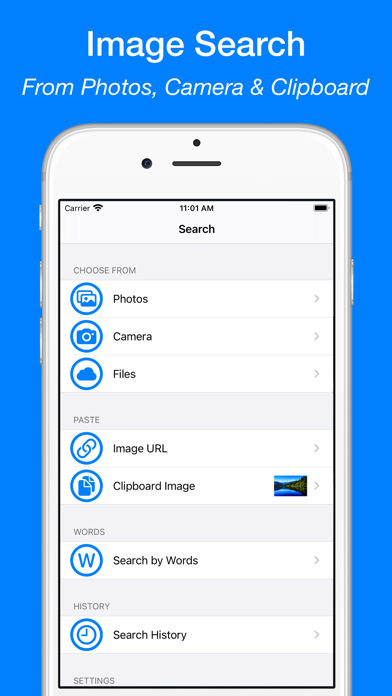
• Search by image from Camera, Photo Library, Clipboard, or Files
• Paste any image URL to search instantly
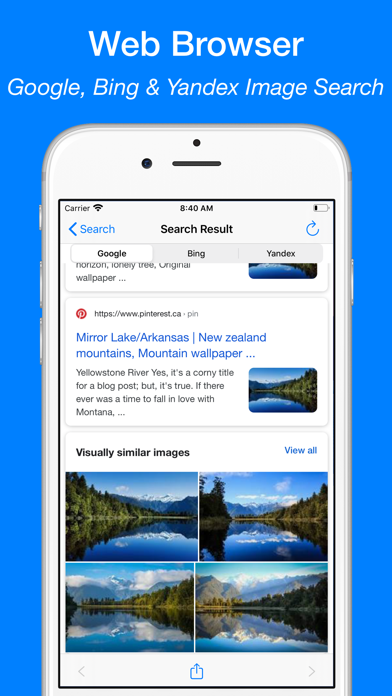
• Use Google Lens, Bing, Yandex, and TinEye for best results
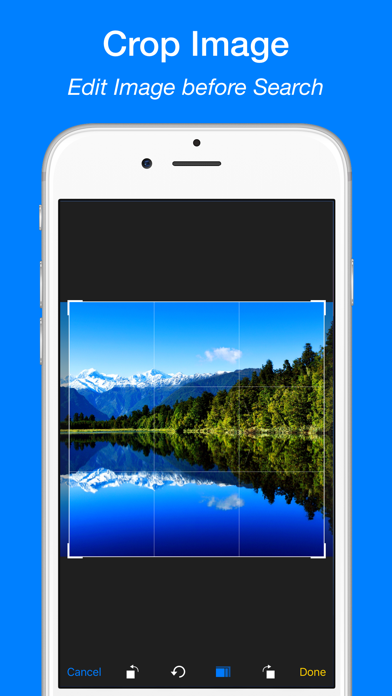
• Crop and rotate images before searching
• Search directly from Safari, Photos, and other apps via Share Extension
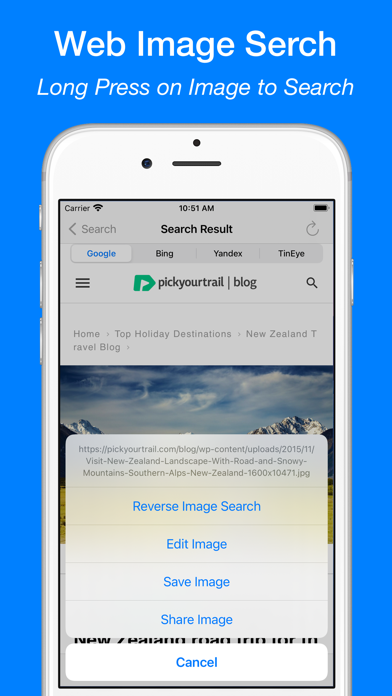
• Long press images in the built-in browser to search
• Search by keywords and phrases
• View and reuse your image search history
• Save images from results to your device
AI Lens – Object Identifier
• Identify landmarks, animals, plants, products, people, places and more
• Get instant info: names, facts, background details
• Auto-save your scan history
• Ask AI Chat for more in-depth explanations and insights about your images
• View and continue your AI Chat history anytime
AI Translator with OCR
• Translate text from images into 40+ languages
• Extract text with high-accuracy OCR
• Translate pasted or typed text instantly
• Copy, save, and share translations
• Access your translation history anytime
WHY CHOOSE REVERSE IMAGE SEARCH & AI LENS?
• Identify anything in a photo with AI
• Trace photo origins and sources
• Detect fake or edited images
• Discover visually similar or higher-resolution versions
• Great for verifying social media photos, memes, or dating profiles
• All-in-one tool for reverse image search, object recognition, and text translation
SUBSCRIPTION:
Payment will be charged to your iTunes Account upon confirmation of purchase. Subscriptions automatically renew unless auto-renew is turned off at least 24 hours before the end of the current period. Your account will be charged for renewal within 24 hours prior to the end of the current period based on the selected plan. You can manage subscriptions and turn off auto-renewal by visiting your Account Settings.
Any unused portion of a free trial period will be forfeited when purchasing a subscription.
Terms of Service: https://www.ipopapp.com/image/terms-of-service/
Privacy Policy: https://www.ipopapp.com/image/privacy-policy/
DISCLAIMER:
This app uses Google, Bing, Yandex, and TinEye within its built-in web browser to perform reverse image searches. It is not affiliated with or endorsed by any of these services.
- iPhone أو iPad بجيلبريك أو بدون جيلبريك.
- Sideloadly أو بدائلها.
- كمبيوتر يعمل بنظام Windows/macOS/Linux مع تثبيت iTunes.
الخطوة 1: قم بتنزيل ملف .IPA المعدّل مسبقًا من الرابط أعلاه إلى الكمبيوتر الخاص بك. للتنزيل من تطبيق iOSGods App، اطلع على دليل تنزيل IPA من تطبيق iOSGods App الذي يتضمن مثالًا بالفيديو.
الخطوة 2: قم بتنزيل Sideloadly وتثبيته على جهاز Windows أو Mac.
الخطوة 3: افتح Sideloadly على الكمبيوتر، ووصّل جهاز iOS الخاص بك، وانتظر حتى يظهر اسم جهازك داخل Sideloadly.
الخطوة 4: بمجرد التعرّف على جهاز iDevice الخاص بك، اسحب ملف .IPA المعدّل الذي قمت بتنزيله وأفلِته داخل تطبيق Sideloadly.
الخطوة 5: أدخل البريد الإلكتروني لحساب Apple Account الخاص بك، ثم اضغط على «Start». سيُطلب منك بعد ذلك إدخال كلمة المرور. تابع وأدخل المعلومات المطلوبة.
الخطوة 6: انتظر حتى ينتهي Sideloadly من تحميل/تثبيت ملف IPA المعدّل. في حال واجهت أي مشاكل أثناء التثبيت، يرجى قراءة الملاحظة أدناه.
الخطوة 7: بعد اكتمال التثبيت ورؤية التطبيق على الشاشة الرئيسية، انتقل إلى Settings → General → Profiles / VPN & Device Management. ثم اضغط على البريد الإلكتروني الذي أدخلته في الخطوة 6، ثم اضغط على «الوثوق بـ [email protected]».
الخطوة 8: الآن انتقل إلى الشاشة الرئيسية وافتح التطبيق الذي تم تثبيته للتو وسيعمل كل شيء بشكل صحيح. قد تحتاج إلى اتباع تعليمات إضافية خاصة بكل تطبيق داخل النافذة المنبثقة للتعديل أثناء اللعب.
ملاحظة: بدءًا من iOS/iPadOS 16 وما بعده، يجب تفعيل وضع المطور (Developer Mode). بالنسبة لحسابات Apple Developer المجانية، ستحتاج إلى تكرار هذه العملية كل 7 أيام. إذا كانت لديك أي أسئلة أو مشاكل، يرجى قراءة قسم الأسئلة الشائعة حول Sideloadly في الموضوع.