ログインが必要
iOSGodsアカウントでサインインして続けてください。
iOSGodsアカウントでサインインして続けてください。

このDU Recorder Mod IPA Hackを使用して、制限なくプレミアム画面録画とライブストリーミングのロックを解除します。ゲームプレイ、ライブショーなどをYouTube、Facebook、Twitchにストリーミングし、高品質録画と強力なビデオ編集ツールを含むすべてのプロ機能に完全にアクセスできます。
- プレミアム → すべてのプロ機能がロック解除されます
このアプリにはiGameGodも搭載されており、繰り返し作業を自動化するAuto Touch、ゲーム速度を調整できるApp Speed Manager、Memory Engineによる値の編集など、強力なiOSゲーム用ツールをご利用いただけます。
DU Recorder - Screen Recorder Hack modded IPAを上のリンクからダウンロードします。インストールボタンをタップし、画面の指示に従ってiPhone、iPad、Apple SiliconにこのiOSアプリハックをインストールします。
さらにヘルプが必要ですか? 詳しい回答とトラブルシューティングはiOSGodsアプリ よくある質問をご覧ください。
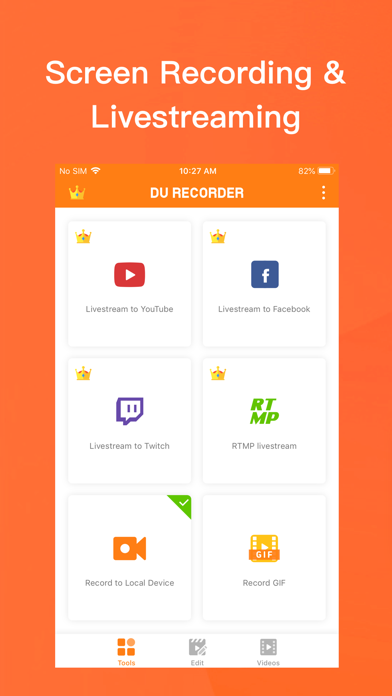
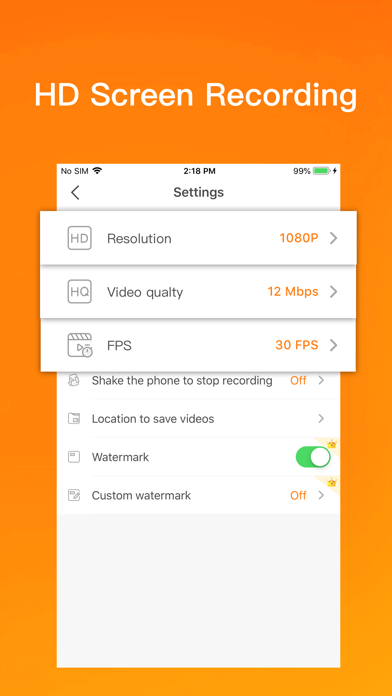
DU Recorder is a reliable, and easy-to-use stream creator and screen recorder. With DU Recorder, you can livestream your screen to YouTube, Facebook and Twitch and record screen videos. DU Recorder makes it easy to livestream and record content from your screen, like games, live shows, sports, and more.
Advantages:
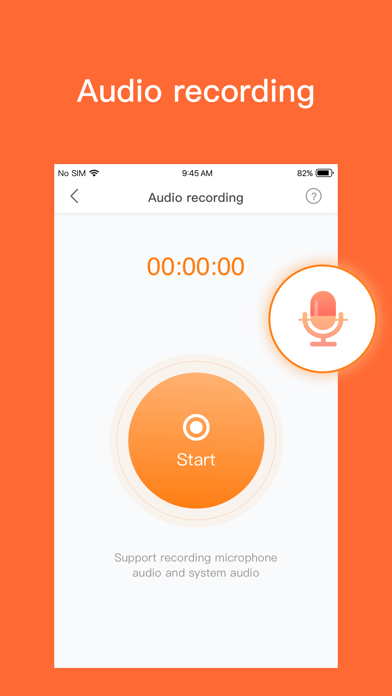
- Support audio recording
- HIGH-QUALITY livestreaming and recording
Features:
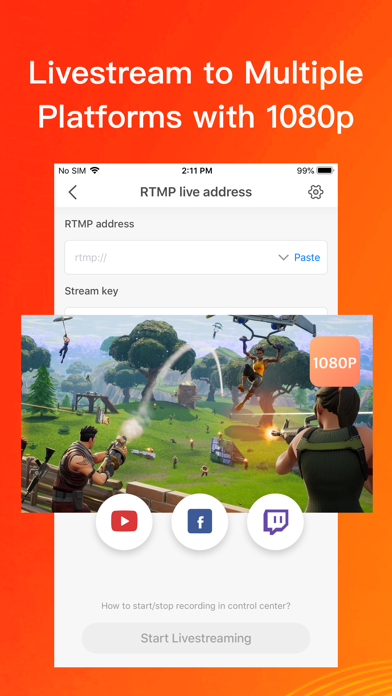
Livestream to YouTube, Facebook and Twitch
Add the screen recording feature to your control center. Simply log in to your YouTube, Facebook and Twitch account, choose the settings as you want, and start livestreaming to YouTube, Facebook and Twitch via the screen recording feature! These handy options give you a better livestreaming experience:
- Support simultaneous recording of microphone and internal audio
- High-quality livestreaming, with various resolution options
- Set your livestream to public, unlisted, or private to protect privacy
- Supports RTMP address
- Supports facecam, you can record reaction videos with the facecam feature
- Supports Replaykit, for livestreaming directly from Replaykit-compatible games
Screen Recording
Add the screen recording feature to your control center, tap the Record button, and choose DU Recorder to record your screen and save videos to your device. DU Recorder provides stable and fluid screen recording. With this screen recording feature, you can easily record popular mobile game videos, video calls with family and friends, and even popular programs on livestream apps!
Video Editing
You can easily perform the following video editing operations with the screen recorder:
- Trim video/Remove the middle part of the video
- Add music, choose from a huge variety of music
- Add text, custom video subtitles
- Add stickers, fun sticker materials
- Change speed, adjust video speed of different sections
- Crop video, crop videos to any ratio you want
- Merge multiple videos and choose from various transition effects
- Video to GIF, convert video formats to GIF
- Share via email, Airdrop, etc.
DU Recorder Premium
- Join now and enjoy all the features!
- Included features:Remove watermark, Custom watermark, Custom pause picture, Speed, Crop, RTMP broadcast, VIP feedback channel and more wonderful content.
- When you purchase DU Recorder Premium, you will use all paid features and materials.
- DU Recorder Premium is billed monthly or annually at the rate corresponding to the selected plan.
- According to the Apple Store policy, your subscription will be automatically renewed after the free trial ends.
- Payment will be charged to your iTunes account at confirmation of purchase.
- Subscriptions will automatically renew unless auto-renew is turned off at least 24 hours before the end of current period.
- Your account will be charged according to your plan for renewal within 24 hours prior to the end of the current period. You can manage or turn off auto-renew in your Apple ID account settings at any time after purchase.
- Privacy policy: http://durecorder.do-global.com/privacy/privacyPolicy.html
- Terms of use: http://durecorder.do-global.com/privacy/UserAgreement.html
If you have any comments or suggestions about DU Recorder, please contact us at [email protected]. Your feedback is appreciated!
Follow us on Facebook: https://www.facebook.com/DURecorderOfficial
Subscribe to our YouTube channel: https://www.youtube.com/channel/UCtvNkr4kV3GAEHAFqe5UocQ
- 脱獄/Jailed済みまたは脱獄済みのiPhoneまたはiPad。
- Sideloadlyまたは代替手段。
- iTunesがインストールされているWindows/macOS/Linuxを実行しているコンピュータ。
ステップ1: 上のリンクから事前にハックされた.IPAファイルをコンピュータにダウンロードします。iOSGodsアプリからダウンロードする方法は、ビデオ例付きのiOSGodsアプリIPAダウンロードチュートリアルをご覧ください。
ステップ2: SideloadlyをダウンロードしてWindowsまたはMacにインストールします。
ステップ3: コンピュータでSideloadlyを開き、iOSデバイスを接続して、デバイス名がSideloadlyに表示されるまで待ちます。
ステップ4: iDeviceが認識されたら、ダウンロードしたModされた.IPAファイルをSideloadlyアプリにドラッグ&ドロップします。
ステップ5: Apple Accountのメールアドレスを入力し、「Start」を押します。次にパスワードの入力を求められます。必要な情報を入力してください。
ステップ6: Sideloadlyがハックされたipaのサイドロード/インストールを完了するのを待ちます。インストール中に問題が発生した場合は、以下の注意事項をお読みください。
ステップ7: インストールが完了し、ホーム画面にアプリが表示されたら、設定 → 一般 → プロファイル / VPNとデバイス管理に移動する必要があります。そこで、ステップ6で入力したメールをタップし、「Trust [email protected]」をタップします。
ステップ8: ホーム画面に戻り、新しくインストールされたアプリを開けば、すべて正常に動作するはずです。ゲーム内のハックのポップアップで、アプリごとの追加指示に従う必要がある場合があります。
注意: iOS/iPadOS 16以降では、デベロッパモードを有効にするが必要です。無料のApple Developerアカウントの場合、このプロセスを7日ごとに繰り返す必要があります。質問や問題がある場合は、トピックのSideloadly FAQセクションをお読みください。